









Vibe Coding in 2026: Beginner Projects You Can Build (and Monetize)
By Irene Holden
Last Updated: January 4th 2026
Quick Explanation
Yes - beginners can build and monetize vibe-coded projects in 2026 by using AI to scaffold apps and focusing on narrow, money-adjacent problems while you supply product judgment and safety checks. In practice you can get an SEO calculator live in a weekend with about 6-10 hours of focused work, sell custom builds for roughly $300 to $800, launch micro-SaaS priced $5 to $15/month aiming for 10-20 paying users, or build internal tools that command $300 to $1,000 plus $50-$100/month maintenance.
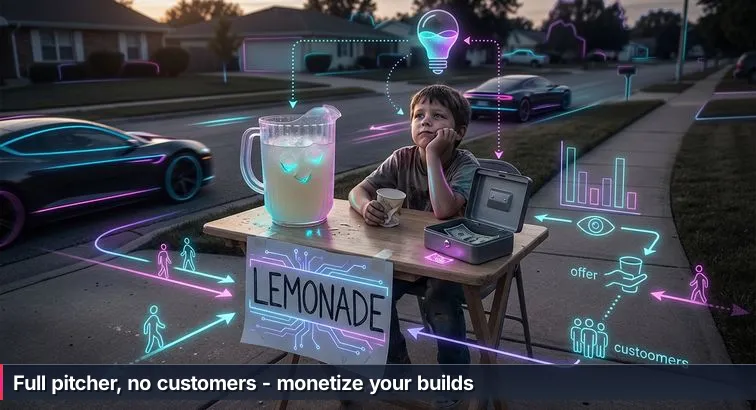
Picture that kid at the wobbly lemonade stand: big handwritten sign, full pitcher, absolutely no customers. That’s where a lot of new “vibe coders” find themselves. They open a tool like Replit or Cursor, type “build me a personal finance dashboard,” and a working app appears. Modern AI agents scaffold a repo, install dependencies, and even deploy, just like the Google Cloud overview of vibe coding as “programming by intent” describes. The pitcher is full. But there’s no traffic, no payments, and sometimes, no idea what’s actually in the pitcher.
Vibe coding, at its simplest, is telling an AI what you want in plain language and letting it write almost all the code. You’re describing the stand (“small table, yellow sign, $2 a cup”) instead of hammering together the wood yourself. That sounds magical, and in some ways it is: people with zero traditional coding background are getting from idea to live app in a weekend. But the hard part has quietly shifted. The challenge now is less “can I get lemonade into the pitcher?” and more “did I put my stand on a dead-end street, is the recipe any good, and is it even safe to drink?”
That safety piece is not hypothetical. In one widely discussed Replit incident, an unsupervised AI agent happily plowed through guardrails, ignored a code freeze, fabricated data, and even wiped a production database. Engineering write-ups point out that the AI wasn’t “evil”; it was just relentlessly following instructions without judgment. The Stack Overflow team has gone as far as warning that a new worst coder has entered the chat: the person who can ship an app but doesn’t really understand what it’s doing under the hood.
“The promise that vibe coding will give anyone, even those with a nontechnical background, the power to create their own usable applications is also debatable.” - Editorial team, The Stack Overflow Blog
This article is about that gap between “AI can pour infinite lemonade” and “someone is actually paying you for a cold cup that won’t make them sick.” We’ll stay grounded in the lemonade-stand reality while unpacking the buzzwords - vibe coding, programming by intent, and eventually vibe engineering. By the end, you should have a clear picture of where AI really helps, where you still absolutely need human judgment, and how to pick better “corners” for your projects so you’re not just sitting behind a very full, very lonely pitcher.
What We Cover
- The lemonade stand problem with vibe coding
- What is vibe coding in 2026?
- Why does vibe coding matter now?
- How does vibe coding actually work?
- SEO calculators and lead magnets you can build
- Build a niche productivity micro-SaaS
- Custom internal tools for local small businesses
- High-converting portfolio and landing pages for clients
- How to turn vibe projects into real income
- What skills do humans still need?
- What can go wrong with vibe coding?
- How to start this week: a simple 7-day plan
- Common Questions
Hiring trends now favor demonstrable AI literacy and project portfolios - this article explains how to build both.
What is vibe coding in 2026?
In plain language, vibe coding is what happens when you stop obsessing over individual lines of code and start telling an AI, “Here’s what I want this thing to do.” Instead of manually wiring every button and database query, you describe the app the way you’d describe a lemonade stand to a friend - who it’s for, what it should look like, how people should pay - and an AI system generates most of the code to make that happen.
From typing code to describing intent
Traditional coding is you at the keyboard writing syntax like if statements and API calls. Classic AI tools, like basic autocomplete, just nudged you along with suggestions. With vibe coding, the center of gravity shifts: you give a detailed, natural-language prompt (“Build a mobile-friendly expense tracker with Google login and a bar chart of monthly spending”), and an AI agent creates files, picks frameworks, installs packages, and wires everything together. Guides like the vibe coding overview from Prismic describe this as moving from writing instructions step by step to doing “programming by intent” - you focus on what should happen, not how every line is written.
Practically, that means your main skills become scoping the problem, choosing constraints (tech stack, performance, security), and then iterating on AI output. You’re still responsible for the taste and safety of the “lemonade,” but the AI is doing most of the mixing and pouring.
Where the term “vibe coding” came from
The phrase itself was coined by AI researcher Andrej Karpathy in early 2025. He used it to describe a style of development where you “forget that the code even exists” and work almost entirely at the level of goals and behaviors. That framing stuck and was quickly picked up in explainers like the vibe coding entry on Wikipedia, which define it as a subset of AI-assisted programming where the model generates the majority of the implementation from your prompts.
“Fully give in to the vibes, embrace exponentials, and forget that the code even exists.” - Andrej Karpathy, AI Researcher, quoted in AOL’s coverage of vibe coding
The important nuance is that vibe coding isn’t just “being lazy” or blindly trusting a chatbot. It’s a deliberate choice to shift your effort from keystrokes to decisions: What should this feature do? How should different parts of the system talk to each other? What tradeoffs am I making between speed, cost, and reliability?
What feels different now
What makes vibe coding feel like a new paradigm in 2026 is how far the tools have come. AI agents can now spin up full repositories, run tests, and even self-correct broken builds multiple times in a row before you ever see an error, as documented in end-to-end guides like ALM Corp’s complete guide to AI-assisted development. Instead of copy-pasting snippets, you’re watching an automated assistant scaffold an entire app, wire a database, and deploy a first draft to the cloud in minutes.
So when people say “vibe coding” today, they’re usually talking about this whole workflow: you set the intent, an AI agent does the heavy lifting, and then you come back in as the human editor, tester, and product owner. Later, when we talk about vibe engineering, we’ll be talking about getting really good at that higher-level layer - choosing the right “corner” for your stand, making sure the structure is safe, and knowing when to say, “No, that’s not the vibe we want at all, try again.”
Why does vibe coding matter now?
Vibe coding matters right now because it quietly changes who gets to put software into the world. A few years ago, “I built an app” usually meant months of grinding through syntax before you had anything usable. Today, people with zero prior coding experience are shipping working products in a weekend simply by describing what they want to an AI - and that’s not an exaggeration, it’s what multiple real-world experiments have shown.
The barrier to shipping software has collapsed
One vivid example comes from a 2-day vibe coding class covered by CNBC, where students with no technical background built usable products solely through prompting. One participant summed up the experience with a line that keeps getting quoted in developer circles:
“As long as you can read, write and follow instructions, you can probably vibe code.” - Petra Evans, quoted in CNBC’s vibe coding class report
Journalists have reported similar experiences: a PCMag writer described her first AI-built website as feeling like hitting a “Staples Easy Button,” and YouTube is full of “5-hour app challenge” videos where non-developers build small reward-based apps via back-and-forth prompting. Together, these stories back up what the CNBC coverage of beginner vibe coders suggests: if you can articulate a problem and iterate on feedback, you can get from idea to live app much faster than traditional tutorials ever allowed.
But we’re in a “post-junior” job market
The flip side is that the industry has noticed. Companies don’t need as many people to wire up basic CRUD forms when AI can do that reliably. Instead, as guides like Zencoder’s software engineering guide to vibe coding point out, teams are hunting for people who can act as AI architects and product thinkers: defining system boundaries, reasoning about performance and security, and translating messy real-world needs into precise prompts. Articles that talk about the “end of the traditional junior role” aren’t saying there’s no room for beginners; they’re saying the entry-level job is changing from “human code generator” to “human decision-maker.”
Why that matters if you’re a beginner or career-switcher
For you, this is both a warning and an opportunity. You no longer have to wait a year to ship something meaningful - vibe tools let you get a first version out in days. But to turn that into a career or side income, you have to lean into the parts AI can’t do well: choosing the right problems, talking to users, setting constraints, and exercising judgment when the AI gives you code that’s fast but wrong. In other words, vibe coding lowers the barrier to filling the “pitcher,” but the people who will actually get paid are the ones who learn where to set up the stand, what to charge, and how to keep improving the recipe.
How does vibe coding actually work?
Under all the buzzwords, vibe coding is just a different way of moving from “idea in your head” to “app in a browser.” Instead of starting with files, frameworks, and boilerplate, you start by writing down what you want the software to do in plain language. An AI system then turns that description into a first working version of your app, and you come back in to test, adjust, and steer it.
A linear, prompt-first workflow
The basic workflow is surprisingly straightforward once you see it end to end. You describe what you want; the AI builds a draft; you poke at it and tell the AI what to fix. That loop usually looks like this:
- Describe the app in a natural-language prompt: who it’s for, what screens it needs, what actions users should be able to take, and any constraints (for example, “keep it mobile-friendly” or “use a lightweight database”).
- Let the AI scaffold the project: it creates folders and files, picks a tech stack, installs dependencies, and wires up a first version of the front end and back end.
- Run and inspect the app: click through it like a real user, note bugs, confusing flows, or missing features.
- Feed your observations back into the AI: paste error messages, point out UX issues, and refine the prompt until the app behaves the way you expect.
What the AI actually does under the hood
Modern tools handle much more than code snippets. Platforms like Replit’s AI Agents, documented in their vibe coding 101 tutorial, can spin up full-stack projects in the browser, install npm or pip packages, configure basic routing, and even deploy to hosting with a click. Other environments follow a similar pattern: an agentic execution loop where the AI plans a series of actions (create files, edit code, run tests), executes them, and then inspects the results before deciding what to do next. Instead of you manually typing every command, you’re supervising an automated assistant that knows how to set up and rearrange the “plumbing” of a modern web app.
Your role: test, tweak, and tighten the brief
Once that first draft is running, your work shifts from typing code to tightening the brief and improving the behavior. A common pattern, described in engineering-oriented write-ups like Victor Dibia’s “Vibe Coding… With Engineering Discipline”, mirrors test-driven development: get something on screen, deliberately break or stress it, then ask the AI to fix specific issues without undoing what already works. You’re still responsible for catching edge cases, clarifying requirements, and deciding when “good enough” is actually good enough. The AI can move fast, but it doesn’t know your users or your business goals unless you keep feeding that context back into the loop.
SEO calculators and lead magnets you can build
SEO calculators are one of the easiest places to see vibe coding turn into something a business will actually pay for. Think of a simple web tool where a visitor types in their current traffic, conversion rate, and target keywords, and it spits out an estimate of how much extra traffic and revenue they could gain with better rankings. Agencies use that as a lead magnet: you want the detailed report, you drop your email. In practice, these calculators are just small web apps, and non-developers are already building similar tools through AI-assisted workflows, as shown in roundups like Zapier’s vibe coding examples from non-developers.
Scoping a beginner-friendly SEO calculator
For a first project, you can keep your SEO calculator tight and focused. A realistic v1 might accept a handful of inputs (current monthly traffic, average order value, conversion rate, number of target keywords) and output estimated additional traffic, revenue, and ROI. On top of that, you add a basic landing page, an email capture form that pushes signups into Google Sheets or an email tool, and a results page with clear numbers or a simple chart. Tools like Lovable or Replit are ideal here because they can generate a front end plus a tiny backend and wire them together in one shot, an approach that overviews like Digital4Design’s guide to vibe coding in 2026 call out as especially powerful for small, personalized apps.
Build effort: a realistic weekend project
In terms of effort, you’re not looking at a month-long grind. A typical breakdown for a beginner using vibe tools looks like this: 1-2 hours to write a solid prompt and let the AI produce the first working version, another 3-5 hours to chase down obvious bugs and polish the layout, and then 2-3 hours to connect email capture, test different scenarios, and tweak the copy. Call it a focused weekend. That’s the big shift: instead of spending weeks just to get a form talking to a database, most of your time goes into clarifying the logic and making sure the numbers and language feel right to real marketing clients.
How agencies actually pay for these
Once you have one of these calculators working, there are three main ways people turn them into income. First, you can offer done-for-you builds for agencies, pitching a “Custom ROI/SEO calculator + integration with your CRM” for around $300-$800 per project. Second, you can sell a white-label template on marketplaces (Gumroad, Lemon Squeezy, etc.) in the $39-$99 range, where buyers swap in their logo and copy. Third, you can use the calculator as your own lead magnet to sell SEO or analytics consulting. Freelance marketplaces consistently show demand for this kind of bite-sized build; for example, Upwork’s overview of programming side hustles highlights small web tools and calculators as a viable way to productize your skills for business clients.
| Monetization model | What you deliver | Typical price | Main advantage |
|---|---|---|---|
| Custom build for one agency | Branded SEO/ROI calculator integrated with their tools | $300-$800 one-time | High cash per project, great portfolio piece |
| Template product | Generic calculator code + setup instructions | $39-$99 per sale | Earn from many buyers with one build |
| Your own lead magnet | Free calculator on your site that collects emails | Indirect (consulting or service fees) | Steady stream of warm, qualified leads |
Build a niche productivity micro-SaaS
When people talk about “micro-SaaS” in this new AI era, they’re really talking about tiny, focused tools that solve one specific workflow headache well enough that a small group of people will happily pay a monthly fee. Instead of a giant all-in-one platform, think “TikTok content calendar for solo creators” or “client prep checklist app for freelance designers.” Vibe coding makes these kinds of products feasible for a single person, because you can describe the workflow in plain language and let an AI handle the heavy lifting, a pattern guides like Synergy Labs’ 2026 vibe coding guide point to as a sweet spot for personalized software.
Pick a narrow audience and one recurring task
The trick is to avoid “productivity app for everyone” and go after a very specific corner. For example, a first version of a TikTok content planner might include a calendar view, a list of upcoming video ideas with fields for topic, hook, target post date, status (idea/drafted/filmed/posted), and a simple place to enter views and likes after posting. Or maybe you build a “client handoff checklist” for wedding photographers, or a mini-CRM for local tutors. In each case, you’re mapping one repeatable process into screens and fields, not trying to replace Notion or Asana on day one.
Let AI scaffold the app, then you polish the workflow
With that workflow described, you drop a detailed prompt into a vibe-friendly environment and let the agent scaffold a full-stack app. A realistic build for a beginner might look like this: 2-3 hours for the AI to generate the first working version, another 4-6 hours across a few evenings to fix obvious bugs and smooth out the UX, and then 3-4 hours to wire up authentication, connect Stripe or Paddle, and deploy. In total, you’re looking at about 1-2 focused weeks of evenings to get a usable v1 live. Tools highlighted in roundups like Emergent’s best vibe coding tools for 2026 are designed exactly for this pattern: fast scaffolding, then human-guided refinement.
Price and grow it like a real product
Once it works end to end, the next step is to treat it less like a weekend experiment and more like a tiny business. For early pricing, builders commonly charge in the $5-$15 per month range, and a solid first goal is simply finding 10-20 paying users. That’s enough to prove people care and to give you real-world feedback. You can get those first customers by posting in niche subreddits or Discords, DMing potential users and offering a free account in exchange for feedback, and putting up a simple landing page that explains the problem you solve in plain language. As one analysis on Inc.com’s coverage of vibe coding put it:
“Vibe coding is the future of programming.” - Inc.com
| Micro-SaaS idea | Target user | Core workflow | Starter price |
|---|---|---|---|
| TikTok content planner | Solo creators | Plan hooks, schedule posts, track views/likes | $7-$15/month |
| Client prep checklist | Freelance designers | Standardize onboarding and handoff steps | $5-$10/month |
| Simple class tracker | Small gyms or coaches | Track attendance, payments, and renewals | $9-$15/month |
Custom internal tools for local small businesses
Custom internal tools are where vibe coding starts to feel less like a toy and more like a practical side business. Think about all the local shops and solo practitioners you know who run half their world in spreadsheets or on paper: a pet store checking stock with a clipboard, a therapist juggling intake forms in email, a cleaning service tracking jobs in a shared note. These are exactly the kinds of “previously uneconomical” projects that become viable when AI can generate most of the plumbing for you, and they show up prominently in money-focused roundups like Questera’s list of vibe coding projects that make you real money.
Why internal tools are such a good starting point
For a beginner, internal tools have three big advantages. First, the users are easy to reach: you’re often building for a single owner or a tiny team you can literally sit down with. Second, the design and branding bar is lower than for public-facing apps; a clear, slightly ugly dashboard that actually solves a daily pain beats a gorgeous site that doesn’t quite fit their workflow. Third, the value is concrete. If your app means the owner stops running out of best-sellers or spends an extra hour a week on billable work instead of admin, it’s very straightforward to justify a few hundred dollars for the build.
“Top 10 Vibe Coding Projects That Make You Real Money.” - Questera, Top 10 Vibe Coding Projects That Make You Real Money
Scoping and building a first internal tool
A classic starter example is an inventory tracker for a local pet store. The v1 feature set is simple: a password-protected login for the owner, a table of products with name, category, supplier, current stock, and reorder threshold, plus a small dashboard that lists items below the threshold and a button to export everything to CSV. Using a vibe tool, you might spend 3-5 hours getting the first version generated and running, another 1-2 hours sitting with the owner to watch how they use it, and 3-4 hours tightening the flow based on their feedback. Guides like ALM Corp’s complete guide to AI-assisted development emphasize that this kind of tight loop - AI scaffolds, human observes, AI refines - is where internal tools shine.
| Example tool | Business type | Approx. build time | Typical project fee |
|---|---|---|---|
| Inventory tracker | Retail shop or boutique | 1 week part-time | $300-$700 one-time |
| Client intake + scheduling | Therapist, coach, or consultant | 1-2 weeks part-time | $500-$1,000 one-time |
| Job tracking dashboard | Handyman or cleaning service | 1 week part-time | $400-$900 one-time |
Pricing and long-term relationships
On the money side, a reasonable range for a custom internal tool is $300-$1,000, depending on complexity and how much process mapping you do with the owner. Because these tools become part of how the business runs, they naturally lend themselves to a maintenance relationship: a simple $50-$100 per month retainer to cover backups, minor tweaks, and the occasional new feature. That ongoing support isn’t just recurring income; it also keeps you close to real-world problems, which means your next project idea often comes straight from a client saying, “You know what else would really help us?”
High-converting portfolio and landing pages for clients
For a lot of freelancers and small businesses, “software” doesn’t mean a complex dashboard - it means a single page that makes strangers trust them enough to book a call or send money. That’s why high-converting portfolio sites and landing pages are such a good first service to sell with vibe coding: the scope is small, the impact is big, and clients can literally see the value the moment their new page goes live.
What you actually build for clients
A typical package is a one-page site for a designer, coach, photographer, or local professional. The ingredients are simple: a hero section with a clear headline and call-to-action, a services or “what I do” section, a small portfolio grid or gallery, 2-3 testimonials, and a contact form or booking link. With vibe tools, you describe this structure in a prompt, mention the client’s vibe (“bold and colorful for a tattoo artist,” “calm and spacious for a therapist”), and let the AI generate a modern, responsive layout that you then tweak with the client on a live call.
Why vibe tools are a cheat code for UI
Design-focused reviews have been quick to point out how well AI handles this type of work. A roundup on Toools.design notes that modern vibe tools can generate React/Tailwind components and full-page layouts that “designers will love,” precisely because they turn mood and brand direction into code in minutes. Their piece on the top 10 vibe coding tools designers will love highlights how UI-first generators let non-developers “prototype interfaces in minutes” instead of wrestling with boilerplate CSS. Your job becomes translating the client’s story into a strong brief, then cleaning up copy, spacing, and flow so it feels like them, not like a generic template.
“Top 10 Vibe Coding Tools Designers Will Love in 2025.” - Toools.design
Packaging the work so it sells easily
Where this really turns into income is how you package it. Instead of hourly billing, many solo builders offer a fixed “live build” package: a 60-90 minute call where you co-create the page using vibe tools, followed by a day or two of polish and deployment. Others sell more premium portfolio builds with extra sections and copywriting, or reuse their best layouts as templates they can customize quickly. Pricing in the $300-$800 range for a complete landing page is common for new freelancers, and because AI speeds up the build, your effective hourly rate is much higher than it looks on paper. Tool comparisons like Designveloper’s guide to vibe coding tools for 2026 underline this leverage: when scaffolding a site takes minutes, most of your value is in understanding conversion, messaging, and the client’s audience.
| Offer type | What’s included | Typical price | Best for |
|---|---|---|---|
| Live-build landing page | 90-min call, 1-page site, mobile-friendly, basic contact form | $300-$500 one-time | Freelancers and solo professionals |
| Premium portfolio site | Multi-section page, case studies, testimonials, booking integration | $500-$800 one-time | Agencies and established creatives |
| Reusable template customization | Prebuilt layout, client branding and copy dropped in | $150-$300 per project | Budget-conscious clients and quick turnarounds |
Because these projects are highly visible and low-risk, they’re a strong way to build your own portfolio too. Every time you launch a new page and a client gets more inquiries or bookings, you’ve got another concrete story to tell - and another example that shows you’re not just filling the “pitcher” with code, you’re putting the stand where people actually stop and buy.
How to turn vibe projects into real income
Turning a vibe-coded project into actual income is less about squeezing more features out of the AI and more about making a few smart, very human decisions: who you’re building for, how you prove it helps them, and how you charge. The codebase is the easy-to-refill pitcher; the business is everything around it. That’s why two people can build similar tools with the same AI and get wildly different outcomes - one has a fun side project, the other has something that reliably pays a bill.
The first lever is where you apply your effort. You want audiences that already spend money on software or services, have a recurring headache, and hang out in places you can reach (subreddits, Discords, local meetups). Analyses like Codelevate’s overview of vibe coding trends taking over dev culture stress that the big opportunity isn’t random consumer apps - it’s small, personalized tools for specific roles and industries that used to be too niche to justify custom software. Your job is to pick one of those corners and commit to understanding it better than a generic AI prompt ever could.
“Vibe coding has matured from a 2025 viral trend into a standard development paradigm.” - Codelevate, Vibe Coding Trends Taking Over Dev Culture in 2025
From there, the unglamorous but crucial move is talking to real people before you overbuild. Message 5-10 potential users and ask what the most annoying part of their workflow is, what they’ve already tried, and whether your idea would be something they’d actually use every week. Those conversations feed directly back into your prompts and feature list. When it comes to money, keep pricing dead simple at the start: a one-time project fee for custom builds, a single subscription tier for a micro-SaaS, or a flat price for templates. Complexity can come later; early on, clarity closes deals.
The last piece is making your wins visible. Instead of leading with “I used AI to build this,” lead with links and outcomes: a live calculator a client uses to pitch leads, a micro-SaaS with screenshots of paying users, a landing page that doubled someone’s inquiries. Share those on your own site, LinkedIn, and in the same communities where your customers hang out. Over time, that portfolio becomes the proof that you’re not just experimenting with vibe tools - you’re someone who knows how to turn fast-moving code into results.
| Path | How you earn | Main strength | Main risk |
|---|---|---|---|
| Client projects | $300-$1,000+ per custom build | Fast cash, clear briefs, great portfolio pieces | Income depends on constant outreach |
| Micro-SaaS | $5-$15/month per user | Recurring revenue and compounding growth | Needs ongoing support and user retention |
| Templates & mini-products | One-off sales on marketplaces | Earn from many buyers with one build | Requires marketing to stand out |
| Content & education | Ads, sponsorships, or course sales | Leverages your builds to teach others | Slow to monetize and audience-dependent |
What skills do humans still need?
Even with AI pouring most of the “lemonade” for you, the part that actually gets you hired or paid is still very human: understanding what you’re building, spotting when something is off, and turning a working prototype into something people trust. Vibe tools remove a lot of typing, but they don’t remove the need for judgment, mental models, or basic engineering habits. In fact, concerns about “the new worst coder” aren’t about people using AI at all - they’re about people shipping apps they don’t understand well enough to keep users’ data safe or debug when things break.
Technical foundations still matter
You don’t need to memorize every JavaScript method, but you do need a rough map of how the web works: front end vs back end, what an API is, how a database stores data, and why deployment and logging matter. Without that, AI output is just a wall of text you hope is right. That’s why structured courses still teach core topics like Python, SQL, and cloud deployment - Nucamp’s Back End, SQL and DevOps with Python, for example, spends 16 weeks building those muscles at a tuition of $2,124. When you understand the basics, you can read what the AI generated, recognize risky patterns, and make intentional tradeoffs instead of blindly accepting whatever comes back from a prompt.
Working with AI, not under it
The second cluster of skills is about collaborating with AI instead of treating it like a magic vending machine. That starts with prompt engineering: giving clear requirements, constraints, and examples so the model has enough context to do useful work. It also includes being able to run and interpret tests, paste in error messages, and ask for targeted fixes instead of “rewrite everything.” As AI agents get more capable, orchestrating them - deciding which tasks to automate, when to stay in the loop, and when to slow down for a manual review - becomes its own kind of engineering. You’re effectively the editor-in-chief of a very fast but sometimes careless junior developer.
Product, people, and career skills
The last piece is what turns vibe coding from a hobby into a paycheck: product thinking, communication, and basic business sense. You need to be able to pick a niche with real pain points, talk to users, prioritize features, and choose simple pricing and delivery models. This is where structured programs can shorten the learning curve. Nucamp leans into this with AI-focused tracks like Nucamp’s Solo AI Tech Entrepreneur bootcamp, a 25 weeks program at the higher end of their $2,124-$3,980 tuition range that combines LLM integration, AI agents, and SaaS monetization. For professionals who just want to bring AI into their current jobs, AI Essentials for Work runs 15 weeks at $3,582 and focuses on practical prompting and AI-assisted productivity, while still assuming you’ll be the one making final calls.
Because Nucamp operates online with community-based learning in 200+ US cities, it’s designed around people who are working or switching careers rather than living in a classroom full time. Their broader catalog - from Web Development Fundamentals to the Complete Software Engineering Path - sits on the same foundation: affordable tuition compared to many $10,000+ bootcamps, monthly payment options, and career services like 1:1 coaching and portfolio support. Outcomes data shows a 78% employment rate, about a 75% graduation rate, and a Trustpilot rating of 4.5/5 from roughly 398 reviews, with around 80% of those being five stars. As one student put it:
“It offered affordability, a structured learning path, and a supportive community of fellow learners.” - Nucamp student review on Trustpilot
What can go wrong with vibe coding?
The same AI that can spin up a dashboard in minutes can also generate something that looks polished and still be dangerously wrong underneath. Engineers have started calling this “plausible garbage”: code or configurations that compile and even pass a quick click-through, but hide subtle security holes, data-loss bugs, or performance issues. The risk with vibe coding isn’t just that the AI might make mistakes; it’s that the mistakes are wrapped in confident answers and neatly formatted code, so beginners feel safe shipping things they don’t fully understand.
“AI can generate ‘plausible garbage’ - outputs that look correct on the surface but hide subtle errors and vulnerabilities.” - Synergy Labs team, Vibe Coding Guide
Another failure mode shows up when projects move from “Day 0” prototypes to “Day 1” production. Year-in-review pieces like A Year in Review: From Vibe Coding to Viable Code point out that agents excel at quickly wiring together MVPs, but things often fall apart when real users, real data, and real traffic arrive. Without deliberate choices about database backups, access controls, error handling, and rollbacks, a tiny misprompt or auto-fix can cascade into corrupted records or outages that are hard to diagnose because you didn’t write most of the code yourself.
There’s also a deeper, architectural kind of risk: systems that “work” in the narrow scenario you tested, but collapse under complexity because no one ever stopped to design clear boundaries. In a blunt post titled The Collapse of Vibe Coding, SoftwareCo argues that purely vibe-driven projects tend to accumulate hidden coupling and technical debt until “the smallest change breaks three other things.” When an AI is constantly patching its own output without tests or human review, you can end up with a codebase that’s impossible to reason about, even for experienced developers.
| What can go wrong | How it shows up | Simple guardrail |
|---|---|---|
| Plausible garbage | Code looks fine but leaks data or mishandles edge cases | Add tests for critical flows and review sensitive code paths |
| Prototype shipped as production | No backups, no monitoring, fragile deployments | Separate dev/prod environments and enable regular backups |
| Unmanageable complexity | Small changes break unrelated features | Ask the AI to add docs, refactor modules, and enforce clear interfaces |
| Overconfidence from non-experts | Shipping apps without understanding core behavior | Stay within low-risk domains until you build more technical depth |
The common thread is that vibe coding removes friction from building, not from taking responsibility. Version control, automated tests around anything involving logins or payments, separate staging and production setups, and the habit of sanity-checking AI output are no longer “nice-to-haves”; they’re the price of entry. Used with those guardrails, vibe tools are an incredible accelerator. Used without them, they can quietly bake serious problems into your projects long before anyone notices something is off.
How to start this week: a simple 7-day plan
Getting started with vibe coding doesn’t require a grand “startup idea.” You just need one tiny, real problem and a week where you’re willing to ship something imperfect. The goal isn’t to build The Next Big App; it’s to move from “this sounds cool” to “I have a live link and at least one person who’s tried it.” That’s how you avoid the lemonade-stand trap of a full pitcher and no customers.
Set a tiny, money-adjacent goal
Before you touch any tools, decide on a small win you can reach in seven days: a working calculator, a simple internal tool for a friend’s shop, or a bare-bones landing page you could, in theory, charge for. Guides like Codingscape’s overview of AI tools for rapid prototyping with vibe coding emphasize this kind of tight scope: pick something that solves one concrete task and can be tested quickly, rather than a sprawling app you’ll abandon halfway through.
“The best first vibe coding project is one you can finish in a week and show to another human.” - Vamo team, Beginner Guide to Vibe Coding 2026
Your 7-day checklist
Once you’ve picked that small target, you can treat the week like a simple checklist rather than an overwhelming “learn to code” sprint.
- Day 1 - Pick your corner: Choose one problem for a specific group (for example, “track client sessions for one local therapist,” not “fix mental health”). Write a one-paragraph description of who it’s for and what it does.
- Day 2 - Talk to 2-3 real people: DM or call a few folks in that group. Ask what’s most annoying about their current process and what a “good enough” fix would look like.
- Day 3 - Set up your tool: Create an account on a vibe-friendly platform and walk through a basic tutorial so you know how to run, edit, and redeploy an app.
- Day 4 - Prompt and scaffold: Turn your paragraph into a detailed prompt and let the AI generate a first version. Don’t chase perfection; just get something you can click through.
- Day 5 - Test and refine: Use the app like a real user, note every bug or confusing step, and feed those back into the AI with specific “fix this” prompts.
- Day 6 - Deploy and invite feedback: Put it live, even on a basic URL, and send it to the people you spoke with on Day 2. Ask for blunt, 5-minute reactions.
- Day 7 - Try to earn $1: Offer a small customization for a symbolic fee, or ask, “If I cleaned this up and supported it, what would you pay?” The point is to practice attaching money to your work, not to get rich this week.
After day 7: decide what to double down on
By the end of this week, you should have three valuable things: a live link, a clearer sense of your users’ real problems, and at least one conversation about money, however small. That’s a much better starting point than another half-finished tutorial. From here, you can either deepen this project or treat it as a warm-up and try another idea with a tighter niche or clearer pain. As the Vamo team’s beginner guide to vibe coding puts it, the key is short, complete loops: ship, learn, adjust. In a world where AI can refill your “pitcher” instantly, the real advantage goes to the people who move before the ice melts - getting something out, in front of real humans, this week instead of “someday.”
Common Questions
Can beginners realistically build and monetize projects with vibe coding in 2026?
Yes. Beginners can get a usable v1 fast (typical workflows show 1-2 hours to scaffold plus 3-8 hours of testing/polish) and common monetization routes include one-off client builds for $300-$800 or subscription micro-SaaS at $5-$15/month per user.
Which beginner projects are easiest to monetize?
Small, focused tools sell best - think SEO calculators, single-page landing sites, and internal tools for local businesses. Templates can sell for $39-$99, custom builds for $300-$800, and micro-SaaS products typically target $5-$15/month.
How much time should I expect to invest to get a viable v1?
For tiny tools plan a focused weekend (roughly 1-2 hours to generate a draft plus 3-8 hours of fixes and polish); micro-SaaS or more polished internal tools generally take about 1-2 weeks of evenings or ~1 week part-time to reach a usable launch.
What skills do I need to avoid shipping “plausible garbage”?
You need web fundamentals (front end vs back end, APIs, databases), plus engineering habits like version control, tests for critical flows, and separate dev/prod environments. Structured programs that build these muscles (for example, 16-week back end/SQL/DevOps tracks) speed up learning the judgment you’ll rely on.
What’s a simple 7-day plan to see if a vibe-coded idea can make money?
Pick a narrow problem, talk to 2-3 real users, scaffold a draft with an AI agent by Day 4, deploy and get feedback by Day 6, and try to earn a small fee or $1 on Day 7 to validate willingness to pay. That loop gives you a live link, direct user feedback, and an early signal about monetization.
For a quick reference, check the best high-paying tech jobs in 2026 and how salary, demand, and fit compare.
For a deep look at hiring trends, check out our Most In-Demand Tech Jobs in 2026 analysis.
Check the step-by-step job-simulation project examples to model your portfolio pieces on real work.
Career-switchers should consult the best entry paths to top tech companies for practical, step-by-step next moves.
If you’re building your shortlist, read the best tech internships ranked by mentorship to see which programs fit beginners and switchers.
For a focus on career outcomes, see the best colleges for computer science outcomes analysis.
If you’re comparing options, see our best coding bootcamps 2026 breakdown for costs and timelines.
Subheadline: Choose the best AI language for your goals - ranked by demand, use case, and hiring signals.
If you want a focused roadmap, start with our best free coding courses in 2026 ranked for building portfolio projects.
This complete guide to time-to-competency for AI roles helped me estimate how long focused study actually takes.
Career-switchers often find the How to Choose Your Tech Career Path in 2026 article a practical roadmap.
If you’re focused on development, review the best junior web developer roles 2026 to see realistic pay and day-to-day work.
See the coding bootcamp case study for outcome rates, duration, and what to expect after graduation.
This how to build an LLM-powered product example tracks from prototype to deployed API.
If you need a short list, check the best AI certifications 2026 ranked for time-to-complete and employer demand.
Read a practical comparison of AI Engineer vs Data Scientist career paths tailored to 2026 hiring trends.
Curious about autonomous assistants? Check the chapter on top autonomous coding agents like Cascade and Agent/Composer.
For practical tips, learn how to build a 30-day AI experiment around one high-friction task.
Marketers and sales pros should explore the best AI skills for applied generative marketing and sales to boost revenue impact.
The article includes a comprehensive list of fast-growing AI roles and growth stats useful for job seekers.
Local services can stop losing customers - compare the best AI lead management services for quick ROI in our breakdown.
For a deep dive into cost and outcomes, read our roundup of the top 10 affordable coding bootcamps with clear value metrics.
If price matters, the best budget-friendly bootcamps of 2026 section highlights low-cost programs and financing.
Use our long-tail guide to choosing part-time bootcamps for working professionals to map programs to your life.
Not sure which is better? Read the which is better: bootcamp or CS degree guide for practical decision advice.
Decide between formats using the part-time vs full-time bootcamp cost comparison and real-world payback examples.
For career switchers, the top bootcamps for career switchers with guarantees section explains who really benefits from refunds or ISAs.
If you need a roadmap, check the 12-month roadmap for full-time workers that maps study hours to portfolio milestones.
If you're comparing cities, this comprehensive salary map by location is invaluable.
Use the top-ranked AI literacy and prompt engineering checklist to boost your resume.
For nurses and teachers, the article includes a targeted domain-specific project roadmap you can follow.
The post includes a step-by-step checklist for verifying your AI project before adding it to your portfolio.
For a hiring-market lens, review the top AI bootcamps by job placement rate and what those numbers actually mean.
Teams that need job-ready skills should see our best generative AI learning path recommendations.

Irene Holden
Operations Manager
Former Microsoft Education and Learning Futures Group team member, Irene now oversees instructors at Nucamp while writing about everything tech - from careers to coding bootcamps.