









How to Use AI at Work in 2026: A Beginner's Guide for Any Profession
By Irene Holden
Last Updated: January 4th 2026
Key Takeaways
Use AI at work in 2026 by treating it like a small brigade you orchestrate: pick one high-friction “Friday dinner rush” workflow, choose a tight 2-3 tool toolkit, chain AI to handle repeatable steps, and keep human review as the final check. About 75% of knowledge workers now use AI and those with well-integrated tools report saving over 3.5 hours per week, but 77% say poorly managed AI increases workload - so run a 30-day experiment, use clear prompt templates, and follow the 30% rule to keep judgment and quality firmly yours.
The smoky kitchen feeling in your inbox
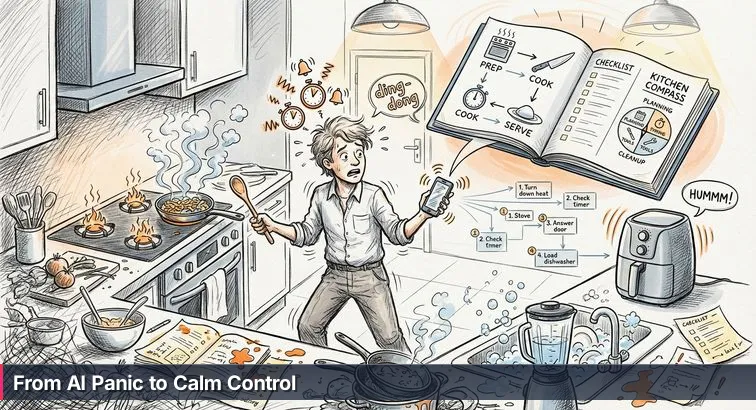
You know that moment in a tiny kitchen when every burner is on high, three timers are beeping, the air fryer is whining, and the smoke alarm is threatening to go off? For a lot of people, that’s exactly what using AI at work feels like. You’ve signed up for ChatGPT, Copilot, Notion AI, maybe Claude and Perplexity. Your browser is packed with AI tabs, your phone pings with “try our new agent!” notifications, and somehow your days feel busier, not lighter.
This isn’t just in your head. Around 75% of knowledge workers now use AI regularly at work, and those who have it integrated into their daily tools report saving an average of 3.5+ hours per week, according to Simpplr’s AI and digital employee experience research. On paper, that sounds like a dream: fewer repetitive tasks, more time for the good stuff. In reality, many people are frantically opening one AI tab after another, hoping the next one will finally “fix” their workload.
In that smoky-kitchen moment, you don’t need another gadget; you need a plan. At work, it’s the same: the problem usually isn’t that you’re missing one magical AI app, it’s that everything is running at once with no clear menu, no prep, and no one really acting as head chef.
When more AI makes work feel heavier
There’s a growing backlash you may recognize in your own day. A 2025 survey found about 77% of workers feel AI tools actually increase their workload because of all the time spent reviewing outputs, fixing mistakes, and juggling multiple platforms. Instead of clearing your counter, AI can feel like another pan to watch - a draft to double-check, a chatbot to correct, a new UI to learn.
- You rewrite AI-generated emails so they sound like you.
- You fact-check AI research because you’re not sure what’s made up.
- You copy-paste between tools because nothing talks to anything else.
Leaders are feeling the gap too. As one HR executive put it in Dayforce’s guide to AI at work, the real shift now is less about playing with demos and more about whether AI actually helps teams get real work done.
“As organisations move beyond experimentation, 2026 will be the year of outcomes for AI. The focus will shift from potential to performance and real measurement of business results.” - Amy Cappellanti-Wolf, Chief People Officer, Dayforce
Owning gadgets isn’t the same as running a kitchen
That’s the heart of the smoky-kitchen problem: owning gadgets is not the same as running a kitchen. Having five AI tools doesn’t automatically mean you’ll write better reports, ship projects faster, or feel less burned out. The value comes from how you orchestrate everything - what’s on the menu, what gets prepped ahead of time, which “line cook” (AI tool) handles which step, and when you step in with the tasting spoon.
This guide is designed to help you make that shift. Instead of throwing more AI at the fire, you’ll learn how to slow a few burners down, pick one “Friday dinner rush” in your job to focus on, and start treating AI like a set of junior teammates you direct - not a magic button you’re supposed to trust blindly. By the end, you’ll have a clear path from chaotic kitchen to calm dinner service, with AI working for you instead of adding to the smoke.
In This Guide
- Why AI at Work Feels Like a Smoky Kitchen
- What Using AI at Work Really Means in 2026
- Set Your Menu: Choose Goals Before Tools
- Mise en Place: Pick a Small, Intentional Toolkit
- Prompt Like a Chef: AI Literacy Fundamentals
- Agentic AI and Workflow Design: Build Full Meals Not Single Dishes
- Concrete Ways to Use AI by Profession
- Keep the Tasting Spoon: Quality, Ethics, and the 30% Rule
- Avoid the Too Many Gadgets Trap
- Build Real AI Skills Without a CS Degree
- Your First 10 Hours With AI at Work: A Step-by-Step Plan
- From Chaotic Kitchen to Calm Dinner Service
- Frequently Asked Questions
Hiring trends now favor demonstrable AI literacy and project portfolios - this article explains how to build both.
What Using AI at Work Really Means in 2026
From single recipes to running the line
Picture a professional kitchen on a Friday night. They’re not just following one recipe at a time; they’re running an entire line. One station handles sauces, another grills, another plates - all working from the same menu, in a tight rhythm. Using AI at work can be the same: basic use is asking a chatbot to “write an email,” but real value comes when you design how multiple tools work together across a whole process, from raw input to finished “dish.”
That orchestration is what many leaders now call AI literacy: the ability to turn a messy 12-step workflow into a clear sequence where humans and AI each handle the steps they’re best at. Human-centric AI strategist Mark Minevich notes in Forbes’ analysis of agentic AI that hiring and promotions are already shifting toward “AI literacy, automation skills, and workflow design intuition,” with interviews moving from trivia questions about tools to prompts like, “Show me how you’d orchestrate three AI agents to automate this 12-step process.” In other words, you’re being evaluated as the head chef, not the person who can name every gadget.
What agentic AI actually is (without the jargon)
Until recently, most workplace AI behaved like a polite line cook waiting for orders: you asked a question, it answered once, and stopped. Agentic AI is closer to having a small kitchen brigade you can trust with a full dish end-to-end. You might have one agent that does research, another that structures data in a spreadsheet, and another that drafts updates and sends them out - all coordinated around your goal. As ADP’s Chief Data Officer Amin Venjara explains in their 2026 HR technology outlook, this style of AI “unlocks new frontiers of automation, coordinating multistep work and adapting to real-world variability,” while humans provide purpose and guardrails.
“Human oversight provides purpose and guardrails, thereby clarifying objectives, approving critical actions and reviewing impacts. Together, they deliver scalable automation that’s trustworthy, compliant and resilient when conditions change.” - Amin Venjara, Chief Data Officer, ADP
Adoption of this approach is already significant: about 48% of large businesses, 25% of midsized, and 4% of small businesses are using agentic AI, with chief HR officers projecting a striking 327% growth in agent adoption by 2027, according to ADP’s planning guidance on key HR technology trends. The big mental shift is realizing you’re not just “chatting with a bot”; you’re coordinating a team of digital line cooks around a specific outcome.
| Aspect | Traditional chatbot | Agentic AI |
|---|---|---|
| Typical task | Answer a single question or draft one email | Handle a multi-step workflow (research → draft → update systems) |
| Initiative | Waits for each prompt | Can follow a plan and call tools until the goal is met |
| Your role | One-off requester | Designer of the process and reviewer of key decisions |
| Risk | Small, isolated mistakes | Larger impact if you don’t set clear guardrails |
How your value at work is changing
In this new setup, your advantage is less about memorizing information and more about how you use it. A 2026 workplace guide from Read AI describes AI as amplifying individual capability and shifting the value people bring from “knowing things” to “doing things with what’s known.” That plays out in very practical ways: defining the “menu” (clear outcomes), designing the “line” (who or what handles each step), and keeping your tasting spoon handy (judging quality, ethics, and fit).
So when you hear “learn AI,” it doesn’t mean you must become a data scientist. It means getting comfortable as the head chef: deciding which 12-step process in your week is worth redesigning, choosing which AI “cooks” to put on each station, and knowing when to jump in, taste, and adjust the seasoning. The rest of this guide will walk you through exactly how to do that, one workflow at a time.
Set Your Menu: Choose Goals Before Tools
Why jumping to tools backfires
In a rushed kitchen, the worst move is grabbing another gadget when you haven’t decided what you’re cooking. At work, “tool-first” AI adoption looks the same: you sign up for ChatGPT, Copilot, Notion AI, maybe a few niche apps, and hope one of them will magically clear your plate. Instead, you end up with more tabs, more logins, and more half-finished drafts to review. That’s exactly why so many workers report AI is adding friction instead of removing it, with about 77% saying AI tools have actually increased their workload once you factor in reviewing outputs, fixing mistakes, and hopping between platforms.
“Fix workflows before adding tools… redesign onboarding around AI as a teammate, not a toy.” - Atlassian Work Life, AI insights report
Find your “Friday dinner rush” workflow
Before you touch another AI signup page, you need a menu. That means asking, “Where do I feel most like the overwhelmed host on a Friday night?” Look back at the last couple of weeks and circle the moments that felt chaotic. Common candidates for your first AI focus area include:
- Endless email or Slack/Teams threads that eat hours
- Weekly reports or slide decks you rebuild from scratch
- Meeting overload and manual tracking of action items
- Repetitive documentation, status updates, or form-filling
- Research rabbit holes where you drown in open tabs
- Spreadsheet cleanup in Excel or your CRM
Your goal here is not to “AI-ify” everything. It’s to pick one high-friction workflow - your Friday dinner rush - and make that the single “dish” you’ll redesign with AI over the next month. Starting this way matches what digital workplace experts at CMSWire describe as a key success factor: giving people time to integrate AI into real processes instead of dumping random tools on them.
The 10/20/70 reality check
A widely shared framework for AI transformation, summarized by the Americas Society/Council of the Americas, suggests you should think of your effort as 10/20/70: about 10% on the algorithm itself, 20% on data and plumbing, and a full 70% on people and change. For an individual professional, that translates neatly into “menu before gadgets” - most of your wins come from how you change your process, not which model you pick.
| Focus area | Effort share | For organizations | For you personally |
|---|---|---|---|
| Algorithms & models | 10% | Choosing vendors and core tech | Picking a main assistant (ChatGPT, Claude, etc.) |
| Data & plumbing | 20% | Integrations, security, and access | What inputs you give AI: files, context, examples |
| People & workflows | 70% | Habits, training, process redesign | How you change your steps to actually rely on AI |
As the AS/COA panel on generative AI put it in their discussion of this model, the real challenge is to “get the 70 percent right” - the human side of how work happens, not just the tech you plug in (Gen AI: Get the 70 Percent Right). That’s why your first move is to define a clear outcome, map the steps, and only then decide where AI fits.
Turn one menu item into a 30-day experiment
Once you’ve picked your Friday dinner rush, you’re ready for a simple commitment: treat it as a 30-day experiment. Write down the current steps, estimate how many minutes you spend each week, and set a basic metric like “minutes saved per week” or “number of clicks reduced.” Then, as you bring AI into the process, you’ll have something concrete to compare against. Instead of adding yet another gadget to an already smoky kitchen, you’ll be turning down a few burners and redesigning how one important dish gets made.
Mise en Place: Pick a Small, Intentional Toolkit
What mise en place looks like for AI
In a real kitchen, mise en place isn’t about owning every gadget at the specialty store. It’s about having a small, intentional setup: knives sharp, pans within reach, ingredients prepped for the dishes you’re actually serving tonight. Your AI setup at work should feel the same. Instead of five different chatbots and six “productivity” extensions, you want a short list of tools that live where you already work and are ready to help with the workflows you run every week.
Right now, there are dozens of “best AI tools” lists floating around, each with a new must-try app. Reviews like Zapier’s guide to the best AI productivity tools highlight how crowded the space has become: general assistants, writing tools, spreadsheet copilots, meeting bots, CRM add-ons, and more. If you treat all of them like magic bullets, your digital counter gets just as cluttered as that overstuffed kitchen drawer. The shift is to be deliberate: pick a few, place them where you work, and use them deeply.
The 2026 core platforms on your counter
Most knowledge workers can cover 80-90% of their needs with a handful of well-chosen tools. Based on cross-tool comparisons from sources like BairesDev and others, here’s how the main “ingredients” break down in simple terms:
| Tool | Best for | Where it lives |
|---|---|---|
| ChatGPT | General problem-solving, drafting, brainstorming, multi-step “deep research” | Browser, desktop, and integrations with many apps |
| Claude | Very long documents, thoughtful writing, structured outputs | Web and desktop, can work directly with Word/Excel/PPT files |
| Perplexity | Up-to-date research with citations you can verify | Web and mobile, often used alongside another main assistant |
| Microsoft Copilot / Google Gemini | Summarizing email/meetings, drafting docs, cleaning sheets right where you work | Built into Outlook/Word/Excel/Teams or Gmail/Docs/Sheets/Calendar |
On top of that, you can add a couple of “support stations” as needed: Notion AI for turning notes into summaries and action items, or meeting tools like Otter, Fireflies, or Klu for transcripts and follow-ups. Comparison guides such as the BairesDev chatbot comparison make one thing clear: no single tool wins every category. The win is picking the right mix for your environment, not chasing every new name.
How to pick just 2-3 tools (and ignore the rest)
To keep your AI mise en place tight, start with three decisions: pick one general-purpose assistant (ChatGPT or Claude), one integrated assistant where you already live (Copilot if you’re in Microsoft 365, Gemini if you’re in Google Workspace), and optionally one helper for meetings or research. Microsoft’s research on “working with AI” stresses that not every task benefits equally; some roles have far higher “AI applicability” than others, and the biggest gains come when people lean on AI for the right kinds of work rather than sprinkling it everywhere (Working with AI: Measuring the Applicability of Generative AI).
“Specialization over hype: master one specific AI skill… specialization is expected to beat hype every time.” - TripleTen, Learn the No. 1 AI Skill for 2026
Make it a 30-day kitchen test
Once you’ve chosen your small toolkit, treat it like rearranging your kitchen for a month: no new gadgets, just learning to cook well with what you’ve got. For 30 days, commit to using only your chosen general assistant, your in-suite copilot (365 or Workspace), and, if you picked one, your meeting or research tool. Any time you’re tempted to try something new, ask, “Can I get 80% of this done with what’s already on my counter?” That discipline is what turns AI from background noise into a reliable line of helpers you actually trust.
Prompt Like a Chef: AI Literacy Fundamentals
Give better instructions, get better “dishes”
Even in a well-equipped kitchen, the difference between a soggy mess and a great meal is often the chef’s instructions: “Low heat for 10 minutes, then finish with lemon and salt to taste.” Prompts are those instructions for AI. If you just toss in, “Help me with this,” you’ll usually get the AI equivalent of an undercooked dish. When you’re specific about the role, goal, and how you want the result plated, the same model suddenly feels much smarter. Guides like The Wall Street Journal’s “A Beginner’s Guide to Using AI: Your First 10 Hours” emphasize that effective prompting isn’t about fancy jargon; it’s about learning a few simple levers you can pull on every request.
“It’s a no-code, no-jargon approach that helps professionals identify the hidden levers of high-impact prompts.” - A Beginner’s Guide to Using AI: Your First 10 Hours, The Wall Street Journal
The 6 levers of a high-impact prompt
A practical way to think about prompts is as six “levers” you can set before you start cooking. You can remember them as R-G-C-F-T-E:
- Role - Who should the AI act like? A project manager, recruiter, senior developer, teacher?
- Goal - What clear outcome do you want? A summary, a decision draft, three options?
- Context - What background does it need? Audience, constraints, examples, company norms?
- Format - How should it be plated? Bullets, table, email, step-by-step plan?
- Tone - Should it sound formal, friendly, technical, empathetic?
- Examples - Can you paste 1-2 samples of “good” so it can imitate the style?
Compare “Fix this email” with a richer version: “You are a customer success manager writing to a long-time client. Goal: explain a 15% price increase while preserving trust. Context: they’ve been with us 5 years and just renewed. Format: 3 short paragraphs plus a P.S. offering a 30-minute call. Tone: empathetic, transparent, not salesy. Examples: use a similar style to the email below that performed well.” Same AI, completely different result.
Turn theory into reusable prompt “recipes”
Once you understand the levers, you can create prompt templates the way a kitchen relies on house recipes. For example, a brainstorming template (“Act as a [role]. I’m working on [project] for [audience]…give me 15 ideas…”) or a drafting template (“Using this outline, write a [length] [type of document] for [audience] in a [tone] voice…”). Resources like Jotform’s guide on how to use AI encourage this kind of repeatable structure because it turns AI from a novelty into a standard part of your process: you don’t start from zero every time you need ideas, a first draft, or a clearer version of something you wrote.
Act as a marketing lead for a B2B SaaS company.
Goal: Draft a 200-word LinkedIn post promoting our new report.
Context: Audience is time-poor managers; key benefit is saving 3 hours/week.
Format: Hook, 3 bullets, call to action.
Tone: Practical, confident, no hype.
Build your personal prompt library
To really feel like the head chef, start saving your best prompts. Pick three recurring tasks in your job - maybe emails, status reports, and meeting summaries - and write one strong prompt “recipe” for each using the six levers. Any time a version works well, drop it into a simple doc or note and tweak it instead of reinventing the wheel. Over a few weeks, you’ll build a personal prompt library that lets you move quickly and consistently, the same way a well-run kitchen leans on prep work rather than improvising every dish from scratch.
Agentic AI and Workflow Design: Build Full Meals Not Single Dishes
From single dishes to full-service workflows
Asking AI to “write this email” is like tossing one burger on the grill. It’s fine for a quick win, but it doesn’t change how the kitchen runs. The real shift happens when you use AI across the whole “meal”: gathering ingredients (information), doing the prep (cleaning data, drafting outlines), cooking (creating the deliverable), and plating (formatting and sending). Instead of ten disconnected prompts, you design one end-to-end workflow where AI and humans each own specific steps.
Take a weekly status report that currently eats 90 minutes. Today you might manually pull data from tools, clean a spreadsheet, summarize trends, write text for your manager, then copy highlights into slides and an email. With a well-designed workflow, Copilot or Gemini can clean and calculate metrics in your sheet, an assistant like ChatGPT or Claude can turn those numbers into bullet-point insights and a narrative, and a slide or doc companion can auto-generate the visuals. You’re still the head chef, but you’re no longer chopping every onion yourself.
Map the line: Human, AI, and Hybrid steps
The practical way to get there is to “map the line” the way a chef assigns stations. Write down your workflow as 8-12 steps, then label each one as Human-only (H), AI-ready (A), or Hybrid (H/A). Research from McKinsey’s report on AI at work shows that teams who move from isolated AI experiments to true end-to-end automation can save 10-20 hours per employee per week in some knowledge roles, largely because they stop treating AI as a one-off helper and start redesigning whole processes around it.
| Step in your workflow | Example | Best owner |
|---|---|---|
| Collect raw inputs | Exporting tickets, pulling meeting notes | A (AI can pull/summarize from tools) |
| Clean and structure | Removing duplicates, grouping by theme or status | A or H/A (AI proposes, you review) |
| Interpretation | Deciding what matters for this audience | H (your judgment and context) |
| Draft outputs | Report text, slides, emails | A (AI drafts, you edit) |
| Final check & send | Fact-checking, tone, approvals | H (your tasting spoon) |
“To effectively use AI in practice, it may be just as important to design innovative processes for how to combine humans and AI as it is to design innovative technologies.” - MIT Sloan Management Review, Three Things to Know About Implementing Workplace AI Tools
Design your first mini “line” with agents
To turn this into action, pick the one workflow you chose earlier as your “Friday dinner rush.” Break it into steps, tag each one H, A, or H/A, and then intentionally chain at least three AI-ready steps together so they run like a small line: an agent or assistant gathers and cleans inputs, another summarizes and drafts, and you come in at clear checkpoints to taste, adjust, and approve. Over time, you’ll add more dishes to that line, but starting with a single, well-designed AI-powered workflow is what moves you from random recipes to running a real kitchen.
Concrete Ways to Use AI by Profession
See AI through the lens of your actual job
Once you stop thinking of AI as a generic “magic tool” and start looking at your specific role, things get practical fast. A marketer’s version of AI looks very different from a project manager’s, or a small-business owner’s. The good news is you don’t need to guess: across industries, people are already using AI to write, analyze, organize, and forecast in very concrete ways, often with measurable gains in speed and quality, as documented in cross-industry case collections like AI success stories from Leaniar.
Below are some of the most common roles Nucamp learners and career-switchers move into, and how AI is showing up in each one. Use these as starting patterns, not rigid rules; your goal is to recognize, “Oh, that’s basically what I do,” and then steal the workflow.
Writers, marketers, and content creators
If your day is full of briefs, blogs, emails, and social posts, AI can act as your brainstorming partner, junior copywriter, and editor. Tools like ChatGPT or Claude handle ideation and first drafts, Jasper or Copy.ai are built for high-volume marketing copy, and Grammarly’s latest versions can clean up grammar and adjust tone across hundreds of apps. Many writers now run a pipeline like this: use an assistant to research audience questions, generate an outline, draft a full article, and then rely on Grammarly plus manual editing to tighten everything up.
- Turn keyword lists into detailed article outlines with sections and subheadings.
- Generate 10-20 headline variations and social captions for the same piece.
- Paste your own draft and ask AI to shorten it by 25% while preserving your voice.
Content teams featured in real-world case compilations are reporting faster turnaround times and more consistent messaging by standardizing these AI-assisted pipelines, especially when they maintain a clear “house style” and always do a final human edit before publishing.
Analysts, operations, and business generalists
For people who live in spreadsheets, dashboards, and long PDFs, AI is becoming a force multiplier. You can upload reports into tools like Claude to get five-bullet summaries and risk lists, or connect your CSVs to no-code tools like Julius AI and Polymer to generate charts and simple forecasts using plain English instructions. On the research side, pairing a general model with Perplexity lets you move from “20 open tabs” to a single, cited answer you can verify.
- Ask AI to clean and categorize raw data, then build pivot tables or charts automatically.
- Feed it 30 pages of operations notes and request a one-page executive summary.
- Run “what-if” scenarios (“what if churn rises 5%?”) and have AI quantify the impact.
According to analysis summarized in a future-of-work report by Compunnel, sectors that lean into AI-heavy analysis and decision support are already seeing nearly 5x higher productivity growth than less AI-exposed sectors, largely because analysts and ops pros can spend more time deciding and less time wrangling data (Future of Work Trends).
Project managers and team leads
Project work is full of status updates, risk logs, and meeting follow-ups that AI is surprisingly good at handling. Notion AI can turn messy notes into structured action lists. Trello’s Butler and similar automations move cards and assign owners based on simple rules. Meeting tools like Otter, Fireflies, or Klu record discussions, extract decisions, and sync tasks into tools like HubSpot or your project board.
- Record standups, auto-generate “decisions and actions,” then summarize for stakeholders.
- Ask AI to draft weekly status updates from your board activity and notes.
- Have an assistant scan project docs and propose a risk register with mitigations.
Some PMs, like the practitioner profiled in The AI-Powered Project Manager newsletter, have used a single “workflow audit” prompt to redesign their governance process and ship projects faster by offloading routine coordination to AI while keeping humans focused on trade-offs and communication.
HR, recruiters, and people managers
HR is quietly becoming one of the most AI-heavy functions. Applicant tracking systems now use AI to screen resumes and schedule interviews; drafting tools help write inclusive job descriptions and policy docs; sentiment analysis turns open-ended survey answers into clear themes. In one documented case, Hilton cut time-to-fill for some roles by about 75% by automating resume screening and interview scheduling, which freed recruiters to focus on conversations and culture add rather than logistics, as detailed in AI in HR success stories from Nieve Consulting.
- Use AI to propose JD drafts with clear responsibilities and DEI-conscious language.
- Cluster candidate profiles by experience patterns before human review.
- Summarize engagement survey comments into top themes and sentiment by department.
“AI is not going to replace managers, but managers who use AI will replace the managers who do not.” - Rob Thomas, Senior Vice President, IBM (quoted in Aiifi’s ‘Will AI Take Your Job?’)
Customer service, sales, finance, and learners
On the front lines, chatbots and “agent assist” tools handle routine questions so humans can focus on edge cases and relationship-building. IKEA, for example, uses AI to handle up to 47% of basic customer inquiries, which has allowed human agents to move into higher-value roles like virtual design consultants. In finance and small-business settings, spreadsheet copilots help categorize expenses, reconcile accounts, and build simple cash-flow forecasts in a few prompts instead of a few evenings.
- Support agents can let AI draft three suggested responses, then choose and edit the best.
- Sales reps can auto-summarize calls and generate follow-up emails directly from notes.
- Students and career-switchers can treat AI as a tutor: asking for explanations, quizzes, and project ideas, then using it as an editor on resumes and portfolios.
For freelancers and learners, the pattern is similar across fields: use AI to reduce the friction of admin and “blank page” moments, then invest the saved time into building skills, shipping projects, and having more human conversations. Over time, those are the activities that move your career forward - AI just helps you get to them faster.
| Profession | High-impact AI use cases | Example tools |
|---|---|---|
| Writer / Marketer | Ideation, drafting, editing, repurposing content | ChatGPT, Claude, Jasper, Grammarly |
| Analyst / Ops | Data cleaning, reporting, forecasting, research | Claude, Julius AI, Perplexity |
| Project Manager | Meeting capture, status updates, risk tracking | Notion AI, Trello + Butler, Otter / Fireflies / Klu |
| HR / People | Screening, scheduling, survey analysis, drafting policies | AI-enabled ATS, sentiment analysis tools, office copilots |
Keep the Tasting Spoon: Quality, Ethics, and the 30% Rule
Why you can’t outsource the tasting
In any decent kitchen, no plate goes out without a taste. Even if a line cook followed the recipe perfectly, the head chef still checks seasoning, texture, and presentation. That’s the mindset you need with AI. Models are powerful, but they still “hallucinate” - confidently inventing facts, misreading context, or smoothing over nuance. If you simply copy-paste whatever comes back from a chatbot into an email, report, or codebase, you’re effectively sending dishes to guests you’ve never tasted yourself.
Practitioners who test lots of tools point out that a big chunk of the real work is still in reviewing and correcting AI outputs. Writers, analysts, and managers interviewed in productivity roundups describe spending extra time double-checking numbers, toning down overconfident language, and realigning AI-generated text with company policies. Used well, that review step is a strength, not a burden: it’s you acting as head chef, making sure every AI-assisted dish that leaves your “kitchen” actually reflects your standards.
The 30% rule: keep most of the craft yours
One simple guardrail that’s catching on in schools and workplaces is the 30% AI rule. As explained in guidance from coding education provider Coco Coders, the idea is that no more than about 30% of any final work product - essay, code, report, or presentation - should come directly from AI output, and at least 70% should be your own structure, decisions, and edits (Understanding the 30% AI Rule).
“The 30% rule keeps AI as a helpful assistant, not the author. Students still have to think, plan and make choices - AI just helps with the heavy lifting around the edges.” - Coco Coders, Responsible AI Use Guidelines
For you at work, that doesn’t mean measuring every sentence. It means using AI for what it’s great at - first drafts, idea generation, restructuring, summarizing - then taking full responsibility for the final shape and substance. You decide what to keep, what to cut, what to rewrite, and which real-world facts or examples to add. That way, you get the time savings without quietly outsourcing your judgment or your voice.
A quick quality and ethics checklist
Before you “serve” anything that AI helped create, run it through a simple tasting checklist. This doesn’t need to take long, but it should be deliberate:
- Accuracy: Are any names, numbers, or claims suspicious? Spot-check a few against trusted sources or internal systems.
- Relevance: Does it actually answer the question or solve the problem for this audience, or is it just generic-sounding filler?
- Tone and risk: Could any phrasing be misread as biased, insensitive, or off-brand for your company?
- Ownership: If your manager or a client asked, “Where did this come from?” could you clearly explain how you used AI?
Employment-law watchers are also reminding teams that transparency matters. Overviews of emerging state-level AI laws note growing expectations that employers disclose when automated systems are involved in decisions like hiring and performance reviews, and that humans remain clearly accountable for outcomes (The HR Digest’s review of 2026 AI employment laws). Treating the 30% rule and this checklist as non-negotiable is how you protect both your reputation and your career: AI can help with the cooking, but you always own the plate that leaves the pass.
Avoid the Too Many Gadgets Trap
When every gadget is on the counter
Think about that kitchen drawer stuffed with gadgets you never really use: three peelers, a spiralizer you forgot how to assemble, a blender that only comes out on holidays. A lot of teams are doing the same thing with AI. There’s a chatbot for brainstorming, a different one for research, a meeting bot someone installed last quarter, another extension living in your email, plus whatever tool your company just rolled out. Nothing is truly central to how you work; it’s all just…there, adding more decisions and more noise.
Instead of feeling lighter, your day fills up with managing tools: logging in, pasting the same context into three different places, and trying to remember which app is “best” for what. That’s the “too many gadgets” trap. The problem isn’t AI itself, it’s that every burner is on high with no clear menu, no clean mise en place, and no agreement on which tools actually belong on the line.
Why more AI can quietly make work harder
Consultants who track productivity tools are starting to call this out bluntly. One analysis of AI productivity stacks found that workers often end up with more tasks: learning interfaces, checking AI’s work, and shuttling content between disconnected apps, which can cancel out the time they hoped to save. A deep dive from Hyzenpro on why AI productivity tools sometimes make work harder describes how context-switching and mistrust of outputs can quietly erode focus and flow, especially when tools are adopted ad hoc instead of being built into real processes (Why AI Productivity Tools Are Making Your Work Harder).
“In 2026, it won’t be enough to just push AI tools to employees without buy-in. Employees need time to integrate any new AI tool into their workflows and see firsthand how the tool can create process efficiencies.” - Atlassian Work Life, AI insights report
Without that time and intention, AI becomes yet another tab competing for attention. Every new assistant promises to help, but in practice you’re just adding more pans to watch, more drafts to vet, and more notifications to clear.
Common traps vs better patterns
You can avoid the overloaded-counter feeling by spotting the usual traps and deliberately choosing a different pattern. Instead of hoarding tools “just in case,” you commit to a small, stable setup and a pilot-first mindset.
| Pattern | What it looks like day to day | Likely impact |
|---|---|---|
| Tool hoarding | New AI app every month, no clear owner, everyone uses something different | Confusion, duplicate work, hard to measure what’s actually helping |
| No SOPs | Every AI use is a one-off experiment, nothing is written down | Inconsistent quality, hard to onboard others, lots of rework |
| Over-automation | Trying to automate nuanced tasks like performance reviews end-to-end | Trust issues, ethical risks, people quietly revert to doing it manually |
| Small, scoped pilots | One workflow, one or two tools, clear “before/after” and owner | Real data on time saved, easier buy-in, scalable playbook |
Run small experiments, then prune
The healthier pattern looks more like a chef testing one new gadget on one dish. You pick a single workflow, baseline how long it takes, and run a 30-day experiment with one or two carefully chosen tools. At the end, you write a simple one-page SOP: what changed, which steps are now AI-assisted, and how much time or hassle you actually saved. Only then do you even consider expanding that pattern to another team or neighboring workflow.
From there, make pruning a habit: if a tool isn’t clearly saving time or improving quality in a specific, documented process, it doesn’t earn a spot on the counter. That discipline keeps your AI setup feeling like a streamlined line in a professional kitchen, not a junk drawer of gadgets you’re forever cleaning around.
Build Real AI Skills Without a CS Degree
You don’t need a CS degree to matter in AI
When people hear “AI skills,” they often picture PhDs training giant models in lab coats. In reality, most jobs touched by AI today don’t need you to build the algorithms; they need you to work well with them. Reports on emerging skills, like a recent World Economic Forum skills report, keep highlighting the same pattern: the big gap isn’t a shortage of machine-learning experts, it’s a shortage of people who can combine AI, data, and digital tools with everyday problem-solving at work.
That’s good news if you’re a beginner or career-switcher. You can build valuable AI skills without a computer science degree by focusing on how AI shows up in normal workflows - emails, reports, customer conversations, spreadsheets - then learning to orchestrate it like a head chef running the line.
The three AI-era skills hiring managers care about
Across research from consulting firms and workplace studies, three skill buckets keep showing up as the ones non-technical professionals need most:
- AI literacy: Knowing what modern tools can and can’t do, writing effective prompts, and understanding basic risks like hallucinations and bias.
- Workflow design: Taking a 10-12 step process and deciding which steps should stay human, which can be AI-assisted, and how they connect end-to-end.
- Change leadership: Helping teammates adopt AI calmly - setting guardrails, documenting new processes, and keeping trust high when tools change how people work.
“True AI transformation won’t come from technology alone. It will come from trust, collaboration, and design that puts people at the centre.” - Dayforce leadership perspective on AI transformation
Where a structured path helps (and how Nucamp fits)
You can absolutely start experimenting on your own, but many people hit a wall: lots of scattered tips, no clear roadmap, and no portfolio to show employers. That’s where a structured, affordable program can help you compress years of trial-and-error into a few focused months. Nucamp is built around that idea. It’s an online bootcamp with live, community-based learning in over 200 US cities, designed for working adults and career changers. Tuition for its main AI and back-end programs ranges from about $2,124 to $3,980, significantly lower than many bootcamps that charge $10,000+, and there are flexible monthly payment plans. Reported outcomes include an employment rate around 78%, a graduation rate near 75%, and learner reviews averaging 4.5/5 stars with roughly 80% of them being five-star.
Pick the track that matches your goals
If you want to get serious about AI without a CS degree, the key is choosing a path that matches where you’re headed, not just what sounds trendy. Nucamp’s catalog includes several options that line up with the three core skills above - from “use AI better in my current job” to “build and ship AI products” to “lay a technical foundation in Python and SQL.”
| Program | Duration | Tuition | Best for |
|---|---|---|---|
| AI Essentials for Work | 15 weeks | $3,582 | Office professionals who want practical AI literacy, prompting, and workflow design in their current roles |
| Solo AI Tech Entrepreneur | 25 weeks | $3,980 | Aspiring founders and builders who want to ship AI-powered products, work with LLMs and agents, and learn SaaS monetization |
| Back End, SQL and DevOps with Python | 16 weeks | $2,124 | Career-switchers who want solid Python, SQL, and DevOps fundamentals as a base for data, AI, or software roles |
Turn learning into a 12-month career story
Whether you choose a bootcamp or a self-guided route, think in terms of a one-year arc. In the first few months, focus on AI literacy and prompts in your current work. Next, redesign one or two full workflows so you can show “before and after” examples. By the end of the year, aim to have a small portfolio: AI-assisted documents, automated processes, or even a simple product if you’re on the entrepreneurial track. Programs like Nucamp’s combine that progression with career services - 1:1 coaching, portfolio help, mock interviews, and a job board - so you’re not just learning concepts; you’re building a clear narrative you can take into interviews: “Here’s how I learned to treat AI as a teammate, and here’s what I’ve already shipped.”
Your First 10 Hours With AI at Work: A Step-by-Step Plan
Turn 10 hours into a low-pressure experiment
Instead of trying to “learn AI” in some huge, abstract way, treat your first 10 hours like learning a new kitchen: you’re just getting familiar with the layout, testing a few recipes, and seeing what actually helps during your busiest moments. The goal isn’t to become an expert overnight; it’s to come away with 1-2 concrete workflows that feel easier because AI is helping. Beginner-focused resources like Udemy’s AI at work starter course make the same point: start small, embed AI into real tasks, and build confidence through quick wins rather than theory.
“The key is reframing AI as a partner that frees you up for higher-value human work, not a shortcut that replaces thinking.” - A Beginner’s Guide to Using AI at Work, Udemy
Hours 1-4: Meet your main assistant and fix one annoying task
In the first couple of hours, pick one general-purpose assistant (ChatGPT or Claude) and simply learn how it “thinks.” Ask it to explain your role in plain language, then brainstorm 10 ways AI could help with what you already do. Try three categories of prompts: brainstorming (ideas for emails, projects, or improvements), drafting (a first pass at an email or short doc), and improving (pasting something you wrote and asking for clearer, tighter language). In the next two hours, choose one small but annoying task - like a weekly update email or a recurring mini-report - write down the current steps, and ask AI to propose a simpler, AI-assisted version using tools you already have. Implement at least one AI step the next time you do that task, even if it’s just generating a first draft you then edit.
Hours 5-8: Turn AI on where you already work
Next, bring AI into the tools you live in all day. If you use Microsoft 365, that might mean enabling Copilot in Outlook, Word, or Excel; if you’re in Google Workspace, try Gemini in Gmail, Docs, or Sheets; if your team uses Notion, turn on Notion AI. Spend an hour or two having it summarize a long email thread or document, draft a reply, and clean up a messy spreadsheet - always reading and correcting the outputs before you send anything. Then, set up one meeting with a transcription tool like Otter, Fireflies, or Klu. Let it record, generate a summary, and extract action items; afterward, feed that summary to your main assistant and ask it to turn the notes into a short action plan with owners and deadlines that you can refine.
Hours 9-10: Design and document your first AI-powered workflow
In your final two hours, go back to the “Friday dinner rush” workflow you chose earlier. Break it into 8-12 steps, then label each as Human-only, AI-ready, or Hybrid. Use what you’ve learned to design a first-pass workflow where AI handles at least three steps in a row (for example: gathering information, cleaning it up, drafting outputs), and you come in at clear checkpoints to review and finalize. Capture this in a one-page SOP that shows the old process, the new AI-assisted process, and your best estimate of time saved or clicks reduced. To make it real, block 2-3 calendar sessions over the next couple of weeks titled “AI practice” and use them to run this workflow, tweak prompts, and share what you’ve learned with a colleague - teaching it once will lock in the skills much faster.
From Chaotic Kitchen to Calm Dinner Service
By now, the smoky kitchen probably feels a little more familiar. You’ve seen what happens when every burner is blasting and every gadget is plugged in: a lot of noise, not much dinner. The alternative is a calm dinner service where you’ve chosen a clear menu, done your prep, and put each line cook in the right place. At work, that means picking one high-impact workflow, setting up a small AI toolkit, and deciding exactly where AI plays sous-chef and where you keep your hands on the pan.
Across industries, the organizations that are actually getting value from AI look a lot like that calm kitchen. They start from outcomes, not tools. They redesign a few core workflows end-to-end instead of sprinkling prompts everywhere. And they keep human judgment at the center. As the team at Read AI puts it in their workplace guide, AI’s real power is in amplifying what people can do, shifting our value from “knowing things” to “doing things with what’s known” (AI in the Workplace: The Complete 2026 Guide). Your edge isn’t memorizing features; it’s becoming the person who knows how to run the line.
“AI is not the hero of your business. You are. Ask: Where do I feel overwhelmed? → That’s where AI belongs.” - Professional mentor advice, quoted in Aiifi’s expert roundup on AI and the future of work
So your next steps don’t have to be dramatic. Pick one “Friday dinner rush” task. Use the prompt levers you’ve learned to give AI better instructions. Turn that task into a simple, AI-assisted process with clear checkpoints and your tasting spoon built in. Over the next few weeks, refine it, document it, and share it with someone else. Then repeat with the next dish. Little by little, you’re not just “using AI” in random moments; you’re building real AI literacy and workflow design skills that hiring managers are actively looking for.
The tools will keep changing. New agents, new copilots, new buzzwords will come and go. What doesn’t change is the craft: start with the menu that matters for your role, set your mise en place, give clear instructions, and never ship anything you haven’t tasted. If you keep that rhythm, AI stops being another source of smoke and becomes what it should be: a quiet, capable line of helpers that gives you more time and energy for the parts of your work only you can do - and turns your career into a calm, intentional dinner service instead of a constant rush.
Frequently Asked Questions
How can I start using AI at work without getting overwhelmed?
Start by picking one high-friction workflow - your “Friday dinner rush” - and run a 30-day experiment where you redesign that process with AI and a single metric like minutes saved per week. Although about 75% of knowledge workers use AI, roughly 77% report added friction when tools are unplanned, so the key is a focused, small-scale pilot rather than signing up for every app.
Which AI tools should I actually keep on my ‘counter’ for everyday work?
Keep a tiny, intentional toolkit: one general assistant (e.g., ChatGPT or Claude), one in-suite copilot where you already work (Microsoft Copilot or Google Gemini), and optionally a meeting or research tool (Perplexity, Otter, Fireflies). That small mix will cover roughly 80-90% of common tasks without turning your day into gadget management.
How do I make AI outputs trustworthy and avoid embarrassing mistakes?
Always play the role of head chef: run a quick tasting checklist for accuracy, relevance, tone, and provenance, and spot-check any names or numbers against trusted sources. Apply the 30% rule - no more than about 30% of a final deliverable should be unedited AI output - so you stay responsible and defensible for the result.
Do I need to learn to code or get a CS degree to benefit from AI at work?
No - most hiring managers now value AI literacy, workflow design, and change leadership more than raw ML skills for non-technical roles, so you can add real value by learning prompting, mapping processes, and running pilots. Technical skills help for product or engineering roles, but many people get measurable wins by focusing on orchestration and judgment rather than model-building.
How do I prove an AI experiment actually saved time or improved work?
Baseline the current process (steps and minutes/week), pick a clear metric like minutes saved or clicks reduced, run a 30-day pilot, then document the before/after and a one-page SOP. Real-world studies show integrated AI can save an average of 3.5+ hours/week and, when workflows are redesigned end-to-end, some teams report 10-20 hours per employee per week of gains.
Read the guide to the best technical product manager careers with notes on how to move in from a non-technical background.
If you want a practical comprehensive guide to machine learning and data careers, this post maps each route.
For a complete plan, read our how to get a job in tech in 2026 guide for beginners.
Use our best companies for career growth and stability as a worksheet to re-rank your personal options.
If you’re building your shortlist, read the best tech internships ranked by mentorship to see which programs fit beginners and switchers.
Prospective applicants should review the top-ranked computer science programs 2026 before finalizing applications.
To understand long-term value, consult the best bootcamp ROI comparisons in our analysis.
Bookmark a comprehensive guide to top AI programming languages that pairs languages with concrete starter projects and career paths.
If you’re aiming for web roles, read the ranked full-stack web development path with deployable projects.
I used the complete skills-to-salary breakdown to plan my 90-day learning sprint.
For a step-by-step decision tool, check out our complete guide to choosing a tech career path for 2026.
If you keep asking what is vibe coding, this article gives a plain-language definition and practical examples.
Those leaning toward support work can explore the top help desk jobs no experience required and how to break in quickly.
Get practical AI-assisted development tips for learners that explain how to use assistants without skipping core learning.
Our tutorial on creating end-to-end portfolio projects explains what to include in README and demos.
For builders, consult the best generative AI and LLM courses included for practical application skills.
For a clear Data Scientist vs ML Engineer vs AI Engineer comparison, check our in-depth breakdown of roles and trade-offs.
Compare capabilities and pricing in the best agent-first coding assistants overview.
For a deep look at tradeoffs, consult the comprehensive ranked guide to AI skills and salaries.
To understand task-level risk, read the task-audit method for AI risk assessment explained in the post.
Creators hunting for predictable output should read the top AI content repurposing strategies that scale one long video into dozens of shorts.
Find practical options in our guide to affordable bootcamps for career changers under $5k in 2026 that include payment plans and outcomes.
See a detailed ranking of remote-friendly coding programs that includes tuition, duration, and support models.
For a shortlist that balances hours and cost, see the top part-time bootcamps for professionals we've ranked.
Considering hybrid paths? Read about a bootcamp then degree alternative route that many career-changers use.
Get practical steps from our complete guide to coding bootcamp payback that shows the math for different budgets and schedules.
This article offers a top-ranked analysis of job-guarantee bootcamps that peels back marketing claims to show the fine print.
Read the comprehensive guide to parked-car study systems to turn short sessions into consistent progress.
If you want actionable steps, follow the step-by-step plan to increase your web dev pay.
See the best entry-level tech skills 2026 ranked by job-post frequency and pay.
If you want to learn how to use AI as a productive sous-chef, check the section on AI literacy and prompts.
Follow our step-by-step guide to a multi-agent code review assistant to practice repo parsing and patch generation.
For a hiring-market lens, review the top AI bootcamps by job placement rate and what those numbers actually mean.
Use our top 2026 curated list of free AI courses as a clear roadmap from beginner to builder.

Irene Holden
Operations Manager
Former Microsoft Education and Learning Futures Group team member, Irene now oversees instructors at Nucamp while writing about everything tech - from careers to coding bootcamps.