









How Non-Tech Professionals Successfully Switch to Coding Careers in 2026
By Irene Holden
Last Updated: January 4th 2026
Key Takeaways
Yes - non-tech professionals can successfully switch to coding in 2026 by combining focused fundamentals, a few deployed projects (including one tied to your prior field), and AI literacy so you can evaluate and improve generated code. Bootcamp outcomes show many committed switchers land roles within months with average starting salaries near $70,000 and median salary bumps around $25,000; plan for roughly six to twelve months to your first role and twelve to twenty-four months to feel solid in your second job, starting with two to six months of part-time prep, a twelve to twenty week immersive, and a two to six month job search while you build three to five portfolio apps.
Learning recipes vs cooking on the line
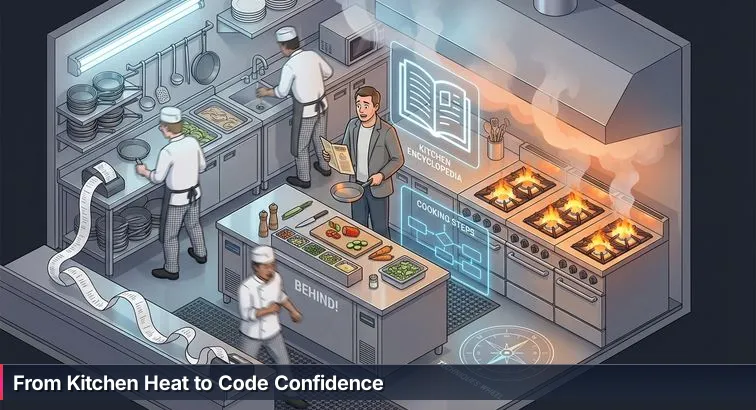
The first night on the line is all noise and heat. The ticket printer won’t shut up, pans are disappearing from where you just put them, and everyone else seems to move at double speed while you’re still trying to remember which sauce goes with which dish. Switching from a solid non-tech career into coding feels exactly like that: you’ve done the tutorials at the quiet kitchen counter, but now you’re staring at a failing test, three Jira tickets, and an AI assistant suggesting code you don’t fully understand.
That gap between “I followed the recipe” and “I can cook during the rush” is where most career switchers get shaken. You’re not just learning syntax; you’re stepping into a field where tools, frameworks, and expectations change fast. Even seasoned tech workers feel it - an ISACA survey of technology professionals found that 1 in 3 tech pros switched jobs in a single year, and 74% of companies are worried about keeping talent. Constant change isn’t a sign you’re behind; it’s simply how this kitchen runs.
Finding your footing in the heat
You’re coming in with something most junior devs don’t have: years of doing real work when things aren’t ideal. You’ve handled upset clients, patients, students, or managers. You’ve made judgment calls when the “right” answer wasn’t obvious. That’s exactly the skill you’ll need when a bug takes production down, the AI assistant offers three wrong fixes in a row, and your team lead wants an update in ten minutes. The pressure - the heat of the kitchen - doesn’t mean you don’t belong; it means you’re now cooking where it counts.
This guide is you getting pulled aside by someone who’s survived their own sink-or-swim first year. We’ll walk from mise en place - your foundational skills, tools, and a realistic study plan - through your first real projects, your first job search, and ultimately to running your own “station” on a team. Along the way, you’ll see what actually happens when people like you step onto the line, why some burn out, and why others turn the same chaos into a manageable queue of tickets instead of a wall of panic.
In This Guide
- From the Kitchen Line to the Codebase
- Why 2026 Is Still a Strong Year to Switch to Coding
- Who’s Actually Making the Switch and Why It Works
- The Real Timeline: From First Line of Code to Second Job
- The 2026 Skill Stack That Actually Makes You Employable
- Mise en Place: Your First 60-90 Days of Self-Study
- Choosing Your Path: Bootcamp, Self-Taught, or Degree
- Turning Recipes into Real Meals: Projects and Portfolio
- Beating the Experience Paradox: Getting Experience When You Need It
- Role-Specific Playbooks for Teachers, Nurses, Marketers and More
- Surviving the Sink-or-Swim First Year and Using AI Wisely
- Alternative On-Ramps: Non-Coding Tech Roles to Consider
- A Concrete 12-Month Roadmap and Next Steps
- Frequently Asked Questions
Hiring trends now favor demonstrable AI literacy and project portfolios - this article explains how to build both.
Why 2026 Is Still a Strong Year to Switch to Coding
Here’s what’s actually happening in the market
On the surface, the headlines don’t make this switch look inviting: AI everywhere, layoffs, hiring freezes. Step a bit closer and the picture is more nuanced. The World Economic Forum’s Future of Jobs Report 2025 estimates that by 2030, roughly 39% of the skills people use today will be outdated. That sounds grim until you notice which skills are growing: software, data, AI, and the human abilities that sit around them - problem solving, collaboration, and adaptability.
IT workforce outlooks echo the same pattern. Analyses like Addison Group’s 2026 planning guide describe a “positive outlook” for tech job growth, but with a catch: companies no longer want coders who just push pixels or crank out features. They want people who can blend technical depth with communication, business understanding, and basic AI literacy. For a mid-career professional who already knows how organizations really work, that’s not a red flag; it’s your opening.
What bootcamp outcomes actually look like
Forget the horror stories and the hype for a moment. When you look at large, multi-year datasets, a more grounded picture of bootcamp outcomes appears. Across programs, about 71% of students arrive with no prior coding experience, which means most of the people who make this jump really do start from technical zero. Industry overviews compiled by sites like DigitalDefynd and Course Report show that the majority of graduates land in tech within months, not years, provided they treat it as a full career change, not a casual experiment.
Recent salary analyses are just as concrete. Aggregated reports find average starting salaries around $69,079-$70,698 after a coding bootcamp, with typical salary lifts of about 50.5-56% over a student’s previous role and a median bump of roughly $25,000 per year. Job placement data across providers cluster in the 71-79% employment range within about six months, with some higher-end schools reporting 90%+ placement in the same window. In other words: when people fully commit, they usually don’t go back to their old industry.
| Bootcamp outcome metric | Typical range |
|---|---|
| Students starting with no coding experience | ≈71% |
| Average starting salary after graduation | $69,079-$70,698 |
| Average salary increase vs prior job | 50.5-56% |
| Median annual salary bump | ≈$25,000 |
| Employed in tech within 6 months | ≈71-79% |
What this really means for you in 2026
Put simply, the door is open, but it’s not a lottery win - it’s a craft. The market is strong enough that serious switchers are finding roles at scale, but selective enough that dabblers are getting filtered out. Employers expect you to show you can solve real problems, not just finish a course and paste certificates on LinkedIn. That’s especially true now that AI tools are on everyone’s station; “I can write code” doesn’t separate you from the pack anymore, but “I can frame problems, use AI well, and ship reliable software” does.
Thinking like a mid-career pro, not a scared beginner, helps. Instead of asking “Is it too late?” focus on questions you can control: how many focused hours per week can you sustain, how long can you support yourself during training and job search, and which parts of your existing skill set - communication, domain knowledge, leadership - can you bring into this new kitchen. If you plan realistically, the numbers are in your favor.
- Expect real opportunity but equally real competition; you’re learning a trade, not buying a winning ticket.
- Budget roughly 6-12 months from “I’m starting seriously” to “I’m in my first tech role,” depending on your schedule and path.
- Assume all coding work is now AI-assisted; your edge is learning both to code and to direct, critique, and improve what AI produces.
Who’s Actually Making the Switch and Why It Works
The mix of people stepping onto the line
Walk into a modern bootcamp and it doesn’t look like a college CS lecture; it looks like a cross-section of a city. You’ll see nurses coming off night shifts, teachers grading papers between modules, baristas and warehouse supervisors squeezing in labs on their days off. Profiles collected in stories like Taniya Amidon’s nursing-to-coding journey are typical, not exceptional: she spent nine years in healthcare before taking a nine-week bootcamp and landing a software developer role so she could get more predictable hours and remote flexibility.
Admin staff and educators often report some of the biggest financial jumps, with documented cases of former school administrators effectively quadrupling their salary after graduating from a bootcamp. People from liberal arts and marketing backgrounds tell similar stories in outcome reviews from providers like CodeOp’s salary analyses, where doubling or even quadrupling income isn’t rare when they combine their domain knowledge with new technical skills and learn to negotiate from that position of value.
“I didn’t throw away my nursing career when I learned to code - I built on it. Understanding patients, workflows and pressure gave me an edge when I started building software for real people.” - Taniya Amidon, former nurse turned software developer, SheCanCode
Why these backgrounds translate so well
The surprising part isn’t that people from nursing, teaching, or marketing are getting hired into tech; it’s how quickly their old skills start to look like superpowers. Nurses walk in already trained to make decisions under pressure and document everything. Teachers know how to break complex ideas into steps and manage a room full of different needs. Marketers are used to testing hypotheses, reading data, and thinking about users. Once you can read and write code, that mix maps cleanly onto what teams actually need: people who can understand a problem, talk to stakeholders, and then turn that conversation into working software.
- Healthcare professionals bring deep domain knowledge to healthtech, clinical systems, and medical data.
- Educators and admin staff naturally slide into edtech, internal tools, and roles where communication is critical.
- Marketers and liberal arts grads excel in user-facing products, analytics, and roles that blend UX, data, and storytelling.
What successful switchers quietly have in common
Behind the individual stories, the patterns are pretty consistent. The people who make it don’t usually have the “perfect” schedule or a trust fund; they carve out 6-20 focused hours a week around existing responsibilities, and they stick with it for months. They’re willing to look like beginners again, ask what feels like basic questions, and seek feedback instead of hiding. And almost all of them have a clear “why” that keeps them going when the work gets dull or the error messages won’t stop: more control over their time, better pay, the chance to work remotely, or simply the desire to build things instead of just talking about them. That combination of intent and consistency is what turns a crowded, noisy kitchen into a place where you can eventually run your own station.
The Real Timeline: From First Line of Code to Second Job
Seeing the journey as levels, not a leap
Most mid-career switchers underestimate the timeline because they see only two states: “not a developer” and “developer.” In reality, you move through a series of levels, the way you move from prep cook to running a station. From the first line of HTML you type to feeling solid in your second tech job, you’re usually looking at 12-24 months. That window includes prep, structured learning, a serious job search, and a “sink or swim” first year where you discover how much you still don’t know about databases, cloud, testing, and legacy systems.
| Phase | Typical duration | Main focus | What it feels like |
|---|---|---|---|
| Prep & self-study | 2-6 months | Fundamentals, tooling, first tiny projects | Learning recipes at a quiet counter |
| Immersive training | 12-20 weeks | Structured curriculum, team projects | First nights helping on the line |
| Job search | 2-6 months | Portfolio, applications, interviews | Tickets piling up faster than you can clear them |
| First role & second-job jump | Year 1-2 | On-the-job learning, specialization | From “sink or swim” to running your station |
Phase 1-2: Prep and immersive training
The first phase is your mise en place: 2-6 months of part-time study to get comfortable with HTML, CSS, and a primary language like JavaScript or Python, plus Git, VS Code, and basic AI tools for debugging and explanation. Many successful switchers log around 100-200 hours here, often while still working full-time, and build a few “boring” but complete apps to confirm they actually like the work. From there, most move into structured training. Modern coding bootcamps typically run for 12-20 weeks, with an average near 14 weeks, while programs like Nucamp’s Back End, SQL and DevOps with Python stretch over 16 weeks and longer paths such as a complete software engineering track can span 11 months. This is where you build multiple projects, work in teams, and start to see how front end, back end, and databases fit together.
Phase 3: Job search as its own full-time job
After the structured learning comes a phase people chronically underestimate: 2-6 months of job search. Industry outcome reports show that roughly 66% of bootcamp graduates who land tech roles do so within about 90 days of finishing, and around 71-88% are hired within six months. That doesn’t happen by casually applying on Sundays. In this stretch, the job search itself is your station: shipping portfolio improvements, grinding through applications, doing practice interviews, and networking every single week. It feels less like school and more like a dinner rush of coding challenges, take-home assignments, and recruiter calls.
Phase 4-5: The “sink or swim” year and the second-job jump
Once you’re in your first role, the clock doesn’t stop - it resets. The next 12 months are a controlled trial by fire as you meet production systems, incident calls, and legacy code for the first time. This is where you layer in skills that rarely fit into a bootcamp syllabus: deeper SQL, testing, CI/CD, security basics, and how your team really ships software. Many career switchers use that experience to move into a more focused second role within 1-2 years, often with an additional ~23% salary increase on top of their initial tech paycheck. By that point, you’re not just following recipes - you’re trusted to own a slice of the codebase, mentor newer hires, and decide how to handle the heat when the tickets won’t stop.
- Plan financially and emotionally for 12-24 months from “first tutorial” to “comfortable in my second tech job.”
- Budget time and money for both structured learning and a serious, multi-month job search - each is its own phase.
- Treat your first role as paid apprenticeship; the real compounding in skills, confidence, and salary usually kicks in at the second job.
The 2026 Skill Stack That Actually Makes You Employable
The core technical foundations you can’t skip
Under the hood, every junior role still expects the same base pantry: one main programming language (often JavaScript or Python), solid HTML/CSS, comfort with a relational database and basic SQL, version control with Git, and the ability to work with simple APIs. You don’t need five languages; you need one language you’ve used to ship a few real, if small, applications. That’s what lets you move from copying snippets out of a tutorial to actually clearing tickets when a feature request or bug report lands in your queue.
Those skills are what allow everything else to layer on. A backend-focused bootcamp or track will typically add testing, authentication, and deployment; a frontend path will add a modern framework and state management. Whichever direction you go, think like a working cook: fewer knives, used well, beat a drawer full of gadgets you’ve barely touched.
AI as your sous-chef, not your replacement
The other non-negotiable in 2026 is AI literacy. Guides on future-proof careers, like the breakdown of AI skills for 2026 from Final Round AI, all land on the same point: your edge is not that you can type code faster than an LLM, it’s that you can frame problems clearly, evaluate AI output, and fold these tools into your workflow. In practice, that means using AI to draft boilerplate, generate tests, or explain confusing code, then reading every line, fixing its mistakes, and making the final call on what ships. The developers who thrive treat AI like a competent sous-chef: great at prep and suggestions, never allowed to run the kitchen alone.
| Skill area | What it covers | Why it matters in 2026 | Example practice |
|---|---|---|---|
| Core technical | One language, HTML/CSS, SQL, Git, APIs | Lets you actually ship and debug code | Build 3-5 small apps end-to-end |
| AI literacy | Prompting, critiquing outputs, AI tools | Keeps you productive as AI permeates workflows | Use AI daily to explain, refactor, and test code |
| Systems thinking | How frontends, backends, DBs, CI/CD fit | Employers hire people who understand whole systems | Draw diagrams of how your apps actually run |
| Soft skills & mentorship | Communication, teamwork, feedback, guidance | Drive promotions and make you pleasant to work with | Pair program, seek reviews, ask for a mentor |
Systems over syntax, and why soft skills carry you
Hiring managers keep repeating the same warning: “just coding” won’t get you hired. Even for junior roles, companies want a basic sense of how the whole kitchen works - what happens when a user hits a URL, where data is stored, how deployments happen, what logs to check when something catches fire. That’s systems thinking, and you can practice it even on tiny projects by sketching simple diagrams of how your pieces talk to each other. It’s the difference between knowing a recipe and understanding the flow of the whole dinner service.
Beyond that, the long-term differentiator isn’t a new framework; it’s how you work with people. An in-depth developer soft skills guide from IT Support Group notes that as much as 85% of long-term career success is driven by communication, collaboration, and adaptability rather than pure technical chops, and surveys show 83% of tech professionals view mentors as crucial while only about 22% actually have one. That gap is an opportunity: if you deliberately practice explaining your thinking, writing clear README files, and asking for guidance, you’re already ahead of most junior developers.
“Technical skills may get you hired, but it’s your soft skills - communication, empathy, teamwork - that account for the vast majority of your long-term success in IT.” - Developer Soft Skills Guide, IT Support Group
- Pick one main language plus web basics and go deep for at least 6-12 months instead of chasing every new tool.
- Use AI tools daily, but always read, debug, and understand what they generate before you rely on it.
- Regularly sketch how your apps work end-to-end to build systems thinking, even if the diagram fits on a napkin.
- Intentionally practice soft skills: narrate your thought process in mock interviews, document your projects, and ask potential mentors for specific feedback.
Mise en Place: Your First 60-90 Days of Self-Study
Start by prepping your station, not signing up for the rush
Before you throw yourself into a bootcamp or start firing off applications, you need your mise en place: tools installed, core concepts in place, and a couple of tiny dishes you can actually serve. Think of these first 60-90 days as learning to chop, season, and work the stove at a calm prep table, so the dinner rush of group projects, deadlines, and interview take-homes doesn’t flatten you later. For most working adults, that means about 12 weeks of focused self-study, roughly 10 hours per week, adding up to around 120 hours of practice.
A realistic 12-week plan while you’re still working
Across success stories and guides like Frontend Mentor’s roadmap to a programming job, the same pattern shows up: fundamentals first, then small shipped projects, not an endless diet of tutorials. One solid structure looks like this:
- Weeks 1-4: HTML/CSS and tooling
- Learn semantic HTML: headings, forms, links, lists.
- Pick up CSS layout: flexbox, simple responsive design.
- Install VS Code, Git, and set up a GitHub account.
- Build 2-3 static pages (personal bio, simple product page, a page explaining your current profession).
- Weeks 5-8: JavaScript or Python basics
- Choose JavaScript for web frontends, or Python if you’re drawn to backend/data.
- Cover variables, functions, arrays/lists, objects/dictionaries, and basic control flow.
- Use an AI assistant regularly to explain errors and suggest small improvements - then read and understand every line.
- Weeks 9-12: First “boring” apps
- Build small but complete tools: a task manager, habit tracker, or budget calculator.
- Add persistence (localStorage or a simple backend) so data doesn’t vanish on refresh.
- Push everything to GitHub from day one so your commit history starts to grow.
“The number one mistake beginners make is chasing new tools instead of finishing projects. Consistency and shipping, even tiny apps, beats jumping from tutorial to tutorial every time.” - Frontend Mentor, How to Get a Programming Job in 2026
Make the schedule boring on purpose
The schedule that works is rarely dramatic; it’s just consistent enough that you can sustain it alongside a job and a life. A common pattern is four weeknights at 1.5 hours plus a four-hour weekend block, giving you those ~10 focused hours per week. That may not sound like much, but self-taught developers in outcome studies often log 8-18 months from “hello world” to job offer when they treat those hours seriously instead of trying to cram everything into a few heroic weekends. If you keep that pace for 12 weeks, you’ll have several small projects, a GitHub profile that doesn’t look empty, and - most importantly - a clear sense of whether you want to keep going into a bootcamp or structured path like the step-by-step software engineering guides on whatisthesalary.com.
- Treat this 12-week block as a test of habits, not just of aptitude - can you reliably show up for your own learning?
- Focus on shipping tiny projects, not finishing every lesson in every course.
- Start using GitHub from week one so employers later see a steady arc of work, not a last-minute dump of code.
Choosing Your Path: Bootcamp, Self-Taught, or Degree
Three very different kitchens, three very different trades
Once your basic skills are prepped, the next decision is where you want to learn to handle real heat: an accelerated bootcamp, a disciplined self-taught path, or a traditional computer science degree. They all produce working developers, but they demand different things from you: money, time, structure, and tolerance for ambiguity. The key is to pick the kitchen that fits your life now, not the one that sounds best in theory.
Bootcamps: compressed, structured, and outcome-driven
Coding bootcamps exist because most adults can’t disappear into school for four years. Industry roundups put typical bootcamp tuition around $11,874-$13,584, with intensive programs running for a few months and aiming to get you job-ready as fast as possible. Within that space, there’s a huge range. Some providers focus on in-person, high-cost models; others, like Nucamp, deliberately target working adults with lower tuition, online formats, and part-time schedules. Nucamp’s programs span short foundations courses, full stack and cybersecurity paths, and AI-focused offerings like an AI essentials track and a solo AI tech entrepreneur bootcamp, with tuition generally between $2,124 and $3,980 and community-based learning across more than 200 US cities. Outcomes matter here: independent reviews on sites such as Course Report’s Nucamp profile cite an employment rate of about 78%, a graduation rate near 75%, and a Trustpilot rating of 4.5/5 with roughly 80% five-star reviews, which is the kind of data you want to see before you write any check.
“For motivated career changers, a reputable bootcamp can compress years of self-teaching into months, provided you’re ready to work hard and build a real portfolio.” - Liz Eggleston, Co-founder, Course Report
Self-taught and degrees: time, money, and how much structure you need
The self-taught route is the ultimate in flexibility and the lowest direct cost: a mix of free resources, low-priced courses, and community projects. The tradeoff is that you have to build your own curriculum, hold yourself accountable, and find ways to mimic what bootcamps give you by default: deadlines, teammates, and feedback. Many successful self-taught developers report roughly a year of consistent study plus an extended job search before landing that first role; it works, but only if you treat it like a second job, not a hobby you squeeze in when you’re not exhausted.
A traditional computer science degree sits at the other end of the spectrum. A full bachelor’s often runs four years and costs tens of thousands of dollars in tuition alone. In return, you get a deep grounding in theory - algorithms, operating systems, networks, and math - that can open doors to research-heavy roles and some large, traditional employers. As one analysis of whether a CS degree is worth it in 2026 points out, the degree “remains valuable, but is no longer the only credible path” into software, especially for mid-career adults who can’t step away from work for years and need a faster return on investment.
| Path | Typical duration | Typical cost | Best suited for |
|---|---|---|---|
| Coding bootcamp | Several intensive months | $11k-$13.5k on average | Career changers wanting structure and speed |
| Affordable bootcamp (e.g., Nucamp) | Modular programs over months | $2,124-$3,980 per program | Working adults balancing cost, flexibility, and guidance |
| Self-taught | Often around a year of focused study plus job search | Low direct cost, high time cost | Highly self-directed learners with strong discipline |
| CS degree | 4 years full-time | Tens of thousands in tuition | Those wanting deep theory and traditional academic credentials |
Choosing the path that fits your life, not someone else’s
The point isn’t to crown one route as “best”; it’s to pick the one that aligns with your constraints and temperament. If you need clear milestones, classmates, and direct access to instructors, a structured bootcamp - especially a lower-cost, part-time model - will likely keep you moving. If you’re already comfortable managing complex projects solo and your budget is tight, a self-taught path supplemented with communities, meetups, and maybe a smaller, targeted course can work. If you’re earlier in your career and can afford four years out of the workforce, a CS degree is still a strong, if slower, launchpad. Whatever you choose, remember the constant: none of these paths work without consistent hours, a growing portfolio, and a plan to tackle the job search as its own phase - not just something you tack on at the end.
Turning Recipes into Real Meals: Projects and Portfolio
Your portfolio is your real-world line experience
When every “entry-level” posting wants people who’ve already been through a few dinner services, your portfolio becomes your proof that you’ve actually cooked, not just read recipes. Hiring managers scanning bootcamp grads and self-taught developers increasingly treat projects, open-source work, and freelance gigs as your practical track record. Guides on hiring trends, like Career Karma’s analysis of bootcamp outcomes, stress that employers look for evidence you’ve built and maintained real applications, not just passed quizzes. That’s why a half-dozen tutorial clones won’t cut it; you need a small number of solid, deployed projects that show you can take a ticket from idea to production.
The “boring app” strategy that actually works
The safest way to get there is with deliberately unsexy projects: task managers, habit trackers, expense tools, simple dashboards. These so-called “boring apps” force you to implement the fundamentals every working engineer touches: authentication, CRUD operations, validation, error handling, and some kind of persistence. Build a task manager with sign-up/sign-in, a database, and full create/read/update/delete; then build another similar app in a different domain to reinforce the patterns. These projects give you chances to show clean, readable code, a few tests, and a clear README with setup steps and screenshots. They may not wow your friends, but they speak the language of hiring managers who need someone to clear tickets reliably.
| Project type | What it proves | Good example | Level of effort |
|---|---|---|---|
| Tutorial clone | You can follow instructions | Rebuilt YouTube layout from a course | Low |
| “Boring” app | You understand core app patterns | Task or habit tracker with auth + DB | Medium |
| Domain-specific project | You can solve real problems in your field | Grading dashboard, medication log, campaign tracker | Medium-High |
| Open-source / freelance | You can work with others’ code and stakeholders | Bugfix in a library, tool for a local nonprofit | High |
Leaning on your old career: one project no bootcamp can give you
Where you have an edge over brand-new grads is in domain-specific work. A single project rooted in your previous profession can do more for you than three generic to-do apps. Nurses can build a medication reminder and symptom log; teachers can ship a simple LMS-style grading dashboard; marketers can create a lightweight analytics console that calculates CTR and ROI from uploaded CSVs. These projects prove two things at once: you can build software, and you deeply understand the problem space. That combination is golden when a healthtech, edtech, or martech company is skimming portfolios looking for someone who “gets it” without a month of onboarding.
Presenting your work like a professional, not a student
Finally, how you plate the dish matters. You don’t need a fancy portfolio site; you need a clear one. A simple single-page site with a short bio, links to 3-5 featured projects, and easy access to your GitHub and LinkedIn is enough. Each project should have its own mini case study: the problem you solved, the stack you used, a few screenshots or a short demo video, and links to a live deployment and the source code. Career advice focused on the AI era, like the playbook from EntrepreneurLoop’s future-proof career guide, keeps coming back to the same idea: the people who thrive are those who “make their skills visible” by shipping and showcasing concrete work.
“In an AI-driven job market, the winners are the ones who don’t just learn skills in private, but ship projects and make their capabilities visible to others.” - EntrepreneurLoop, Future-Proof Career: AI Age Success Guide for 2026
Beating the Experience Paradox: Getting Experience When You Need It
Why “2-3 years” doesn’t mean you’re disqualified
Scrolling job boards, it can feel like every “junior” role secretly wants a mid-level: postings routinely ask for 2-3 years of experience, a half-dozen frameworks, and production battle scars you don’t have yet. That’s the experience paradox in plain sight. Underneath those wish lists, most teams really want something simpler: someone who can read unfamiliar code, clear straightforward tickets, communicate like an adult, and learn fast without hand-holding. You can prove that without having held a software title before; you just can’t prove it by pointing at courses alone.
Manufacturing real experience before your first job
The workaround is to stop thinking of “experience” as only W-2 history. In 2026, you can legitimately count bootcamp team projects, volunteer builds, freelance gigs, and even well-documented open-source contributions as experience - if you describe them like real jobs rather than school assignments. For example, a volunteer project for a local nonprofit can appear on your resume as:
| Type of work | How to frame it | What it shows |
|---|---|---|
| Bootcamp capstone | “Collaborated with 3 developers to design and ship a full-stack app in 4 weeks using React and Node.” | Teamwork, deadlines, modern stack |
| Volunteer project | “Built and deployed a donation-tracking dashboard; reduced manual spreadsheet work by several hours per week.” | Stakeholder collaboration, impact |
| Freelance gig | “Implemented a booking calendar and payment flow for a local business website.” | Client communication, production use |
| Open-source contribution | “Fixed a pagination bug and added tests in a library used by hundreds of developers.” | Reading others’ code, code review |
Networking, mentors, and interview reps as force multipliers
The other way around the experience wall is to stop trying to brute-force it alone. Posting small but steady updates about what you’re building, asking for 20-30 minute chats with engineers in your target industry, and joining active communities turn a cold search into warm introductions. Surveys of developers consistently show that most engineers see mentors as crucial, yet only a minority actually have one - so simply being the person who reaches out, shows up prepared, and asks specific questions already sets you apart. Platforms like Stack Overflow’s community for early-career devs also make it clear that breaking in now is less about formal credentials and more about demonstrable contributions.
- Treat every substantial project - bootcamp, freelance, volunteer, or open source - as résumé material, with clear impact bullets.
- Schedule regular “reps” for interviews: a couple of easy/medium coding problems per week and occasional mock interviews with peers.
- Use AI to help you understand solutions and generate practice variations, but always re-solve problems yourself so the skill is yours, not the tool’s.
“The pathway into software has shifted from credentials to proof. Showing you can contribute to real projects matters far more than how you learned to code.” - Editorial team, Stack Overflow Blog, “AI vs Gen Z: How AI has changed the career pathway for junior developers”
Role-Specific Playbooks for Teachers, Nurses, Marketers and More
Start from the station you already know
The temptation when you switch into tech is to throw your old career in the trash and start over as a “generic junior dev.” That’s like leaving the grill, where you’ve spent years under real heat, to peel potatoes in the back. The smarter move is to bring your existing station with you. Whether you’ve been running a classroom, a ward, or a marketing campaign, you already understand real-world workflows, constraints, and people. The play is to pair that with code (and a bit of AI literacy) so you’re not just “another bootcamp grad,” you’re the person who understands both the problem and how to build the solution.
Playbook: teachers and admin staff
Educators and office admins are already doing systems design every day: lesson plans, schedules, grading flows, parent communication, internal processes. In tech, that translates cleanly into roles like frontend engineer for edtech products, learning platform implementation specialist, or technical support/success for education software. A practical path looks like this:
- Leverage strengths: breaking down complex topics, writing clear instructions, managing many stakeholders, staying organized.
- Target roles: edtech frontend or full-stack dev, LMS implementation or admin, customer success engineer for school software.
- Flagship project: build a mini LMS dashboard where you can create classes, enroll students, add assignments, and see grade summaries; bonus points for an export-to-CSV feature that mirrors the spreadsheets you already use.
Playbook: nurses and healthcare professionals
Nurses and clinical staff live in high-pressure, high-accountability systems: charting, medication schedules, handoffs, and compliance. In tech, that experience is gold for healthtech companies drowning in messy workflows and regulation. You’re a fit for roles like EHR (electronic health record) integrator, clinical data specialist, or developer/analyst inside a hospital IT department. You can make that concrete by:
- Leaning on strengths: triaging under pressure, meticulous documentation, communicating across disciplines, understanding medical terminology and patient journeys.
- Target roles: healthtech developer, clinical applications analyst, medical data or coding specialist, product specialist for digital health tools.
- Flagship project: ship a medication schedule and symptom tracker where “patients” can log doses and side effects and generate a simple report they could take to a clinician; that shows both empathy for users and understanding of real workflows.
Playbook: marketers, liberal arts grads, and hybrid paths
Marketers, communications pros, and liberal arts grads are already fluent in user empathy, storytelling, and often data from campaigns or research. In tech, that points toward frontend/UI roles, analytics-heavy engineering, and hybrid jobs that sit between business and code. One underused angle is taking advantage of non-coding or low-code tech roles that still lean on your new technical literacy; lists like the top non-coding IT roles for beginners in 2026 highlight paths like business analyst, product manager, and customer success engineer as legitimate on-ramps. You can stack your skills by:
- Amplifying strengths: writing, UX instinct, basic analytics, persuasion, stakeholder management.
- Target roles: frontend or growth engineer, marketing/analytics engineer, product manager, business analyst, customer success engineer.
- Flagship project: build a simple analytics dashboard where a non-technical user can upload a CSV of campaign data and get clear metrics (CTR, CPC, ROI) plus a chart; or create a content-planning tool that uses light scripting or AI to suggest copy variations.
“Begin with user-friendly AI tools like ChatGPT for content creation, Canva for design, or Excel’s AI features for data analysis. Focus on prompt engineering, quality evaluation, and practical application rather than programming.” - Final Round AI, 12 AI Skills in 2026 for Tech & Non-Tech Careers
Surviving the Sink-or-Swim First Year and Using AI Wisely
Ride out the first-year “sink or swim” phase
The first year in your first tech role feels less like another tutorial and more like being dropped onto the line on a Friday night. You go from building neat little apps on your own machine to wrestling with legacy code, CI pipelines, flaky tests, and production incidents you barely understand. That’s also when the Dunning-Kruger curve hits: a few months ago you felt “dangerously confident,” now every ticket makes you wonder if you tricked your way past the interview. None of that is evidence you don’t belong; it’s evidence you’ve finally left the classroom kitchen and started cooking where the orders are real and the clock is running.
Using AI without letting it hollow out your skills
AI coding tools turn the heat up and down at the same time. They’ll happily scaffold components, write boilerplate, and even sketch out tests, but they also make it very easy to ship code you don’t understand. Developers who stay valuable treat AI like a sharp sous-chef: fantastic for prep, terrible at deciding the menu or sending dishes to the pass without review. As Rob Walling argues in his talk “Coding in 2026 is STILL a Superpower (Even with AI)”, your edge isn’t keystrokes; it’s your ability to define problems clearly, judge AI’s suggestions, and integrate them into robust, maintainable systems.
A simple way to check yourself is to look at how you’re leaning on AI day to day:
| Pattern | What it looks like | Risk / benefit | Better habit |
|---|---|---|---|
| Healthy use | Asking AI to explain unfamiliar code, propose refactors, or draft tests you then edit | Benefit: speeds learning and cleanup while you stay in control | Always trace through generated code and run it locally until you can explain it |
| Unhealthy use | Copy-pasting full solutions for tickets or take-homes you can’t reproduce by hand | Risk: shallow understanding, panic when tools aren’t available | Use AI as a second opinion after you’ve sketched your own approach |
| Healthy use | Letting AI scaffold boilerplate (CRUD handlers, config, test shells) | Benefit: more time for edge cases, performance, UX | Refine prompts to include constraints, then review for security and style |
| Unhealthy use | Having AI “just fix” every error until the build turns green | Risk: you never learn to debug or read stack traces | First attempt your own diagnosis; use AI to validate or challenge your reasoning |
Setting a sustainable learning cadence in the heat
The way you survive that sink-or-swim year isn’t by pulling all-nighters; it’s by layering steady, deliberate practice on top of your day job. Two or three hours a week of focused learning on adjacent skills - SQL if you’re frontend-heavy, testing and CI/CD if you’re backend, a bit of cloud and deployment for everyone - adds up fast over twelve months. Keep a running log of confusing bugs, acronyms, and systems you touch; then chip away at that list in your learning time instead of chasing random new tools. Paired with your mid-career strengths - communicating clearly, managing expectations, staying calm when things break - that rhythm lets you adapt to the heat instead of burning out in it.
Alternative On-Ramps: Non-Coding Tech Roles to Consider
Not everyone has to be a full-time coder
For some mid-career professionals, the idea of living inside a code editor all day feels more like punishment than escape. The good news is that tech isn’t just one station. There are plenty of roles where you work with software and engineers, handle real product decisions, and use light tech skills, without becoming a heads-down developer. Lists of future-proof IT jobs, like LinkedIn’s rundown of top IT roles for 2026, consistently highlight titles such as business analyst, product manager, cybersecurity specialist, and customer success engineer alongside traditional developer jobs. Those roles are often a better match for your existing communication, process, and domain expertise.
Common non-coding and low-code roles for switchers
Think of these as stations that sit closer to the pass: you’re still in the heat, still affecting what gets served, but you’re coordinating more than you’re chopping. Many of them require only basic scripting or SQL and a solid understanding of how software is built and used.
| Role | Coding requirement | Great fit for backgrounds | Typical focus |
|---|---|---|---|
| Business analyst | Low - light SQL, spreadsheets, dashboards | Admin, finance, operations, project management | Translating business needs into requirements, process design, reporting |
| Product manager | Low - reads technical docs, may prototype | Marketing, teaching, operations, entrepreneurs | Defining features, prioritizing work, aligning stakeholders and dev teams |
| Customer success / solutions engineer | Low-medium - config, APIs, occasional scripts | Support, sales, teaching, healthcare, client-facing roles | Onboarding customers, troubleshooting, configuring products to fit workflows |
| Technical writer | Low - reads code and APIs, writes docs | Teachers, writers, comms, legal | Explaining complex systems in clear language, creating guides and tutorials |
How a bit of technical and AI literacy opens these doors
Even in these “non-coding” roles, a small amount of technical literacy goes a long way. Being able to read API docs, understand JSON responses, write simple SQL queries, or use AI tools to summarize logs and user feedback makes you drastically more effective. Workforce-planning reports from firms like Addison Group point out that employers increasingly want hybrids: people who understand the business and can speak enough tech to work smoothly with engineering. That’s exactly the gap a mid-career switcher can fill after a focused stint learning web basics, data fundamentals, and how to wield AI as a productivity tool.
Turning your current career into a hybrid tech role
The practical move is to treat these roles as bridges, not compromises. A teacher might become a customer success engineer for an edtech platform; a nurse might shift into a clinical applications analyst seat; a marketer could aim for product management or a marketing-analytics engineer role. A guide to non-coding IT careers frames these jobs as “ideal starting points for beginners who want to enter tech without heavy programming, while still enjoying strong salaries and growth potential.” - Win In Life Academy, High-Paying Non-Coding IT Roles for Beginners. To get there, map your current strengths to one or two target roles, add just enough coding and data skill to talk comfortably with engineers, and build one or two small projects or case studies that show you’ve already started doing the work in that direction.
- Pick a target non-coding role where your existing domain knowledge is an asset, not an afterthought.
- Learn the minimum technical stack that role touches (often SQL, APIs, and AI-powered productivity tools).
- Create a lightweight portfolio piece - a dashboard, process map, or mocked feature spec - that proves you can operate at that intersection of business and tech.
A Concrete 12-Month Roadmap and Next Steps
You’ve seen all the ingredients by now: fundamentals, projects, job search, that “sink-or-swim” first year. What most mid-career switchers lack isn’t information, it’s a simple plan they can actually follow without burning their life down. Think of this as your first year’s ticket rail laid out in order: not every detail, but enough structure that you always know what’s on the board and what to fire next.
The easiest way to keep your head is to break the year into four blocks, each with a primary focus and a tangible output. You’re not trying to “become a developer” every week; you’re trying to hit specific, observable milestones: your first working apps, your first round of structured learning, a serious job search, and then either your first role or a clear pivot into a slightly different on-ramp.
| Months | Main focus | Primary goals | Concrete output |
|---|---|---|---|
| 0-3 | Prep & fundamentals | Learn HTML/CSS + one language, basic Git & tooling | 2-3 tiny projects and an active GitHub profile |
| 4-6 | Structured learning | Follow a clear curriculum, build team projects, start a portfolio | 3-5 portfolio-worthy apps, including one from your old domain |
| 7-9 | Job search phase | Refine portfolio, apply consistently, practice interviews | Dozens of tailored applications, interview reps, feedback loop |
| 10-12 | First role or recalibration | Level up on the job, or plug gaps and adjust strategy | Documented on-the-job learning or new projects + refined targeting |
In the first three months, your only job is to prove to yourself that you can show up. That usually means carving out 8-12 focused hours a week around your current job, getting through the basics of HTML/CSS and one programming language, and shipping a couple of very simple apps. Months four through six are where you add structure: a bootcamp, a curated curriculum, or a work-and-learn model. This is the part many people try to rush into first; it works much better after that initial mise en place, when spinning up a new project or reading error messages doesn’t feel completely alien.
Months seven through nine are when you deliberately switch from “student” to “candidate.” Treat the job search like another project: a weekly target for tailored applications, a regular slot for practicing coding challenges, and a simple system to track responses and feedback. If you’re in a program with career support, this is when you lean hard on mock interviews, portfolio reviews, and alumni introductions. If you’re solo, you build a bit of that scaffolding yourself by scheduling peer mock interviews and reaching out for short conversations with people already in the roles you want.
By the last quarter of the year, you’re either settling into your first role or using everything you’ve learned to recalibrate. That might mean tightening your niche (for example, leaning harder into healthtech if you’re a nurse), spinning up a couple of freelance or volunteer projects to close obvious gaps, or exploring adjacent paths like business analysis or product roles if pure engineering isn’t landing. Developers thinking about the next wave of tooling, like those writing about AI-assisted workflows on Dev.to’s MCP and AI predictions, all come back to the same point: the people who thrive are the ones who keep adapting in small, consistent steps rather than betting everything on a single leap. Your roadmap is just that - structured, repeatable steps you can keep taking, even when the kitchen gets hot.
Frequently Asked Questions
Can a non-tech professional realistically switch to a coding career in 2026?
Yes - if you commit to deliberate learning, projects, and a job search. Expect roughly 6-12 months from a serious start to a first tech role (12-24 months to feel solid in a second job); bootcamp outcome ranges show about 71-79% of grads employed within six months and average starting salaries near $69k.
How many hours per week should I plan to study while working full-time?
Plan for consistent, focused time - aim for about 8-12 hours per week early on; many successful switchers log 6-20 hours/week. A 12-week prep at ~10 hours/week (≈120 hours) typically covers HTML/CSS, one language, Git, and 2-3 tiny projects.
Do I need a computer science degree, or will a bootcamp or self-taught route work?
A degree isn’t required for most entry roles - bootcamps and disciplined self-study can get you hired when paired with real projects. Typical bootcamp tuition averages $11k-$13.5k (while lower-cost models like Nucamp run $2,124-$3,980) and many graduates find roles within months when they treat it as a career change.
How do I demonstrate 'experience' on my résumé before I have a tech job?
Treat bootcamp capstones, volunteer builds, freelance gigs, and open-source contributions as real experience and frame them as impact statements (e.g., “Collaborated with 3 developers to ship a full-stack app”). Include deployed links, screenshots, concise metrics, and clear bullets that show outcome and teamwork rather than calling them ‘class projects.’
Will AI make it harder to get hired, or can I use it to my advantage?
AI is now part of the workflow - use it as a productive sous-chef but not a crutch: prompt, critique, and verify its output. Employers value AI literacy plus systems thinking and soft skills (studies link about 85% of long-term career success to communication and collaboration), so combine AI use with clear understanding and good teamwork.
Compare stability and pay in the highest-paying IT Manager and CTO roles for small to mid-size companies.
For a deep look at hiring trends, check out our Most In-Demand Tech Jobs in 2026 analysis.
This resource includes a hands-on tutorial for building a job-ready portfolio with real projects and READMEs.
Use our best companies for career growth and stability as a worksheet to re-rank your personal options.
Recruiters cite this top-ranked internships list when advising students on which programs best combine pay, learning, and conversion potential.
Compare selectivity with the best CS colleges for selective admissions section of the guide.
Interested in AI programs? We list the top AI-focused coding bootcamps and who they suit.
Hiring managers reference the top-ranked AI programming languages when shaping job requirements and interview expectations.
We compared the top free coding bootcamp alternatives so you don’t end up with ten half-finished tutorials.
Before committing to a specialty, learn which lanes - AI, cloud, or security - offer the best pay and growth.
Looking for niche advice? Read the best tech careers for career-switchers in 2026 section for tailored routes.
Start small with an introduction to internal tools for small businesses to find easy clients who will pay for custom software.
Compare the top entry-level tech jobs this year to find roles that hire on skills, not just degrees.
For pacing advice, consult the 6-12 month rule for becoming job-ready and sample weekly commitments.
Follow this AI engineer step-by-step path to prioritize projects that hiring managers actually value.
If you need a short list, check the best AI certifications 2026 ranked for time-to-complete and employer demand.
For a clear Data Scientist vs ML Engineer vs AI Engineer comparison, check our in-depth breakdown of roles and trade-offs.
For a hands-on comparison, read our Top 10 Vibe Coding Tools in 2026 roundup that ranks tools by maintainability and inspectability.
Unsure which tools to keep? Read the best AI tools 2026 breakdown for a compact, intentional toolkit.
Before you commit time, skim the top AI competencies employers want and match them to your genre.
Career-switchers should learn which roles are most at risk from AI in 2026 before updating their resumes.
Looking for low-capital plays? Explore the best low-cost AI startups to start with under $5,000 in our guide.
Use our comparison of tuition-free and low-cost bootcamp options to identify programs that match your budget and availability.
Job outcomes are key - read the ranked list of bootcamps with the strongest placement rates to see how schools report results.
Compare outcomes and support in our best part-time web development bootcamps section to find a realistic fit.
If you're weighing options, check our Coding Bootcamp vs Computer Science Degree analysis for a clear side-by-side view.
For a data-forward take, read the coding bootcamp ROI analysis that breaks down payback periods and salary lifts.
For a quick comparison, check our roundup of the Top 10 Job Guarantee Coding Bootcamps in 2026 to see how guarantees vary.
If you need a roadmap, check the 12-month roadmap for full-time workers that maps study hours to portfolio milestones.
If you want actionable steps, follow the step-by-step plan to increase your web dev pay.
Compare the best Python learning paths for beginners and starter projects employers want.
Read our tutorial on choosing 2026-ready templates to pick a project that shows agentic systems and deployment.
For a data-driven comparison, read our Top 10 AI and Machine Learning Bootcamps in 2026 ranked by outcomes.
If you want a shortlist, read the top free AI courses for beginners we ranked by value and time commitment.

Irene Holden
Operations Manager
Former Microsoft Education and Learning Futures Group team member, Irene now oversees instructors at Nucamp while writing about everything tech - from careers to coding bootcamps.