









How to Build Your First AI Project in 2026 (Beginner Portfolio Ideas)
By Irene Holden
Last Updated: January 4th 2026
Quick Summary
You can build and ship your first 2026-ready AI project by choosing one real user and a single problem, using curated starter data, a simple agentic workflow, and an MVP you can deploy - doable in about 3 to 5 days or 10 to 20 focused hours on a laptop with at least 8 GB RAM and Python 3.10+. Start small (five to ten PDFs or 50-200 images), include one core model call, add basic guardrails like a 0.7 confidence cutoff and 3-5 retry/backoff attempts, and deploy a Streamlit or small API demo with a reproducible GitHub repo so you can validate it against 20 varied inputs.
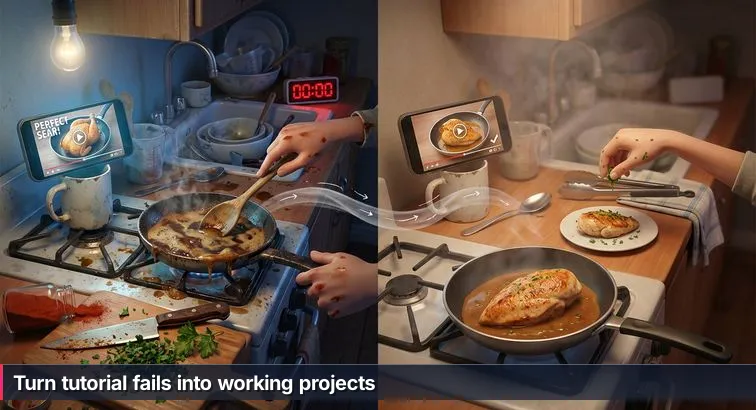
The first time you try to “cook” an AI tutorial, it feels a lot like copying a chef on video: their pan is glossy and golden, yours is spitting oil; their sauce looks silky, yours just split. On YouTube, the model answers perfectly in 30 seconds. On your laptop, the notebook freezes, the API key fails, and the output reads like word salad. You didn’t suddenly become bad at coding any more than you became bad at cooking - you just discovered that following instructions is very different from running your own kitchen.
Why polished tutorials break on your laptop
Most tutorials are recorded in spotless, controlled kitchens: fast GPUs, clean demo data, no rate limits, and a narrow “happy path” of inputs. The moment you try to use the same code with your own PDFs, your company’s Wi-Fi, or a free-tier API, the edges start to burn. Analyses like Fast Company’s AI reality check highlight that the impressive demos you see at conferences often skip over the boring but critical parts - data cleaning, guardrails, monitoring, and deployment. That gap is exactly why your copied project “runs” but doesn’t feel anything like the polished examples hiring managers talk about.
The hidden 90%: systems, not snippets
What tutorials rarely show is the work around the code: choosing the right “ingredients” (a small, high-quality dataset instead of random scraped text), dealing with flaky APIs, or deciding how your app should behave when the model hallucinates. Employers are now explicit about wanting people who can build agentic systems that call tools reliably and manage state, not just fire off a single prompt. CTOs interviewed in Forbes’ technology predictions talk less about model tricks and more about ROI: Can your app survive real users, real data, and real constraints? Copy-paste code can’t answer that; a small, well-thought-out system can.
“The advice we give customers is simple: start with a problem, not an AI solution.” - Red Hat AI strategy team, AI use cases: Preparing for your first AI pilot project
Thinking like a builder instead of a recipe follower
Shifting into “builder mode” means you stop asking, “Which framework should I use?” and start asking, “Who am I cooking for, and what problem am I actually solving?” Instead of chasing every new agents framework, you pick one clear use case - like helping a classmate search class PDFs faster - then design an end-to-end path from input to output, including what happens when things go wrong. You expect a few smoke-alarm moments (hallucinations, timeouts, broken deployments), and you treat them as signals to turn down the heat, simplify the stack, or improve your data, not as proof that you don’t belong in AI.
Why this mindset is your unfair advantage as a beginner
The good news is that you don’t need exotic math or massive infrastructure to think like this. You just need to approach tutorials the way a new cook approaches recipes: use them as starting points, then adapt them to your actual guests, pantry, and stove. That means smaller, “perfect” datasets over huge messy ones, simple agent workflows over overcomplicated chains, and a real deployment - however humble - over a beautiful notebook no one can run. Once you start treating each tutorial as a recipe you’re learning from, not a final dish you must replicate exactly, you’re already thinking like the kind of builder AI teams are trying to hire.
Steps Overview
- Why tutorials fail and how to think like a builder
- Install prerequisites and prepare your tools
- Define your user and the single problem to solve
- Choose a 2026-ready project template
- Configure your environment, data, and GitHub repo
- Design an agentic workflow and data flow
- Build a small end-to-end MVP quickly
- Add guardrails, memory, and MLOps-lite
- Deploy, document, and polish for your portfolio
- Verify your project with a practical checklist
- Troubleshoot common failures and edge cases
- Common Questions
Hiring trends now favor demonstrable AI literacy and project portfolios - this article explains how to build both.
Install prerequisites and prepare your tools
Before you start “cooking” your first real AI project, you need a basic kitchen set up: a stove that turns on, a sharp knife, a clean cutting board. In AI terms, that means a working Python install, a few core skills, and accounts for the tools you’ll actually use. This isn’t about building a research lab; it’s about making sure you don’t burn an entire weekend fighting your setup instead of building something.
Check your core skills
You do not need a CS degree or PhD, but you should be comfortable with a short list of essentials before diving in. That aligns with AI portfolio guidance from TalentSprint, which emphasizes demonstrable projects over advanced theory. For this guide, make sure you can already do the following on your own, even if slowly:
- Python basics: variables, functions, lists/dicts, importing modules.
- Command line: run python, create folders, use cd and ls.
- Git + GitHub: clone a repo, make a commit, push to a remote.
- High-level AI ideas: what an LLM is (next-token prediction), what a dataset is, and the difference between “training” and “inference.”
Pro tip: If you don’t have these yet, decide whether to self-study for a few weeks or follow a structured path like Nucamp’s Back End, SQL and DevOps with Python bootcamp, which covers Python, databases, and deployment foundations over 16 weeks at about $2,124. A predictable schedule can keep you from stalling at the “installation and basics” stage.
Set up your basic environment
Your environment is the literal heat source for your project. At minimum, you want a laptop with at least 8 GB RAM, a recent Python, and a place to put your code. After installing Python 3.10+ from the official site, verify it on the command line:
python --version
# or, on some systems
python3 --version
- If the version is below 3.10, upgrade before going further.
- Create a dedicated project folder for your first AI app (you’ll wire it up in a later step).
- Make sure Git is installed by running
git --version.
Warning: Trying to build on a shared, cluttered environment is like cooking a new dish in a sink full of dirty pans. A clean Python install and a fresh project folder will save you hours of mysterious errors later.
Create your accounts and plan your time
Next, you’ll stock your pantry with the minimum set of online tools you need to follow this guide end to end. Most of these have free tiers that are enough for a first serious project:
| Need | Example tools | Why you need it |
|---|---|---|
| Code & version control | GitHub account | Public portfolio, backups, and collaboration |
| LLM access | OpenAI, Hugging Face | Run GPT-4o or open models for your app’s “brain” |
| Compute environment | Local Python, Google Colab | Run notebooks and scripts without exhausting your laptop |
- Optionally, grab a Raspberry Pi or compatible Android phone if you’re interested in edge or mobile projects later.
- Block out 10-20 focused hours for your first build and commit to a small but complete scope: one clear user, one concrete problem, and one end-to-end path from input to output.
Think of this as laying out your tools and ingredients before you turn on the burner. Once these pieces are in place, every tutorial you follow will be easier to adapt into a real, working “dish” you can serve to others instead of a fragile demo that only works on someone else’s machine.
Define your user and the single problem to solve
When you skip straight from “cool tutorial” to “build something impressive,” it’s like walking into a kitchen, dumping every spice you own into a pot, and hoping a signature dish appears. You might have GPT-4o, LangChain, and a dozen datasets bookmarked, but without a specific person you’re cooking for, everything turns into a vague “AI app that does stuff.” The fastest way to feel less overwhelmed is to pick one diner and one dish: one real user, one real problem.
Start with one real person, not “users” in general
Instead of imagining “people who use AI,” picture someone you know or can clearly describe. That focus is what separates noisy side projects from the kinds of portfolio pieces employers highlight in AI portfolio project idea guides. For your first build, choose a single, concrete persona such as:
- A bootcamp student drowning in PDF handouts for a SQL class.
- A junior developer who spends evenings fixing nitpicky code review comments.
- A parent who wants a cheap “smart cam” to ping them when a toddler enters the kitchen.
- A movie buff who loses 20 minutes every night scrolling through streaming apps.
Give them a name if it helps. The more specific they feel in your head, the easier it is to make tradeoffs later: which features matter now, which models you can skip, and what “good enough” looks like for a first version.
Write a one-sentence problem statement
Once you have your person, boil their frustration down to a single sentence. This becomes the north star for everything you design next, from data choices to guardrails. For example:
- “I waste 30 minutes searching through PDFs every time I study.”
- “My code reviews are slow and I miss obvious performance issues.”
- “I want a cheap device that tells me when my dog jumps on the couch.”
- “I never know what to watch and spend 20 minutes scrolling every night.”
Aim for a problem that shows up at least weekly, not once a year. Frequent problems are easier to validate (“did this save you time today?”), and they map more directly to the kind of real-world impact hiring managers look for in project write-ups.
Avoid the most common scoping traps
Two patterns quietly sabotage beginner projects. The first is starting with tools instead of people: “I want to use LangChain and agents” or “I want to try YOLO and Whisper together” without a clear user in mind. The second is staying so vague that you can’t tell if you’re done: “help with education,” “a productivity assistant,” “an AI for developers.” Both lead to never-ending feature creep and half-finished notebooks.
To dodge these traps, force yourself to state your idea in a way a non-technical friend would understand: “It’s a small app that lets me ask questions about my Python textbook PDFs” is clear; “It’s a multi-agent RAG system with vector search” is not. You can still use advanced tools, but they’re now ingredients chosen for a specific recipe, not the whole meal.
Use idea lists as menus, not orders
Beginner-friendly project lists, like those in many AI project ideas roundups, are useful if you treat them as menus rather than commandments: browse, pick something that resonates, then narrow it down to one person and one problem. That simple shift - from “build yet another chatbot” to “build a chatbot that helps my classmate find SQL examples in lecture PDFs” - is the moment you stop just following recipes and start thinking like a builder designing a dish for an actual guest.
Choose a 2026-ready project template
Standing in front of a blank VS Code window with a dozen tabs open on LangChain, YOLO, and GPT-4o can feel like staring at a fridge full of random ingredients and no idea what to cook. The trick is not to invent a five-course tasting menu on day one, but to pick a single, solid recipe that matches your current skills, your “guests,” and the size of your stove. That’s what a good, modern project template gives you: a focused starting point that’s actually worth showing to employers.
What “2026-ready” actually means
Not all “beginner projects” age well. Classic ideas like spam filters and basic sentiment analyzers still teach fundamentals, but hiring managers now scan for projects that show you can plug models into real workflows: RAG-style PDF chat, agentic code review helpers, lightweight vision apps, and recommendation engines with explanations. Lists of LLM project ideas from ProjectPro call out exactly these patterns because they combine LLM integration, retrieval, and some form of deployment, which line up directly with entry-level job descriptions.
“Beginner portfolios stand out when they showcase end-to-end systems instead of isolated notebooks.” - ProjectPro editorial team, LLM Project Ideas Guide
Four starter templates (pick one)
For this guide, you’ll choose exactly one “dish” to cook: a PDF-chat RAG app, a multi-agent code review assistant, a real-time object detector for “smart living,” or an explainable movie/product recommender. Each one is realistic for a first serious build and hits at least one of the expectations companies emphasize in modern AI project roundups: agent behavior, curated data, and production-style deployment.
| Template | Who it helps | Main skills you practice | Portfolio signal |
|---|---|---|---|
| Advanced PDF-Chat (RAG) | Students, analysts, anyone buried in PDFs | LangChain, embeddings, vector search, LLM prompts | Shows you can connect unstructured docs to LLMs and control hallucinations |
| Multi-Agent Code Review Assistant | Developers wanting faster, clearer reviews | Code-focused LLMs, simple agents, repo parsing, guardrails | Demonstrates practical dev-tools automation and safety thinking |
| Real-Time Object Detector | People needing cheap “smart cam” behavior | Computer vision, YOLO, OpenCV, basic optimization | Proves you can handle live data streams and edge constraints |
| Explainable Recommender | Anyone overwhelmed by choices (movies, products, courses) | Pandas, collaborative/content filtering, LLM-based explanations | Signals business awareness: personalization, retention, explainability |
How to choose your first dish
Pick the template that matches a real person you care about and fits your current “kitchen.” If you’re comfortable with text and Python, PDF-chat or recommendations are a gentle start; if you love dev tools, the code reviewer will feel natural; if you’re curious about cameras and devices, the object detector is a great fit. Pro tip: resist the urge to combine templates (“RAG + agents + object detection”) in v1. Treat this like learning one signature meal for friends: get a single, simple recipe working end to end, then iterate until you’d be proud to serve it - or demo it - to someone else.
Configure your environment, data, and GitHub repo
Before you start “cooking” with models and agents, you need a kitchen that doesn’t catch fire every time you turn on the stove. In real AI work, only about 10% is the algorithm, 20% is data, and a full 70% is wiring everything into tools, people, and processes, as emphasized in Gen AI: Get the 70 Percent Right. That hidden 70% begins with how you set up your environment, your datasets, and your GitHub repo.
Create a clean Python environment
Think of this as clearing counter space before you chop anything. You want a fresh project folder and a virtual environment so your dependencies don’t collide with old experiments. On your command line, do the following:
- Install Python 3.10+ and verify it:
python --version # or python3 --version - Create a project folder (example for a PDF-chat app):
mkdir pdf-chat-app cd pdf-chat-app - Set up a virtual environment:
python -m venv venv source venv/bin/activate # Windows: venv\Scripts\activate - Install only the core dependencies you need at first (example for PDF-chat with RAG):
pip install langchain chromadb openai streamlit pypdf - Freeze your environment so others (and future you) can reproduce it:
pip freeze > requirements.txt
- Do the equivalent for your chosen template (e.g., add opencv-python and tensorflow for an object detector).
- Warning: avoid blindly copying huge requirements files from tutorials; start lean and only add packages when you actually need them.
Start a GitHub repo that tells a story
Your GitHub repo is the plate you’ll eventually set in front of recruiters, so don’t wait until the end to create it. Make a public repo (for example, first-ai-project-2026) and commit your empty project structure plus a starter README.md. Include three essentials from day one:
- A one-sentence problem statement (“Bootcamp students waste 30 minutes searching PDFs every time they study.”)
- A brief description of your chosen template (PDF-chat RAG app, multi-agent code reviewer, etc.).
- A simple Roadmap checklist:
- [ ] Data ingestion and preprocessing
- [ ] Core model call (LLM / YOLO / recommender)
- [ ] Basic UI or CLI
- [ ] Guardrails and resilience
- [ ] Deployment
Pro tip: Commit early and often with meaningful messages (“add PDF chunking script,” “implement object detection loop”) so anyone reviewing your code can follow how your idea evolved from tutorial snippets into a real system.
Choose “perfect” starter data, not “big” data
This is where many beginners crank the heat too high. They grab the largest dataset they can find from lists of public ML datasets, then burn days just trying to load and clean it. In industry, leaders are shifting from “big data” to high-quality, task-specific data; your first project should do the same. Start with small, curated datasets that truly match your use case:
| Project type | Starter data size | Example source | Why it’s “perfect” |
|---|---|---|---|
| PDF-chat (RAG) | 5-10 PDFs | Your own textbooks or internal docs | Directly reflects the questions you actually care about |
| Code review assistant | 2-3 repos | One “messy,” one “clean” open-source repo | Makes differences in style and quality easy to see |
| Object detector | 50-200 images | Your webcam + a COCO subset | Matches your real lighting and camera angles |
| Recommender system | MovieLens 100k | Smallest MovieLens ratings file | Compact enough to explore on a laptop, rich enough to learn from |
By deliberately keeping both your environment and your data small, you give yourself room to taste as you go - tweaking chunk sizes, prompts, or recommendation logic - without getting overwhelmed. That’s how you move from a brittle, copy-paste demo to a project that feels like your own “house special” and is stable enough to show in an interview.
Design an agentic workflow and data flow
Instead of picturing your app as one long recipe, start thinking of it like a small kitchen with different stations: one spot for chopping (data ingest), one for cooking (model calls), one for plating (UI). In AI terms, that’s an agentic system - a loop where something intelligent can decide which tools to use next, remember what just happened, and react when things go wrong. Guides like Hackernoon’s overview of mastering AI agents stress exactly this: tools plus reliable state matter more than a single clever prompt.
Sketch your agent’s data flow
Before you touch code, grab paper or a whiteboard and draw how information will move through your system. You’re answering a simple question: “When a user does X, what happens next?” Focus on four pieces your diagram must show clearly:
- Inputs: what the user gives you (a question, a code file, a webcam frame, a user ID).
- Tools: what your agent can call (vector DB, file system, web search, recommendation engine).
- Model calls: where LLMs or models like YOLO actually run.
- Outputs: what the user sees (an answer with citations, code suggestions, boxes around objects, a ranked list).
- User asks a question → agent decides it needs documents.
- Agent queries the vector store to fetch relevant chunks.
- Agent calls the LLM with question + chunks → gets a draft answer.
- Agent calls the LLM again to verify: “Is this answer fully supported by these chunks? If not, correct it or say you don’t know.”
- Agent returns the verified answer + cited chunks to the UI.
Decide which tools your agent can use
Tools are your app’s knives and pans. Beginners often overload their agent with every integration they’ve heard of; better to choose a small, precise set that fits your project. Modern idea roundups like Vegavid’s AI project list highlight that even simple agents become powerful when they can call one or two well-chosen tools reliably. For example:
- PDF-chat: file uploader, PDF loader, text chunker, embeddings + vector store, LLM.
- Code reviewer: file system reader, repo indexer, LLM for analysis, optional patch generator.
- Object detector: webcam feed via OpenCV, pre-trained YOLO model, notifier (console log, sound, or API call).
- Recommender: ratings database, similarity calculator, LLM to rephrase explanations.
Pro tip: make an explicit list of allowed tools and what arguments they accept. Later, when you move to multi-agent setups, this “tool contract” will keep your system understandable instead of turning into spaghetti.
Plan how your system remembers things (state)
Your agent needs memory to feel consistent instead of random. That “state” is everything the system should remember between steps or requests: which PDFs are loaded, past chat messages, which files were already reviewed, the last few camera detections, a user’s rating history. Start with the simplest storage that works, then upgrade only when needed:
- In-memory Python objects (dicts, lists) for early prototypes and single-user tests.
- Lightweight databases like SQLite when you need persistence across runs or multiple users.
- Vector stores for semantic memory (storing embeddings of text, code, or images so your agent can “remember” similar items).
Warning: skipping state altogether is like cooking each dish as if it’s the first of the night - no prepped ingredients, no notes from past orders. You’ll end up with brittle flows that break the moment a user does anything out of order.
Keep the workflow simple (then evolve)
It’s tempting to jump straight into auto-GPT-style multi-agent systems, but that’s like trying to run a full restaurant service before you’ve cooked dinner for four friends. Start with one agent, one or two tools, and a clear data flow that you can trace step by step. Log every tool call (inputs and outputs) to a file so you can replay what happened when the “smoke alarm” goes off - an API times out, a retrieval comes back empty, or the model produces nonsense. Once that single-agent loop is stable and understandable, you’ll know exactly where a second agent or extra tool would make a real difference instead of just adding complexity.
Build a small end-to-end MVP quickly
That first working prototype shouldn’t be a five-star feast; it’s more like a simple weeknight dinner that proves you can get something edible from stove to table. Your goal here is a small, end-to-end MVP you can build in about 3-5 days (or roughly 10-20 focused hours): it reads real input, calls at least one model, and returns a result through a tiny UI or CLI. No more “vibes coding” where you poke at prompts for hours with nothing you’d actually show another person.
1. Wire up ingestion and preprocessing first
Start by getting data in and shaped correctly; this is the chopping and marinating step. Beginner project guides like Simplilearn’s AI project ideas overview consistently put data loading and cleaning as step one, because nothing else works if your inputs are a mess. For your chosen template, implement a minimal ingestion path:
- PDF-chat: use a PDF loader (e.g., LangChain’s) to read documents, split text into 500-1000 token chunks with overlap, then create embeddings and store them in ChromaDB.
- Code review assistant: walk the repo, skip large binaries, and index file paths and contents in a simple structure (like a JSON or SQLite table).
- Object detector: use OpenCV to open the webcam and grab frames at a fixed interval (for example, every 200-500 ms) so you’re not overwhelming the model.
- Recommender: load ratings into Pandas, build a user-item matrix, and compute a basic similarity measure (like cosine similarity) between users or items.
Pro tip: hard-code a tiny test dataset (one folder of PDFs, one small repo, a single CSV) until this pipeline runs end to end. Expanding data too early is like cooking for twenty before you’ve nailed the recipe for two.
2. Add a single core model call
Once ingestion works, plug in exactly one model call and one test query. This is where many beginners get lost, jumping between frameworks and prompts instead of finishing a single flow. Keep it boring and explicit:
- Connect to your LLM or model backend (OpenAI, Hugging Face, or a local YOLO model).
- Write one hard-coded test:
- PDF-chat: “What are the prerequisites for chapter 3?”
- Code review: “Review
utils.pyfor improvements.” - Object detector: run detection on the current frame and print detected classes.
- Recommender: “Recommend 5 movies for user 42.”
- Print both the raw input and raw output to the console or a log file.
Warning: don’t generalize yet. According to DigitalOcean’s AI side project recommendations, over-scoping early is a top reason beginners abandon projects; a single, repeatable test query that always runs beats a half-built “general solution” every time.
“Hands-on projects are the most effective way to bridge the gap between theory and real-world AI skills.” - Simplilearn AI curriculum team, AI Project Ideas Guide
3. Wrap everything in a tiny UI or CLI
Now you’ll “plate” your dish so someone else can try it. The key is to choose the absolute simplest interface that lets a human interact with your flow:
- Streamlit app: perfect for PDF-chat and recommenders. One text input, one submit button, one output area. No themes, no auth, no tabs.
- Command-line tool: ideal for a code reviewer:
python review.py path/to/repoprints suggestions to stdout or a report file. - OpenCV window: for object detection, draw bounding boxes and class labels on each frame, and show a simple FPS counter.
As you test, log every request and response to a JSONL file and keep an eye on API usage (tokens, call counts) like you’d watch the heat on a burner. Pro tip: ship something ugly that works before you even think about refactoring or adding polish. The MVP is successful the moment a non-technical friend can run one command or click one button and see your system complete a real task from end to end - no notebook scrolling, no manual setup, just input → model → output.
Add guardrails, memory, and MLOps-lite
Once you’ve got a basic dish working end to end, the next step is making sure it doesn’t set off the smoke alarm every time someone touches it. That’s where guardrails, memory, and a bit of “MLOps-lite” come in: you’re no longer just proving the model can answer a question once, you’re making sure your app behaves safely, remembers what it should, and keeps working when APIs, networks, or users do something unexpected.
Guardrails: make failure safe, not silent
Guardrails are the rules your system follows when things go wrong: an LLM hallucinates, a rate limit hits, or a file path is weird. In practice, this is one of the big differences between toy notebooks and the kind of systems AI engineers talk about in “What AI Engineers Actually Want in 2026” on Medium. You can add meaningful safety with a few targeted checks:
- PDF-chat: compare the model’s answer to retrieved chunks; if key statements aren’t supported, respond with “I don’t know” and show the most relevant passages instead.
- Code reviewer: allow the agent to read any file, but only write suggestions to a
/suggestionsfolder or as patch files; never touch/configor/infradirectly. - Object detector: ignore detections below a confidence threshold (e.g., 0.7) and add a cool-down window (e.g., 30 seconds) before repeating the same alert.
- Recommender: always return an explanation alongside suggestions (“You liked X and Y; users with similar tastes enjoyed Z”) and cap the influence of any single item so one weird rating doesn’t dominate.
“Engineers who thrive with AI are the ones who treat reliability, monitoring, and safety as first-class features, not afterthoughts.” - Sammi Cox, AI engineer and author, What AI Engineers Actually Want in 2026
Memory and state: teaching your app to remember
Without state, every request is like a new order from a stranger; your system never learns that this “guest” hates onions or already saw that recommendation yesterday. Memory doesn’t have to be fancy at first, but it does need to be deliberate. For PDF-chat, store which documents are loaded and the last 10 turns of conversation (in a simple JSON file or in-memory list). For a code reviewer, track which files have already been scanned and which suggestions were made, so you don’t repeat yourself. For an object detector, remember the last few detections (object, time, location) to avoid spamming alerts. For a recommender, keep a lightweight user profile with preferences and recent clicks, ideally in a small SQLite database. Upgrading to a vector store for “semantic memory” comes later, but even this basic persistence makes your app feel less like a demo and more like a tool someone could live with.
MLOps-lite: just enough process to be professional
MLOps can sound like a huge, enterprise-only word, but at your scale it boils down to three habits: containerizing your app so it runs the same everywhere, tracking what you tried, and handling errors predictably. Beginner-focused guides like Upgrad’s AI projects for beginners call out deployment and monitoring as key differentiators in junior portfolios, even for small projects. You can start with a minimal Dockerfile (Python base image + requirements.txt), a simple experiment log (a JSON or CSV where you record model version, key settings, and basic metrics), and robust retry logic around external calls:
import time
import openai

def call_llm_with_retry(prompt, retries=3, base_delay=1.0):
    for attempt in range(retries):
        try:
            return openai.ChatCompletion.create( ... )
        except openai.error.RateLimitError:
            if attempt == retries - 1:
                raise
            time.sleep(base_delay * (2 ** attempt))  # exponential backoff
Layer in caching so you don’t recompute embeddings or recommendations for identical inputs, and schedule heavy batch jobs (like embedding a big PDF set) for off-hours to keep costs and latency under control. With these pieces in place, your project stops being a fragile one-off and starts to look like something a small team could realistically adopt, extend, and trust - exactly the impression you want to leave in a portfolio review.
Deploy, document, and polish for your portfolio
Getting your first AI project to “taste good” locally is a big win, but for your portfolio, you also need to plate it and carry it out of the kitchen. That means anyone you share it with - a recruiter, a mentor, a hiring manager - can open a link or run a simple command, see what it does, and understand why it exists. Deployment, documentation, and a bit of polish are what turn a cool experiment into something you’re proud to put your name on.
Deploy so people can actually use it
Deployment doesn’t have to mean Kubernetes and multi-region clusters. For a first project, your goal is a stable URL or a one-line command that “just works.” Modern AI portfolio guides, like those summarized on GeeksforGeeks’ machine learning projects hub, repeatedly highlight that a running demo carries more weight than screenshots or static notebooks. Pick one hosting option that fits your template and commit to shipping a minimal setup: a Streamlit Community Cloud app for your PDF-chat or recommender, a small FastAPI service on Render/Railway/Fly.io for your code reviewer, or a Raspberry Pi script for your object detector with clear setup instructions. For in-browser dev environments, GitHub Codespaces gives you a reproducible way for reviewers to try your code without wrestling with dependencies.
| Option | Best for | Interface | Portfolio benefit |
|---|---|---|---|
| Streamlit Community Cloud | PDF-chat, recommenders | Simple web UI | Instant link, great for non-technical reviewers |
| Render / Railway / Fly.io | APIs, multi-service apps | HTTP endpoints | Shows you can deploy a backend like a real product |
| GitHub Codespaces | Code review tools, CLIs | In-browser dev environment | One-click “open and run” for interviewers |
| Raspberry Pi / Android device | Object detection on the edge | Local script & camera feed | Demonstrates hardware awareness and optimization |
Document your project like you’re telling a story
A good README is the narration over your cooking show: who you’re cooking for, what you’re making, and why your choices make sense. At minimum, include a clear problem statement, who it’s for, what the app does in plain language, a short architecture overview, and step-by-step instructions for running it locally and via any hosted URL. Many project collections, including those curated on Andreessen Horowitz’s Big Ideas newsletters, point out that the ability to explain tradeoffs - why you chose RAG instead of fine-tuning, or a small curated dataset instead of scraping everything - is as valuable as the code. Your README is also the right place to explicitly call out 2026-ready features: RAG, agents, guardrails, quantization, explainability, and any basic monitoring you’ve added.
“Portfolios that show deployed projects with clear documentation and reproducible steps stand out far more than dozens of half-finished notebooks.” - ProjectPro editorial team, How to Build an AI Portfolio
(Optional) Use structured guidance to polish faster
If you’d like more feedback and accountability while you refine your first project, a structured program can act like a cooking class: you still chop the onions yourself, but someone shows you how to hold the knife. Nucamp’s Solo AI Tech Entrepreneur Bootcamp runs for 25 weeks at about $3,980, focusing on building AI-powered products, integrating LLMs and agents, and even thinking through SaaS-style monetization - very much in line with the one-person, AI-enhanced business trends highlighted in many entrepreneurship discussions. For professionals who want to apply AI inside existing roles, the AI Essentials for Work program spans 15 weeks at around $3,582, covering practical prompt design, tool usage, and workflow integration. And if you want stronger backend and deployment chops for your projects, the Back End, SQL and DevOps with Python bootcamp is 16 weeks at about $2,124, giving you the Python, database, and cloud foundations that make deployment much smoother.
Nucamp designs these programs for beginners and career switchers, with tuition that’s significantly lower than many $10k+ bootcamps, flexible scheduling, and outcomes like roughly 78% employment and an average 4.5/5 Trustpilot rating from hundreds of reviews. Whether you go the structured route or stay fully self-taught, the polish phase is the same: get your project online, document it like a story, and make sure a stranger can follow your instructions, run your code, and understand what problem you chose to solve - and why.
Verify your project with a practical checklist
Before you start sending your project to hiring managers, it helps to run a quick “kitchen health check.” You’re not just asking, “Does it run on my laptop?” but, “Could a stranger use this without me hovering?” and “Can I explain what’s going on under the hood?” A simple, practical checklist keeps you from serving half-cooked demos and lets you talk about your work with confidence.
Use the list below as a final pass once your MVP is deployed. Several AI career guides emphasize that systematic validation is what separates casual experiments from portfolio pieces that show real judgment; for example, the University of Cincinnati’s overview of AI’s benefits in modern workplaces highlights how organizations focus on reliability, usability, and measurable outcomes when assessing AI tools. You’re doing the same here, just at project scale.
- A non-technical friend or colleague can use it.
- You can send them a link or a simple command, and they complete a real task without your help.
- They don’t need to install extra libraries by hand or edit config files; the instructions you wrote are enough.
- It survives at least 20 varied inputs.
- You’ve tested with weird, long, or tricky cases (at least 20 different inputs), not just the “happy path.”
- PDF-chat: vague questions, multi-part questions, questions about less-common sections.
- Code review: large files, unusual language features, files with no obvious issues.
- Object detection: different lighting, partial occlusion, objects at the edge of the frame.
- Recommender: new users with almost no history, users with very niche tastes.
- It handles failure gracefully.
- If the model or API fails, it retries with backoff or shows a clear error message instead of crashing.
- Bad inputs are validated or rejected early, not passed blindly into your models.
- It never corrupts user data or brings down the entire app because one request misbehaved.
- You can explain its design at three levels.
- Algorithm (10%) - which model(s) you use, at a high level (LLM, YOLO variant, similarity metric) and why.
- Data (20%) - where data comes from, how you cleaned or curated it, and why you chose “perfect” starter data instead of “big” data.
- System (70%) - the architecture, tools, agents, guardrails, and deployment choices, echoing the 10-20-70 framing many modern AI project guides use to emphasize integration over pure modeling.
- Your GitHub repo tells a clear story.
- There’s a descriptive README (problem, who it’s for, what it does, how to run it, and an architecture overview).
- Your folders are logically organized (for example,
/data,/src,/notebooks,/docs). - Commit messages are meaningful, not just “update” or “fix.”
- You include a short “Future work” section with 2-4 realistic next steps.
- You can imagine a version 2.0.
- You see obvious ways to improve data quality, not just “add more data.”
- You have ideas for extra tools or agents that would add real value, not just complexity.
- You can picture expanding to a new user group or business use case with the same core system.
- You’d be comfortable demoing it in an interview.
- You can share your screen, run the app, and walk through the flow calmly.
- You’re ready to answer questions like:
- “What happens when this API call fails?”
- “How would you scale this to 10x more users?”
- “How do you prevent hallucinations or unsafe actions?”
If you can honestly check off most of this list, your first AI project isn’t just a copied tutorial anymore; it’s a small, opinionated system you understand and can defend. That’s exactly the kind of work that stands out when employers or mentors review portfolios on sites like Inspirit AI’s project showcases: not the fanciest stack, but a thoughtful build that clearly solves a problem, behaves reliably, and shows you know how to ship.
Troubleshoot common failures and edge cases
Even with a good recipe and a clean kitchen, real cooking gets messy: pots boil over, oil spits, the smoke alarm chirps at the worst possible time. Your AI project will do the same the first time it meets real users, real data, and a flaky network. This section is about what to do when that happens - how to recognize the common failure patterns and apply a few reliable fixes instead of scrapping the whole project in frustration.
Fix API rate limits, timeouts, and flaky networks
When your app suddenly freezes or throws cryptic errors from your LLM provider, it’s usually “too much heat” on the API: hitting rate limits, sending huge prompts, or assuming the network is always healthy. Many beginner project guides, like Labellerr’s overview of real-world ML project ideas, quietly assume your data and infrastructure behave; in practice, you need to plan for failure.
- Add retries with backoff: Wrap external calls (LLM, vector DB, storage) in a function that retries on transient errors with exponential backoff (e.g., 1s → 2s → 4s), and give up gracefully after 3-5 attempts.
- Enforce sensible limits: Cap input sizes (max characters per question, max files per upload) and chunk large jobs (like embedding many PDFs) into batches so you don’t hit provider hard caps.
- Log every failure: Record timestamp, request type, error message, and which user action triggered it. Check these logs before assuming your model is “broken.”
- Show friendly errors: Replace raw stack traces with messages like “The AI service is busy - please try again in a minute” so users don’t think they caused the problem.
Reduce hallucinations and obviously wrong answers
Hallucinations are the AI version of a dish that looks great but tastes wrong: impressive on the surface, useless in reality. Troubleshooting here means tightening how your system asks for and checks answers, not just “prompt engineering harder.”
- Force retrieval-first behavior: For RAG systems, always retrieve top-k chunks (start with k = 3-5) and pass them explicitly as “context” to the model; never let it answer from general knowledge when it should stick to your documents.
- Ask the model to prove itself: Include an instruction like “Cite the exact sentences you used from the context” and refuse to display answers that reference no sources.
- Introduce an “I don’t know” path: If the model’s confidence (or the match scores from your vector search) fall below a threshold, or the answer doesn’t cite any context, return a safe fallback: “I don’t have enough information to answer that from these documents.”
- Collect bad cases: Log every user report of a wrong or weird answer, along with input, retrieved context, and output. Use this “hall of shame” to refine prompts, chunking, or retrieval parameters.
Handle slowness and crashes on low-RAM machines
If your laptop sounds like a jet engine or your app crashes mid-inference, it’s a sign you’re pushing your hardware too hard. Articles on building lean apps, like the dev.to guide to future-proofing your first app and tools, underscore that you can get far by choosing lighter ingredients instead of turning up the heat.
- Downshift your models: Prefer smaller or API-hosted models for early versions (e.g., GPT-4o instead of a huge local LLM, MobileNet instead of a giant CV backbone) so most of the heavy lifting happens off your machine.
- Control batch sizes and resolution: For vision projects, downscale frames (e.g., from 1080p to 640×480) and process every 2-3 frames instead of all of them. For text, shorten history and context aggressively in v1.
- Use remote compute when needed: Offload big one-time jobs (like embedding thousands of documents) to free GPU environments such as Google Colab, then download and reuse the results locally.
- Monitor resource usage: Use simple tools (Activity Monitor, Task Manager,
top/htop) while testing; adjust model size, batch size, or polling frequency until CPU and RAM stay within safe bounds.
Debug noisy data and deployment-only crashes
Some bugs only appear once you leave the notebook: weird characters in a user-uploaded PDF, a missing environment variable on your hosting platform, or a CSV with unexpected columns. Treat these like mystery flavors in a dish: you need to isolate and taste them directly.
- Sample your real data: Before blaming the model, print or log a handful of raw examples from production (files, text snippets, ratings). Look for odd encodings, empty fields, or out-of-range values.
- Add validation at the edges: Validate file types, maximum sizes, required fields, and simple schema checks at API boundaries; reject bad inputs early with clear messages.
- Instrument your deployment: In your hosted app, log key events (requests, tool calls, model responses, errors) with request IDs so you can reconstruct a failing run from the logs alone.
- Reproduce locally: When you see a deployment-only crash, copy the exact input and environment variables back to your dev machine, then run with debug logging enabled until you find the mismatch.
Common Questions
Can I realistically build a portfolio-ready AI project in a week as a beginner?
Yes - you can produce a portfolio-ready MVP in about 3-5 days (roughly 10-20 focused hours) by scoping to one user and one problem, using a small curated dataset, and shipping a simple UI or CLI.
What minimal local setup do I need to get started without constant environment headaches?
At minimum have Python 3.10+, about 8 GB RAM, Git/GitHub, and access to an LLM provider (OpenAI or Hugging Face); use Google Colab or remote compute for heavy one-time jobs to keep your laptop responsive.
Which beginner project template should I pick first to show useful skills to hiring managers?
Choose a template that fits your strengths and a real user - for text-first beginners, PDF-chat (use 5-10 PDFs) or an explainable recommender (start with MovieLens 100k) show retrieval, prompt control, and deployment quickly; pick code-review or object-detection if those match your background.
How do I reduce hallucinations and obviously wrong answers in a RAG-style PDF chat?
Make retrieval-first calls (top-k = 3-5), require the model to cite exact sentences from retrieved chunks, and fall back to “I don’t know” when match scores or citations are missing, while logging bad cases to improve chunking and prompts.
Quick fixes for flaky APIs and low-RAM crashes - what should I implement first?
Add retries with exponential backoff (3-5 attempts), cap input sizes and batch heavy jobs to Colab, and reduce local load by downscaling video to ~640×480 and processing every 2-3 frames or by using API-hosted models like GPT-4o.
For a quick reference, check the best high-paying tech jobs in 2026 and how salary, demand, and fit compare.
This in-demand tech jobs list with transfer stations shows practical first steps for beginners.
The guide helps you learn to craft an ATS-friendly resume and LinkedIn headline that recruiters actually search for.
Browse the best high-pay tech employers and compensation signals if salary is your primary filter.
We’ve broken down the best-paying summer internships for software engineers in 2026 so you can prioritize earnings vs. learning.
For a focus on career outcomes, see the best colleges for computer science outcomes analysis.
To understand long-term value, consult the best bootcamp ROI comparisons in our analysis.
Explore the best languages for AI web apps if your goal is building LLM-powered front ends and production UIs.
Want cloud skills as a side plate? See the cloud and DevOps fundamentals section for deployable projects.
If you want a clear path, consult the complete guide to tech skills that pay the most in 2026 before choosing a bootcamp.
To get started fast, study the guide to applied AI career paths and entry routes in the post.
Read this programming by intent primer to see how AI agents scaffold full-stack apps from plain-language prompts.
Interested in AI-adjacent roles? See our curated list of the best AI support and prompt engineer entry-level jobs to learn what employers expect.
Refer to this comprehensive guide to realistic coding timelines for data-backed expectations and sample schedules.
Our tutorial on creating end-to-end portfolio projects explains what to include in README and demos.
Starting out? Explore our best entry-level AI certification paths for novices and career switchers.
Compare compensation and on-call risk in our ML Engineer vs Data Scientist salary and on-call comparison.
For beginners and teams, see the Top ranked vibe coding platforms for beginners and teams to match tools to your workflow.
Want a step-by-step plan? The comprehensive 10-hour beginner plan shows exactly what to try first.
If you want a quick comparison, check our best AI skills for 2026 to see demand and pay side-by-side.
For sector-specific impact, see the industry-by-industry AI exposure analysis in the guide.
Creators hunting for predictable output should read the top AI content repurposing strategies that scale one long video into dozens of shorts.
If you need part-time options, explore the top coding bootcamps under $5,000 that work around a full-time job.
For flexible schedules, check the top remote coding bootcamps ranked for working adults to compare part-time paths.
This ranked guide to part-time coding programs helps you weigh weekly hours against tuition.
Employers' views matter - check our employer comparison: hiring bootcamp grads vs CS graduates for real-world hiring data.
Compare outcomes by school with the placement rates and success statistics for bootcamps we sourced from verified reports.
The piece includes a top 10 guaranteed bootcamps ranking that scores programs on transparency and real-world outcomes.
Follow the project-first learning guide to build three portfolio apps employers actually care about.
New to negotiation? Read our guide on negotiating web developer offers to learn practical tactics.
See the best entry-level tech skills 2026 ranked by job-post frequency and pay.
Check the complete timeline from first line of code to second job to set realistic expectations.
If you need flexibility, check the best part-time AI bootcamps for working professionals we recommend.
For a practical starting point, check our best free AI courses and learning resources in 2026 curated list for beginners.

Irene Holden
Operations Manager
Former Microsoft Education and Learning Futures Group team member, Irene now oversees instructors at Nucamp while writing about everything tech - from careers to coding bootcamps.