









Top 10 AI Programming Languages to Learn in 2026 (Demand + Use Cases)
By Irene Holden
Last Updated: January 4th 2026
Too Long; Didn't Read
Python and SQL are the top two AI languages to learn in 2026 - Python dominates ML work with roughly 26% TIOBE share and shows up in about 47 to 58 percent of AI/ML job listings, while SQL is essential for data prep and is used regularly by about half of developers. After that, add JavaScript/TypeScript for user-facing AI features (around two-thirds of developers use them and JS still runs about 98% of the web), or choose Go/Rust for infrastructure and C++/Julia/Mojo for performance or scientific work; if you want a structured, budget-friendly path, Nucamp’s Python programs cost between $2,124 and $3,980 and report about a 78% employment rate.
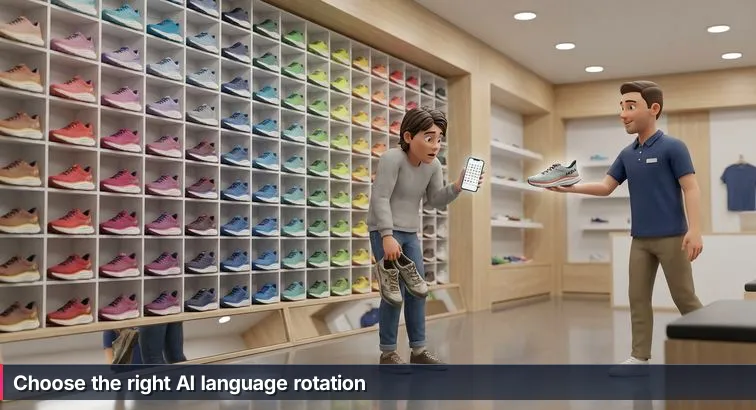
The wall hits you first. Row after row of shoes in neon orange and electric blue, foam soles stacked like layer cakes, that faint rubber-and-plastic smell rising under the sharp glare of the store lights. Somewhere behind you, a treadmill whirs while someone jogs in place, their sneakers squeaking in a steady rhythm. You’re standing there in beat-up everyday shoes, phone in your hand, thumb hovering over a “Best Running Shoes of 2026” list, trying to convince yourself that if you just pick whatever’s ranked #1, you’re done.
Then the clerk wanders over and drops the question that breaks the spell: “Okay - but what are you training for?” Suddenly it’s not a single wall of “better” anymore. It’s road vs. trail, easy miles vs. race day, sore knees vs. tight budget. The same thing happens when you Google “best AI programming language to learn” and stare at a Top 10 chart: it feels comforting, like the internet has pre-selected the perfect shoe for you, until you remember you haven’t actually decided whether you’re running a 5K or trying to survive an ultra-marathon.
Meanwhile, AI has quietly become the whole shopping mall. Around 72% of organizations now use AI in some form, and “AI work” has split into data science, ML engineering, MLOps, AI product, research, and hybrids in between, as described in enterprise-focused breakdowns of 2026 technology usage and hiring trends. The language wall is just as crowded: Python, Rust, JavaScript, TypeScript, SQL, Java, Go, Julia, R, even newer names like Mojo. Each looks similar from a distance, but under the label you start seeing different metrics on the box - TIOBE scores, Stack Overflow usage, GitHub activity, “most loved” survey rankings.
Those metrics all measure something slightly different. The 2025 Stack Overflow Developer Survey tracks what working developers actually use and shows Python with one of the biggest year-over-year jumps - about 7 percentage points, a surge many analysts tie directly to the boom in generative AI tools. GitHub activity looks more like race-day participation numbers: one data-driven 2026 ranking notes that TypeScript briefly overtook Python as the most-used language on GitHub in August 2025, reflecting the sheer volume of web and cloud projects built in it. Neither metric tells you what you, personally, should lace up; they just tell you which starting corrals are the most crowded.
So instead of pretending this is an Olympic podium where #1 is universally “best,” we’re going to treat the rest of this guide like that running-store wall. The same Top 10 languages will show up, but organized by what you’re actually training for in AI - analytics, web apps, infrastructure, scientific research - so you can build a sensible “shoe rotation” rather than chase a single magic pair. By the end, you’ll know which 1-2 languages to start with, and how to add others over time like a training plan, not a panic buy based on who happened to win this year’s popularity race.
Table of Contents
- Introduction: the running-store moment
- Python
- JavaScript and TypeScript
- Java
- C++
- Rust
- Go
- SQL
- R
- Julia
- Mojo
- Putting your language rotation together
- Frequently Asked Questions
Hiring trends now favor demonstrable AI literacy and project portfolios - this article explains how to build both.
Python
If the AI world is a giant running store, Python is the cushioned daily trainer that almost everyone owns at least one pair of. It’s not the flashiest or the newest, but it’s the thing you can wear for nearly every kind of run: easy miles, speed work, even the occasional race. Language rankings back that up - Python sits at the very top of the TIOBE Index with around 26% of the entire index share, its highest rating ever, reflecting just how dominant it is across domains from web to ML, as tracked by the long-running TIOBE Index of language popularity.
Snapshot and demand in 2026
Under the hood of all those “Top 10 AI languages” charts, Python is the one constant. Multiple AI language roundups estimate that roughly 47-58% of AI/ML job postings explicitly require Python, making it the closest thing to a non-negotiable for AI roles. In the 2025 Stack Overflow Developer Survey, Python also shows one of the largest year-over-year adoption jumps - about 7 percentage points - a surge many analysts link directly to the explosion of generative AI and LLM tooling. AI-specific guides like the Mimo 2026 AI language report go so far as to call Python the “all-rounder king” of AI, and even where TypeScript edges it out in overall GitHub usage, Python is still the dominant language for ML and data repositories.
Best AI use cases and beginner-friendly roles
In running terms, Python is the shoe you can take from the sidewalk to the track without overthinking it. For AI, that translates into a few sweet spots: building LLM apps and AI agents with orchestration frameworks like LangChain and LlamaIndex; training and experimenting with models using PyTorch, TensorFlow, Keras, scikit-learn, and Hugging Face Transformers; wrangling data with Pandas, Polars, and NumPy; and turning models into real services with FastAPI, Flask, or Django. On the job-title side, Python is front and center for Junior Data Scientist or Data Analyst (Python + SQL), ML Engineer, AI Engineer integrating LLMs into products, and AI-focused backend developer roles - basically, the entry-level lanes most beginners and career-switchers are aiming at.
Learning paths, pricing, and how Nucamp fits
If you’re starting from zero or coming in from another career, the trick is pairing Python with structure so you don’t end up with blisters from trying to “vibe code” your way through AI tutorials. Nucamp leans into that by bundling Python with the skills AI teams actually expect: SQL, back-end basics, and deployment. Most AI bootcamps sit in the $10,000+ range, but Nucamp’s Python-focused programs come in between $2,124-$3,980, with flexible monthly payments, an employment rate around 78%, and a 4.5/5 Trustpilot rating from roughly 398 reviews - an unusually strong price-to-outcome ratio for beginners watching their budget.
| Program | Duration | Price | Main Focus |
|---|---|---|---|
| Back End, SQL & DevOps with Python | 16 weeks | $2,124 | Core Python, SQL databases, deployment skills |
| AI Essentials for Work | 15 weeks | $3,582 | Practical AI skills, prompt engineering, productivity tools |
| Solo AI Tech Entrepreneur | 25 weeks | $3,980 | LLM integration, AI agents, shipping and monetizing products |
A simple first project that mirrors real AI work
To make Python feel less like a wall of options and more like a shoe you’ve actually broken in, aim for an end-to-end mini project. Grab a public dataset of text (movie reviews, support tickets), clean it with Pandas, and train a basic sentiment classifier using scikit-learn. Then wrap the model in a tiny FastAPI service and hit it from a simple script or web client. In one loop, you’ll touch data prep, modeling, and deployment - the same terrain you’ll cover in real AI jobs - and you’ll have a much clearer sense of whether Python really fits before you start adding more specialized “shoes” to your rotation.
JavaScript and TypeScript
Out of everything on the “language wall,” JavaScript and TypeScript are the shoes you actually wear in public - the ones that show up every time a real user touches your app. Even as Python quietly powers a lot of the models behind the scenes, multiple 2026 language analyses put JavaScript/TypeScript usage around 66-69% of developers, and JavaScript still runs the front end for about 98% of the web. One data-driven 2026 ranking even notes that TypeScript briefly surpassed Python as the most-used language on GitHub in August 2025, thanks to the explosion of large-scale web and cloud projects built in it, as documented in a GitHub-focused breakdown of the best programming languages for 2026.
Snapshot and demand in 2026
In the AI context, that means something specific: JavaScript and TypeScript dominate the surface area where humans meet models. AI rankings like the 2026 overview from Wednesday Solutions consistently list JS/TS near the top as the interface and orchestration layer for AI products, even if Python owns most of the training code. Recruiters increasingly treat TypeScript as the default for serious front-end and full-stack roles because static types make complex, AI-heavy interfaces easier to maintain - especially when you’re wiring up chatbots, recommendation widgets, and analytics dashboards to ever-changing APIs.
The kind of “running” JS/TS are built for
If Python is your comfy long-run shoe, JS/TS are the ones you wear to actually go out and race in front of people. On the AI side, that looks like building LLM-powered web apps in React or Next.js, creating chat-style interfaces that call back-end models, and wiring up real-time features like autocomplete, intelligent search, and personalized feeds. On the server, Node.js and frameworks like NestJS let you orchestrate calls to Python ML services, vector databases, and third-party LLM APIs, while browser-side tools like TensorFlow.js and LangChain.js make it possible to run lighter-weight models or embeddings directly in the client. For beginners, this maps cleanly to roles like Full-Stack Developer on AI-enabled products, Frontend Engineer adding AI features, or AI Product Engineer focused on user-facing experiences.
| Language | Main AI Role | Typical Use | Key 2025-2026 Signal |
|---|---|---|---|
| JavaScript | Interface layer | React/Next.js UIs, browser chatbots, real-time UX | Used by ~66-69% of developers overall |
| TypeScript | Enterprise-grade full stack | Typed React/Next.js apps, Node/NestJS APIs around AI | Briefly #1 on GitHub in Aug 2025 |
How to learn them and a realistic first AI project
The smoothest path is to treat JavaScript as your base mileage and TypeScript as the stability upgrade once your legs are under you. Start with modern JS (ES6+, async/await, fetch), then layer on TypeScript’s types and tooling, and finally move into a framework like React or Next.js. From there, a great first AI project is to build a simple Next.js chat interface that sends user messages to an LLM API, keeps conversation history in state, and maybe adds a little semantic search over a small document set using client-side embeddings. Paired with a Python back end later on, JS/TS become the half of your rotation that faces the crowd - exactly what most AI-enabled products need.
Java
Step a little farther down the language wall and you hit the sturdy, no-nonsense lineup: Java. It doesn’t glow like a brand-new racing flat, but if you peek at the “metrics on the box,” it’s quietly everywhere. In the TIOBE Index for December 2025, Java sits around #4 overall, and it shows up in the top 5 languages in the 2025 Stack Overflow Developer Survey, which tracks what working developers actually reach for at their jobs. AI-focused rundowns like the Trio Dev 2026 AI development language ranking call Java out specifically as a go-to for enterprise-grade AI and big data pipelines, especially where huge companies already run on the JVM.
Snapshot and enterprise demand
Java is the backbone language in a lot of Fortune 500 systems, particularly in finance, telecom, insurance, and logistics. Those companies aren’t ripping out their Java stacks just because AI is hot; they’re layering AI on top. That’s why guides like the Pluralsight ranking of top programming languages still put Java near the top for long-term career value: it powers high-traffic back ends, batch jobs, and big data systems that are now being upgraded with recommendation engines, fraud detection, and risk models. In practice, that means a lot of AI projects end up looking like “train the model in Python, integrate and scale it in Java,” especially around tools like Apache Spark (including MLlib) and Kafka.
The kind of “running” Java is built for
Think of Java as a durable stability shoe built for long, heavy miles on enterprise roads. In AI terms, it shines when you’re wiring models into mission-critical systems: wrapping Python-based services inside Spring Boot microservices, running distributed training or batch scoring jobs on Spark clusters, or embedding real-time scoring into transaction-heavy flows like payments, trading, or customer personalization. That lines up with roles like Backend Engineer modernizing Java systems with AI features, Big Data or Data Platform Engineer building and maintaining Spark pipelines, and ML Engineer in large organizations where the serving infrastructure is predominantly Java-based.
| Language | AI Strength | Typical Enterprise Use | Key Ecosystem Piece |
|---|---|---|---|
| Java | Enterprise-scale integration | Microservices, big data, transaction systems | Spring Boot, Apache Spark MLlib |
| C# | Windows and .NET ecosystems | Line-of-business apps, ERP, healthcare systems | ML.NET, ONNX Runtime for .NET |
| Python | Model building and experimentation | Data science workflows, training scripts, notebooks | PyTorch, TensorFlow, scikit-learn |
Learning path and a realistic first AI project
If you’re already in a Java-heavy environment, adding AI is more about changing your training plan than buying a totally new pair of shoes. Start by getting comfortable with modern Java features (Streams, lambdas, the newer HTTP client) and then learn Spring Boot for building REST and gRPC APIs. From there, explore Apache Spark (including MLlib) or Deeplearning4j for JVM-based ML, and practice integrating external Python models over HTTP instead of trying to rewrite them. A great starter project is a Spring Boot microservice that accepts transaction data, calls a Python FastAPI fraud-detection model, and returns a risk score and decision while logging everything to a database for future retraining. That pattern - Python for the model, Java for the “serious” production plumbing - is exactly how a lot of AI gets shipped inside big companies today.
C++
All the way down at the “do not attempt for your first jog” end of the wall is C++: stiff, aggressive, built for speed when every millisecond counts. It’s not what you wear for casual neighborhood loops, but it is what powers the carbon plates inside a lot of other shoes. Language trend reports still place C++ firmly in the top tier of general-purpose languages, with usage analyses like the Second Talent 2026 programming statistics highlighting it among the most-used technologies for performance-critical systems that need tight control over memory and hardware.
Snapshot and why C++ still matters in AI
In AI, C++ isn’t usually what you write your first model in; it’s what makes everyone else’s models fast. Many of the numerical Python libraries beginners rely on delegate heavy computations to C or C++ under the hood, and performance-focused stacks like NVIDIA’s TensorRT, ONNX Runtime, and various GPU-accelerated inference engines lean hard on C++ for low-latency execution. AI language roundups, including guides to the top AI programming languages for 2025, repeatedly point to C++ when they talk about autonomous vehicles, robotics, and other domains where response times are measured in microseconds, not seconds.
The kind of “running” C++ is built for
Think of C++ as the carbon-plated racer you grab for track work, time trials, and race day. It’s built for high-performance inference engines in high-frequency trading and ad bidding, real-time perception and control loops in robotics and autonomous driving, and embedded or edge AI on constrained hardware like drones and IoT devices. It also underlies game engines and large-scale simulations, where AI behaviors, physics, and world logic all have to execute at 60+ frames per second. That maps to roles like Robotics or Autonomous Systems Engineer, Quant Developer working on ML-powered trading systems, and Engine or Runtime Engineer contributing to ML frameworks, game AI, or inference runtimes.
| Language | AI Focus | Typical Deployment | Latency Profile |
|---|---|---|---|
| C++ | Inference engines, robotics, embedded AI | On-device, edge, high-frequency systems | Ultra-low (microseconds-milliseconds) |
| Rust | Memory-safe infrastructure and runtimes | Back-end services, compilers, tooling | Very low with stronger safety guarantees |
| Go | Cloud-native inference and MLOps | APIs, gateways, orchestration layers | Low to moderate, optimized for throughput |
How to start learning and a practical first project
C++ is rarely the first shoe you buy, and it’s much easier to approach once you already know Python and understand why you need more speed. A realistic learning plan starts with modern C++ (C++17/20): RAII, smart pointers, the STL, templates, and build tooling. From there, explore how to embed or call into C++ from higher-level languages, and then pick up a deployment stack like ONNX Runtime or TensorRT so you can actually serve models. A solid starter project is to train a small image classifier in Python, export it to ONNX, and write a C++ application that loads the ONNX model, runs inference over a folder of images, and measures latency and throughput. That single loop shows you exactly why teams reach for C++ when a comfortable prototype isn’t quite fast enough to race.
Rust
Rust is the strange-looking shoe at the end of the wall with a techy sole and way more engineering talk on the tag than you’re used to. It promises speed like C++, but with built-in protection against the blisters that come from memory bugs and data races. In recent surveys, around 72% of developers rate Rust favorably, making it the most admired language on many “most loved” charts, and guides to the top programming languages to learn in 2026 consistently flag it as a future-proof pick for high-performance systems.
Snapshot and demand in 2026
Rust has grown from a side project to a serious option for production back ends, infrastructure, and AI tooling. Companies that once defaulted to C++ are increasingly experimenting with Rust for services where safety, concurrency, and performance all matter at once. Analyses of in-demand languages, such as the 2026 overview from WhizzBridge on the most in-demand programming languages, point to Rust’s expanding role in cloud services, networking, and performance-critical components. In the AI world, that trend shows up as Rust-based ML frameworks (like Candle and Burn), custom inference runtimes, and tooling around compilers and accelerators.
The kind of “running” Rust is built for
If C++ is the aggressive race shoe and Python is the comfy daily trainer, Rust is the high-tech racer with stability features built in. It’s aimed squarely at AI infrastructure: memory-safe, high-throughput microservices for model serving and feature stores; optimized inference backends and kernels; edge and embedded AI in safety-critical environments (automotive, industrial control); and WebAssembly-based deployments where you want lighter-weight ML logic close to the user. That aligns with roles like MLOps or Platform Engineer, Systems Engineer on AI platforms, and people working on runtimes, compilers, or hardware-level tooling rather than directly building models.
| Language | Safety Profile | Primary AI Infrastructure Use | Learning Curve |
|---|---|---|---|
| Rust | Memory-safe by design | Inference services, runtimes, edge AI | Steep at first, then very stable |
| C++ | Manual memory management | Low-level kernels, robotics, embedded | Steep and detail-heavy |
| Go | Garbage-collected, simpler model | MLOps tools, APIs, orchestration | Gentler, designed for productivity |
How to start learning and a first AI-flavored project
Rust is much easier to pick up once you’ve already prototyped in Python and know why you need more performance. A practical path starts with core Rust concepts (ownership, borrowing, lifetimes) and then moves into async Rust with Tokio and a web framework like Axum or Actix Web. From there, you can experiment with Rust-based ML libraries or ONNX bindings. A great first project is to export a small Python-trained model to ONNX, then build a Rust microservice that loads the model, exposes a REST endpoint, and returns predictions with single-digit millisecond latency. Comparing this side by side with a Python FastAPI version gives you a concrete feel for when Rust is worth adding to your “rotation.”
Go
When you zoom out and look at how AI systems actually run in production, Go keeps popping up in the engine room. It was created at Google specifically for building scalable, concurrent systems, and it now powers core cloud-native tools like Docker and Kubernetes along with many large-scale back ends. Language trend reports show Go’s adoption continuing to tick upward, with some surveys indicating around a 2% year-over-year usage increase among professional developers, a steady rise that reflects its growing role in infrastructure and platform teams rather than front-and-center app code.
Snapshot and where Go fits into AI
In the AI stack, Go usually isn’t the language you train models in; it’s the one you use to keep those models fast, available, and cheap to run. Guides to AI development stacks, such as the overview of top AI programming languages from Azumo, consistently frame Go as a strong choice for cloud-native AI services, including high-throughput inference APIs and MLOps tooling. It plays especially well with containerized and serverless environments, which is why it shows up in companies that care a lot about latency, concurrency, and predictable cloud bills.
The kind of “running” Go is built for
If Python is your prototyping shoe, Go is the one you put on when you’re ready to run reliable tempo runs in production. It excels at high-throughput inference APIs that sit in front of Python or C++ model servers, MLOps pipelines and CLI tools that orchestrate Docker, Kubernetes, and cloud resources, and microservices that glue together queues, feature stores, and monitoring systems. That maps directly to roles like MLOps Engineer, Backend or Platform Engineer on AI products, and DevOps Engineer stepping into AI-heavy environments where models are already built but need to be deployed and scaled safely.
| Language | Primary AI Infrastructure Role | Concurrency Model | Best Fit For |
|---|---|---|---|
| Go | Inference APIs, MLOps tools, cloud services | Goroutines + channels | Platform/MLOps teams |
| Python | Model training, experimentation | Threads/async, GIL-limited | Data science & ML teams |
| Rust | Custom runtimes, edge/embedded AI | Async + ownership model | Systems & infra engineers |
How to learn Go and a realistic starter project
For beginners and career-switchers, Go is best approached after or alongside Python: first learn core syntax, then its concurrency story (goroutines, channels), and finally a web framework like Gin or Echo. From there, containerization with Docker and basic Kubernetes concepts give you the terrain where Go really shines. A practical first AI-flavored project is to train a simple recommendation or classification model in Python, expose it via a FastAPI service, and then write a Go API gateway that accepts client requests, calls the Python service, and caches recent responses in memory. Once both services are containerized and orchestrated with Docker Compose or Kubernetes, you’ll have a hands-on feel for how Go helps turn isolated models into robust, scalable AI systems - the kind that show up in “top AI development languages” lists from infrastructure-focused sources like LogixBuilt’s 2026 AI language guide.
SQL
SQL is the unglamorous insole under the entire AI stack: you don’t see it on the “Best AI Languages” wall at first glance, but if it’s missing, everything above it starts to hurt. Despite rarely grabbing headlines, SQL ranks around #6 on the TIOBE Index and roughly 49% of developers use SQL regularly in their work, according to multi-language usage summaries based on Stack Overflow’s 2025 data. In one analysis of the most popular technologies in 2025, SQL sits in the top tier right alongside the usual suspects, quietly powering analytics, dashboards, and ML pipelines.
Snapshot and why SQL quietly runs most AI
Underneath every dashboard screenshot and shiny model demo, someone had to decide which rows and columns even exist. SQL is how you extract, join, filter, and aggregate that data into something models can learn from. AI-oriented resources, including several 2026 language guides, explicitly call SQL essential for cleaning and preparing data, even if it’s not the language training the model itself. Increasingly, it’s also part of the AI engine: PostgreSQL’s pgvector extension turns a regular table into a vector store for semantic search, and warehouse-native tools like BigQuery ML and Redshift ML let you train and run models directly with SQL syntax, a trend highlighted in AI language overviews such as WeiseTech’s 2026 AI programming languages guide.
The kind of “running” SQL is built for
If Python is your daily trainer and JS/TS are your race-day shoes, SQL is the orthotic insert that keeps your knees from exploding. It’s built for data extraction and preprocessing (think: “give me every customer who did X in the last 30 days”), for feature stores where model-ready signals live, for vector search and retrieval in LLM apps, and for embedded ML inside warehouses where analysts already spend their time. That makes it non-negotiable for Data Analysts, BI Developers, Data Scientists, ML Engineers who touch pipelines, and Analytics Engineers trying to keep reporting, experimentation, and ML in sync.
| Tool | Primary AI Role | Where It Runs | Typical User |
|---|---|---|---|
| PostgreSQL + pgvector | Vector search & retrieval for LLM apps | Application databases, microservices | Backend/AI engineers |
| BigQuery ML | Train/score models with SQL | Cloud data warehouse (GCP) | Data analysts & scientists |
| Redshift ML | Embedded ML in analytics workloads | Cloud data warehouse (AWS) | Analytics & BI teams |
Learning path and a starter “features to model” loop
You don’t have to fall in love with SQL; you just have to be fluent. That usually means SELECT, WHERE, GROUP BY, HAVING, JOINs, window functions, and CTEs, practiced on real-ish tables rather than toy examples. For beginners and career-switchers, pairing SQL with Python is the winning rotation: query and shape the data in SQL, then model in Python. That’s exactly how many modern bootcamps structure their curriculum; for example, Nucamp’s Back End, SQL & DevOps with Python bootcamp deliberately teaches SQL alongside Python so you learn to move comfortably between databases, code, and deployment instead of treating them as separate sports.
A simple project that mirrors real AI work is to spin up a PostgreSQL database, load in user-event data (clicks, purchases, sessions), and write SQL queries to aggregate behavior into a feature table: average spend, visit frequency, time since last activity, and so on. Export that table into Python, train a churn or recommendation model, then iterate by tweaking the SQL features and watching your metrics move. Once you’ve done that loop end to end, you’ll understand why skipping SQL feels fine in tutorials but leads to big blisters the first time you try to run an AI project on real, messy company data.
R
R is the oddly specific trail shoe on the wall: not designed for every runner, but absolutely perfect for certain terrain. It’s never going to chase JavaScript or Python in raw popularity, yet it’s held a stable presence in the TIOBE top 20 for years and remains deeply entrenched in statistics, finance, healthcare, and academia. In multi-language career guides like IQ Infinite’s 2025-2026 programming languages overview, R is consistently framed as a specialist choice for heavy-duty data analysis and research rather than a general-purpose workhorse.
Snapshot and where R actually shows up
Instead of powering web front ends or microservices, R lives where you see dense plots, equations, and people arguing about p-values. It’s widely used for time-series analysis in economics, survival models in healthcare, risk scoring in insurance and banking, and bioinformatics in research labs. Its ecosystem is tailored to that world: the tidyverse for data wrangling, ggplot2 for publication-quality visuals, caret and tidymodels for ML workflows, and xgboost bindings for high-performing tree-based models. AI language roundups, including those cataloged by IQ Infinite, routinely describe R as the go-to tool when rigorous statistical modeling matters more than building production APIs.
The kind of “terrain” R is built for
If Python is your cushioned road shoe, R is the trail runner tuned for technical footing: it’s built for statistical modeling, exploratory analysis, and clear communication of results. That includes generalized linear models, Bayesian analysis, hypothesis testing, time-series forecasting, and domain-specific modeling in areas like epidemiology or credit risk. On top of that, tools like Shiny and R Markdown let you turn analyses into interactive dashboards and reproducible reports for non-technical stakeholders. In terms of roles, R maps neatly to Statistician or Quantitative Analyst, Biostatistician or Bioinformatics Analyst, Risk Modeler or Actuary, and academic researchers who need to live close to both the data and the math.
| Language | Primary Strength | Best Fit For | Typical Output |
|---|---|---|---|
| R | Statistics & visualization | Finance, bioinformatics, academia | Models, reports, Shiny dashboards |
| Python | General-purpose ML & tooling | Product teams, ML engineering | APIs, pipelines, production models |
| Julia | High-performance numerics | Scientific computing & simulations | HPC code, SciML systems |
Learning path and a realistic starter project
If your “training plan” points toward statistics-heavy work, R makes a lot of sense as either a first or second language. A practical path starts with R basics (vectors, data frames, lists) and quickly moves into the tidyverse for data manipulation and ggplot2 for plotting. From there, you can learn modeling workflows with caret or tidymodels, and eventually build small internal tools with Shiny. Structured programs like the Data Science: Foundations using R Specialization on Coursera are popular because they walk you through that arc from raw data to models and communication in a way that mirrors actual analytics work.
A great first project is to take a financial or healthcare time-series dataset (stock prices, patient readmission rates, loan defaults), clean and explore it with the tidyverse, and then fit a forecasting or classification model. Wrap the results in a simple Shiny app: plots that update based on user-selected filters, current predictions, and maybe a few key risk metrics. By the time you’ve shipped that internally-facing “trail run,” you’ll know whether R’s terrain feels like home and how it might fit alongside Python or SQL in your longer-term AI language rotation.
Julia
Julia is the specialized racing spike hanging on the far end of the wall: you don’t buy it for your first couch-to-5K, but if you’re living on the track doing physics-informed training plans, it suddenly makes perfect sense. It’s still niche compared to Python or JavaScript, yet language trend pieces like Simplilearn’s overview of the best programming languages to learn keep flagging Julia as the go-to for high-performance scientific computing and numerically heavy AI work, especially in labs and quant-heavy teams.
Snapshot and demand in 2026
Julia is often described as the language that solves the “two-language problem”: you get something close to Python’s ease of use with C-level performance. Analyses of 2025-2026 language trends note that it’s gaining traction in research labs, climate science groups, and quantitative finance precisely because you can prototype and scale in the same language. As one breakdown of future-focused languages puts it, “Julia is praised for solving the ‘two-language problem’ by providing Python-like ease with C-level performance… a scientific computing specialist in 2026.” - IQ Infinite Technologies, Top Programming Languages in 2025-2026 (via Medium)
The kind of “running” Julia is built for
If Python is your reliable road shoe, Julia is the track spike for people doing scientific intervals: it’s built for scientific machine learning (SciML), complex numerical simulations, and optimization-heavy workloads. That includes differential equation solvers, climate and fluid dynamics models, structural simulations, and control systems where you’re mixing hard physics with neural networks. Libraries like Flux.jl (for neural nets), MLJ.jl (for ML pipelines), and Turing.jl (for probabilistic programming) sit alongside DifferentialEquations.jl, making Julia especially attractive to Research Scientists in physics, engineering, and climate, as well as HPC-focused Data Scientists and quants who care as much about simulation fidelity and speed as they do about model accuracy.
| Language | Performance Profile | Best-Fit Domain | Typical User |
|---|---|---|---|
| Julia | Near C speed with JIT compilation | Scientific ML, simulations, optimization | Research scientists, quants, HPC teams |
| Python | High-level, relies on C/C++ under the hood | General ML, data science, product AI | ML engineers, data scientists, AI devs |
| R | Optimized for stats and visualization | Statistics, econometrics, bioinformatics | Statisticians, analysts, academic researchers |
How to learn Julia and a starter SciML project
Julia isn’t usually your first pair of shoes, but it’s an excellent second if you’re math- or physics-inclined and already comfortable in Python. A practical path is to go through array programming and multiple dispatch basics with free courses from JuliaAcademy, then dive into performance patterns (type stability, allocation profiling) and domain libraries like Flux.jl and DifferentialEquations.jl. A classic first project is to model a simple physical system (a pendulum, predator-prey dynamics), solve it with DifferentialEquations.jl, then train a small neural network in Flux.jl to approximate that system and compare the learned behavior with the analytical solution. By the time you’ve done that lap, you’ll know whether Julia’s track feels like the right terrain for your AI career, or whether it belongs as a specialized part of your broader language rotation.
Mojo
Mojo is the brand-new, prototype racing flat hanging off the side of the wall with a handwritten tag: “insane speed, still in testing.” It’s an emerging language designed specifically for AI workloads, created by Modular and marketed as a kind of “Python successor” that keeps familiar syntax while giving you low-level, hardware-aware performance. Some AI language roundups describe Mojo as offering 100x+ speedups over pure Python on certain kernels by compiling down closer to the metal, which is why it’s started showing up as an “honorable mention” in 2025-2026 AI language lists like the ones covered in Swovo’s guide to AI programming languages.
Snapshot and why Mojo is on people’s radar
Unlike Python or JavaScript, Mojo doesn’t show up yet in broad popularity surveys like TIOBE or the Stack Overflow Developer Survey; it’s still too new and niche. Instead, it lives in blog posts and conference talks about “what’s coming next for AI performance” and in speculative rankings of future AI languages. The pitch is straightforward: keep most of what makes Python productive for data scientists and ML engineers, but add control over memory layout, parallelism, and hardware so you can write kernels and operators that rival C++ in speed. That positions Mojo squarely for developers who are already pushing against Python’s performance ceiling in training loops, custom layers, or preprocessing pipelines.
The kind of “running” Mojo is built for
If Python is your everyday trainer and C++ is the carbon race shoe, Mojo is the experimental prototype the elite teams are trying out on the track. It’s aimed at kernel- and operator-level optimization, hardware-specific AI programming for GPUs/TPUs and custom accelerators, and experimental AI infrastructure like compilers and runtimes where every microsecond and every watt counts. You’re not using Mojo to build your first sentiment classifier; you’re using it to rewrite the hottest part of that classifier’s inner loop once you’ve already hit the limits of NumPy, PyTorch, or JAX. That maps to roles like AI Compiler Engineer, Performance Engineer on AI frameworks, and Research Engineer at AI hardware or infrastructure startups.
How (and when) to add Mojo to your rotation
For beginners and career-switchers, Mojo is absolutely not the first shoe to buy. The sensible plan is to get comfortable in Python, add at least one systems language like C++ or Rust if you find yourself caring deeply about performance, and only then experiment with Mojo once you have a real bottleneck to attack. Learning it today mostly means working through the official Modular tutorials and examples, reading emerging best-practices posts, and treating it as an advanced tool rather than a job-ticket language. In parallel, keeping an eye on broader AI tooling trends from sources like OpenXcell’s 2026 roundup of AI tools for developers can help you see where Mojo is actually being adopted versus where it’s just getting hype.
A practical first experiment might be to take a compute-heavy inner loop from an existing Python project (say, a custom activation function or a preprocessing kernel), reimplement just that function in Mojo, and benchmark the difference end to end. That way, you’re not betting your whole training plan on an experimental shoe; you’re testing it on a few controlled intervals and deciding, with data, whether it deserves a spot in your long-term AI language rotation.
Putting your language rotation together
Back at the running store wall, the clerk isn’t trying to sell you “the best shoe of the year”; they’re trying to send you home with a rotation that fits how you actually run: one pair for daily miles, maybe something lighter for speed, maybe a more aggressive grip if you hit trails. Your AI language choices work the same way. You don’t need to collect every logo on the wall, and you definitely don’t need to panic-buy whatever just topped a “Top 10” chart. You need one solid high-mileage pair, and then one or two carefully chosen add-ons that match the terrain you care about.
Start with your high-mileage pair
For most beginners and career-switchers, that high-mileage pair is Python + SQL. Across data-driven rankings, Python keeps showing up as the core language for AI and ML, while SQL is the way real teams actually access, clean, and shape data before it ever reaches a model. Future-focused career guides, like Emeritus’s breakdown of the top programming languages of the future, consistently put Python in the “must-know” category because it spans data, ML, and automation, not just one narrow niche. If you start here, you’re training the muscles that show up in almost every entry-level AI job description: pulling data, exploring it, building a model, and wiring it into something useful.
Pick your second shoe by terrain
Once your base is in place, your next language should depend on where you want to run. Don’t think “What’s #2 on the list?”; think “What kind of work do I want my day-to-day to look like?” and match that to a language that lives closest to that kind of work.
| Goal / Terrain | Next Language to Add | What It’s Built For | Example Entry Role |
|---|---|---|---|
| Build AI-powered web apps & SaaS | JavaScript / TypeScript | User-facing UIs, APIs, chat interfaces | Full-Stack or Frontend Engineer (AI features) |
| Focus on infrastructure & MLOps | Go or Rust | Scalable services, inference gateways, tooling | MLOps / Platform Engineer |
| Do stats-heavy or scientific work | R or Julia | Advanced statistics, simulations, SciML | Data Scientist (research), Quant, Biostatistician |
| Stay in big enterprises & legacy stacks | Java or C# | Integrating AI into existing back ends | Backend Engineer, Data Platform Engineer |
Turn it into a training plan, not a panic buy
Instead of bouncing between tutorials every time a new language trends on social media, treat your learning path like a training cycle. Start with a block focused on Python + SQL and ship one or two small, end-to-end projects. Then add a second language aligned with your chosen terrain and build a project that forces them to work together (for example, a TypeScript front end talking to a Python model API). From there, you can reassess every few months based on the roles you’re targeting and the job descriptions you’re actually seeing. Lists of the 10 most in-demand AI jobs consistently show overlapping skill sets rather than single-language silos, which is a good reminder: employers are hiring for a stack, not just a syntax.
If you commit to that mindset, the “Top 10 AI languages” charts stop feeling like pressure and start feeling like a menu. You begin with one reliable pair (Python + SQL), add a second shoe that fits your terrain (JS/TS, Go, Rust, R, Julia, or an enterprise staple), and only then worry about more exotic options. Over time, you’ll build a small, well-chosen rotation that matches how you actually want to work - no blisters, no buyer’s remorse, and no need to chase every shiny new logo on the wall.
Frequently Asked Questions
Which AI programming language should I learn in 2026 to maximize job opportunities?
Start with Python paired with SQL - Python appears in roughly 47-58% of AI/ML job listings and ranks near the top of popularity indexes (TIOBE ~26%). That combo covers most entry-level AI roles and is the practical foundation that bootcamps like Nucamp emphasize.
As a complete beginner, which language is the easiest path into AI?
Python is the easiest entry point thanks to its readable syntax and libraries like PyTorch, scikit-learn, and Hugging Face; Stack Overflow recorded about a 7 percentage-point adoption jump for Python in 2025 tied to generative AI. Pairing it with SQL quickly gets you job-ready for real data work.
If I want to build AI-powered web apps, should I learn JavaScript or TypeScript first?
Start with modern JavaScript to learn the fundamentals, then add TypeScript for type safety on larger projects - JS/TS power the UI and orchestration layer and are used by roughly 66-69% of developers, with TypeScript briefly topping GitHub in Aug 2025. You’ll still typically pair a JS/TS front end with a Python back end for model work.
When is it worth investing time in systems languages like Rust, C++, or Mojo for AI?
Invest in Rust, C++, or Mojo once you face real performance or infrastructure limits: C++ for ultra-low latency inference, Rust for memory-safe high-throughput services (Rust ranks very highly on “most loved” charts), and Mojo for experimental kernel-level speedups (some reports claim 100x+ on select kernels). Learn them after prototyping in Python so you can target the exact bottleneck.
How many programming languages do I actually need to learn to be competitive for entry-level AI roles?
Usually 1-2 well-chosen languages are enough: Python + SQL covers most entry-level AI and data roles, then add a second language aligned with your target (JS/TS for web, Go/Rust for infra, R/Julia for research). For context, Nucamp’s Python+SQL-focused programs and practical projects are designed to get beginners into the job market - Nucamp reports roughly a 78% employment rate for grads.
For a quick reference, check the best high-paying tech jobs in 2026 and how salary, demand, and fit compare.
This in-demand tech jobs list with transfer stations shows practical first steps for beginners.
Check the step-by-step job-simulation project examples to model your portfolio pieces on real work.
If you care about pay and culture, this top tech companies ranked by growth, pay, and culture breaks down the trade-offs clearly.
If you’re building your shortlist, read the best tech internships ranked by mentorship to see which programs fit beginners and switchers.
If AI or systems excite you, check the top CS programs for AI and systems breakdown.
Interested in AI programs? We list the top AI-focused coding bootcamps and who they suit.
Data-minded learners should consult the Python & data science path we positioned for fast portfolio outcomes.
Hiring managers will respect candidates who reference the skills-to-salary map for 2026 when discussing career plans.
Want to learn which tech career fits your strengths without falling for hype?
The piece has a clear vibe coding explained simply section that brings the lemonade-stand metaphor to life.
If you’re focused on development, review the best junior web developer roles 2026 to see realistic pay and day-to-day work.
For pacing advice, consult the 6-12 month rule for becoming job-ready and sample weekly commitments.
Follow this AI engineer step-by-step path to prioritize projects that hiring managers actually value.
Our comprehensive ranking of AI certificates compares cost, pass rates, and salary uplift.
See an alternative career path: start with backend + SQL then specialize in AI for faster hiring momentum.
Teams refactoring large apps should consider the top AI-native IDEs for multi-file refactors highlighted in the roundup.
For practical tips, learn how to build a 30-day AI experiment around one high-friction task.
Non-technical professionals can use the best AI skills for non-technical professionals list to prioritize accessible, high-impact options.
The article includes a comprehensive list of fast-growing AI roles and growth stats useful for job seekers.
For a practical shortlist, check the top-ranked AI business ideas list for 2026 that weighs cost, regulation, and time-to-first-dollar.
Compare the best part-time bootcamps for working adults in 2026 if you need evenings-and-weekends schedules.
Start your search with our best online coding bootcamps 2026 roundup for fully remote options and honest tradeoffs.
If you want AI-focused options, read the top part-time AI bootcamps for working adults entry.
Compare outcomes in our salary comparison: bootcamp grads vs CS grads to understand starting pay and mid-career outlook.
For a data-forward take, read the coding bootcamp ROI analysis that breaks down payback periods and salary lifts.
For a quick comparison, check our roundup of the Top 10 Job Guarantee Coding Bootcamps in 2026 to see how guarantees vary.
For practical stacks and first projects, see the learn-to-code-with-a-40-hour-job checklist in the article.
If you want actionable steps, follow the step-by-step plan to increase your web dev pay.
Read the top cloud fundamentals (AWS & Azure) pick for entry-level roles.
Newcomers should review the 12-week mise en place plan for balancing study and full-time work.
Read our tutorial on choosing 2026-ready templates to pick a project that shows agentic systems and deployment.
We evaluated the top machine learning bootcamps by outcomes, tuition, and real alumni results.
Want cloud-focused study? See the top Azure AI Fundamentals (AI-900) prep resources we recommend.

Irene Holden
Operations Manager
Former Microsoft Education and Learning Futures Group team member, Irene now oversees instructors at Nucamp while writing about everything tech - from careers to coding bootcamps.