









Top 10 Free Tech Training at Libraries and Community Centers in Micronesia in 2026
By Irene Holden
Last Updated: April 14th 2026
Too Long; Didn't Read
Pohnpei Public Library's weekly 'Free Computer Help' sessions and COM-FSM's learning centers stand out as the top free tech training in Micronesia for 2026, providing no-cost access to digital skills without applications. Backed by Compact funding and regional development programs, these resources serve close-knit communities across Pohnpei, Chuuk, Yap, and Kosrae, building foundational skills for AI and tech careers in our growing remote-work ecosystem.
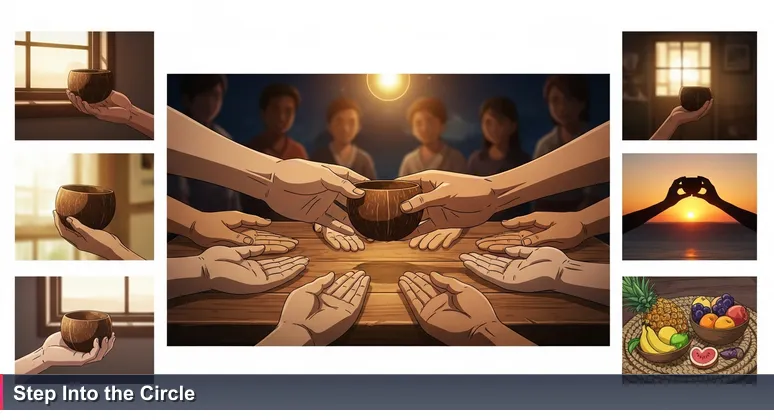
In our islands, the most valuable knowledge has always moved in circles, shared freely among open hands. As we navigate the digital currents of 2026, this principle guides the most accessible path into technology and AI careers across Pohnpei, Chuuk, Yap, and Kosrae. The promise of a "Smart Island" future is real, but the journey begins not with costly applications, but in the community spaces where foundational skills are stewarded for all.
This guide maps the top ten truly free, walk-in tech training resources that embody this spirit of open access. From the weekly help circle at the Pohnpei Public Library to the self-guided labs at COM-FSM, these hubs provide the essential digital literacy, web basics, and software proficiency needed before specialized study. They are the modern meeting houses, operationalizing the "digital resilience" that regional programs aim to build from the community up.
Engaging with these resources does more than build skills; it connects you to the national vision. Initiatives like the FSM Career & Technical Education Hub are transforming youth futures by aligning learning with in-demand jobs. Your first step into this circle requires no form or fee - just the willingness to walk in and begin.
Table of Contents
- Start Your Digital Journey in Micronesia
- Pohnpei Public Library Free Computer Help Sessions
- COM-FSM National Campus Learning Resources Center
- FSM National Library Public Access Terminals
- COM-FSM Chuuk Campus Computer Lab and MITC
- State Public Libraries in Yap, Chuuk, and Kosrae
- Tonoas Digital Hub and Community Center
- Habele Micronesia Pop-Up STEM Workshops
- UNESCO UNDP Digital Micronesia Community Training Events
- Municipal Office E-Government Walk-In Assistance
- FSM Career and Technical Education Hub Online Resources
- Your 30-Day Free Learning Plan
- Frequently Asked Questions
This guide to AI careers in the Federated States of Micronesia covers everything from skills to funding.
Pohnpei Public Library Free Computer Help Sessions
Embracing the role of a true community technology center, the Pohnpei Public Library in Kolonia hosts the most consistent and accessible digital entry point in the islands. Every Thursday from 4:00 PM to 5:00 PM, its "Free Computer Help" sessions welcome all ages for personalized, walk-in assistance, requiring no library card or prior registration.
This is not a rigid class but a communal help circle where you can bring specific challenges, from setting up email and formatting a resume to navigating online government portals. The library further extends its reach by providing free 24/7 community Wi-Fi on its grounds, supporting learning beyond its walls. As highlighted in broader trends, modern libraries lend "far more than books", becoming vital hubs for digital inclusion.
The practical power of this resource is best captured by a focused goal. Instead of vaguely aiming to "learn computers," walk in with the intent to "create a professional Gmail account and send your first email with a resume attached." This task-based approach, supported by the library's advertised weekly sessions, turns abstract digital anxiety into tangible, applicable skill.
COM-FSM National Campus Learning Resources Center
As a federal depository library, the College of Micronesia-FSM's National Campus Learning Resources Center (LRC) in Palikir opens a gateway to advanced digital tools for the public. Community members can access its computer labs and research databases through simple on-site guest registration, typically requiring a valid photo ID, transforming it into a cornerstone of the national digital infrastructure.
Within this space, learners gain access to powerful academic resources like EBSCO research databases, high-speed internet, and educational software. This makes it an ideal environment for self-guided study, whether auditing free online courses from global platforms or conducting deep dives into complex tech concepts. It directly supports the vision of a more connected FSM, a principle underscored in national digital transformation initiatives.
The practical application is powerful. Use the LRC's stable connection and quiet environment as a dedicated study hall to follow structured curricula from Coursera or edX. For example, you could spend several hours a week there progressing through a Python programming module, using the library's resources to supplement your learning. This disciplined approach builds the foundational knowledge required for more advanced training or remote tech work.
FSM National Library Public Access Terminals
Nestled in the national capital, the FSM National Library in Palikir operates as a quiet, strategic hub for cultivating essential digital research skills. Open during standard government hours (Monday-Friday, 8:00 AM - 5:00 PM), the library offers the public simple walk-in access to its computer terminals, providing a no-pressure environment to practice core operations and internet navigation.
The focus here extends beyond basic access to building competency in navigating digital databases, evaluating online information, and conducting effective research - skills that are critical for any tech-adjacent or data-focused career. This evolution in function is part of a global trend where, as noted in library analyses, these institutions now lend "far more than books, from tools to tech and local history", becoming key community technology centers.
To gain immediate value from a visit, challenge yourself with a concrete task. Use the library's terminals and resources to find and summarize three recent articles on a topic like "digital literacy in the Pacific" or "remote work trends." This exercise directly builds the analytical and information-synthesis skills needed for fields like data analysis and market research, turning a quiet library hour into a practical step toward a tech career.
COM-FSM Chuuk Campus Computer Lab and MITC
The Chuuk Campus of COM-FSM in Weno demonstrates a profound commitment to community access with one of the most detailed and flexible open lab schedules in the nation. Its Media Instructional Technology Center (MITC) and computer labs offer hours that include evenings and Saturdays (e.g., Sat 1:30 PM - 5:00 PM), a critical accommodation for working adults and students balancing other responsibilities.
Access is straightforward, typically involving an on-site sign-in and a visitor pass from Campus Security. This hub is a direct operational example of the drive for digital inclusion across all FSM states. As Dr. Cosmas Luckyson Zavazava of the ITU notes, such centers provide "vital access to digital services and skills-building opportunities", ensuring communities are not left behind.
To maximize this resource, leverage the weekend access for focused, uninterrupted practice. Use the Saturday hours to build proficiency in software suites like Microsoft Office or LibreOffice, skills highly valued by local employers in government and business. The MITC and computer lab serve as a prime local space for online learning, digital creation, and laying the groundwork for specialized technical training.
State Public Libraries in Yap, Chuuk, and Kosrae
Scattered across our islands, the state public libraries in Colonia, Tofol, and Weno serve as the essential first line of defense against the digital divide, ensuring no community is isolated from the national network. While schedules vary, they are typically open on weekdays during government hours and offer the public free, walk-in access to computer stations for educational purposes.
Usage may be limited to 30-60 minutes during peak times, but this constraint fosters focused, efficient skill-building sessions. These libraries are the grassroots nodes where the community-centric goal of digital resilience takes physical form, directly supporting the kind of "digital resilience" programs that regional partners like the UNDP champion for the Pacific.
To effectively engage with this resource, a small amount of preparation yields significant results. Call ahead or visit your local state library to confirm their current public computer hours. Then, commit to a short, daily or bi-weekly visit to practice a specific task, such as improving typing speed or completing one lesson from a free online tutorial. This consistent, focused practice builds the digital comfort and proficiency that forms the bedrock of any tech career path.
Tonoas Digital Hub and Community Center
On Tonoas Island in Chuuk, the Tonoas Digital Hub & Community Center stands as a physical manifestation of the "Smart Island" future in action. Developed through regional initiatives, this walk-in center is designed for telemedicine, online learning, and e-governance services, providing a living lab where residents can see digital tools solving urgent community challenges in real time.
While its formal training schedule may be periodic, its open-access design allows for observational and experiential learning. It exemplifies the community technology center model, demonstrating how strategic digital access can directly improve healthcare outcomes and streamline government services. This hub is a key part of the broader national effort, noted in regional stories on digital transformation, to build a more connected and resilient nation.
For a tech learner, a visit here connects abstract skills to tangible impact. The practical approach is to observe the real-world applications of technology, such as a telehealth consultation or an online permit application. Engage with the staff to inquire about upcoming digital literacy workshops, particularly those focused on using specific e-government portals. This direct exposure grounds your learning in community need, showing how tech proficiency leads to meaningful island-based careers in health, administration, and service design.
Habele Micronesia Pop-Up STEM Workshops
The non-profit organization Habele Micronesia brings agile, community-focused learning to all FSM states through periodic drop-in STEM workshops. These classic "pop-up" learning circles are advertised in advance via state radio and community boards and require no application - just your presence and curiosity to participate.
While often youth-oriented, many sessions welcome adults interested in the foundational logic of coding, robotics, and technology. These workshops exemplify how local NGOs are effectively filling gaps in the educational landscape, creating spontaneous circles of knowledge sharing that mirror traditional community gatherings. They spark crucial initial interest in fields like robotics, which share core problem-solving methodologies with AI and machine learning.
To take advantage of these opportunities, proactive awareness is key. Keep an ear on local radio announcements and regularly check community bulletin boards at municipal buildings or libraries for postings. As with other community resources like the Pohnpei Public Library's weekly sessions, information flows through trusted local channels, connecting you to hands-on experiences that can ignite a lasting passion for technology.
UNESCO UNDP Digital Micronesia Community Training Events
Aligned with major regional summits and the overarching "Digital Micronesia" vision for 2026, agencies like UNESCO and the UNDP frequently host high-impact, open-attendance training events across the FSM. Advertised as "Open Community Training," these sessions bring expert-led instruction directly to state capitals and municipal centers, covering critical topics like e-governance basics, using mobile apps for banking and services, and introductory cybersecurity.
These events represent a direct infusion of global expertise, meticulously adapted for the island context and funded by the very Compact and regional development programs that underpin national growth. As emphasized by regional experts like Nigel Jaynes of Micronesian Productions, a proactive shift toward "digital safety" is essential for protecting both businesses and communities from emerging online threats, making these cybersecurity sessions particularly valuable.
To benefit from these powerful but temporary opportunities, you need a strategy for timely information. Follow the social media pages of key organizations like the FSM Department of Finance & Administration and the UNDP Pacific for announcements. Attending one of these sessions not only builds a specific skill but also connects you to the broader network of professionals and initiatives shaping the digital future of Micronesia.
Municipal Office E-Government Walk-In Assistance
As the FSM government accelerates its shift of services online, from permit applications to license renewals, municipal offices across all states have become unexpected but powerful venues for practical tech training. Staff tasked with helping residents navigate these new digital platforms provide a form of walk-in assistance that doubles as situational, just-in-time learning.
This process transforms routine civic tasks into valuable skill-building exercises. Walking into your local office to complete a specific goal, such as applying for a business license online, inevitably involves hands-on learning about digital forms, secure document uploads, and creating verified online accounts. This real-world, task-based method is highly effective for building the exact digital competencies needed to interact with major public sector employers.
This grassroots approach directly supports the larger, strategic vision for a digitally enabled public sector. As the nation undertakes a significant digital transformation, these daily interactions at municipal counters are where the policy meets the people, building collective digital literacy by necessity. To start, choose one government service you need, like driver's license renewal, and commit to completing it online with the in-person guidance of municipal staff, learning the process step-by-step.
FSM Career and Technical Education Hub Online Resources
While the physical FSM Career & Technical Education Hub is a centralized resource, its online portal serves as a freely accessible compass for self-directed learners across the islands. By using computers at public libraries or COM-FSM labs, anyone can explore its wealth of free guides, tutorials, and "impact stories" that contextualize how digital skills lead to in-demand local employment.
This resource is pivotal for aligning personal skill-building with national economic strategy. By exploring the pathways outlined on the hub's site, you can strategically focus your practice on the software and competencies - like IT support or data management - that are actively being promoted for FSM youth. As detailed in its launch announcement, the hub is designed to transform futures by directly connecting training to workforce development goals.
The practical application is straightforward and powerful. During a session at a community lab, navigate to the CTE Hub website and identify one tech-related career pathway of interest, such as digital communications or IT support. Note the two to three specific software programs or skills consistently mentioned in that pathway, and then dedicate your subsequent lab time to mastering those through free online practice. This turns open-access learning into a strategic investment in your future within Micronesia's growing tech ecosystem.
Your 30-Day Free Learning Plan
How do you transform these open circles of knowledge into a tangible skills progression? This concrete 30-day plan uses only the resources listed above, designed for someone starting their digital journey from scratch in Pohnpei, Chuuk, Yap, or Kosrae.
For your first two weeks, focus on building a solid digital foundation. Your goal is to achieve basic computer comfort and create a professional digital identity. Attend the Pohnpei Public Library's Thursday help session - or visit your state library twice - with three specific tasks: set up a professional Gmail account, learn to navigate a web browser and perform effective searches, and create and save your first formal document in a word processor. This establishes the essential toolkit for all further learning.
In weeks three and four, shift to skill-building and exploration. Visit a COM-FSM Learning Resources Center, the Chuuk Campus lab, or the Tonoas Digital Hub to introduce structured learning. Enroll in a free "Learn to Code" or "Digital Literacy" module on a platform like Khan Academy. Dedicate three to four hours per week in the lab to this course. Finally, use the FSM Career & Technical Education Hub online portal to research one tech-related career and identify the next specific skill to learn, connecting your practice directly to local workforce goals.
This month-long progression builds a learning habit, demonstrates self-motivation to future employers or bootcamp admissions, and gives you the confidence to decide if investing in a paid, credentialed program is your next right step. The resources are there, as open as the ocean. Your voyage begins by stepping into the circle.
Frequently Asked Questions
I'm new to tech and on a tight budget. Which free training resource in Micronesia is best for someone like me to start with?
The Pohnpei Public Library's weekly 'Free Computer Help' sessions on Thursdays from 4-5 PM are ideal for beginners. They offer walk-in assistance for basics like email setup or resume formatting, with no registration required, making it the most accessible entry point across the islands.
Do I need to register or pay anything to attend these tech training sessions?
No, all resources listed are completely free and require no formal application. For instance, at the COM-FSM National Campus LRC in Palikir, you can access computer labs and databases with just a photo ID for on-site guest registration, keeping barriers low.
I live in Chuuk, not Pohnpei. Are there similar free tech training options available in my state?
Yes, resources span all states, with the COM-FSM Chuuk Campus computer lab offering evening and Saturday hours, such as Saturdays from 1:30-5:00 PM. Additionally, state libraries in Yap, Chuuk, and Kosrae provide public computer access during government hours.
What kind of practical tech skills can I expect to learn from these community centers?
You'll build foundational skills like digital literacy, using office software, and internet research. For example, the FSM National Library focuses on teaching database navigation and online information evaluation, essential for tech careers in Micronesia.
How can I turn these free resources into a step-by-step learning plan to advance my skills?
Start with basics at your local library, then progress to labs for structured online courses. The article outlines a 30-day plan, like spending weeks 1-2 on digital foundation at Pohnpei Library and weeks 3-4 on skill-building at COM-FSM labs, aligning with local workforce goals.
If you're aiming to become an AI Engineer in Micronesia in 2026, this comprehensive guide outlines the essential steps.
The FSM government programs for tech training funding are detailed here.
Stay informed on 2026 hiring trends for junior developers in Micronesia through this comprehensive article.
This comprehensive guide covers AI communities and events in Micronesia for the upcoming year.
Find out about the best entry-level tech jobs in Micronesia for 2026 in this detailed listicle.

Irene Holden
Operations Manager
Former Microsoft Education and Learning Futures Group team member, Irene now oversees instructors at Nucamp while writing about everything tech - from careers to coding bootcamps.