









Top 10 Free Tech Training at Libraries and Community Centres in Australia in 2026
By Irene Holden
Last Updated: April 7th 2026
Too Long; Didn't Read
The top free tech training in Australia for 2026 are public library LinkedIn Learning bundles and Skill Finder micro-courses, because LinkedIn Learning gives library members free access to thousands of workplace-focused video courses while Skill Finder delivers short, government- and industry-backed modules that map to cloud, data and AI skills employers along the Sydney-Melbourne corridor want. Start by fixing the basics with Be Connected and local tech-help sessions - Be Connected has supported more than two million Australians - then use LinkedIn Learning and Skill Finder to test a pathway before investing in TAFE, uni micro-credentials or a bootcamp aimed at employers like Atlassian, Canva, the big banks and major cloud providers.
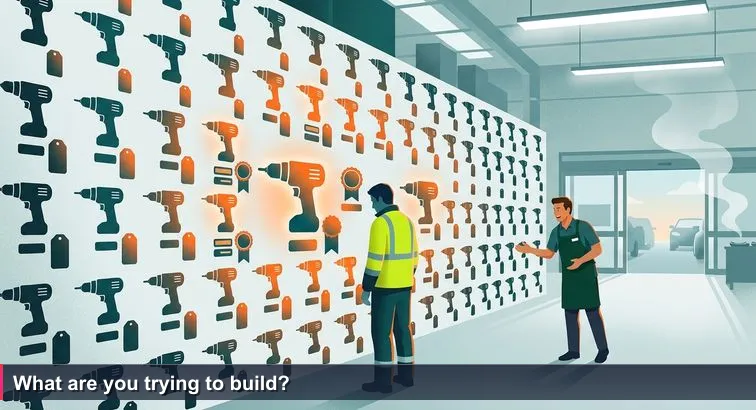
You’re in that Bunnings aisle again: drills stacked floor to ceiling, bright “Top Rated” stickers everywhere, the smell of the sausage sizzle drifting in. It’s the same feeling you get standing in front of the noticeboard at your local library or scrolling a council website - everything looks helpful, everything is free, and none of it says “this is for you, specifically, right now”.
Across Australia, public libraries and community centres quietly run an ecosystem of free tech training: national programmes like Be Connected, local AI workshops in Queensland, Skill Finder micro-courses, and LinkedIn Learning access bundled with a $0 library card. Be Connected alone has supported over 2 million older Australians through 3,500+ community partners, showing how big the demand is for basic digital confidence before people ever think about Python or cloud certifications.
Research highlighted in guides such as Remitly’s overview of using Australian libraries for educational resources backs this up: libraries aren’t just book warehouses, they’re “free campuses” with Wi-Fi, computers, and staff who specialise in digital help. Social workers and librarians increasingly see this digital access as part of basic human rights and social inclusion, especially for people who can’t afford formal study yet.
- Shift you from “I’ll break it” to “I can experiment with new tools”.
- Give you structured, low-stakes practice before you drop thousands on TAFE, uni short courses, bootcamps, or vendor certs.
- Introduce you to librarians and community workers who act as tech tradies, matching you with the right “gear” for your level.
If you’re somewhere between “curious about AI” and “wondering if I could ever work along the Sydney-Melbourne tech corridor with employers like Atlassian, Canva or the big banks, these free programmes won’t hand you a data science job. What they will do is help you answer the only question that matters - what are you actually trying to build: confidence, a portfolio, or a pathway into tech work? Once you’re clear on that, this Top 10 stops being a ranking and starts becoming your starter toolbox.
Table of Contents
- Why free library tech training still matters
- Public library LinkedIn Learning bundles
- Skill Finder free tech courses
- Be Connected
- State Library of Queensland workshops
- Digital Skills for Work & Life
- Being Digital
- Tech Savvy Seniors
- Youth coding and robotics
- Community digital mentoring
- Local tech help and maker spaces
- Putting it all together
- Frequently Asked Questions
A comprehensive guide to starting an AI career in Australia in 2026, including Nucamp bootcamp pathways and city-specific advice
Public library LinkedIn Learning bundles
With a standard Australian library card, you can quietly unlock what is essentially a free mini-bootcamp: full access to LinkedIn Learning. Networks like Victoria’s Connected Libraries spell it out clearly - members get $0-cost access to thousands of tech and business courses through their dedicated LinkedIn Learning portal. You log in with your card number and PIN, no credit card, no trial period ticking down in the background.
Once inside, you’re getting the same catalogue employers pay for via corporate subscriptions, including structured “learning paths” that bundle multiple courses and award completion certificates you can add to your CV or LinkedIn profile. Through the official LinkedIn Learning library login, this model is now standard across many Australian councils, from inner-city branches along the Sydney-Melbourne corridor to regional hubs.
- Coding fundamentals in Python, JavaScript and SQL
- Data analysis, dashboards and visualisation
- Cloud, DevOps and security basics
- AI and machine learning introductions
- Workplace staples like Excel, Power BI and collaboration suites
A practical way to use it: follow a beginner Python course with an “Introduction to Data Analytics” path, then build a tiny portfolio piece such as analysing public Opal card usage data or weather data from the Bureau of Meteorology. Do it from a library desk, using their Wi-Fi and quiet space as your no-cost campus.
For anyone eyeing data, cloud or AI roles with employers like Atlassian, Canva or the big banks, this combo is powerful precisely because it’s risk-free. You can stress-test your interest in real technical content, build consistent study habits, and arrive at your first paid TAFE course, uni micro-credential or bootcamp already fluent in the tools and terminology.
Skill Finder free tech courses
If LinkedIn Learning is your free “deep dive”, Skill Finder is the tasting paddle. It’s a national platform backed by government and industry that aggregates $0 micro-courses across coding, AI, cloud and more, all in bite-sized chunks you can finish in a single sitting. You can jump in from home or treat it as a structured curriculum while you camp out at the library.
Courses are typically 1-10 hours, many produced by major tech vendors, so the tools you touch here are the same ones used by employers along the Sydney-Melbourne tech corridor.
- Coding fundamentals and scripting
- AI literacy and data basics
- Cloud computing and SaaS platforms
- Cyber security awareness and digital safety
- Design, UX and digital marketing
The official Skill Finder catalogue lets you filter by “Technology” or “Data & AI”, then enrol instantly. In Victoria, government guidance on Literacy, Numeracy and Digital Support highlights how regional libraries and study hubs use platforms like this for learners who don’t have reliable home internet, turning public PCs and Wi-Fi into free training labs.
“The practicality and applicability of the courses made them far more useful than some of my theoretical uni subjects.” - Sean, university student, Skill Finder case study
For anyone testing the waters of data, cloud or AI, Skill Finder is ideal because the commitment is tiny but the signal is strong. Complete a cloud fundamentals micro-course, follow it with an AI literacy module, then ship something small - a basic landing page, a portfolio-ready data visualisation, or a short automation script. If you find yourself looking forward to the next module, that’s a good sign you’re ready to invest in a TAFE cert, uni micro-credential or bootcamp that can carry you into roles with banks, telcos or AI startups.
Be Connected
For anyone who still feels “I’ll break it” every time they touch a new device, Be Connected - Every Australian Online is the real starting line. Led by the Office of the eSafety Commissioner, it bundles 400+ free online courses with face-to-face help through 3,500+ community partners - libraries, neighbourhood houses, migrant centres and more.
Mirage News reports that Be Connected has already supported over 2 million seniors, a scale that shows just how many Australians are quietly catching up on essentials like email, myGov and scam awareness before they even think about career moves or coding. Education analysts argue that for older Australians, digital literacy is “more than just learning to click”, it’s a prerequisite for social participation and financial safety, as outlined in reporting on digital exclusion.
- Device basics: smartphones, tablets, laptops
- Online communication: email, video calls, social media
- Government services: myGov, Medicare, online forms
- Staying safe: passwords, scams, privacy
Lessons are usually 15-30 minutes, written in plain English with lots of repetition. You can work through modules yourself or join a local group run by trained staff and volunteers. A news piece on the programme notes that the magic lies in combining online modules with in-person help, so learners can “navigate the online world at their own pace”, a point echoed in coverage by Mirage News.
If your current reality is “I struggle with email attachments”, trying to jump straight into Python, cloud or AI will feel brutal. Be Connected gives you the everyday digital layer first, so when you later open LinkedIn Learning, Skill Finder or a data bootcamp prospectus, you’re not fighting your laptop and the content at the same time.
State Library of Queensland workshops
In Queensland, the jump from “AI sounds scary” to “I used AI to finish a project” is often just a one-hour workshop at the State Library. Under its digital skills program, the State Library of Queensland runs regular Digital Power Hour sessions and a series of free AI workshops that sit under the “Smart skills for a digital future” banner.
The library’s own overview explains that these AI sessions are designed to “demystify AI” and help people use tools “responsibly and creatively”, making them ideal if you’re curious but not ready to dive into heavy maths or code. You can browse upcoming topics on SLQ’s Develop your digital skills page, or jump straight into scheduled Digital Power Hour events via curated collections on Eventbrite.
- Everyday AI: image generation, writing helpers, translation tools
- Canva, social media design and basic digital marketing
- Online safety, privacy and security habits
- General troubleshooting for phones, tablets and laptops
Most workshops are around one hour, delivered both at the main Brisbane library and via partner councils across regional Queensland. That makes them easy to slip around shift work, school pick-ups or uni timetables. You’re not just watching a demo; you’re hands-on with real tools that are already reshaping admin, marketing, customer service and creative roles.
If you’re in Brisbane, the Gold Coast, Townsville or further afield and wondering whether AI belongs in your future career, these sessions are a low-pressure way to find out. They won’t turn you into a machine learning engineer, but they’ll give you the language and lived experience to decide whether to keep going - into LinkedIn Learning, Skill Finder, TAFE, or eventually a structured AI or data bootcamp linked into the Sydney-Melbourne tech corridor.
Digital Skills for Work & Life
In Victoria, a lot of the real “back to basics” tech rebuilding happens quietly in public libraries under banners like Digital Skills for Work & Life. Branches in the “Your Library” network, including Rowville Library, run these as weekly workshops that you can join mid-cycle, so you don’t have to wait for a new term to start. Event listings for Digital Skills for Work & Life sessions spell out the focus on everyday tools you’ll actually use in admin, customer service, or entry-level analytics roles.
The curriculum is deliberately practical. Rather than jumping into code, you learn to handle the digital “paperwork layer” that underpins almost every job:
- Using email professionally and managing attachments and folders
- Creating and editing documents and spreadsheets
- Searching and applying for jobs online
- Navigating government and training websites confidently
Most libraries provide devices on-site, so you’re not disadvantaged if you don’t own a laptop. Sessions are typically $0 for participants, with bookings via library sites or by phone, and many branches allow drop-ins if seats are free. The program aligns with Victoria’s broader push on Literacy, Numeracy and Digital Support, which funds extra digital help so adults can succeed in further training.
If you’re aiming for Melbourne’s tech ecosystem - whether that’s a junior data role at a bank in Docklands or a support job with a SaaS startup - these workshops give you the operating system for your working life. File hygiene, spreadsheet fluency, and confident use of job portals make later steps like a Certificate IV in IT, a data analytics micro-credential, or a focused AI bootcamp far less overwhelming. Think of it as tightening the bolts on your toolkit before you start buying specialist gear.
Being Digital
In South Australia, the step between “I only use my phone for calls” and “I can handle online forms and apps” is often a quiet session at the library under the Being Digital banner. Coordinated by Libraries SA, this statewide program runs across metro and regional libraries, offering gentle, small-group and one-on-one support to help people lift their overall digital confidence.
The official Being Digital page describes a mix of structured workshops and informal drop-ins. Topics vary by branch, but the focus is consistent: build everyday skills that make modern life less stressful and more independent, whether you’re in suburban Adelaide or a regional town.
- Getting started with computers, Wi-Fi and web browsing
- Setting up and using email safely
- Accessing eBooks and online library resources
- Basic document and photo management
Councils such as Norwood Payneham & St Peters complement this with free computer and internet training, offering one-on-one or small group sessions. These are typically $0 for participants, with library computers available if you don’t own a device, making them accessible even if money and equipment are tight.
Research published in journals like Health & Social Work highlights how libraries are becoming frontline providers of “digital access” as a human rights issue, especially for people facing housing stress, unemployment or language barriers. For South Australians eyeing future work in defence tech, mining automation or remote roles with Sydney-Melbourne employers, Being Digital acts as the runway: you fix the basics in a supportive space, then let librarians point you towards more advanced options like LinkedIn Learning, Skill Finder, TAFE tasters or eventually a structured AI or cloud bootcamp.
Tech Savvy Seniors
For many older Australians, the first real step into the digital world isn’t a gadget, it’s a small group at the local library under the Tech Savvy Seniors banner. In NSW, it’s a long-running partnership between the State Library and Telstra, with public libraries delivering hands-on classes across the state, outlined on the official Tech Savvy Seniors NSW program page. Queensland runs a similar model through its public libraries, tailored to regional communities.
- Using smartphones and tablets for calls, photos and apps
- Sending emails and making video calls with family
- Online banking, shopping and everyday transactions
- Spotting scams and protecting personal information
Workshops are typically small, free and very practical. Many libraries provide devices if you don’t own one, and some councils offer sessions in languages other than English (for example, Korean classes in Sydney’s north-west), recognising that tech confidence and language support often need to go hand-in-hand.
National Seniors Australia has publicly backed the continuation of programmes like this, noting in a media release welcoming their extension that digital literacy training helps older Australians stay independent and avoid scams that could cost them their life savings. That framing matters: for many participants, the goal isn’t a tech job, it’s safe everyday living.
For later-life career changers, Tech Savvy Seniors can still be the first rung towards new work, giving you enough confidence with devices, forms and online systems to tackle more advanced options like Be Connected, Skill Finder or LinkedIn Learning. And if you’re younger, helping a parent or grandparent through these sessions can free you up to focus on deeper study in data, cloud or AI - with a supportive “tech-literate” ally at home instead of a worried bystander.
Youth coding and robotics
Walk into a library after school in Sydney, Melbourne or Brisbane and you’ll often find a very different kind of “story time”: rows of kids in front of laptops, debugging sprites or wiring up tiny robots. Many public libraries now host free coding clubs for roughly 8-15 year olds, often through volunteer-led groups like Code Club, alongside digital collections that let kids keep learning at home.
A good example is Randwick City Library’s curated Online for Kids hub, which bundles educational games, coding resources and eBooks under one roof. Similar patterns pop up in suburban and regional libraries across the country: weekly after-school sessions during term, usually run as 6-week projects that culminate in something kids can show off to parents or teachers.
- Visual programming with Scratch to learn loops, variables and events
- Introductory Python for simple games and text-based adventures
- Basic robotics and electronics, using library loan kits
- Soft skills: collaboration, problem-solving and explaining ideas
A typical pathway might see a child build a simple Scratch game in one term, then tackle a beginner Python version the next, learning to translate visual logic into actual code. In some councils, teens step up as helpers or mentors; programs like Teen Tech Tutors at Marrickville Library show how young people can turn those skills into leadership by supporting adults with basic tech.
For families anywhere along the Sydney-Melbourne corridor, this is a no-cost way to give kids a head start in the sort of thinking used at Atlassian, Canva, or future AI and robotics startups. By the time subject selection rolls around, a child who’s already shipped small projects in Scratch or Python has a much clearer sense of whether software, data or robotics could be part of their future - and they’ve built that insight without you paying for expensive private camps.
Community digital mentoring
Some of the most powerful digital learning in Australia doesn’t look like a class at all. It’s a conversation at a neighbourhood house, a refugee mum sitting with the same mentor each week, or a retiree swapping gardening tips for help with their phone. Community-embedded programmes turn tech into a relationship, not a worksheet, which is exactly what many migrants, refugees and older Australians need to feel safe enough to learn.
Organisations like South East Community Links (SECL) and Hume Libraries have been profiled in academic case studies for their work with diverse communities: sessions are small, language-aware, and anchored in real tasks like housing, Centrelink or school portals. In Sanam’s story from SECL, one participant describes gaining the confidence “to research information relating to housing” and, just as importantly, building new friendships along the way.
| Program | Who it serves | Format | Stand-out benefit |
|---|---|---|---|
| SECL digital literacy groups | Migrants and refugees | Small, culturally safe groups | Links tech skills directly to housing, work and settlement |
| Hume Libraries mentoring | Diverse, multilingual communities | Ongoing drop-ins and workshops | Library as a trusted, long-term support hub |
| Tech IT Easy (Redland Coast) | Residents 55+ & mentors aged 18-24 | Free one-on-one sessions, Mondays 10am-12pm | Intergenerational exchange: skills for stories |
On the Redland Coast, Tech IT Easy pairs young mentors with older residents in free Monday sessions funded by council, building confidence with everyday tech while reducing isolation. As the Mayor put it, the program lets seniors trade “a pearl of wisdom” for digital help, creating mutual respect rather than a one-way lesson, as described in local coverage of Tech IT Easy.
If you’re rebuilding life in Australia or supporting family who are, these mentoring models are often the missing first step. Once bills, housing and basic communication feel manageable online, librarians and community workers can point you towards more formal pathways - Skill Finder micro-courses, LinkedIn Learning, TAFE or eventually AI and data bootcamps - without losing the human support that got you started.
Local tech help and maker spaces
Not every learning win comes from a formal course. Sometimes the breakthrough is a 20-minute chat with a librarian who helps you untangle a settings menu or finally submit that online form. Across Australia, libraries quietly offer free one-on-one Tech Help and access to maker spaces that turn “I’m stuck” into “I’ve got this”.
At Newcastle Libraries, for example, you can book dedicated one-on-one Tech Help sessions where staff sit beside you to sort out devices, apps or online tasks. Their Tech Help service explicitly covers everything from smartphone setup to navigating government websites, treating the library like a walk-in support desk. On the west coast, the City of Busselton Libraries offers similar digital assistance, giving people structured help with email, printing, scanning and using online learning platforms.
Many larger libraries now add maker spaces to that mix: creative labs with 3D printers, sewing machines, vinyl cutters, and audio or podcast studios. Community reviews of Greater Melbourne libraries frequently call out branches like Glenroy for pairing traditional book stacks with maker gear, giving locals a place to prototype ideas, record content or experiment with digital fabrication without buying expensive equipment.
What you can use it for
These sessions are perfect for hyper-specific roadblocks that online courses don’t cover:
- Clearing phone storage or syncing files across devices
- Exporting a CV as PDF and uploading it to job sites
- Installing Python, code editors or data tools on your laptop
- Connecting to cloud platforms or backing up project files
- Recording a basic podcast or screen demo using library gear
Why it matters for future AI/ML work
If you’re pushing into data, cloud or AI, these are your “ask the tradie” moments. A short tech help appointment can rescue you from environment setup hell, fix a broken Jupyter install, or help you move datasets between tools. That keeps your momentum on the skills that matter for roles along the Sydney-Melbourne tech corridor, instead of burning weekends fighting your laptop alone.
Putting it all together
Back in that Bunnings aisle, the drills haven’t changed - but once you know whether you’re hanging one picture or fitting out a workshop, the wall stops being overwhelming. It’s the same with Australia’s free tech training ecosystem: the flyers at your library, the Be Connected portal, Skill Finder, AI workshops, and digital classrooms all look “top rated”, but only make sense when you’re clear on what you’re actually trying to build.
From first tools to pro gear
Think of the programs in this guide as layers of a toolkit rather than a leaderboard. The likes of Be Connected, Tech Savvy Seniors, Being Digital, SECL and Tech IT Easy are your first power tools - safe, forgiving, and perfect if you’re nervous or starting again. LinkedIn Learning via your library card, Skill Finder micro-courses, SLQ’s AI workshops and Digital Skills for Work & Life are your entry-level pro gear, ready once you can already hold the tools comfortably. Local tech help, maker spaces, and digital classrooms at institutions like the National Library of Australia are your “ask the tradie” moments when you get stuck.
Why this still matters in a high-tech job market
As AI, cloud and data reshape work along the Sydney-Melbourne corridor, the gap between “offline” and “job-ready” can feel brutal. Library professionals and the eSafety Commissioner frame libraries as “unique and vital in-community resources” for digital inclusion, a role underlined in guidance for libraries and library workers. These spaces turn free Wi-Fi, computers and human help into stepping stones towards serious study and, eventually, roles with employers like Atlassian, Canva, banks, telcos and AI startups.
- Prove to yourself that you can learn technical material.
- Build enough grounding that paid TAFE, uni or bootcamps don’t feel like jumping off a cliff.
- Connect with people - librarians, mentors, peers - who’ve watched many others make the same leap.
Your next move isn’t to pick a “number one” program; it’s to walk into your local library, show them a couple of options from this list, and say: “What I’m trying to build is confidence / a portfolio / a path into tech work - where should I start?” From there, the wall of drills becomes a plan, and the free tools around you start to look a lot like scaffolding for the AI career you might not have believed was possible.
Frequently Asked Questions
Which free library programme is best if I want to move into data or AI roles?
For career-focused pathways, library-provided LinkedIn Learning bundles and Skill Finder micro-courses are best: LinkedIn Learning offers structured learning paths while Skill Finder has industry-aligned 1-10 hour micro-courses. Pair those with a small portfolio project and local tech help so you can show work to employers in the Sydney-Melbourne corridor (Atlassian, Canva, major banks).
Are these free trainings available everywhere in Australia or only in big cities?
Many are national - Be Connected runs 400+ lessons through 3,500+ community partner locations, and Skill Finder and library-linked LinkedIn Learning are available across states (for example, Connected Libraries in Victoria). State and regional programs (like SLQ’s Digital Power Hour or Libraries SA’s Being Digital) add local face-to-face workshops in Brisbane, Adelaide and other centres.
Will completing free library courses help me get a job in tech?
On their own they rarely replace formal qualifications, but they’re an excellent, no-cost way to build skills, confidence and demonstrable projects; the article cautions they ‘won’t, on their own, land you an AI engineer role in Sydney or Melbourne’. Employers care about concrete work - use free courses to produce a small project (GitHub, portfolio or dashboard) before moving to TAFE, uni micro-credentials or a bootcamp.
How much time should I plan to invest to get useful results from these free options?
A focused 30-day plan is realistic: get a library card, complete 4-6 Be Connected modules, and do 3-10 hours of LinkedIn Learning or a Skill Finder micro-course, finishing a tiny project. Most Skill Finder modules are 1-10 hours and LinkedIn Learning pathways can be advanced with 30-45 minute daily sessions.
How do I choose which free programme suits my goal - building confidence, a portfolio, or a pathway into paid study?
Start by asking what you want to build: choose Be Connected or Tech Savvy Seniors for basic digital confidence; LinkedIn Learning and Skill Finder if you want a portfolio and career-aligned skills; and local tech help or maker spaces when you need hands-on troubleshooting or hardware practice. Librarians and community workers act as “tech tradies” and can match you to the right level before you invest in paid courses.
Looking for the best tech jobs without a degree in Australia (2026)? This list ranks roles by demand and pay.
Top 10 Tech Startups Hiring Junior Developers in Australia in 2026
Explore the Top 10 AI bootcamps Australia 2026 list to find programs aligned to Sydney-Melbourne employers.
Top Australian tech coworking hubs and incubators (2026 guide)

Irene Holden
Operations Manager
Former Microsoft Education and Learning Futures Group team member, Irene now oversees instructors at Nucamp while writing about everything tech - from careers to coding bootcamps.