









Top 10 Free Tech Training at Libraries and Community Centers in Bangladesh in 2026
By Irene Holden
Last Updated: April 9th 2026
Too Long; Didn't Read
District public libraries (64 district branches plus city hubs like Dhaka Central Public Library at Shahbagh) and Union Digital Centers (more than 4,500 across the country) are the top free tech training options in Bangladesh in 2026 because they deliver the widest, no-cost access to PCs, BOU e-books, and beginner coding or micro:bit workshops. They won’t make you job-ready on their own, but they let you test tech risk-free and build the foundation to pursue paid bootcamps or certifications that typically lead to junior developer and data roles paying around 25,000 to 60,000 BDT per month in Dhaka and Chattogram.
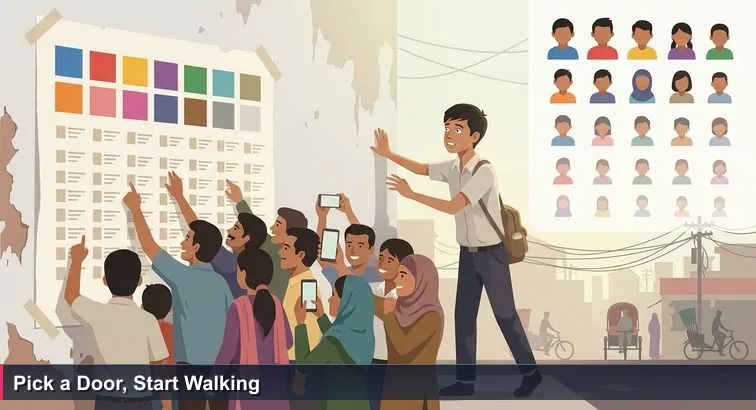
You’re crushed against a school gate in Mirpur, neck craned toward a fluttering SSC results sheet. Names and GPAs march down the page in tight columns. Somewhere, a teacher taps the corner that matters most to everyone else: Top 10. If your name isn’t there, it can feel like the future careers you hear about at Grameenphone or bKash have quietly slipped away.
From ranked lists to real skills
Bangladesh loves rankings - board results, university merit lists, “best IT institute” ads in Dhanmondi. But lists flatten messy stories. Many of today’s developers and data professionals in Dhaka and Chattogram didn’t come from famous colleges or glossy coaching centres. They started on shared PCs at public libraries, Union Digital Centres, BRAC learning rooms, or NGO-run labs, learning to type, browse, and experiment long before they wrote “software engineer” on a CV.
Why free community spaces matter
These places exist for digital inclusion, not elite selection. A public librarian in Shahbagh, a UDC entrepreneur in a village, or an NGO worker in Chattogram will usually let you sit, click, and ask “silly” questions without judgment. Articles on libraries’ role in a “Smart Bangladesh” describe how they are becoming neighbourhood tech hubs where first-time users meet the internet and basic coding tools, often at zero cost, long before they see a classroom at BUET or DU. You can see this vision in coverage of public libraries in outlets like The Daily Star’s analysis of Smart Bangladesh.
A map of doors, not a scoreboard
This “Top 10” isn’t a verdict on which centre is best; it’s a guide to ten different doors into the same digital future. Each one fits a different life: a crowded Shahbagh terminal, a ward Digital Centre near your factory shift, a community lab in coastal Chattogram. UNESCO’s work on public digital learning gateways shows that when people can simply walk in and start, their chances of continuing into formal tech training rise sharply. Your job is not to impress the list - it’s to choose the door you can actually walk through this month.
Table of Contents
- Why free community tech training can change your path
- How to use this list to plan an AI/ML or developer path
- District public libraries and Dhaka Central Public Library
- Union Digital Centers
- a2i City Digital Centres
- Sheikh Russel Digital Labs
- BRAC Learning Centres and community hubs
- UNESCO community learning centres
- NGO accessible ICT corners
- BOU open digital library and OER
- Public university library outreach and open houses
- National Library and Research4Life smart libraries
- Next steps: stack free resources into a 3-6 month plan
- Frequently Asked Questions
Students and bootcamp graduates should consult the complete AI career guide for Bangladesh (2026) for salary bands and role mapping.
How to use this list to plan an AI/ML or developer path
Think of this list as a way to plan your route into web development or AI/ML, not as a shortcut to a job. These free options will give you digital literacy, a first taste of coding, and confidence with online learning. To reach 25,000-60,000 BDT/month junior developer roles in Dhaka or Chattogram, you will still need deeper, often paid, training later.
Use free options as your foundation
Public libraries, Union Digital Centres, BRAC hubs and CLCs are ideal for learning typing, file management, browsing, and basic programming concepts. Analyses of how digital libraries can boost higher education in Bangladesh show that open access materials are powerful for self-paced learners - exactly what you’ll be at this stage.
Think in sequences, not status
Instead of asking “Which centre is best?”, ask “What’s my next step?” A simple path could look like:
- Start at a UDC or city Digital Centre to learn mouse/keyboard skills, email, and basic office tools.
- Use public library PCs and Bangladesh Open University materials to study ICT theory and begin HTML/CSS or Python.
- Practice consistently for 3-6 months, building small projects (simple websites, scripts, or data-entry sheets).
- Then apply for structured programmes like LEDP, SEIP, IsDB-BISEW, or a Nucamp-style bootcamp to go deep into web, data, or AI.
Match the door to your daily life
The “best” option for someone in Gulshan is not the same as for someone in Noakhali. Research from BRAC’s governance institute on Union Digital Centres highlights that proximity and convenience strongly affect who actually uses digital services. Apply that logic to learning: pick the gate nearest your home, campus, or bus route, even if it looks less glamorous. Once you prove you can show up regularly and learn from free spaces, you’ll be ready to justify investing money - or winning a scholarship - into serious AI/ML or developer training.
District public libraries and Dhaka Central Public Library
Walk into Dhaka Central Public Library in Shahbagh on a weekday evening and you’ll see students, job seekers, and school kids all waiting for a turn at a glowing screen. Under initiatives like the British Council’s Libraries Unlimited, all 64 District Government Public Libraries plus major city libraries such as Shahbagh and the Chattogram Divisional Public Library have quietly become free ICT hubs.
Why libraries matter for tech beginners
These are some of the most forgiving places to touch a computer for the first time. A librarian will rarely ask for your GPA; they will ask whether you need help opening a browser. Projects like Beyond Access Bangladesh now support 24 public libraries with PCs and internet focused on youth and children, showing how library spaces are being redesigned for digital skills, not just silent reading.
What you can actually do at these libraries
On a typical visit you can:
- Practice basic computer use: typing, file management, email.
- Learn safe internet browsing and research skills.
- Join introductory coding or robotics sessions using micro:bit or Kano kits in some branches.
- Access online learning: BOU ICT materials, YouTube tutorials, or platforms like 10 Minute School.
They’re ideal for absolute beginners to lower-intermediate learners: school and college students, as well as job seekers testing whether tech feels right before paying for a course.
Access, timings, and a simple routine
Shahbagh library typically opens around 9:00 AM-8:00 PM on working days. You may need an NID or student ID for a library card, but computer zones are usually first-come, first-served, in 30-60 minute slots. Cost for PC use and in-library learning is BDT 0. Editorial rating: ★★★★★ for accessibility, ★★★★☆ for depth of tech content.
A student in Jatrabari might visit twice a week, using the first 30 minutes just for Bangla and English typing, then the remaining time to follow a beginner Python or HTML playlist and take notes in Google Docs. Over a few months, that quiet routine can turn a dusty reading room into your first real step toward development or AI work.
Union Digital Centers
In many unions, the closest “computer lab” isn’t a campus - it’s a small room inside the Union Parishad building with a faded sign: Union Digital Center. These centres now operate in nearly every Union Parishad, roughly 4,500+ locations, as part of the government’s Digital Bangladesh and Smart Bangladesh vision, putting at least one shared internet access point within reach of most villages.
Skills you can pick up at a UDC
A UDC is designed first as a service counter, but if you show interest, most entrepreneurs will let you learn while they work. Typical skills include:
- Basic computer use: keyboard/mouse, Word, Excel, data entry.
- Using e-government services: birth registration, land records, exam forms.
- Digital financial literacy: mobile banking, online payments, SMS alerts.
- Informal tips on freelancing platforms in some forward-looking centres.
A study on UDCs’ roles and challenges notes that these centres significantly improve rural citizens’ access to digital services and information, especially where private ICT institutes don’t exist, and highlights both their potential and constraints for skills training (Scholarlink Research Institute).
Who benefits most and how to access
UDCs are ideal for absolute beginners in villages and small towns: SSC/HSC students, madrasa learners, shopkeepers, and women who have never touched a PC. Access is simple: go to your local Union Parishad, find the UDC room, and ask for the UDC Entrepreneur. Opening hours usually follow government timings, about Sunday-Thursday, 9:00 AM-5:00 PM.
Costs, limits, and a smart routine
Learning help is often free, though you pay for printouts or official applications. Most centres have only 1-2 shared computers, frequently occupied with paid services. Editorial rating: ★★★★★ for rural reach, ★★☆☆☆ for uninterrupted practice time. To make it work, ask the entrepreneur for a fixed 45-60 minute weekly slot dedicated to practice. Bring a notebook, write down every new term you hear, and look them up in Bangla or English later. Over months, that quiet, planned practice can turn a busy service desk into your first real IT classroom.
a2i City Digital Centres
In Dhaka or Chattogram, your nearest “training centre” might not be a coaching institute at all, but a small room in a ward councillor’s office with a blue sign: Digital Centre. Run under the government’s a2i (Aspire to Innovate) programme, these city and municipality centres extend the Union Digital Centre model into urban neighbourhoods, from Mirpur and Jatrabari to Halishahar.
What you can learn in a lunch break
City Digital Centres cover the same basics as UDCs, but with more urban, job-focused tasks. Staff can usually help you:
- Create and recover email accounts, and manage cloud storage.
- Register on job portals like Bdjobs, upload CVs, and fill online forms.
- Edit and compress PDFs, scan documents, and submit applications.
- Pay bills or use e-services that many offices now require.
An a2i presentation on Digital Centres describes how these outlets at union, pourashava, and city ward levels form a three-tier national network bringing basic digital services within everyday reach (a2i Digital Centre overview).
Who they serve and when to go
They are built for low- and middle-income city residents: garments workers, delivery riders, shop employees, college students, and migrants who may not own a laptop. To find one, look for “Digital Centre” signs at your ward councillor’s office or municipality building. Hours generally mirror government timings, but some centres stay open a bit later depending on the entrepreneur; a report in The Daily Star notes that local management influences how active each centre is.
Costs, limits, and a smart way to use them
Guidance itself is usually free; you pay only for printing and official service fees. Because they are service desks, not classrooms, there’s little structured teaching: editorial rating ★★★★☆ for city convenience, ★★☆☆☆ for formal “classes.” A practical approach for a Mirpur shift worker is to use one weekly off-day morning to:
- Set up a professional Gmail, LinkedIn, and Bdjobs profile with staff help.
- Learn document formatting, scanning, and PDF conversion on their PCs.
- Save a clean CV and certificates in cloud storage for future applications.
Those small, repeatable tasks build exactly the digital habits you’ll need when you move on to proper developer or AI/ML training.
Sheikh Russel Digital Labs
Across Bangladesh, many school gates now hide a quiet secret: fully equipped computer labs with rows of PCs and broadband. Under the Sheikh Russel Digital Lab project, over 9,000 ICT labs have been set up in schools and colleges, giving students hands-on access to computers that many families could never afford at home. NGO partners in Chattogram, such as YPSA’s digital inclusion projects, show how these facilities are increasingly being used for wider community benefit, not just exam preparation.
What you actually learn inside these labs
Most labs follow the national ICT curriculum, so you can expect:
- Regular practice on desktop computers: typing, file management, basic troubleshooting.
- Introductory programming in Scratch, C, or Python, aligned with NCTB textbooks.
- Project work such as simple websites, presentations, or small database assignments.
These labs fit current students best, but in many semi-urban and rural areas, schools now open them for “community hours” after class, letting local youth use the PCs under teacher supervision. Similar secondary-level edtech initiatives are highlighted in international reviews of technology-enhanced secondary education in Bangladesh, which stress the importance of school-based labs.
Access, cost, and how to negotiate community hours
To get in, you usually need to talk to the ICT teacher or headmaster and watch notice boards for ICT club meetings or community lab timings. For students, access is free as part of regular classes; community use is also usually free when allowed. Editorial rating: ★★★★☆ for hardware quality and infrastructure, ★★☆☆☆ for open community access, because much depends on how supportive each school’s leadership is toward non-students.
If you are an HSC student in Savar, a smart routine might be: join the ICT club twice a week, use lab PCs to solve problems on online judges or follow a beginner Python/HTML playlist, and ask a teacher to help you open a GitHub account. Saving your code there means that when you later apply for LEDP, SEIP, or an internship at a Dhaka software firm, you already have a small but real portfolio built entirely from a school lab that many neighbours still think is “just for classes.”
BRAC Learning Centres and community hubs
Step away from the glossy IT institute banners and you’ll often find real first contact with tech happening in BRAC Learning Centres and small community rooms. These spaces might look like ordinary tin-shed classrooms, but inside, facilitators are quietly teaching young people to use smartphones, messaging apps, and sometimes PCs as tools for work and learning, not just entertainment.
What BRAC-style centres usually teach
Although they’re not formal “IT institutes,” BRAC learning spaces focus on mobile-first digital skills that match local realities. Typical sessions cover:
- Using smartphones for health, education, and mobile banking apps.
- Basic computer use where PCs are available: typing, email, simple office tools.
- Group discussions on online safety, job search, and sometimes freelancing basics.
This aligns with how community learning centres in Bangladesh are described in UNESCO’s review of non-formal education, which highlights digital literacy alongside livelihoods as a key pillar of local learning hubs (UNESCO’s CLC experience in Bangladesh).
Who these hubs are built for
BRAC’s model prioritises those who are often left out of mainstream ICT training: school dropouts, adolescent girls, and low-income youth who are more comfortable with Bangla-first explanations in small groups. Commentators on Bangladesh’s ICT sector have repeatedly warned that women and rural youth are “missing” from the country’s tech success story, calling for more local, gender-sensitive training spaces (The Business Standard’s analysis of women in ICT). BRAC centres are one practical answer to that gap.
Access, cost, and how to use them well
You usually hear about these sessions through community announcements: miking, posters at Union Parishad offices, or notices at BRAC branch offices. They tend to run as occasional workshops, not daily classes, and are generally free thanks to donor funding. Editorial rating: ★★★★☆ for supportive environment, ★★☆☆☆ for frequency and continuity.
If you live in a village near Barishal, a smart strategy is to attend every digital literacy event your local BRAC centre offers, use the time to ask the “embarrassing” basics like “What is a browser tab?”, then reinforce that learning with weekly hands-on practice at your Union Digital Centre. Together, those two doors can turn scattered workshops into a steady path toward real tech skills.
UNESCO community learning centres
In many upazilas, what looks like a simple one-room school beside a bazar is actually a Community Learning Centre (CLC) after hours. Supported by organisations like UNESCO and local NGOs, these CLCs have long been part of Bangladesh’s non-formal education system, and increasingly include basic ICT so that villagers can connect digital skills directly to their livelihoods.
What CLCs typically offer
CLCs blend literacy, life skills, and technology. Depending on the project running there, you might find:
- Introductory computer and smartphone use: typing, browsing, messaging apps.
- Digital skills tied to income: using Facebook or WhatsApp to reach customers, taking product photos, or using mobile banking to receive payments.
- Short modules on office applications or online marketing when funding allows.
International reviews of readily available technologies in low-resource communities note that community-based spaces like these are often where first-time users feel safe enough to explore ICT, precisely because learning is framed around daily needs rather than exams.
Who CLCs are really for
These centres are especially powerful for youth and adults outside formal schooling: people who left school early, women who never attended college, or older learners who feel awkward sitting with teenagers in a computer institute. Studies of non-formal centres in Bangladesh emphasise that when learning is local, flexible, and linked to real-life problems, participation from marginalised groups rises sharply, including among women and rural entrepreneurs (community-based education research).
Access, cost, and a smart way to use them
CLCs are usually attached to NGOs, local government offices, or schools. The most reliable way to find one is to ask at your Upazila education office or a known local NGO about active CLCs and any ICT-related sessions. Training modules are typically free, funded by government or development partners. Editorial rating: ★★★★☆ for community focus and comfort, ★★☆☆☆ for pure tech depth.
If you run a small shop in Rangpur, for example, you could attend a CLC session on smartphone use, learn how to photograph your products and post them responsibly on social media, then keep experimenting between sessions. That confidence with basic digital tools can later grow into more formal e-commerce or digital marketing skills, and eventually support a transition into data or AI-related work.
NGO accessible ICT corners
In cities like Chattogram, some of the most powerful tech spaces aren’t flashy labs at all, but small “ICT corners” inside NGO offices. Organisations such as YPSA run accessible digital service and reading facilities with screen readers, audio materials and adapted computers so that people with disabilities can use technology on their own terms, not just watch others type.
What accessible ICT corners actually offer
These corners are designed from the ground up for inclusion, not speed. Depending on the project, you might find:
- Screen reader training (for example NVDA on desktop, built-in accessibility on Android).
- Talking books and screen-reader-friendly documents in Bangla and English.
- Guided practice with email, web browsing, and basic office software using only a keyboard.
This lines up with broader ideas of digital inclusion, which emphasises not just internet access, but the skills and assistive tools that let everyone actually use ICT.
Who these spaces serve best
They are built primarily for learners with disabilities - especially people who are blind or have low vision - but are also valuable for teachers, family members and volunteers who want to support inclusive tech use. In practice, many mainstream training centres in Dhaka and Chattogram still lack ramps, screen readers or flexible teaching methods; these NGO corners fill that gap and prove that students with disabilities can reach the same digital skills when the environment is right.
Access, cost and a practical learning pattern
To use them, you usually visit the NGO’s local office (for example, YPSA in Chattogram) and ask about any ongoing ICT or accessible reading projects. Sessions and access are typically free for target beneficiaries, funded by development partners. Editorial rating: ★★★★★ for inclusivity and adapted tools, ★★☆☆☆ for availability outside major cities.
A visually-impaired learner in Chattogram might spend a few months mastering screen readers and keyboard shortcuts at such a corner, then continue practice at a nearby library or smart medical library that participates in Research4Life’s “Smart Bangladesh” efforts. That combination turns accessibility training into a real pathway toward coding, content writing, or data-related work.
BOU open digital library and OER
A lot of Bangladeshi learners first meet university-style ICT content not in a campus classroom, but on a shared PC reading a PDF. Bangladesh Open University (BOU) makes a large portion of its course materials freely available through its open digital library, giving you access to structured ICT and computer science texts without paying tuition.
What BOU’s open resources actually give you
Through the BOU e-book portal, you can download full course books in Bangla and English on topics like ICT fundamentals, operating systems, and basic programming or networking. Using these, you don’t just memorise facts; you learn how a real university course is organised: units, learning objectives, review questions. Research on digital libraries as learning resources notes that such collections can significantly expand access to higher education-style content for self-directed learners in countries like Bangladesh (ResearchGate study on digital libraries).
Who this door fits best
BOU’s materials are ideal if you are:
- Comfortable reading PDFs on a phone or computer.
- A self-motivated learner aiming for web development, data, or AI/ML later.
- Someone who wants a clear syllabus to follow before joining LEDP, SEIP, or a bootcamp.
Because the portal is fully online, anyone with a smartphone, library PC, or UDC access can use it, even without formal BOU enrollment.
Access, cost, and a practical study routine
From any device, you simply visit the e-book site, search for computer or ICT-related titles, and download them. The cost is BDT 0 to read or save. Editorial rating: ★★★★☆ for content quality, ★★★☆☆ for interactivity, since most resources are text-based with limited video or practice tools.
A learner in Chattogram, for example, could spend one hour twice a week at the divisional library: open a BOU “Introduction to Computer” book, read a section on hardware or algorithms, then summarise it in a notebook or Google Doc. Over a few months, that habit turns free PDFs into a solid theoretical base you can later apply in community labs, online coding tutorials, or formal AI/ML courses.
Public university library outreach and open houses
On public “library day” at Dhaka University or BUET, you’ll often see school and college students lining up at the gate, curious about the air-conditioned reading rooms they usually only hear about. For a few hours, the guards wave in visitors without IDs, and librarians demonstrate how to find e-books, journals, and theses on glowing computer screens.
What these open houses teach you
Short orientations usually focus on skills you rarely learn in tuition:
- Searching digital library catalogues and academic databases effectively.
- Filtering results for reliable journals, conference papers, and theses.
- Using basic reference tools or citation managers for projects and reports.
Studies of public university libraries in Bangladesh show how their IT-based information services have grown, with online catalogues and databases becoming central to student research rather than optional extras; one review of digital resources across Bangladeshi libraries found that universities now lead in providing electronic journals and databases.
Who should pay attention
These events are especially valuable if you are a college student aiming for public university admission or an early-career professional interested in data, research, or AI/ML. Learning how to search for method papers, case studies, or algorithm explanations will later help you understand Kaggle solutions, research blogs, and documentation much faster than relying only on YouTube.
Access, cost, and making each visit count
Major universities like DU, BUET, Chittagong University, and Rajshahi University announce library open houses, exhibitions, or skill workshops on their websites and Facebook pages. Public sessions are typically free, sometimes with simple pre-registration. Editorial rating: ★★★☆☆ for frequency of access, ★★★★☆ for quality of exposure.
A practical routine for a private-university student in Dhaka is to attend one such open day, learn the basics of database searching for AI/ML or statistics topics, then continue reading similar materials through other public digital archives highlighted by librarians, such as those listed in guides to digital libraries available to the public. That way, a single open house becomes a long-term upgrade to how you learn.
National Library and Research4Life smart libraries
Inside the National Library in Agargaon, long rows of shelves now sit beside computer terminals where students quietly scroll through international journals and e-books. As the country’s apex library, it anchors a growing network of “smart libraries” that connect Bangladeshi learners to global research, not just printed textbooks.
From paper stacks to smart gateways
Under the Smart Bangladesh vision, libraries are being upgraded with digital catalogues, subscription databases and better connectivity so that anyone who walks in can access high-quality information. An analysis in The Financial Express on libraries and Smart Bangladesh argues that modernised libraries are essential infrastructure for a knowledge economy. Through partnerships like Research4Life, smart medical and academic libraries in Bangladesh now offer on-site access to international journals, books and datasets that would otherwise be unaffordable.
Who this door is really for
This environment is best suited to university students, researchers and ambitious self-learners aiming for data-heavy careers: data analysts, ML engineers, health-tech specialists, or policy researchers. Beyond basic browsing, you learn how to:
- Navigate complex digital library interfaces.
- Search and filter global e-books, journals and reference works.
- Download or read datasets and technical handbooks relevant to AI, statistics or software engineering.
Access, cost and a focused routine
Practical access is surprisingly simple: visit the National Library, request a guest pass at the gate, then use designated PCs or on-site Wi-Fi to reach digital collections, often with help from librarians. On-site e-resource access is generally free, though some services may require registration. Editorial rating: ★★★★☆ for advanced learners who already know what they’re looking for, ★★☆☆☆ for absolute beginners who may find interfaces overwhelming.
A CS student in Uttara, for instance, could dedicate one Saturday each month to the National Library: pick a topic like algorithms, statistics, or introductory machine learning, work through a chapter of an international textbook or tutorial, and take careful notes. Over time, those quiet hours can push you far beyond what most short local courses cover, and prepare you for deeper AI/ML work at universities or Dhaka-Chattogram tech firms.
Next steps: stack free resources into a 3-6 month plan
Stacking these ten “doors” into a simple plan turns scattered opportunities into a real path. Over 3-6 months, you can move from “I can barely use a mouse” to “I’m ready for serious web, data, or AI training” without spending any money upfront.
Step 1: 0-2 months - digital basics (free)
Start by fixing your foundation. Combine nearby options: public or district libraries for typing and browsing, a Union Digital Centre or city Digital Centre for email and e-services, and any BRAC or CLC workshop you can catch. Aim for 3 short sessions a week, even if each is only 45-60 minutes. Your only goals now are confidence with a keyboard, safe browsing, and basic file handling.
Step 2: 2-4 months - structured self-study and mini projects
Once basics feel normal, add structure. Use BOU e-books and online playlists at library PCs to work through an “Introduction to Computer” text while you build tiny projects: a one-page website, a simple Python script, or a clean Excel sheet. Document everything in a notebook or Google Doc; this becomes the first version of your portfolio and study log.
Step 3: 4-6 months - transition into formal training
After a few consistent months, you’re ready for selective investment. Free options include LEDP, SEIP, and IsDB-BISEW. If you can pay, Nucamp’s flexible bootcamps offer deeper routes: the 16-week Back End, SQL and DevOps with Python (around BDT 227,000), the AI Essentials for Work programme, or the Solo AI Tech Entrepreneur bootcamp (up to BDT 426,000). Compared with many institutes charging close to a million taka, these sit in a lower band yet report roughly 78% employment and strong student satisfaction (about 4.5/5 average reviews).
| Stage | Timeframe | Main Focus | Typical Cost |
|---|---|---|---|
| Foundation | 0-2 months | Typing, browsing, email, basic ICT | Free (libraries, UDCs, city centres, BRAC/CLCs) |
| Build & Projects | 2-4 months | BOU texts, HTML/Python basics, small projects | Free, plus small printing/transport costs |
| Formal Training | 4-6+ months | Job-ready web, data, AI/ML skills | From free (LEDP/SEIP) to paid bootcamps like Nucamp |
Education experts have urged Bangladesh to reduce reliance on rote results and expand technical and vocational pathways; they point to programmes that blend flexibility with real skills as key to cutting inequality (policy discussions on reforming the education system). Your job is simple: use free community spaces to prove your consistency, then step into the paid or scholarship track that matches your budget and ambition.
Frequently Asked Questions
Which free option on this list is best if I live in a rural upazila and want to try coding without spending money?
Union Digital Centers (UDCs) are the most accessible in rural areas - there are roughly 4,500+ UDCs nationwide and many offer free basic computer access and guidance on freelancing; pair them with BOU e-books or a nearby public library for structured Python or HTML practice.
How did you choose and rank these “Top 10” free training options?
The list is a usability-first map, not a prestige ranking: criteria were accessibility (e.g., 64 district libraries, 9,000 Sheikh Russel labs), cost (free access), continuity (how often you can practice), inclusivity (NGO/accessible ICT work), and clear pathways to further training or jobs.
Can these free trainings alone get me a tech job in Dhaka or Chattogram, and what salary should I expect?
Not by themselves - these resources build digital fluency but you’ll typically need further paid training and a portfolio; junior web developers in Dhaka/Chattogram commonly start around 25,000-40,000 BDT/month, while entry-level data/ML roles often reach 40,000-80,000+ BDT/month after training and experience.
I only have evenings free after work in Dhaka - which centres should I use and how often should I visit?
Use Shahbagh/Dhaka Central Public Library (often open 9:00-20:00) and nearby a2i city digital centres that sometimes run later hours; aim for 1-2 library visits plus one digital-centre or UDC session per week (1-2 hours each) and a longer monthly weekend session at a university or the National Library for deeper study.
What’s the fastest way to turn free centre learning into paid bootcamps or internships at Dhaka fintechs?
Stack learning: start with basics at a UDC/library, follow BOU e-books and free tutorials, then attend university open days and community workshops before applying to LEDP/SEIP or a Nucamp-style bootcamp; after that, target internships (many offer 10,000-25,000 BDT/month stipends) at employers like bKash, Grameenphone, or Brain Station 23.
Best non-degree tech jobs in Bangladesh - 2026 top 10 breakdown
Our list of the top paying Bangladeshi tech companies shows TC ranges, equity mechanics and benefit comparisons.
Check our long-tail guide on the Top 10 AI Startups to Watch in Bangladesh in 2026 - rankings, funding, and growth signals.

Irene Holden
Operations Manager
Former Microsoft Education and Learning Futures Group team member, Irene now oversees instructors at Nucamp while writing about everything tech - from careers to coding bootcamps.