









Incident Response in 2026: A Step-by-Step Playbook (With Checklists)
By Irene Holden
Last Updated: January 9th 2026
Quick Summary
This playbook gives you a practical, step-by-step incident response process with checklists so your team can detect, contain, and recover incidents quickly, ethically, and in line with modern guidance. Implementing core actions - CSIRT roles, centralized SIEM/XDR telemetry, identity-first containment, AI with human guardrails, and immutable backups - can dramatically improve outcomes: IBM’s data shows organizations average 181 days to identify and 60 days to contain a breach, but heavy AI and automation use can cut roughly 80 days and save about $1.9M per incident. A small team can build a starter playbook and run its first tabletop drill in about 2-6 weeks.
Modern incidents move faster than static plans
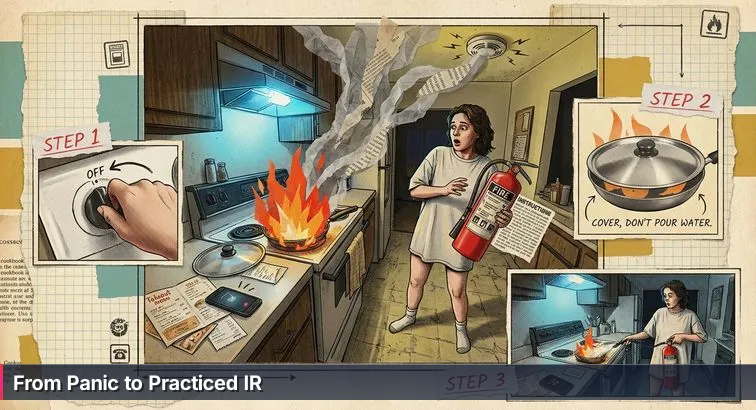
Imagine looking up from your phone to find a pan suddenly engulfed in flame, fumbling for a fire extinguisher you’ve never actually used. That’s how most organizations still “do” incident response: a neat PDF on a shared drive, technically compliant, but untested when AI-driven phishing, deepfake impersonation, shadow AI tools, and polymorphic malware light up the kitchen. The gap between that static document and what people actually do in the first 10 minutes of a real incident is where reputations, data, and jobs are lost.
Modern attacks evolve at machine speed, chaining identity theft, cloud misconfigurations, and automated exploit kits. At the same time, regulators increasingly treat major cyber incidents as business - and sometimes securities - events, not just “IT outages.” That’s why today’s incident response has to be continuous, business-aligned, and practiced, not a dusty binder you flip open once the room is already full of smoke.
The real cost of slow detection
When detection is slow, the bill is enormous. IBM’s 2025 Cost of a Data Breach analysis shows organizations still take an average of 181 days to identify and 60 days to contain a breach - 241 days from first compromise to final cleanup. Globally, the average breach cost has climbed to around $4.44 million, and in the U.S. it’s closer to $10.22 million, according to summaries of the IBM/Ponemon data such as the review published by All Covered. Those are not abstract numbers; they translate into layoffs, cancelled projects, and lost customer trust.
The same report highlights a huge performance gap: organizations that use security AI and automation extensively shave about $1.9 million off the average breach cost and cut the detection window by roughly 80 days. But that only works when humans stay in charge - defining what “normal” looks like, deciding when to pull the plug on a risky system, and ensuring automation doesn’t accidentally knock out half the network in the middle of the workday.
“AI-powered cybersecurity tools alone will not suffice. A proactive, multi-layered approach - integrating human oversight, governance frameworks, AI-driven threat simulations, and real-time intelligence sharing - is critical.” - Michael Siegel, Director of Cybersecurity, MIT Sloan School of Management, quoted in Communications of the ACM
From fire extinguisher PDFs to a practiced kitchen
Industry guidance has quietly caught up with this reality. NIST’s updated SP 800-61 Rev. 3 aligns incident response with the NIST Cybersecurity Framework 2.0 functions - Govern, Identify, Protect, Detect, Respond, Recover - treating IR as a continuous discipline instead of a one-time “prep → respond → recover” checklist. That shift mirrors what frontline responders already know: you don’t just buy a fire extinguisher; you learn where it lives, who grabs it, who calls for help, and how you keep the stove area clear in the first place.
For beginners and career-switchers, the encouraging part is that none of this requires you to be a genius or a lone hero. Ethical, legal incident response is about protecting people and systems, not hacking back or doing anything shady. You need clear roles, a simple set of practiced actions (the cybersecurity equivalent of sliding a lid over the pan and turning off the burner), and regular drills so that when your “smoke alarm” goes off - whether that’s a SIEM alert or a worried user - you can act calmly instead of freezing in front of the flames. This playbook is designed to walk you through that, step by step, so your incident response is a living practice rather than just another tiny label on the side of the extinguisher.
Steps Overview
- Why modern incident response matters
- Prerequisites, roles, and essential tools
- Govern incident response as ongoing business policy
- Identify crown jewels and map your attack surface
- Build modern detection and triage with AI guardrails
- Contain confirmed incidents quickly and safely
- Eradicate root causes and recover resiliently
- Run the war room and communicate with stakeholders
- Drill regularly and build skills continuously
- Sample ransomware playbook you can adapt
- Verification and testing: how to prove your playbook works
- Troubleshooting common IR failures and fixes
- Common Questions
If you want to get started this month, the learn-to-read-the-water cybersecurity plan lays out concrete weekly steps.
Prerequisites, roles, and essential tools
Before you can handle a real “kitchen fire” in your environment, you need the basics set up: who’s allowed to touch the stove, where the extinguisher lives, and how you’ll talk to each other if the smoke alarm is blaring. In incident response, that translates to executive backing, a small but clearly defined team, and a minimal set of tools that give you visibility and control. You don’t need a Fortune 500 budget to get started, but you do need to decide in advance who leads, who investigates, who talks to the outside world, and which systems you’ll protect first.
Organizational foundations you actually need
Modern guidance like NIST’s SP 800-61 Rev. 3 stresses that effective incident response starts with governance and policy, not tooling alone. In practice, that means documenting a simple incident response policy, making sure leadership agrees that security incidents are business incidents, and wiring IR into your normal change and ticketing processes. Resources such as the NIST incident response overview from AuditBoard emphasize that preparation work like this is what separates calm, coordinated responses from chaotic scrambles.
- An executive sponsor (CIO, CISO, or equivalent) who approves the IR policy and gives the team authority to act.
- A documented risk appetite and a short list of “crown jewel” systems and data you can’t afford to lose.
- Access to legal counsel who understands your regulatory landscape (GDPR, HIPAA, SEC, state breach laws, and so on).
- A basic but consistent change management and ticketing process, even if it’s just disciplined use of Jira or ServiceNow.
Core roles for a starter CSIRT
You don’t need a huge security operations center to respond professionally; you need a handful of people who know which “hat” they’re wearing when something goes wrong. NIST and similar frameworks describe a Computer Security Incident Response Team (CSIRT) built around clearly defined responsibilities rather than heroics. For a small or midsize organization, several of these roles can be combined in one person, as long as it’s clear who is acting as the Incident Commander during an event.
- Incident Commander (IC): Leads the overall response, sets priorities, and talks to executives.
- Lead Analyst: Owns technical triage and investigation of logs, alerts, and systems.
- Forensic Investigator: Preserves and documents evidence for legal, insurance, and potential law enforcement use.
- Communications Liaison: Coordinates with PR, HR, legal, regulators, and customers.
- IT / Cloud / App SMEs: Implement containment and recovery actions on specific systems.
Essential tools for a 2026-ready toolbox
Once the people and policy pieces are in place, you need enough tooling to see what’s happening, lock things down, and recover. Industry primers like Fortinet’s guide to incident response plans and playbooks highlight the same core building blocks: telemetry, identity controls, backups, and a way to coordinate work under pressure. For beginners and career-switchers, the key is to understand what each tool category does, not to master every product on the market.
| Tool Type | Primary Purpose | Key IR Use | Starter Priority |
|---|---|---|---|
| SIEM | Centralize and search logs | See who did what, where, and when across systems | High |
| XDR | Detect and respond across endpoints, identity, and cloud | Spot and contain threats like ransomware or account takeover | High |
| SOAR / Automation | Orchestrate and automate playbooks | Trigger repeatable containment steps and notifications | Medium |
| Backup & Recovery | Store and restore data safely | Recover from incidents using immutable backups | Essential |
Round this out with a central IAM/SSO platform, enforced MFA for admins and remote access, secure evidence storage, a ticketing system, and an out-of-band communications channel. With those pieces in place, your “kitchen” is set up so that when something does catch fire, you have both the tools and the authority to act quickly, ethically, and in a way that protects people as well as systems.
Govern incident response as ongoing business policy
Good incident response isn’t just what you do when something’s already burning; it’s the “fire code” that shapes how you build and run systems every day. That’s why updated guidance like NIST’s SP 800-61 Rev. 3 ties incident response directly into the NIST Cybersecurity Framework functions of Govern, Identify, Protect, Detect, Respond, and Recover. As the Security Boulevard summary of the revision points out, IR is now treated as an ongoing discipline, not a one-off project - meaning policy, authority, and communication patterns have to be in place long before the first alarm goes off.
Give incident response clear authority and structure
A common failure in real incidents is that no one is sure who’s allowed to shut systems off, call regulators, or talk to customers. To avoid that, your governance should spell out a few non-negotiables in plain language that executives will actually read and sign.
- Incident Response Policy: Define what counts as a “security incident” versus a lower-level event, and grant the Incident Commander explicit authority to isolate systems, revoke access, and escalate externally (law enforcement, regulators, critical vendors).
- Severity Levels: Use SEV 1-4 (or similar) with concrete examples - SEV 1 might include ransomware on production or confirmed data exfiltration; SEV 3 might be a single compromised workstation.
- CSIRT Charter: Document who is on the Computer Security Incident Response Team, their on-call rotation, backups, and how business, legal, and communications plug in.
Even if your organization is small, a one-page charter that covers these points will do more for real-world response than a 50-page PDF nobody reads. It’s the equivalent of posting clear kitchen rules instead of assuming “someone” will take charge when the stove flares up.
Govern AI and “shadow AI” before it bites you
Because detection and response are increasingly AI-assisted, you also need policy around which tools are allowed, what data they can see, and who reviews their actions. Analyses of IBM’s 2025 data breach report, such as the one from Kiteworks on AI-related risks, highlight that breaches involving unauthorized or unmanaged AI systems cost organizations about $670K more and take roughly 59 days longer to contain than other incidents. That’s the danger of “shadow AI” tools quietly plugged into production logs or admin consoles without any oversight.
- Approved AI List: Specify which security AI and automation platforms are authorized for IR work and how they’re configured.
- Access Boundaries: Limit AI tools to the minimum logs and systems they need, and review those permissions regularly, just like you would for a human team member.
- Automation Guardrails: Require human approval for high-impact automated actions (e.g., bulk account lockouts, major firewall changes) and document who can grant that approval.
“The core objective of a modern cybersecurity program is to reduce the probability of material impact due to a cyber event over the next few years. That requires clear strategy, not just more tools.” - Rick Howard, author of Cybersecurity First Principles, cited in Cyber Defense Magazine’s 2026 playbook analysis
Plan communications and compliance like you plan containment
Good governance also plans for how you’ll communicate and comply under stress. That means defining out-of-band channels (personal phones, a secondary chat or bridge) in case email or SSO are compromised, and mapping your regulatory timelines ahead of time - SEC’s four-day reporting window for material incidents, GDPR’s 72-hour notification rule, sector-specific obligations like HIPAA, and relevant state breach laws. Federal guidance such as the CISA incident response playbooks underscores that these timelines don’t pause just because your main systems are down.
Two common mistakes to avoid are IR plans that give the Incident Commander responsibility but not decision authority, and ignoring shadow AI even though staff are already using AI copilots with privileged access. If you treat governance as living business policy - reviewed annually, reinforced in training, and connected to your real org chart - then when the “kitchen” fills with smoke, people won’t argue about who’s holding the extinguisher. They’ll know exactly who leads, who decides, and how to keep both your systems and your customers safe.
Identify crown jewels and map your attack surface
Before you can respond calmly to an incident, you need a clear picture of what you’re actually protecting. That means knowing which systems and data are your “crown jewels,” which accounts can reach them, and where attackers are most likely to slip in. Recent threat reporting shows why this matters so much: identity-driven attacks now account for about 60% of incident response cases, and identity-related incidents grew by roughly 156% between 2024 and Q1 2025. Third parties are involved in around 30% of breaches, according to analyses of the Verizon Data Breach Investigations Report summarized in the Hornetsecurity Monthly Threat Report.
Inventory assets and highlight your crown jewels
You don’t need an expensive CMDB to start; a living spreadsheet is infinitely better than no inventory at all. The goal is to list your major systems, tag which ones are truly critical, and note where they live (on-premises, cloud, SaaS). That way, when something goes wrong, you already know which “pans on the stove” you’ll grab first.
| Asset Type | Examples | Why It Matters | IR Focus |
|---|---|---|---|
| Business-Critical Apps | Payment gateways, EMR, ERP, trading platforms | Direct revenue and safety impact; downtime is expensive | Top priority for containment and recovery |
| Infrastructure | Domain controllers, hypervisors, core switches | Compromise can cascade quickly across the environment | Heavily restricted access, rapid isolation plans |
| SaaS & Cloud Services | CRM, HRIS, storage buckets, CI/CD | Often hold customer data; frequently targeted via identity | Strong IAM controls, vendor contact paths |
| Endpoints & Laptops | Employee devices, shared workstations | Common initial access vector for phishing and malware | EDR coverage, fast quarantine capability |
Connect identities, data flows, and third parties
Once you know your assets, the next step is to map who and what can reach them. Given that credential abuse and vulnerability exploitation together drive a large share of initial access attempts, understanding identity and data flows is crucial. Start by listing privileged roles (domain admins, cloud subscription owners, CI/CD admins), service accounts with broad API tokens, and external vendors that host or process sensitive data. Document where customer PII, PHI, and financial information is stored, how it moves between systems, and which partners sit in the middle as processors or integrators. This turns “we think the CRM was touched” into a concrete list of systems, people, and vendors you’ll need to involve if there’s an incident.
- Map privileged and business-critical identities to the assets they can control.
- Diagram key data flows for sensitive information, including where it leaves your environment.
- Record third-party providers, their SLAs, and escalation contacts for incident coordination.
Baseline “normal” so you can spot “weird”
The last piece of mapping your attack surface is understanding what “normal” looks like in your environment. That includes typical login locations and times, usual traffic volumes, and regular business cycles. Enterprise security assessment guides, such as the practical overview from Qualysec on security assessments, stress that this kind of baseline is what makes anomalies stand out quickly instead of getting lost in noise. You don’t need fancy math to start: note which countries your workforce logs in from, when key batch jobs usually run, and what a normal day of data transfer to your cloud storage looks like.
- Capture typical login patterns (sources, devices, hours) for admins and regular users.
- Record normal ranges for bandwidth, API calls, and database queries on critical systems.
- Review and update these baselines periodically, especially after major business or infrastructure changes.
For beginners and career-switchers, this kind of mapping work is a great way to learn your environment and add immediate value. You’re not “hacking back” or doing anything shady; you’re building a clear picture of what matters most, who can touch it, and how it behaves when everything is fine. When an alert eventually does go off, that context will let you prioritize quickly and respond with far more confidence.
Build modern detection and triage with AI guardrails
Once you’ve mapped your environment, the next step is making sure your “smoke alarms” actually work. That means centralizing signals, deciding which ones matter most, and setting up a simple triage routine so you can tell the difference between burnt toast and a real kitchen fire. IBM’s Cost of a Data Breach research shows organizations still take about 181 days to identify and 60 days to contain a breach on average, but those using security AI and automation extensively trim roughly 80 days off detection and save around $1.9M per breach. The catch is that AI has to be deployed with clear guardrails and human oversight, or you just swap “noisy alerts” for “mysterious machine decisions.”
Centralize telemetry and focus on high-value signals
Your first practical move is to funnel key logs into a central place (SIEM or XDR) and explicitly choose the alert types you care about most. Guides on the incident response lifecycle, like the one from PDQ’s overview of NIST, CISA, and SANS approaches, emphasize that you only get fast detection if you can see across endpoints, identity, network, and cloud in one view. Start by forwarding endpoint, server, firewall, VPN, IAM, and SaaS logs into your chosen platform, then build a small set of high-fidelity detections: impossible travel, admin logins from new devices or countries, mass file encryption behavior, new MFA methods added to privileged accounts, or unusual data egress from storage buckets and databases.
| Detection Approach | Main Strength | Primary IR Use | Key Risk |
|---|---|---|---|
| Rule-Based Alerts | Transparent logic, easy to explain | Known bad patterns (e.g., failed logins, port scans) | Can miss novel or subtle attacks |
| Behavioral / ML Analytics | Spots anomalies and “weird” behavior | Account takeover, insider threats, data exfiltration | Higher false-positive risk without tuning |
| Managed Detection & Response | 24/7 monitoring by specialists | Off-hours coverage, escalation to in-house CSIRT | Needs clear runbooks for handoff and authority |
Design a simple, repeatable triage runbook
Detection is only half the equation; you also need a consistent way to decide what to do with each important alert. That’s where a triage runbook comes in. For each high-priority detection, spell out a few concrete steps: validate (is this likely a false positive?), scope (which users, systems, or data are involved?), severity (map to SEV 1-4), and decision (contain now, monitor, or close). Set target metrics like MTTA (Mean Time to Acknowledge) and MTTC (Mean Time to Classify) so you have something to improve against - for example, aim to acknowledge SEV 1-2 alerts within 15 minutes and classify them within 60 minutes during staffed hours. Over time, you can compare your internal timelines to published benchmarks such as IBM’s 181-day average identification window and track your own progress downward.
- Document exactly who reviews which alerts and what “good enough to escalate” looks like.
- Include quick log queries or dashboard views right in the runbook to speed up validation.
- Review false positives regularly and tune rules instead of just telling analysts to “click faster.”
Use AI, but keep humans firmly in charge
Security AI can help spot patterns humans would miss and automate the boring, repetitive parts of triage. But it needs to operate inside clear legal, ethical, and technical boundaries - especially when it might touch sensitive logs, personal data, or production systems. Legal analyses like JD Supra’s discussion of how AI is changing incident response underline that automation should support, not replace, accountable human decision-making. In practice, that means using AI to suggest priorities, cluster related alerts, or pre-populate incident tickets, while requiring human approval for high-impact actions like isolating critical servers, disabling large groups of accounts, or pushing emergency firewall changes.
“The most effective model is one where AI amplifies human analysis rather than replaces it - a model that will be critical for security operations centers in the coming years.” - JD Supra cybersecurity analysis, “How AI is Changing the Incident Response Landscape”
For beginners and career-switchers, the goal isn’t to become an AI expert overnight; it’s to understand where automation helps (noise reduction, enrichment, simple containment on low-risk endpoints) and where human judgment must stay in the loop. If you treat AI like a powerful assistant that still needs supervision and clear rules, you’ll get the benefit of faster detection and triage without turning your environment over to an unpredictable black box.
Contain confirmed incidents quickly and safely
When an incident is confirmed, you’re no longer debating if something is wrong - you’re staring at open flames and need to turn off the burner fast. Modern guidance based on NIST SP 800-61 Rev. 3 emphasizes that containment, eradication, and recovery often overlap rather than happening in strict sequence, especially in cloud environments. As the team at Wiz notes in their overview of implementing NIST IR in the cloud era, effective response is about minimizing impact quickly while preserving options for investigation and safe recovery (Wiz on NIST incident response).
Start with identity-first containment and out-of-band comms
Your first moves should focus on people and access, not servers. Think of this as turning the gas knob before you grab the pan.
- Switch to out-of-band communications: Use a pre-agreed phone bridge or secondary chat workspace in case email or SSO are compromised.
- Lock or disable suspect accounts: Immediately disable interactive logins for users or admins showing signs of compromise.
- Reset passwords and revoke sessions and tokens:
- For example, in Azure AD you can revoke all refresh tokens for a user with a command like
Revoke-AzureADUserAllRefreshToken -ObjectId <user-object-id>before forcing a password reset.
- For example, in Azure AD you can revoke all refresh tokens for a user with a command like
- Temporarily tighten MFA and step-up verification for sensitive actions (privileged logins, wire transfers, changes to backup jobs).
Warning: Don’t wait for perfect attribution (“Which threat actor is this?”) before you act. Contain based on impact and risk; attribution can come later from the forensic timeline.
Isolate affected systems and choke off exfiltration
Once access is under control, move to isolating systems and limiting data movement. This is where pre-planned playbooks and tooling make the difference between a localized issue and an organization-wide outage.
- Use endpoint tools to place compromised hosts into a quarantine network or apply EDR network isolation.
- Quarantine suspicious servers or VMs by moving them to a restricted VLAN or security group with only forensic and IR access.
- Block known malicious IPs, domains, and file hashes at the firewall and endpoint level as indicators become available.
- Throttle or block outbound traffic from affected subnets and temporarily lock cloud storage buckets or databases suspected of exposure.
Pro tip: Predefine which segments and systems can be auto-isolated (for example, user laptops) and which always require human review (domain controllers, core databases). That keeps you fast where it’s safe and cautious where a mistake would be catastrophic.
Preserve evidence before you rebuild
It’s tempting to “wipe and move on,” but if you erase the crime scene, you lose the chance to understand root cause, meet legal obligations, or support insurance and law-enforcement work. A solid containment step includes immediate evidence preservation before any reimaging.
- Capture memory images and disk snapshots of representative compromised systems.
- Snapshot impacted VMs or containers at the hypervisor or cloud level.
- Securely export relevant logs (identity, endpoint, network, cloud) to tamper-evident storage with clear chain-of-custody notes.
| Containment Style | Main Benefit | Primary Risk | When To Use |
|---|---|---|---|
| Manual Only | High human oversight, low chance of self-inflicted outages | Slow response, especially off-hours | Small environments or critical systems with no safe auto-actions |
| AI-Assisted with Guardrails | Faster detection and containment with human approval on big moves | Requires good runbooks and training to avoid “rubber-stamping” | Most mature orgs; ideal default for SEV 1-2 handling |
| Fully Automated, Wide Scope | Machine-speed response across many endpoints | High risk of breaking business-critical services if misconfigured | Very specific, low-risk scenarios (e.g., known commodity malware on user laptops) |
Put automation behind clear, ethical guardrails
Vendors like CrowdStrike stress that containment steps must be well-defined in your plan so responders can act quickly without improvising every time (CrowdStrike’s incident response steps). Use automation for repeatable, reversible actions - tagging devices, opening tickets, isolating low-risk endpoints - but require explicit human approval for steps that could significantly impact customers or employees, such as disabling large user groups, altering production firewall rules, or shutting down core applications. As a beginner or career-switcher, your job isn’t to “hack back”; it’s to protect people and systems by making fast, careful moves that stop the spread while preserving the truth of what happened.
Eradicate root causes and recover resiliently
Eradication and recovery are the “after the flames” stages: you’ve smothered the fire, but now you have to deal with the burnt pan, clean the grease, and check the wiring so it doesn’t flare up again. In incident response terms, that means removing the attacker’s foothold, fixing the root cause, and bringing systems back online without re-introducing the threat. NIST’s SP 800-61 Rev. 3 explicitly notes that containment, eradication, and recovery often overlap, especially in cloud and hybrid environments, so you plan them together rather than as rigid, separate phases.
Remove the root cause, don’t just silence the symptoms
Once an incident is contained, your first focus is eradication: understanding how the attacker got in and making sure that door is firmly closed. That usually involves a mix of root cause analysis, patching, hardening, and choosing whether to clean systems in place or rebuild them from a known-good baseline. For serious compromises - ransomware, kernel-level malware, domain controller tampering - reimaging from a trusted image is almost always safer than trying to surgically remove artifacts.
| Approach | Strengths | Weaknesses | Best Used For |
|---|---|---|---|
| Rebuild from Known-Good Image | High confidence attacker tools are removed | More time-consuming; requires solid imaging process | Ransomware, rootkits, compromised domain controllers |
| Clean In Place | Faster for lightly impacted systems | Risk of leaving persistence mechanisms behind | Single infected endpoint with well-understood malware |
| Temporary Mitigation Only | Buys time when downtime isn’t immediately possible | Not a true fix; attacker may still have options | Critical systems awaiting maintenance window |
- Confirm the initial access vector (stolen credentials, exploited vulnerability, misconfiguration) using logs and forensic artifacts.
- Patch exploited software and close exposed services or ports that weren’t needed.
- Disable or remove unused accounts, access keys, and service principals uncovered during the investigation.
Recover from clean, immutable backups - and verify before you restore
Recovery is where you carefully turn systems back on and reconnect them to normal business workflows. That starts with restoring from backups you trust. Modern ransomware guidance, like the ThreatDown by Malwarebytes 2025 Ransomware Emergency Kit, emphasizes verifying that backups are both immutable and clean before you rely on them. That means checking that backup repositories weren’t encrypted or tampered with and, where possible, scanning restored samples in an isolated environment prior to a full production restore.
- Restore in phases, starting with lower-risk or non-production systems so you can observe for signs of lingering attacker activity.
- Run vulnerability and configuration scans on rebuilt systems before reconnecting them fully to production networks.
- Have business owners validate data integrity (balances, transaction logs, patient records) as part of the go-live checklist.
“Organizations that can rapidly restore clean systems from protected backups are far more likely to recover from ransomware without paying and with minimal long-term impact.” - ThreatDown by Malwarebytes, Ransomware Emergency Kit
Treat recovery as a resilience drill, not a one-time repair
Resilient recovery isn’t just about bouncing back once; it’s about improving your ability to bounce back every time. Many modern security playbooks recommend using test environments or digital twins to rehearse recovery steps and validate automated workflows before applying them in production. At a minimum, you should test restore procedures for critical systems at least annually - ideally more often - and update them whenever you adopt new platforms or make major architectural changes. For beginners and career-switchers, participation in these recovery tests is a powerful way to learn: you see how backups, identity, and network controls all fit together, and you help turn incident response from a one-off repair job into an ongoing resilience practice.
Run the war room and communicate with stakeholders
In a real incident, the mood changes fast: what felt like a quiet kitchen drill suddenly becomes a full dinner party with executives, lawyers, and customers all “in the room” watching what you do next. That’s why many practitioners now talk less about static playbooks and more about having a dedicated war room structure for serious incidents. As Kevin Mandia has argued, ad hoc decision-making doesn’t scale when attacks move at machine speed and business impact can be material within hours.
“Ad hoc decision-making is no longer enough; incident response requires a War Room structure that brings legal, technical, and executive stakeholders together around a single source of truth.” - Kevin Mandia, former CEO, Mandiant, quoted in Forbes’ analysis of modern incident response
Make the war room your single source of truth
For any SEV 1-2 incident, your first organizational move is to activate a virtual (or physical) war room where decisions really get made. The Incident Commander should immediately pull in the lead analyst, forensics, IT/cloud SMEs, legal, PR/communications, and an executive sponsor. From there, you set up one shared timeline document that records key events, hypotheses, and decisions; assign a dedicated scribe; and agree on cadence: technical huddles every 30-60 minutes to unblock work, and executive briefings every 2-4 hours focused on business impact, options, and next steps. This “single room, single story” approach keeps people from spinning up side narratives in email threads and ensures that when something changes - like the suspected scope of data exposure - everyone updates their understanding together.
Structure what you say inside and outside the company
Running the room is only half the job; the other half is communicating consistently with stakeholders who aren’t in it. For internal executives, use a simple structure for each update: what we know, what we don’t know yet, what we’re doing right now, current business impact, and when they’ll hear from you next. For employees, aim for calm, factual messages that explain what’s expected of them (for example, watch for phishing, don’t power off laptops, route media queries to PR). External communications to customers, partners, and regulators should use plain language, avoid speculation, and stay aligned with legal counsel so you meet notification obligations without over- or under-stating the situation. Federal guidance like CISA’s official incident and vulnerability response playbooks stresses the importance of pre-approved templates and clear roles for who can speak on behalf of the organization.
Keep communications ethical, legal, and human
In the rush of a major incident, it can be tempting to downplay impact, delay tough disclosures, or let technically dense explanations slip into customer-facing messages. Resist that. Strong incident communication is about protecting people as well as systems: being honest about risk, giving concrete steps customers can take, and avoiding any kind of “spin” that might later conflict with forensic findings or regulatory filings. Make sure legal and compliance teams review external statements, but don’t let them erase empathy - acknowledging concern, inconvenience, or fear goes a long way. For beginners and career-switchers, learning to operate in this war room model is one of the most valuable IR skills you can build: you’re not just fixing servers, you’re helping the entire organization navigate a stressful event with clarity, integrity, and a shared understanding of reality.
Drill regularly and build skills continuously
Practice before the stakes are real
Tabletop exercises are the quiet kitchen drills that make it possible to stay calm during a real dinner rush. Yet industry analyses of incident response exercises in recent years suggest that only about 30% of organizations consistently test their IR plans, leaving most teams to read the “fire extinguisher label” for the first time when smoke is already in the air. NIST’s SP 800-61 guidance explicitly recommends holding lessons-learned meetings within two weeks of major incidents, but that only helps if you’re actually running incidents and exercises often enough to learn from them.
Make tabletop exercises part of the calendar
The most practical way to build muscle memory is to schedule realistic tabletop exercises at least quarterly and treat them like any other critical business meeting. Pick scenarios that are genuinely plausible for your environment - ransomware in a shared file system, business email compromise of a finance executive, a cloud storage bucket misconfiguration leading to data exposure - and walk through the full flow from detection to communication and recovery. For each exercise, decide ahead of time who will play Incident Commander, who will represent legal, PR, and business leadership, and which systems or data are “in play.” Afterward, run a structured debrief within two weeks: what worked, what broke, where roles were unclear, and what needs to change in your playbooks, tooling, or training.
- Define 1-2 realistic scenarios tied to your actual systems and crown jewels.
- Invite all core roles (IC, analysts, IT, legal, comms, business owners) and timebox the exercise to 60-90 minutes.
- Capture a timeline of decisions and questions in real time; don’t rely on memory.
- Hold a lessons-learned session and turn findings into concrete action items with owners and deadlines.
Track a small set of meaningful metrics
To know whether your drills and improvements are paying off, measure a few simple, repeatable metrics rather than trying to boil the ocean. Over time, you want to see these numbers trend in the right direction: faster detection and triage, shorter business downtime, and fewer surprises during exercises. Continuous Threat Exposure Management (CTEM), highlighted in resources like The Great Solution’s cybersecurity playbook, builds on the same idea: continually test and measure how you respond, not just how you prevent.
| Metric | What It Measures | Why It Matters | Goal Direction |
|---|---|---|---|
| MTTA (Mean Time to Acknowledge) | How long it takes to recognize and start working a critical alert | Shows how quickly “smoke” gets human attention | Lower is better |
| MTTC (Mean Time to Classify) | How long to decide if an alert is a true or false positive | Reduces wasted effort and delayed containment | Lower is better |
| MTTI (Mean Time to Investigate) | How long full scoping and root-cause work takes | Impacts how quickly you can eradicate and recover | Lower is better |
| Business Downtime & Customer Impact | Duration and breadth of service disruption | Translates technical issues into business language | Lower and narrower is better |
Invest in your own skills and your team’s
Regular drills are powerful, but they work best when people also have structured opportunities to build foundational skills. For beginners and career-switchers, a guided path through fundamentals, network defense, and ethical hacking concepts gives you the vocabulary and hands-on practice to contribute meaningfully in an incident. Programs like Nucamp’s Cybersecurity Fundamentals + Network Defense + Ethical Hacking path are designed around that idea: about 15 weeks total at roughly 12 hours/week, 100% online, with weekly live 4-hour workshops (capped at around 15 students) plus self-paced labs. The curriculum focuses on core security concepts, practical network defense skills, and ethical hacking techniques in legal, controlled environments, and is aligned with entry-level certifications such as CompTIA Security+, GSEC, and CEH.
| Program Aspect | Nucamp Cybersecurity Path | Typical Large Bootcamp | What It Means for You |
|---|---|---|---|
| Tuition | About $2,124 | $10,000+ | Lower financial barrier to entry |
| Format | Online, live weekly workshops + labs | Often full-time, in-person or long virtual days | More compatible with career-switching while working |
| Student Outcomes | ~75% graduation, ~4.5/5 on Trustpilot | Varies widely by provider | Evidence of learner satisfaction and completion |
| Focus | Foundations, network defense, ethical hacking for IR roles | May be broad or specialized | Directly supports SOC, IR, and junior security engineering paths |
If you combine this kind of structured learning with regular tabletop exercises and clear metrics, you turn incident response from a scary, one-off crisis into a skill you and your team can keep improving. Over time, the “kitchen” feels less like a place where something might randomly catch fire and more like a space you know how to run safely, even when things get hectic.
Sample ransomware playbook you can adapt
Ransomware is still one of the most common and stressful scenarios you’ll face, which is why it’s worth having a concrete, time-based playbook ready before you ever see a ransom note. Recent analyses show most organizations are now refusing to pay ransoms - around 63% - and are instead focusing on fast isolation and recovery from immutable backups. A 2026 ransomware playbook from Faltrox highlights that the teams who fare best are the ones that have rehearsed these steps and know exactly what to do in the first few hours.
“Modern ransomware response is less about negotiating with criminals and more about how quickly you can isolate, validate clean backups, and restore critical services without reintroducing the threat.” - Faltrox Ransomware Incident Response Playbook 2026
Pre-incident: prepare your environment and expectations
The best ransomware response starts long before anything is encrypted. Treat this as your “kitchen setup” phase: you’re placing extinguishers, checking the gas line, and writing down what absolutely must keep running if something goes wrong. Do these items now, and document where the procedures live so your team can find them under pressure.
- Maintain offline or logically isolated immutable backups of critical systems and data.
- Test backup restore at least annually for key applications and data sets, including timing how long restores actually take.
- Disable unnecessary exposed RDP/VPN services; enforce MFA on all remaining remote access points.
- Document which systems are business-critical and define their RTO/RPO (how fast they must be back, and how much data loss is tolerable).
T+0 to 24 hours: contain, preserve evidence, and decide on strategy
When ransomware is discovered, your first 24 hours are about containing spread, preserving evidence, and making high-level decisions. From T+0 to 2 hours, focus on recognition, immediate containment, and communication. From T+2 to 24 hours, expand investigation and tackle the “pay or not pay” question with legal, executive leadership, and - where appropriate - law enforcement.
- T+0 to 2 hours: Immediate response
- Confirm the incident: user reports of encrypted files or ransom notes; EDR/XDR alerts for mass encryption behavior.
- Declare a SEV 1 incident and activate the war room with all core stakeholders.
- Isolate infected endpoints and affected network segments using EDR isolation or quarantine VLANs.
- Disable exposed RDP/VPN entry points commonly abused by ransomware, where operationally possible.
- Temporarily suspend backup jobs to prevent encryption or corruption of backup sets, following best practices highlighted in multiple ransomware kits.
- Capture memory and disk images from representative compromised systems and snapshot impacted VMs or containers.
- Notify executives, legal, and PR via out-of-band channels and instruct users not to power off machines unless directed.
- T+2 to 24 hours: Investigation and strategic decisions
- Scope the incident: which segments, servers, and data stores are affected; whether there are signs of data exfiltration.
- Determine the initial access vector (phishing, exposed RDP, vulnerable VPN appliance, stolen credentials).
- Assess regulatory impact and begin preparing potential notifications if sensitive data was likely exposed, using your pre-mapped obligations.
| Approach | Potential Advantages | Major Risks / Drawbacks | Typical Considerations |
|---|---|---|---|
| Pay the Ransom | May receive decryption keys faster than full rebuild | No guarantee of recovery; may violate sanctions; encourages future attacks | Requires legal review, insurer input, and law-enforcement awareness |
| Do Not Pay | Aligns with most guidance and the ~63% of orgs now refusing to pay | Recovery fully depends on your backups and rebuild capabilities | Demands strong backup hygiene and clear communication to stakeholders |
When debating this decision, document your options, constraints, and legal guidance in the war room timeline. Many modern playbooks, including those summarized by CyberOne’s 2026 security playbook, recommend assuming you will not pay and designing your environment accordingly, so the default plan is always isolation plus recovery from trusted backups.
Day 1-7 and beyond: eradicate, recover, and harden
After the first 24 hours, you move into eradication and structured recovery. From Day 1 to 7, patch exploited vulnerabilities, rotate credentials (including service accounts and tokens), and remove persistence mechanisms such as scheduled tasks, startup scripts, or rogue admin accounts. Rebuild systems from known-good images and restore clean data from validated backups, prioritizing critical services like payments, EMR, or ERP. Throughout the week, monitor previously impacted segments closely for signs of attacker return or lingering control. After Day 7, run a full post-incident review: build a timeline from initial compromise to detection and containment; identify root causes and contributing factors; strengthen segmentation and backup security; and refresh your ransomware-specific runbook with what actually worked. Over time, treating each incident or simulation this way turns your ransomware playbook from a static document into a tested, evolving system you and your team can rely on.
Verification and testing: how to prove your playbook works
You don’t really know if your incident response playbook works until you’ve used it under pressure. Reading through steps on a calm afternoon is like skimming the fire extinguisher label; verification is about seeing how your team reacts when the “smoke alarm” goes off, whether your tools behave as expected, and how quickly you can move from confusion to coordinated action. Proving that is less about perfection and more about running repeatable tests, tracking a few key indicators, and fixing what breaks.
Test with realistic scenarios, not theoretical checklists
The most reliable way to validate your playbook is to simulate the kinds of incidents you’re actually likely to face, end to end. That means using real detection sources (like your SIEM or XDR), convening the war room for SEV 1-2 scenarios, and exercising all the parts of your plan: containment, communication, regulatory evaluation, and recovery. Practical guides such as StrongDM’s overview of a seven-step incident response process emphasize that every step should be demonstrable, not just documented.
- Run at least one ransomware, one cloud data leak, and one business email compromise exercise per year.
- Time how long it takes to assemble the war room, classify severity, and make the first containment decision.
- Include legal, HR, and communications so you can test notifications and decision-making, not just technical steps.
- Capture gaps as action items right away instead of waiting for “someday” improvements.
Build a simple scorecard for playbook health
To move beyond gut feel, create a small scorecard that you update after each major drill or real incident. You’re looking for concrete signals that your playbook is clear, used, and improving. Over a few quarters, this makes trends obvious: you’ll see where you’ve tightened response and where things still bog down, which is exactly what continuous improvement in incident response should look like.
| Indicator | What to Check | Good Sign | Red Flag |
|---|---|---|---|
| Access & Awareness | Can key staff find and explain the playbook? | Most participants know where it is and their role in it | People ask “Where’s the plan?” during drills |
| Time to First Action | Minutes from alert to first containment step | Consistently within your target window | Wide variance; decisions stall for approvals |
| Automation Behavior | How auto-playbooks behaved in tests | No major outages; actions match design | Unexpected isolations or configuration changes |
| Lessons Implemented | Changes made after exercises/incidents | Playbooks and runbooks updated within weeks | Same issues repeat in multiple exercises |
Demonstrate results to auditors and leadership
Verification isn’t just for the security team; it’s also how you prove to auditors, regulators, and executives that your organization can handle real incidents. After each SEV 1-2 event or major drill, assemble a short packet: the scenario description, timeline, who participated, metrics (like time to war-room activation and first containment), and a list of follow-up actions with owners. Over time, this becomes a living evidence trail that shows your playbook is current, practiced, and improving.
“A modern incident response plan has to be both current and well-practiced. Detection delays, unclear responsibilities, and outdated procedures significantly impact outcomes.” - ArmorPoint Incident Response Guidance, ArmorPoint
For beginners and career-switchers, this is good news: you don’t have to design a perfect plan on day one. Your job is to help run honest tests, measure what happens, and push for concrete improvements. When you can point to regular exercises, clear metrics, and documented lessons learned, you’re no longer just holding an extinguisher - you’re proving, again and again, that the team knows how to use it when it counts.
Troubleshooting common IR failures and fixes
Even with a solid playbook on paper, real incidents often expose the same weak spots over and over: no one is sure who can make the hard calls, tools behave unpredictably, backups don’t restore cleanly, or the team waits too long to ask for help. Analyses of recent incidents, like those discussed in Industrial Cyber’s look at integrated cybersecurity strategies, repeatedly highlight that gaps in coordination and testing hurt organizations as much as missing technology. The good news is that most of these failures are fixable with clear ownership, a few policy tweaks, and some honest drills.
Failure 1: Nobody owns the hard decisions
One of the most common breakdowns is decision paralysis: engineers know something is wrong, but they’re afraid to isolate a critical system, revoke a senior executive’s credentials, or call regulators without explicit approval. That hesitation stretches out the breach and increases damage. The fix is straightforward: your incident response policy must clearly state who is Incident Commander for each severity level and what they are authorized to do without further sign-off. Pair that with a lightweight RACI (Responsible, Accountable, Consulted, Informed) chart so everyone knows their lane during an incident, and rehearse it in tabletop exercises until it feels routine rather than confrontational.
| Common Failure | Practical Fix | Who Leads | Verification Step |
|---|---|---|---|
| No clear decision authority | Document IC powers in policy; create RACI for SEV 1-4 | CISO / Security Leader | Run a drill where IC must isolate a critical system |
| Unclear escalation paths | Publish on-call rotations and a single escalation number | Security Operations | Test by paging outside business hours |
| Disconnected business owners | Assign a business owner for each crown jewel system | IT + Business Leadership | Include owners in at least one annual tabletop |
Failure 2: Shadow AI, tool chaos, and self-inflicted outages
Another frequent problem is tool sprawl: multiple overlapping EDR, SIEM, and AI copilots, some of them unofficial, all making changes or generating alerts that nobody fully understands. In that environment, it’s easy for an automated rule to quarantine the wrong segment or lock out a whole department. To fix this, create a short approved-tool list for incident response, including which AI systems are allowed to touch production logs or identities. Turn off or restrict unapproved “shadow AI” and document exactly which playbooks are allowed to run automatically, on which asset types, and under what conditions. During exercises, deliberately trigger these automations on test systems so you can see whether they behave as expected.
Failure 3: Backups that don’t restore and recoveries that re-infect
Teams are often surprised to find that their backups are incomplete, corrupted, or quietly include the attacker’s tools, turning recovery into a second compromise. This isn’t just a ransomware issue; any serious incident can expose weak backup practices. The remedy is to treat recovery as a first-class part of incident response: maintain at least one tier of immutable or offline backups for critical systems, test restores regularly in an isolated environment, and add malware scanning plus configuration checks to your restore process before systems rejoin production. When you run tabletop exercises, include a segment where you “restore” a critical application and walk through who verifies data integrity, who signs off on go-live, and what monitoring you enable in the first hours back online.
Failure 4: Waiting too long to call in outside help
A final, very human failure is trying to handle everything in-house long after the incident has outgrown your team’s experience. There’s a point where bringing in external digital forensics and incident response (DFIR) specialists, outside counsel, or law enforcement is not a sign of weakness; it’s how you protect your organization and the people whose data you hold. A good rule of thumb is to predefine triggers: for example, confirmed exfiltration of regulated data, evidence of nation-state activity, or any SEV 1 incident that your team can’t contain within an agreed window. Industry reviews, like VMRay’s guide to incident response tools, consistently recommend having retainer relationships in place with DFIR providers before you need them. Add those contacts to your playbook, rehearse the handoff process in exercises, and make “ask for help early” an explicit part of your culture rather than something people are embarrassed to do.
Common Questions
Will this playbook actually help my team respond faster and limit business impact?
Yes - the playbook gives concrete, practiced steps (war room activation, identity-first containment, evidence preservation) so you can act instead of freeze. IBM’s data shows organizations take an average of 181 days to identify breaches and face ~$4.44M in global costs, while those using security AI + automation appropriately can shave ~80 days and save about $1.9M - but only if humans keep final authority.
What should I have set up today before an incident hits?
At minimum: an executive sponsor and a small CSIRT with a named Incident Commander, centralized telemetry (SIEM/XDR) and immutable backups, plus a short IR policy with severity levels and out-of-band communications. Prioritize SIEM/XDR (high) and Backup & Recovery (essential) so you can see, contain, and restore quickly.
How can we use AI and automation in IR without causing outages or legal exposure?
Use AI for enrichment, clustering, and low-risk automations but require human approval for high-impact actions and maintain an approved-AI list and access boundaries. Breaches involving unmanaged AI cost about $670K more and take ~59 days longer to contain, so governance and human-in-the-loop controls are essential.
What should the team do in the first 15-60 minutes of a confirmed SEV 1 incident?
Activate the war room, move to out-of-band comms, and start identity-first containment: disable suspect accounts, revoke sessions/tokens (e.g., revoke refresh tokens), and isolate affected endpoints or VLANs. Target metrics to aim for are acknowledging SEV 1-2 alerts within ~15 minutes and classifying them within ~60 minutes during staffed hours.
When should we bring in external DFIR, outside counsel, or law enforcement?
Predefine triggers such as confirmed exfiltration of regulated data, evidence of nation-state activity, or inability to contain within your agreed window, and keep retainer contacts in your playbook so handoffs are immediate. Don’t wait - many orgs only test IR about 30% of the time, so asking for external help early is often the fastest way to limit damage.
This practical tutorial on preparing for Security+ and early certifications includes study timelines and practice-test advice.
Career changers can learn to analyze packet captures and document findings for a security portfolio.
If you want the best cyberattack case studies for learning practical defenses, this roundup is essential reading.
Bookmark the guide to staying safe online in 2026 for hands-on tips about passkeys, MFA, and device hygiene.
Use this tutorial on timed practice exams for Security+ to rehearse pacing and review strategies under a 90-minute limit.

Irene Holden
Operations Manager
Former Microsoft Education and Learning Futures Group team member, Irene now oversees instructors at Nucamp while writing about everything tech - from careers to coding bootcamps.