









CompTIA Security+ Study Plan for 2026: A Practical 6-8 Week Schedule
By Irene Holden
Last Updated: January 9th 2026
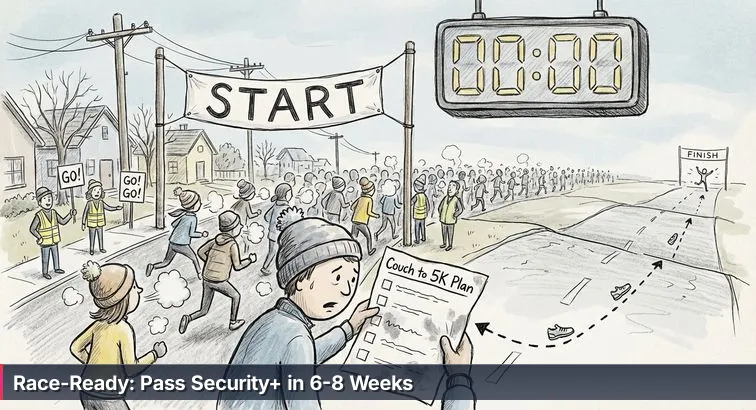
Quick Summary
You can be ready for CompTIA Security+ in a focused 6-8 week sprint by committing 10 to 15 hours per week to a tight study stack - one core book, one video course, a main question bank - plus weekly hands-on labs and PBQ practice. Because the SY0-701 gives you 90 minutes for up to 90 questions and requires a scaled score of 750, prioritize the heaviest domains (Security Operations ~28% and Threats/Vulnerabilities ~22%), take at least three full 90-minute practice exams from different providers, complete 5-10 PBQ-style tasks, and aim for consistent practice scores around 80-85% before booking your test.
Know the course before you start running
Before you worry about flashcards or lab tools, you need to know exactly what “race” you’ve signed up for. The current CompTIA Security+ exam (SY0-701) gives you 90 minutes to answer up to 90 questions, mixing multiple-choice items with heavier, hands-on performance-based questions that feel more like real incidents than trivia. According to the official CompTIA Security+ overview, your goal is a scaled score of 750 out of 900, which is calculated across the whole exam rather than a simple percentage.
The course itself isn’t flat. CompTIA splits the exam into five domains with very uneven “terrain.” General Security Concepts is only 12% of your score, while Security Operations alone is 28%. That means one part of the route is a short, smooth stretch and another is a long, grinding hill you’ll be on for a while. Many training providers, including Learning Tree’s Security+ exam guide, call out this weighting as the main reason you can’t just read straight through a book and hope for the best.
| Domain | Exam Weight | Primary Focus | Race Analogy |
|---|---|---|---|
| 1. General Security Concepts | 12% | Core principles, CIA triad, basic controls | Flat warm-up mile |
| 2. Threats, Vulnerabilities & Mitigations | 22% | Attacks, weaknesses, defenses | First set of rolling hills |
| 3. Security Architecture | 18% | Network and system design, identity | Twisty mid-course turns |
| 4. Security Operations | 28% | Monitoring, incident response, daily ops | Longest, steepest climb |
| 5. Program Management & Oversight | 20% | Governance, risk, compliance | Late-race stretch into the finish clock |
"CompTIA Security+ validates the baseline skills necessary to perform core security functions and pursue an IT security career."
— CompTIA Security+ Certification Overview, CompTIA
Where most runners blow up on this course
Here’s the part too many people don’t say out loud: industry trainers regularly report first-time Security+ failure rates creeping toward 50%. Guides like ASM Educational Center’s exam tips point to the same pattern - people download a neat 6-8 week schedule, check off videos and chapters, but never build the stamina to solve fresh scenarios under the clock. On test day, that tidy “training log” of completed modules doesn’t matter; what matters is whether you can read an incident, triage it, and pick the right control in 60-90 seconds.
The candidates who struggle the most treat Security+ like a worksheet, not a race. They memorize ports without ever touching a packet capture, or skim incident response steps without practicing them in order. When the exam opens with performance-based questions that feel like steep, unexpected hills - log analysis, basic firewall tuning, vulnerability report interpretation - they burn 10 minutes on the first incline and never recover their pacing. This guide is built to keep you out of that trap by aligning your 6-8 week plan with the real terrain and the real clock from day one.
Steps Overview
- Treat Security+ like a race: a quick snapshot
- Prepare prerequisites, schedule, and lab setup
- Set your exam date and block study time
- Assemble your Security+ training stack
- Build your foundation (Weeks 1-2)
- Tackle threats and security operations (Weeks 3-4)
- Simulate the race: full-coverage labs and first full exam (Weeks 5-6)
- Fine-tune with targeted reps and tapering (Weeks 7-8)
- Train with timed practice exams and smart review
- Execute exam-day strategy and pacing
- Verify readiness with a practical checklist
- Troubleshoot common mistakes and recovery tactics
- Common Questions
If you want to get started this month, the learn-to-read-the-water cybersecurity plan lays out concrete weekly steps.
Prepare prerequisites, schedule, and lab setup
Check your starting fitness
Before you lock in a test date, you need an honest read on where you’re starting from. CompTIA recommends about two years of IT administration experience with some security focus for ideal Security+ candidates, but that’s a guideline, not a gate. Study planners like Destination Certification’s Security+ timeline note that beginners regularly pass with a focused 6-8 week plan if they can commit roughly 10-15 hours per week and are willing to do hands-on work, not just watch videos. Your job right now is to decide which bucket you’re in: already in IT and comfortable with IP addresses, OS basics, and simple networking, or truly starting from the couch.
Set a realistic weekly schedule
Once you know your baseline, you treat your calendar like a training plan, not wishful thinking. Pick one of these as your default pace and actually put the blocks on your calendar:
- If you already work in IT/networking
- Target: 6 weeks at 12-15 hours/week.
- Structure:
- Mon-Thu: 1-1.5 hours each evening (videos + book + 20-30 questions).
- Sat or Sun: 3-4 hour “long run” (deep dive + labs).
- If you’re a beginner or career-switcher
- Target: 7-8 weeks at 10-15 hours/week.
- Structure:
- Mon-Thu: 1 hour focused (one topic only, no multitasking).
- Sat or Sun: 3-4 hours combining review, labs, and a short quiz.
Every block should have a clear assignment, not “study Security+.” For example: “Domain 2 videos 2.1-2.3 + 25 questions” or “lab: Nmap host discovery + Wireshark capture.” Think of these like intervals on a stopwatch - if you miss one, you don’t throw out the week; you reschedule it so your total weekly mileage stays intact.
Build a safe practice lab
Security+ is not a spectator sport; you need to actually touch the tools you’ll read about. Set aside one of your first weekend blocks (3-4 hours) for lab setup and follow these steps:
- On a laptop or desktop with at least 8 GB RAM, install a hypervisor such as VirtualBox.
- Create one Linux virtual machine (for example, Ubuntu) and one Windows environment (physical or VM) to practice both Bash and PowerShell.
- Inside your lab, install core tools:
- Nmap for network scanning.
- Wireshark for packet capture and protocol analysis.
- Access to a firewall (your OS firewall or a virtual appliance) to practice rule concepts.
- Run a simple “shakedown run”: ping between machines, do a basic Nmap scan of your lab VM, and capture your own HTTP traffic with Wireshark.
Always treat ethics like part of your form: only scan hosts and capture traffic in lab environments you control or are explicitly authorized to use. Running Nmap or Wireshark against random networks is like sprinting through someone else’s yard during a race - unprofessional at best, illegal at worst.
Choose lab platforms that match your budget
You can go a long way with just local VMs, but structured labs will make your “hill workouts” (performance-based skills) much more efficient. Here’s how common options compare:
| Lab Option | Cost Range | What You Get | Best For |
|---|---|---|---|
| Local VMs (VirtualBox + Linux/Windows) | Free (except your hardware) | Full control, great for Nmap/Wireshark and OS practice | Budget-conscious self-starters |
| Boson Practice Lab for Security+ | Paid, typically under the cost of a multi-day class | Guided exercises for vulnerability assessment and incident response aligned to SY0-701 | Those who want structured scenarios and step-by-step guidance |
| Other guided Security+ lab platforms | Varies by provider | Browser-based environments with prebuilt networks and PBQ-style tasks | Learners who prefer “click and do” over manual setup |
Many candidates combine a simple local lab with a guided platform like the Boson Practice Lab for SY0-701 to balance realism and structure. However you mix it, the goal is the same: by the time you’re standing in front of the testing center’s clock, you’ve already “run” dozens of small incidents and tool drills in an environment where mistakes are safe and fully legal.
Set your exam date and block study time
Commit to a race week, not “someday”
In a real race, you don’t tell yourself, “I’ll run a 5K when I feel ready.” You sign up for a specific Saturday, and suddenly the clock on the course means something. Do the same with Security+: take the timeframe you chose when you assessed your baseline and pick an actual exam week. Use that window to decide when your training block starts and ends, then work backward so you know exactly which week you should be on full practice exams, not still “thinking about” booking.
You don’t have to hammer the “pay now” button on day one if that spikes your anxiety. What matters is that you circle a week on your calendar and treat it as real. Study planners like the 10-week Security+ plan from Exam-Labs follow the same logic: they start by anchoring a target exam window, then assign specific work to each week so you’re not drifting.
Choose hard date vs soft date on purpose
There are two honest ways to handle the test clock. The first is the “race registration” approach: you book a specific exam slot right away, 6-8 weeks out, and let that pressure keep you from bailing on your weekday sessions. The second is the “qualifying time” approach: you set a firm internal deadline (for example, “I won’t book until my practice exams are consistently above my target score”) and tie your test date to performance, not feelings.
Whichever you choose, be explicit. For a hard date, aim far enough out that you can reasonably cover all five domains and run several full practice exams. For a soft date, define your booking rule now (for example, “two different full-length practice tests at or above my goal”) so you’re not moving the goalposts every time you see a tough topic. Overviews like ECPI’s breakdown of the Security+ SY0-701 exam structure are useful reality checks when you’re deciding how much runway you actually need.
Block study time like non-negotiable workouts
Once the exam week is picked, you turn your calendar into a training plan with splits, not vague intentions. Open your digital calendar and drop in recurring blocks on specific days and times. Treat them like appointments with late-cancel fees. A simple but effective pattern is four short weeknight sessions and one longer weekend “long run,” each tied to a concrete task list instead of a fuzzy “study” label.
Give every block a job. A Tuesday night might be “Domain 2: watch one lesson, read one section, then do 25 questions.” A Saturday block might read “3 hours: PBQ practice + Wireshark lab + 40-question mixed quiz.” When a block gets bumped by life, don’t just delete it; immediately drag it to another open slot that same week so your total time on the “course” stays where it needs to be.
Treat missed sessions as reschedules, not quitting
Here’s where a lot of people quietly drop out of their training: they miss two nights, feel behind, and decide their plan is “ruined.” In reality, one bad week does not decide whether you pass; failing to adjust does. If you miss a weekday block, fold that work into the weekend session and trim a bit of lower-priority review to make space. If a whole week goes sideways, slide your exam week out by one and re-spread the missed work across the new timeline instead of trying to cram everything into a single marathon weekend.
The mindset here is simple: the race clock is real, but so is your life. You’re not aiming for a perfect, unbroken streak of checkboxes; you’re aiming to arrive on test day with enough quality miles - videos, readings, labs, and timed questions - that 90 minutes in front of the exam timer feels like another hard workout, not the first time you’ve ever run at that pace.
Assemble your Security+ training stack
Build your training “trifecta”
You don’t need a whole bookshelf and five subscriptions; you need a tight stack you’ll actually use. A lot of successful candidates follow what sites like Destination Certification describe as a three-part approach: one solid book for depth, one video course for momentum, and one main source of practice questions for feedback. That’s your core kit. From there, you add labs the way a runner adds hill repeats once the easy miles feel natural.
- Book: Choose a single primary guide, such as the Sybex CompTIA Security+ Study Guide (SY0-701), Get Certified Get Ahead: SY0-701, or Packt’s CompTIA Security+ SY0-701 Certification Guide. Expect to spend roughly $30-$60 depending on format and bundles.
- Video course: Pair the book with either Professor Messer’s free SY0-701 series or a paid course like Jason Dion’s, which often drops to around $15-$25 during promotions.
- Practice questions: Anchor your testing with one primary bank, such as Crucial Exams’ 1,400+ SY0-701 questions plus PBQs, and supplement with another provider’s full-length exams so you don’t memorize one author’s style.
Compare popular core resources
Think of these choices like picking shoes for race day: they all cover the same distance, but fit and style matter. Here’s how some of the most common options line up so you can pick one from each lane instead of hoarding all of them.
| Resource | Type | Typical Cost | Best For |
|---|---|---|---|
| Sybex CompTIA Security+ Study Guide (SY0-701) | Book | $40-$60 | Comprehensive coverage with exam-aligned chapters |
| Get Certified Get Ahead: SY0-701 | Book | $30-$40 | Clear explanations and lots of end-of-chapter questions |
| CompTIA Security+ SY0-701 Certification Guide (Packt) | Book | $35-$50 | More practical focus with built-in labs and mock exams |
| Professor Messer SY0-701 | Video | Free | Budget-conscious learners who like objective-by-objective videos |
| Jason Dion Security+ (SY0-701) | Video + practice exams | Often $15-$25 on sale | Structured explanations plus multiple timed practice tests |
Layer in questions, PBQs, and labs
Once your book and videos are chosen, you add “race-pace” work: timed questions and performance-based practice. Crucial Exams offers over 1,400 SY0-701 questions with PBQ-style items that mirror the interactive feel of the real test, and other providers like Jason Dion bundle several full-length exams so you can rehearse the 90-question grind multiple times. Rotate between short 20-30 question sets on weekdays and full exams on selected weekends so you’re always getting fresh feedback on where your form is slipping.
Add structure and accountability with a bootcamp (optional)
If you know you train better with a coach and a team, consider plugging an instructor-led program into your plan. Nucamp’s Cybersecurity Fundamentals bootcamp, for example, runs for 15 weeks, about 12 hours per week, and is fully online with weekly live 4-hour workshops capped at 15 students. Tuition paid in full is currently $2,124, which makes it significantly cheaper than many competitors that charge five figures for similar coverage, and the three-course sequence (Cybersecurity Foundations, Network Defense and Security, Ethical Hacking) is designed to feed directly into certifications like Security+, GSEC, and CEH. You can see how it’s structured on the Nucamp Cybersecurity Fundamentals bootcamp overview and then decide whether to align your 6-8 week Security+ sprint with the middle or end of that longer program.
"It offered affordability, a structured learning path, and a supportive community of fellow learners."
— Nucamp student, Trustpilot review
However you assemble your stack, make a clear decision: one main book, one main video course, one primary practice-question source, and either a homegrown lab or a guided one. That’s your race kit. From there, your stopwatch time blocks (videos, reading, questions, labs) actually build stamina instead of just filling shelves and browser tabs.
Build your foundation (Weeks 1-2)
Treat Weeks 1-2 as base miles
The first two weeks are not about sprinting through question banks; they’re about getting your “lungs” used to the core Security+ concepts so the later hills don’t crush you. Think of this as your easy base mileage: steady, controlled, and focused on form. You’ll spend roughly 10-12 hours per week, moving slowly but deliberately through the fundamentals instead of trying to cram everything at once. Exam guides like ASM Educational Center’s SY0-701 study tips stress the same point: candidates who rush the basics usually struggle later when questions start combining multiple ideas into a single scenario.
What to cover in your foundation block
Across Weeks 1-2, your job is to build a mental map of how security works before you worry about edge cases. That means starting with General Security Concepts and Security Architecture, then lightly introducing Threats and Vulnerabilities so the terminology feels familiar when you go deeper later. Concretely, you should be comfortable explaining the CIA triad, telling authentication from authorization, describing high-level cryptography types, and sketching simple network layouts with routers, firewalls, and segmented zones. You’ll also start recognizing common attack names (like phishing and ransomware) at a high level, but without trying to memorize every variant yet.
Sample Week 1 schedule (about 10-12 hours)
Here’s how a realistic first week looks when you actually tie it to the clock:
- Mon (1-1.5 hours)
- Watch your Domain 1 intro videos (CIA, basic controls).
- Read the matching sections in your book.
- Tue (1-1.5 hours)
- Finish core Domain 1 topics: risk concepts, types of security controls.
- Do 20-30 practice questions focused only on Domain 1.
- Wed (1-1.5 hours)
- Start Security Architecture: basic network layouts, on-prem vs cloud.
- Sketch a simple diagram with a LAN, router, firewall, and DMZ.
- Thu (1-1.5 hours)
- Continue Domain 3: identity and access management, directory services.
- Answer another 20-30 mixed questions from Domains 1 and 3.
- Sat (3-4 hour “long run”)
- Install VirtualBox and create a Linux VM.
- Install Wireshark and Nmap in your lab.
- Practice basic Linux commands and capture your own HTTP traffic with Wireshark.
Keep your lab work strictly inside environments you own or are explicitly allowed to use; running Nmap or Wireshark on random networks is not “practice,” it’s unprofessional and can be illegal. Treat that ethical discipline as part of your form, just like proper breathing in a race.
Sample Week 2 schedule (consolidate and extend)
Week 2 keeps the same rhythm but widens your view. You’re reinforcing what you just learned while introducing threat vocabulary so later deep dives don’t feel like a foreign language. A solid structure looks like this:
- Mon-Thu (1-1.5 hours each night)
- Finish any remaining Security Architecture topics (cloud models, Zero Trust).
- Introduce high-level Threats & Vulnerabilities (common attack types, social engineering).
- Do 20-30 mixed questions per night from Domains 1-3.
- Sat (3-4 hours)
- Lab: use Nmap to scan a single host in your lab and interpret open ports.
- Lab: use Wireshark to observe simple TCP handshakes.
- End with a 40-50 question mini-quiz on Domains 1 and 3 to check your base.
Study plans like the 90-day Security+ roadmap on StudySecurity follow a similar pattern: foundation first, then intensity. By the end of Week 2, you’re not trying to “beat the clock” yet; you’re making sure that when the hills show up later, you’re not gasping just from the warm-up miles.
Tackle threats and security operations (Weeks 3-4)
Turn Weeks 3-4 into your hill workouts
These next two weeks are where the course tilts uphill. You move from definitions and diagrams into living, moving threats and the daily grind of security operations. On the official SY0-701 exam objectives, the Threats & Vulnerabilities domain plus Security Operations together make up the single largest chunk of your score. If Weeks 1-2 were your flat base miles, Weeks 3-4 are repeated climbs: malware, social engineering, vulnerability management, incident response, SIEM logs, and backups. You don’t jog through these; you plan them like structured hill intervals.
Week 3: Threats, vulnerabilities, and mitigations
In Week 3, your job is to really understand how attacks work and how defenders respond, not just collect names of malware families. You should come out of this week able to read a short scenario and recognize what’s going on (for example, “This is credential harvesting plus lateral movement”) and what control helps most. A solid Week 3 focus includes:
- Malware categories and typical indicators: viruses, worms, trojans, ransomware, fileless malware.
- Social engineering techniques: phishing, spear phishing, vishing, pretexting, tailgating.
- The vulnerability management lifecycle: scanning, analyzing results, prioritizing fixes, verification.
- Secure configuration baselines, hardening, and patch management.
- Conceptual web attacks: XSS, SQL injection, CSRF at the “what and why” level.
- Mon-Thu (1-1.5 hours per night)
- Each night: watch 1-2 Threats/Vulnerabilities lessons and read the matching book section.
- End with 15-25 domain-specific questions to force recall while it’s fresh.
- Sat (3-4 hour hill session)
- Run a vulnerability scan in your lab (for example, with a tool like OpenVAS or within a guided lab platform).
- Practice reading scan results: note severity, affected systems, and likely remediation.
- Finish with a 60-75 question quiz focused on everything you’ve covered across Domains 1-3, weighted toward attacks and mitigations.
Use topic-targeted banks like Crucial Exams’ SY0-701 practice questions to drill specific threat and vulnerability objectives instead of pulling only random mixed sets. And as always, do all scanning in lab networks you control or have explicit permission to test - running vulnerability tools on production or unknown networks is not “extra practice,” it’s a potential violation of policy or law.
Week 4: Security operations and incident response
Week 4 is where you train the habits of an entry-level security analyst: noticing weird things, following a playbook, and keeping systems running when something breaks. You’re still studying for an exam, but the content lines up closely with real SOC work. By the end of this week, you should be able to walk through an incident from first alert to lessons learned and recognize what good logging and change control look like.
- Incident response phases: preparation, identification, containment, eradication, recovery, lessons learned.
- Logging and monitoring: log types, SIEM basics, correlation and alerting.
- Change and configuration management: approvals, versioning, rollback.
- Backup, disaster recovery, and business continuity concepts (RPO, RTO scenarios).
- Intro-level forensics concepts: chain of custody, evidence integrity.
- Mon-Thu (1-1.5 hours per night)
- Each night: cover 1-2 Security Operations topics plus book reading.
- Do 20-30 questions focused on operations and incident response.
- Sat (3-4 hours, race-pace simulation)
- Work through several PBQ-style scenarios in your lab or via a training platform (for example, analyzing a small log excerpt to spot suspicious activity, or choosing the correct incident response step next).
- Take a 50-60 question timed quiz, giving yourself no more than 60 minutes to mimic exam pressure.
- Review every miss: decide if it was a knowledge gap, a misread, or rushing under the clock.
This is usually where people feel the “burn” and start thinking about bailing on their plan - long scenarios, confusing logs, and new jargon all at once. Lean into it. These two weeks are designed to be tough. If you respect the pacing (short, focused weekday sessions plus one longer, intense weekend workout) and keep all your hands-on work inside authorized lab environments, you’ll come out of Week 4 with real stamina for the heavy, operations-focused half of the Security+ course instead of just a pile of half-remembered terms.
Simulate the race: full-coverage labs and first full exam (Weeks 5-6)
Turn Weeks 5-6 into full race simulations
By the time you hit Weeks 5-6, you’ve seen most of the course; now you start running it at race pace. This is where you stop treating Security+ as chapters and start treating it as a 90-minute event: full-coverage review, realistic labs, and your first complete practice exams. You’ll fold in the last major content block - Security Program Management & Oversight - while rehearsing the exact mix of multiple-choice and performance-based work you’ll see on test day. Training providers like StationX point out in their Security+ performance-based questions guide that the SY0-701 version leans harder than ever on practical skills, which is why these two weeks need to feel like dress rehearsals, not just more reading.
Week 5: Program management + first full-length exam
Week 5 is your first full loop around the course. Early in the week, you cover Security Program Management & Oversight: governance, policies, risk frameworks, vendor and supply chain risk, awareness training, and basic compliance scenarios. Treat those as shorter weekday splits: 1-1.5 hours per night to watch lessons, read the matching book sections, and run 20-30 targeted questions. Then, on the weekend, you simulate a full race for the first time: sit a complete 90-minute, 90-question practice exam from start to finish without pausing. When you’re done, don’t just log the score - break it down by domain, mark every guess as well as every miss, and build a “weakness list” of 5-10 topics to attack in the coming days.
Week 6: Intensive labs + second full-length exam
In Week 6, you sharpen instead of expanding. Your weekday sessions become short, hard intervals: 60-90 minutes focused only on items from your weakness list - re-watching specific objectives, re-reading key sections, and doing 10-15 questions per weak topic. You also add PBQ and lab work to your routine: firewall rule tasks, log analysis, basic vulnerability report interpretation, and small Nmap/Wireshark exercises inside your lab. Later in the week or on the weekend, you run a second full-length, timed practice exam using a different question source than Week 5 so you’re not just memorizing patterns. Many instructors suggest that when you’re consistently scoring around 80% or better on fresh, full-length tests, you’re starting to hit realistic race pace for the live exam.
Use labs ethically and let review do the heavy lifting
Your labs this phase should still stay inside environments you own or are explicitly authorized to use - treat that boundary as part of being a professional, not a suggestion. Each time you work a PBQ-like scenario (for example, reading a small log snippet to spot an attack), think through the underlying story, not just the right button to click. Then, after every practice exam, spend as much time reviewing as you did testing: for each question you missed or guessed, write down why the correct answer fits the scenario. As one instructor-focused review put it, “Practice tests are not about the score; they’re about exposing how you think under pressure and training you to think better next time.” - Security+ trainer, StationX
Fine-tune with targeted reps and tapering (Weeks 7-8)
Turn Week 7 into targeted speed work
By Week 7, you’re not trying to add distance; you’re trying to get faster and cleaner on the miles you already know. Treat this week like interval training: short, specific sessions aimed at your weakest topics. Look back at the domain scores from your first full exams and pick two or three subtopics that dragged you down, then build 60-90 minute blocks around each one. High-performing study plans, like the “Zero to Security+ in 60 Days” roadmap from TrainingCamp, follow the same pattern in their final phase: narrow focus, intense reps, and constant self-testing.
- Pick 2-3 weak subtopics (for example, incident response steps, IAM models, or specific attack types).
- For each nightly session, do a tight loop:
- Re-watch 1 short lesson on that subtopic.
- Re-read the matching section in your book.
- Answer 20-30 questions on just that area, then immediately review misses.
- End each session with 10-15 mixed questions across all domains so you keep your whole “engine” warm.
Use Week 8 as your taper, not a cram
If you need Week 8, it should feel more like easing into race day than trying to rebuild your fitness overnight. The goal here is sharpness and confidence, not exhaustion. Limit yourself to light, 45-60 minute sessions built around flashcards, summary notes, and a small number of moderate questions - no new topics, no back-to-back full exams. Many first-time pass stories, like the detailed walkthrough from Intellectual Point’s Security+ guide, stress that the last few days are for consolidation and sleep, not heroics.
- Mon-Wed: 1 short review block per day (ports, acronyms, frameworks, incident response flow), plus 15-20 low-stress questions.
- Thu: very light touch - skim your own notes and diagrams only; no heavy testing.
- Day before exam: rest, confirm logistics, and aim for a full night’s sleep; if you study at all, cap it at 30 minutes of easy flashcards.
Lock in your go/no-go criteria
Well before you enter Week 7, decide what “ready” means so you’re not making emotional choices at the last minute. That usually looks like: multiple full-length practice exams from different providers with consistently strong scores, no domain lagging far behind the others, and PBQ-style tasks (logs, firewall rules, simple scan reports) that you can work through without freezing. If you’re still seeing big swings or glaring weak spots by late Week 7, the smart move is to push the test back and keep training - exactly what seasoned instructors recommend when they talk about passing on the first attempt instead of collecting retake fees.
The taper phase is where a lot of people sabotage themselves: they either keep grinding at full volume until they’re burned out, or they stop entirely and let anxiety take over. Your job is to steer between those extremes. Keep sessions short and purposeful, keep all tool use inside authorized lab environments, and treat every small, calm rehearsal - whether it’s a 15-minute flashcard run or a single PBQ drill - as another controlled stride toward walking into the exam room with a clear head and a practiced pace.
Train with timed practice exams and smart review
Make timed exams your race-pace training
At this point in your plan, quizzes aren’t enough; you need to feel what it’s like to think clearly with the clock running. Timed practice exams are your race-pace workouts: same distance, same terrain, just without the official medal at the end. Instead of cherry-picking easy questions, you sit full-length tests under the real time limit, with performance-based items mixed in so you have to switch gears between scenarios and straight facts. Guides like the comprehensive SY0-701 review on FlashGenius’s Security+ ultimate guide emphasize this kind of simulation because it forces you to practice pacing, question triage, and mental endurance all at once, not in isolation.
How many exams and what to aim for
Across a 6-8 week plan, a solid target is at least three full-length, timed practice exams from more than one provider. Treat the first one as a baseline and the next ones as checkpoints. As your scores stabilize, a common readiness marker is that your first-attempt results on new practice sets land in the 80-85% range overall, with no major surprises in the question styles. Just as important as the headline number is distribution: you don’t want one domain carrying you while another limps; aim for each domain to sit at roughly 75% or higher so there are no hidden cliffs waiting on test day. Avoid using repeats of the same exam to measure progress - re-takes are fine for reinforcing concepts, but they’re not honest fitness tests.
Review like a coach, not just a critic
The value of a practice exam is in the post-race debrief, not the scoreboard screenshot. After each test, go question by question and sort them into three piles: answers you were sure about and got right, answers you guessed and got right, and answers you missed. The second and third piles are your goldmine. For each of those items, read the full explanation, note the key concept, then flip back to your book or notes and tighten that specific weak spot. It helps to write a one-sentence takeaway for every problem child (for example, “This is the difference between RPO and RTO in backup planning”) so your next review session has a clear to-do list instead of vague “study more” energy.
Mix short drills between your long runs
Between full exams, keep your brain in race mode with shorter, focused sets: 20-30 questions on a single domain to shore up weaknesses, or mixed mini-tests that force you to switch quickly between threats, architecture, and operations. Change providers occasionally so you see different phrasings and scenario styles rather than overfitting to one author’s patterns. Always do these under some kind of time constraint - even if it’s just a 30-minute kitchen timer - so your default habit is to read carefully, decide, and move, not to hover over each question for five minutes. Over the span of these sessions, stay disciplined about ethics: treat any real-looking items from shady “dump” sites as off-limits. Sticking to legitimate practice sources isn’t just about following CompTIA’s rules; it keeps the focus on understanding and applying concepts, which is exactly what the live exam will demand.
Execute exam-day strategy and pacing
Walk into the test like you’ve been here before
Exam day is just another hard workout if you’ve already rehearsed the conditions. You know you’ll face a fixed-time, mixed-format test that blends straight multiple-choice with performance-based tasks that feel like mini incidents. Overviews like Cybermind’s Security+ exam breakdown underline the same reality: you don’t control the exact questions, but you do control how prepared you are for the format, the clock, and the mental load. Think of the moment you sit down and the proctor starts the timer as stepping up to the race start clock - the terrain is set, and now you run the plan you’ve practiced.
Use a three-pass pacing plan
Your goal is to average about a minute per question while still saving time for tougher scenarios. The simplest way to do that is with three deliberate passes. On the first pass, move quickly through the entire exam answering anything that feels straightforward within 30-60 seconds: knowledge checks, clear-cut scenarios, definitions you know cold. If a question feels sticky - long logs, tricky wording, or a multi-step PBQ - make a best guess or flag it and move on. This keeps you from burning half your energy on the first big hill you see.
The second pass is where you tackle the flagged items and most of the performance-based questions. Decide ahead of time whether you like to hit PBQs early (while you’re fresh) or late (after you’ve secured as many easy points as possible) and stick to that choice. On this pass, work methodically: read the stem, identify what’s really being asked (confidentiality vs availability, detection vs prevention, which incident response phase), eliminate obviously wrong answers, then commit. Leave yourself a final few minutes for a third pass: a quick sweep to ensure nothing is unanswered and to sanity-check any last-minute changes. Treat this as the last half-mile to the finish clock - smooth, not frantic.
Handle nerves and logistics like part of the strategy
The night before, your job is to protect your brain, not cram more into it. Confirm the test time, location (or online check-in steps), and what ID you need. Lay out what you’ll wear and how you’ll get there. Then stop: keep any study to a brief skim of your own notes or flashcards and aim for a full night’s sleep. On the morning of the exam, eat something light and familiar, arrive early, and give yourself a few minutes to breathe and visualize your pacing plan instead of scrolling through last-minute tips. In his personal SY0-701 write-up, Anupam Rajanish’s exam experience echoes what many successful candidates say: what you’ve consistently practiced matters far more than anything you try to cram in the final hour.
Stay ethical after you cross the finish line
When you walk out - pass or fail - remember that being a cybersecurity professional starts with how you handle the exam itself. CompTIA’s candidate agreement forbids sharing real questions or using brain-dump sites that traffic in stolen content. That’s not just a legal line; it’s an integrity line. Respecting it means you got your result by actually building the skills this certification is supposed to represent. Treat that as the final discipline of race day: once the clock stops, you celebrate, take stock of what worked in your training, and, if needed, adjust your plan for the next attempt - all without cutting corners that would undermine the work you’ve put in or the career you’re building into.
Verify readiness with a practical checklist
Run a numbers check first
Before you convince yourself you’re “probably ready,” look at your results the way a coach would look at your last few timed runs. You should have completed at least 2-3 full-length timed exams from different providers, not just recycled the same question set. On those first-attempt runs with new questions, your overall score should consistently land around 80-85%, with every domain sitting at roughly 75% or higher so there are no hidden weak spots. Make sure every one of those exams was done under a real time cap; untimed tests don’t tell you if your pacing holds when the clock is ticking the way it will in the live SY0-701, which providers like QA’s Security+ course overview emphasize as core to exam readiness.
Test core concepts without your notes
Next, strip away your book and flashcards and see what your brain can do solo. You’re aiming for the kind of recall you’d have in a real incident, not just on a calm Sunday. Without looking anything up, you should be able to:
- Explain the CIA triad and give one or two examples of controls for confidentiality, integrity, and availability.
- Describe at least three social engineering attacks (for example, phishing, vishing, tailgating) and how to mitigate each.
- Walk through the incident response lifecycle step by step in the correct order.
- Compare symmetric vs. asymmetric cryptography in plain language and name a common algorithm for each.
- Describe Zero Trust and how segmentation or least privilege helps implement it.
Verify hands-on and PBQ comfort
Security+ will also test whether you can actually use the tools and workflows you’ve been reading about, especially through performance-based questions. In a lab environment you control, you should be comfortable running a basic Nmap scan against a test host, capturing and filtering traffic in Wireshark, and reading or proposing simple firewall rules based on a scenario. On top of that, you should have worked through at least 5-10 PBQ-style tasks (log snippets, vulnerability reports, configuration questions) via platforms such as Crucial Exams, Boson, or guided environments like the Security+ labs offered by 101 Labs. Keep all of this practice inside authorized labs; using these tools on networks you don’t own or manage is where “training” turns into policy or legal violations.
Do a final logistics and mindset sweep
Finally, check the non-technical pieces that still decide how your race goes. You should feel genuinely stronger in the heaviest-weighted areas (Threats/Vulnerabilities and Security Operations) and at least solid everywhere else, not hoping those sections don’t show up. Your exam date, time, and format (in-person or online) should be booked and confirmed, your ID requirements clear, and at least one recent week of your study log should show mostly review and testing rather than brand-new topics. When those boxes are ticked, you’re not just the person who downloaded a 6-8 week plan; you’re the one who’s run the full distance, at pace, often enough that when the real exam clock starts, it feels like one more hard effort on a course you already know.
Troubleshoot common mistakes and recovery tactics
Spot the biggest training traps
If your study plan feels like it’s falling apart around Weeks 3-6, you’re not alone. The most common mistakes look the same across a lot of candidate stories: collecting too many resources and finishing none of them, only watching videos with zero hands-on work, ignoring the heavy domains because they’re uncomfortable, and leaning on shady “dump” sites instead of legitimate questions. On forums like r/CompTIA’s Security+ discussions, you’ll see the same regret on repeat from people who failed their first attempt: they underestimated PBQs, never practiced under time pressure, or tried to brute-force the whole exam by memorizing facts instead of understanding scenarios.
If your scores are low, fix the root cause
When practice exams go badly, resist the urge to simply “do more questions.” Instead, diagnose. After each test, break your misses into three buckets and respond accordingly: for knowledge gaps, go back to the book/video for that objective and then redo 10-15 questions just on that topic; for misreads, slow down and highlight key phrases in the stem (like “most cost-effective,” “availability,” or “first step”); for rushing under pressure, add shorter timed sets (20-30 questions in 25-30 minutes) to train your pacing. If one domain is consistently weaker than the others, build a mini two-week block around it instead of spreading your effort evenly across everything and hoping it fixes itself.
If PBQs and tools are wrecking you
Struggling with performance-based questions usually means you’ve been “reading about” security more than you’ve been doing it. The recovery plan is to schedule one dedicated PBQ block per week: 60-90 minutes spent only on tasks like reading logs, tuning simple firewall rules, or interpreting vulnerability reports. Re-create those tasks in your own lab where possible so you build muscle memory, not just button-click memory. Always keep this lab work inside environments you own or are explicitly authorized to use; practicing Nmap scans or packet capture on random networks is not just unprofessional, it can violate policy or law. Over a few weeks of this focused repetition, the PBQ section shifts from “black box” to “a set of familiar hills you’ve already climbed in training.”
Prevent burnout and know when to adjust your race date
Another quiet failure mode is burnout: you’re technically “studying” every day, but nothing is sticking and your scores flatline or dip. Signs include re-reading the same paragraphs without recall, dreading your study blocks, and cramming full exams back-to-back. The fix is counterintuitive but effective: schedule at least one light day per week (flashcards and notes only), cap full practice exams to once every 7-10 days, and swap some heavy nights for shorter, targeted review sessions. If, after a couple of adjusted weeks, your scores are still not moving and you’re exhausted, the strongest play can be to push your exam date and give yourself another focused block rather than forcing a bad race. Many successful candidates who document their journeys on platforms like Medium’s Security+ study stories say the same thing: a deliberate delay plus a tighter plan beats charging into the test center undertrained and hoping adrenaline will cover the gaps.
Common Questions
Can I realistically pass CompTIA Security+ in 6-8 weeks?
Yes - many beginners pass with a focused 6-8 week plan if they commit roughly 10-15 hours per week and do hands-on practice, not just videos. Remember the live SY0-701 exam gives you 90 minutes for up to 90 questions and a passing scaled score is 750/900, so aim to simulate those conditions in training.
How should I split weekly study time if I'm a beginner versus already working in IT?
If you already work in IT, target 6 weeks at about 12-15 hours/week (short 1-1.5 hour weeknights plus a 3-4 hour weekend 'long run'); beginners should plan 7-8 weeks at 10-15 hours/week with 1-hour focused weeknights and a 3-4 hour weekend block. Make every block a concrete task (e.g., 'Domain 2 videos + 25 questions' or 'Nmap host discovery lab').
What lab setup do I need to prepare performance-based skills?
A laptop/desktop with at least 8 GB RAM, VirtualBox (or another hypervisor), a Linux VM (Ubuntu) and a Windows VM is enough to practice core tasks - install Nmap and Wireshark and run scans/captures inside this controlled lab. You can supplement local VMs with paid guided labs (Boson, 101 Labs) but always perform scans and captures only on networks you own or are authorized to test.
How many full-length practice exams should I take and what score shows I’m ready?
Take at least 2-3 full-length, timed exams from different providers to avoid overfitting; aim to consistently score around 80-85% on fresh tests with each domain at roughly 75% or higher. Run them under real 90-minute constraints and review every miss to turn weaknesses into focused study items.
What should I do if my practice scores stagnate or drop by Week 4?
Diagnose misses into knowledge gaps, misreads, or pacing issues and respond specifically - relearn the objective and do 10-15 focused questions for knowledge gaps, practice reading stems slowly for misreads, and add short timed drills for pacing; also add a weekly 60-90 minute PBQ block to build hands-on skill. If scores still don’t improve, consider pushing the exam date rather than cramming - first-time failure rates can approach ~50% when candidates skip hands-on and timed practice.
For engineers, understanding AI-powered password guessing is now essential.
Targeted advice: read our top 10 entry-level cyber job list to pick a role that fits your background and reduces burnout risk.
Wondering whether offense or defense fits your style? See our which is better: red team vs blue team overview for personality fit and pay ranges.
For newcomers, read our Malware 101 in 2026 to get a clear foundation on modern threats.
The Metasploit and Burp Suite beginner tutorial explains exploration without crossing legal lines.

Irene Holden
Operations Manager
Former Microsoft Education and Learning Futures Group team member, Irene now oversees instructors at Nucamp while writing about everything tech - from careers to coding bootcamps.