









Password Attacks in 2026: How Cracking Works (and How to Defend Against It)
By Irene Holden
Last Updated: January 9th 2026
Quick Explanation
Password attacks in 2026 still succeed because attackers run AI-driven and automated guessing against massive breach-derived wordlists - one 2025 mega-leak exposed about 16 billion credentials - and stolen or weak passwords are the initial access in roughly 22% of breaches. Defend by using long, unique passwords (aim for 14-16+ characters) in a password manager, enabling MFA or passkeys, and enforcing salted, stretched hashing plus rate limits and breached-password checks - especially important since studies show about 94% of passwords are weak or reused.
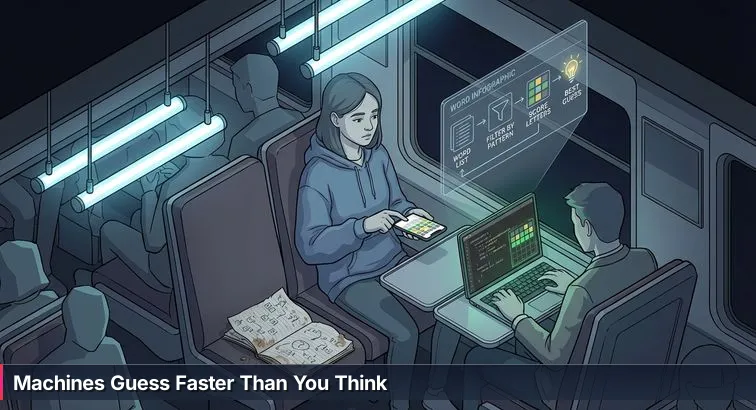
The train rocks slightly as you stare at the colorful grid on your phone - gray, yellow, green tiles flipping with every guess. You’re on your last try. Somewhere behind you, keys clack as your friend taps a short command into a bare terminal window on their laptop. Lines of text stream past like a digital waterfall, and in seconds a grid just like yours appears - already solved. No suspense, no scribbled guesses in a notebook. Just a script, a word list, and logic moving faster than any human could.
Passwords work the same way. You experience each one as a private brainteaser - something only you would think of. Attackers treat it like a word puzzle they can crush at industrial scale. Modern reports show that stolen or weak passwords are still one of the top initial ways attackers break in, involved in roughly 22% of breaches as the first access step and showing up in about 40-45% of security incidents overall, according to recent data breach analyses from DeepStrike. And those guessing attempts don’t trickle in slowly: automated attacks hit logins roughly every few dozen seconds worldwide, like a relentless timer quietly ticking in the background.
Fueling that speed is an enormous answer key built from real people’s “secret words.” In one 2025 mega-leak, attackers gained access to around 16 billion credentials from major platforms. Those aren’t just numbers in a spreadsheet - they become training data for guessing tools and AI models that work from reality, not theory, learning exactly how people choose passwords. A separate 2025 study found that about 94% of passwords are weak or reused, and the classic “123456” still appears over 4.5 million times in recent leak data, as highlighted by the CinchOps password leak study.
In that world, every account you own is “today’s word,” and yesterday’s word - the password you used last year on a shopping site - is very likely sitting in some breach file, ready to be replayed. Attackers aren’t hunched over keyboards making guesses one by one; they’re running swarms of bots and AI models that can test thousands or millions of guesses while you’re still thinking about your first one. Understanding that gap in speed and scale is step one in security: it’s how you move from vague anxiety about “hackers” to a clear picture of the game you’re actually playing.
If you’re just trying to protect your own accounts, this mental shift helps you choose defenses that math, not cleverness, can back up. And if you’re considering a cybersecurity career - whether on a blue team watching for those login storms, a red team simulating them ethically, or an identity security role redesigning how people log in - seeing passwords as structured puzzles, not magic words, is foundational. The rest of this guide simply zooms out from that crowded train car to show how the guessing strategies really work, and how modern defenses and passwordless login change the rules of the game entirely.
What We Cover
- The train, the puzzle, and the password problem
- What is a password attack, really?
- How brute force works and why length wins
- Dictionary and hybrid attacks: exploiting human habits
- Credential stuffing and password spraying: reuse at scale
- AI-powered guessing: machines that learn human patterns
- Under the hood: hashes, salts, rainbow tables, and pass-the-hash
- Tools and ethics: Hashcat, John, and responsible testing
- Why do password attacks still matter in 2026?
- Defending the game: practical defenses and playbooks
- Short playbooks: immediate actions for people and teams
- Learning the attacker’s playbook ethically and career next steps
- Common Questions
If you want to get started this month, the learn-to-read-the-water cybersecurity plan lays out concrete weekly steps.
What is a password attack, really?
When most people hear “password attack,” they still imagine a lone hacker slowly typing guesses into a login box, like someone playing the same word puzzle you have on your phone, just with worse intentions. In reality, a password attack is any attempt to guess or steal the “secret word” that proves who you are to a system - and most of those guesses are coming from automated tools, not human fingers on a keyboard.
From a puzzle perspective, there are two main ways attackers play. In an online attack, each guess is sent directly to a live login page or API: think of someone submitting one guess after another to a webmail or VPN login, watching for a green tile that says “correct.” In an offline attack, the game changes completely: attackers have already stolen a copy of the scrambled password data (hashes) from a breach, so they can test guesses on their own hardware, with no lockouts, no alerts, and no one watching as tiles silently flip from gray to green. Security guides like PowerDMARC’s overview of password attacks break these methods into multiple named categories, but they all boil down to the same idea: turn identity into a guessing game.
The scale is what surprises most newcomers. Automated guessing against logins happens roughly every 39 seconds worldwide, meaning that while you’re still thinking about your next word, some bot somewhere has already tried dozens of passwords against someone’s account. Offline cracking tools push this even further, using modern GPUs to test billions of candidate passwords per second against stolen hashes when the underlying protection is weak. That’s the speed gap security teams have to worry about: humans think in individual logins; tools think in floods of guesses.
This is also why you’ll hear security analysts and identity engineers talk so much about “credential-based attacks.” Stolen usernames and passwords remain one of the easiest ways into real systems; as one set of breach statistics summarized by Varonis’s data breach research shows, attacks that start with compromised credentials consistently rank near the top in both frequency and impact. For anyone considering a blue-team role watching login alerts, or a red-team role simulating attacks ethically, getting comfortable with these basic categories - online vs. offline, slow manual guesses vs. industrial-scale automation - is like learning the rules of the puzzle before you ever touch the tiles.
How brute force works and why length wins
Imagine your word puzzle, but instead of guessing real words, you just spin through every possible combination of letters until something turns the tiles green. That’s brute force in a nutshell: the attack doesn’t try to be clever; it just exhausts the entire space of possibilities. For passwords, that means starting at something like aaaaaa, then aaaaab, then aaaaac, and so on, until one of those guesses unlocks an account.
The reason brute force sounds terrifying is that computers can test combinations far faster than humans. Take a simple example: a 6-character password using only lowercase letters has 26⁶ possibilities - about 308 million different combinations. To a person, that’s impossible to work through; to a modern GPU rig running offline, it’s just another batch job. As explained in analyses of brute-force attacks like BlackFog’s 2025 update on brute-force trends, this kind of raw, automated guessing is now routine background noise on the internet.
Where things tilt back in your favor is when the puzzle gets longer. If instead of 6 characters you use 16 characters with a mix of letters, numbers, and symbols, the number of possibilities explodes into an astronomically large search space. Brute force still works in theory, but in practice the time required becomes so huge that, with current hardware, a truly random 16-character password is effectively unguessable this way. That’s why security pros keep repeating that length matters more than cleverness: adding characters multiplies the attacker’s workload much faster than adding a few symbols or capital letters.
Despite that math, brute force and its close cousins are still everywhere because so many real-world passwords are short and simple. One 2025 report on web application attacks found that about 37% of successful attacks involved brute-force or similar automated guessing, with tools hammering login pages at scale instead of any one person targeting a single account. Updates from defenders like ArcherPoint’s 2025 cybersecurity brief describe how these attacks are now treated as a constant operational concern, not a rare event.
For someone heading into cybersecurity - whether on a blue team writing rules to slow these floods of guesses, or on a red team demonstrating how quickly weak passwords fall in a lab - understanding brute force is like understanding the most basic, brute-strength way to solve the puzzle. From there, you can better appreciate why modern defenses emphasize longer passwords, stronger hashing, and eventually moving away from guessable secrets altogether.
Dictionary and hybrid attacks: exploiting human habits
From real words to attack wordlists
Instead of trying every possible combination like a brute-force bulldozer, many attackers start with their “best guesses”: real words people actually use. In puzzle terms, it’s like guessing HOUSE, WATER, PIZZA before you ever bother with nonsense like XZQJP. A dictionary attack does the same thing with passwords, running through lists of common choices such as pet names, sports teams, and everyday phrases to see which ones flip the tiles from gray to green.
Those lists aren’t hypothetical. Over years of breaches, attackers and researchers have collected millions of real-world passwords and turned them into curated “wordlists.” These lists include obvious entries like password and iloveyou, but also patterns pulled from specific industries, regions, or languages. Guides such as NaviSec’s explanation of password cracking methods show how tools can chew through these dictionaries at high speed, especially in offline attacks where there’s no rate limiting. For attackers, it’s like having a book of the most popular puzzle answers from the last decade and trying those first.
Hybrid attacks: rules that mimic human habits
Of course, most people don’t use a plain word anymore; they “dress it up” a bit. That’s where hybrid attacks come in. Instead of just guessing tiger, a hybrid attack starts with that word and automatically applies the tweaks humans love: capitalizing the first letter (Tiger), tacking numbers on the end (Tiger22), or swapping letters for symbols (T1g3r!). To the attacker, it’s still the same base word from the dictionary, just passed through sets of rules that simulate how we try to be clever.
Research into these attacks, like the analysis in Specops Software’s overview of hybrid password attacks, highlights how effective this is because so many passwords follow predictable templates. One study they cite found that only about 3% of passwords in large datasets meet modern recommendations for both complexity and uniqueness, leaving the rest vulnerable to smart guessing strategies. From a defender’s perspective, that’s the key lesson: if your “secret word” looks like a normal word with a few predictable decorations, it almost certainly lives near the top of someone’s attack wordlist. For aspiring security analysts and ethical hackers, understanding these human patterns is part of the job - both to avoid them personally and to spot where organizations are still relying on them in the wild.
Credential stuffing and password spraying: reuse at scale
Yesterday’s word, everywhere
Picture yesterday’s puzzle answer still scribbled in your notebook. Today’s game is supposed to be different, but someone walks down the train car quietly trying yesterday’s word on every phone they see. That’s credential stuffing in a nutshell: attackers take username and password pairs stolen from one site and replay that same “yesterday’s word” across dozens of other services - email, banking, streaming, cloud accounts - hoping people reused it.
Because so many of us do exactly that, credential stuffing works far too often. A 2025 mega-leak exposed around 16 billion credentials from major platforms, and those combinations didn’t stay confined to the original breach; they became fuel for automated tools that test them against other logins at scale. One study found that about 94% of passwords are reused across multiple sites, which is why analysts like MCA Technology Solutions now argue that a traditional password strategy is “effectively obsolete” against large-scale stuffing attacks in their overview of credential stuffing in 2025.
Password spraying: flipping the logic
“Password spraying” flips the direction of the game. Instead of taking many different passwords for one account, an attacker picks a handful of extremely common passwords - things like seasonal phrases with a year and symbol - and tries them against many accounts in an organization. It’s like standing at the front of the train and quietly calling out three popular guesses to every puzzle in the car, one row at a time, careful never to shout too many in a row and trigger lockouts.
Defenders see this in real environments as slow, wide patterns: the same password failing once against hundreds of usernames, instead of one account being hammered over and over. That makes spraying harder to spot with simple rules, and it’s one reason web application breaches tied to automated guessing continue to rise in incident reports from firms like Guardz’s analysis of recent large breaches. For blue-team analysts, learning to recognize this “one password, many accounts” pattern is a core skill; for red-teamers working ethically, simulating a careful spray in a lab shows organizations where their weakest, most predictable passwords live.
The defensive takeaway is brutally simple: reusing passwords is like using the same answer for every game you play, and choosing a “clever” but common pattern is like writing it in huge letters on the cover of your notebook. Once one site loses that word, credential stuffing gives attackers a ready-made key to try everywhere else, and password spraying lets them bet on the most likely words against your whole organization at once.
AI-powered guessing: machines that learn human patterns
From wordlists to neural nets
Earlier, the “attacker” on the train was just running through a big wordlist faster than you could. With AI in the mix, that terminal window is doing something more unsettling: it’s learning how people think. Instead of blindly trying every word in a dictionary, generative models like PassGAN are trained on billions of real leaked passwords, then asked to invent new ones that “look” human. In puzzle terms, it’s as if the bot has watched millions of players before you and now guesses based on the patterns it’s seen: favorite words, common endings, how often people use years or swap letters for symbols.
That training pays off in speed. Research on PassGAN reported that it can crack about 51% of common passwords in under a minute and around 81% within a month, because it doesn’t waste time on random noise; it jumps straight to what humans are most likely to choose. A deep dive from BleepingComputer on generative AI and identity attacks describes how these models pick up on subtle patterns like “capitalize the first letter, add a year, then a symbol,” or keyboard walks like qwerty123!. To them, your “clever” tweaks are just very familiar moves.
Speed, scale, and rented firepower
AI also changes who can play this game. You no longer need a custom-built server farm in your garage; high-performance GPU clusters can be rented in the cloud for a few dollars an hour, giving even low-skilled attackers access to enormous computing power. One analysis highlighted cloud setups with multiple top-tier GPUs that can test password hashes dramatically faster than previous generations, shrinking cracking times from months to days. Combined with AI models that prioritize the most likely guesses first, this rented firepower turns what used to be a slow grind into a race most humans never see happening.
Identity experts have started calling this the “speed gap”: automated systems that can launch and adapt attacks in seconds versus human defenders who still think in hours or days. As a KuppingerCole analyst put it in their recent password wake-up call for security teams, AI-driven identity attacks are forcing organizations to rethink how they handle passwords, monitoring, and response, because old, human-centric processes simply can’t keep up with machine-paced guessing.
For someone exploring cybersecurity careers, this is where the puzzle metaphor turns into real job descriptions. Blue-team analysts have to spot AI-shaped login patterns in the flood of logs, not just obvious brute-force spikes. Red-teamers and ethical hackers increasingly use AI-based tools in controlled labs to show how quickly “normal” passwords fall. Identity and access engineers design systems that assume attackers have models trained on everyone’s bad habits. Once you understand that today’s guessing engine isn’t a person but a pattern-learning machine, ideas like long passphrases, multi-factor authentication, and eventually passwordless logins stop feeling like paranoia and start feeling like the only way to change the rules of the game.
Under the hood: hashes, salts, rainbow tables, and pass-the-hash
So far, we’ve treated passwords like plain words you type into a box and attackers try to guess. Under the hood, most systems don’t actually store those words at all. Instead, they store a kind of “fingerprint” of your answer, the way a puzzle app might save a checksum of your solution instead of the letters themselves. That fingerprint comes from a hash function, and the way hashing is implemented often decides whether guessing your “secret word” is merely difficult or practically impossible.
Hashing: storing the puzzle without the word
In a well-designed system, your password never sits in a database in readable form. When you create or change it, the server runs it through a one-way hash function such as bcrypt, Argon2, or PBKDF2. The result is a long, scrambled string that’s deterministic (the same input always produces the same output) but not reversible. On login, the system hashes what you typed and compares that hash to the stored one; if they match, you’re in, and no one needed to see your actual password in the clear. Modern guidance aligned with NIST recommendations, summarized in resources like Drata’s guide to updated NIST password guidelines, explicitly calls for this model: hashed, not stored; one-way, not decryptable.
Rainbow tables and the power of salts
Of course, if every system used the same hash function in the same way, attackers could precompute a giant answer key: a table that maps “hash → original password” for millions or billions of likely passwords. That’s a rainbow table - like having a book that lists every possible puzzle grid and the word that produced it. Against older, unsalted hashes (like bare MD5 or SHA-1), a rainbow table can turn cracking into a simple lookup operation: if your hash is in the table, your password falls instantly.
To break that shortcut, modern systems add a salt: a random value unique to each user, combined with the password before hashing. Now even if two people use the same password, their hashes are different because their salts are different. From the attacker’s perspective, that’s disastrous for rainbow tables: they’d need to build a separate massive table for every unique salt, which quickly becomes economically and practically unrealistic. That’s why security best practices and breach analyses, including overviews like Heimdal Security’s discussion of password breach patterns, treat unsalted hashes as essentially broken for password storage.
Key stretching: making each guess hurt
Even with salts, an attacker can still try guesses against stolen hashes; the question is how many guesses they can afford. Key stretching answers that by making each guess computationally expensive on purpose. Algorithms such as Argon2, PBKDF2, and bcrypt are designed to be slow and resource-hungry: hashing a single password might take around 100ms on the server. A user barely notices this once during login, but an attacker trying billions of guesses suddenly hits a wall. With strong key-stretching parameters, offline brute force that might have taken minutes against a fast, weak hash can stretch into years or even centuries for long, random passphrases, even when attackers rent powerful GPU clusters.
Pass-the-hash: skipping the guessing game
There’s one more twist: sometimes attackers don’t bother guessing at all. In a pass-the-hash attack, they steal the hashed password itself - often from memory on a compromised machine in a Windows or Active Directory environment - and use that hash directly to authenticate to other systems that trust it. It’s like grabbing a completed puzzle grid and walking through every door that accepts that grid as proof, without ever knowing the underlying word. Defenses here focus less on password strength and more on architecture: using modern protocols like Kerberos, enforcing multi-factor and device-based checks so a hash alone isn’t enough, and hardening privileged systems so those hashes are difficult to steal in the first place. Reviews of common attacker techniques, such as Picus Security’s breakdown of top MITRE ATT&CK techniques, routinely list credential theft and relay methods like pass-the-hash among the most critical behaviors defenders must understand.
Tools and ethics: Hashcat, John, and responsible testing
From basement tools to lab equipment
When you first see a password-cracking tool in action, it looks a lot like that terminal on the train: a black window, guesses streaming past, occasional “hits” lighting up like green tiles. The big difference in professional cybersecurity is context. Tools such as Hashcat and John the Ripper aren’t meant to be “cheat codes” for random accounts; they’re lab instruments used in controlled, authorized environments to measure how quickly real-world passwords fall. As one overview from Deel’s guide to password cracking tools and techniques points out, these programs are standard in penetration testing and red-team work precisely because they reveal where an organization’s passwords and storage methods are weakest.
Hashcat vs. John the Ripper at a glance
Both tools do the same basic thing - turn huge lists of guesses into hashes and compare them to stolen (or test) hashes - but they shine in slightly different roles. Hashcat is known as a GPU-accelerated workhorse: it’s highly optimized for running at massive speed on graphics cards, supports a wide range of hash types, and handles complex attack modes like dictionaries, hybrids, and rule-based mutations. John the Ripper is the veteran open-source classic: extremely flexible, scriptable, and popular in research and CTFs where customization matters as much as raw speed. Security writers who break down the ecosystem, like those behind BestReviews’ explanation of password cracking techniques, regularly list both tools among the top options professionals rely on.
| Tool | Strengths | Typical Use | Who Uses It |
|---|---|---|---|
| Hashcat | GPU acceleration, high speed, many hash types | Offline cracking of large hash dumps, wordlist + hybrid attacks | Pen testers, red teams, incident responders |
| John the Ripper | Highly customizable, open-source, many formats | Research, CTFs, tailored rule sets, niche hash formats | Security researchers, students, lab environments |
How professionals use these tools (and where the line is)
In a real job, you don’t point Hashcat or John at random websites “to see what happens.” You point them at password hashes your organization already owns, or that a client has given you explicit written permission to test. Blue-team engineers use them to audit internal password quality and verify that hashes are salted and properly stretched. Red teams and ethical hackers use them in staged engagements to demonstrate risk: showing that a weak hash algorithm or a trove of short passwords can be cracked in hours instead of months. For beginners in cybersecurity, learning these tools in a lab is less about “hacking” and more about building intuition: seeing which patterns fall instantly, which survive longer, and how storage choices change the odds.
Ethics, legality, and your career
The ethical line here is bright and non-negotiable: running cracking tools against accounts, networks, or data you don’t own or have explicit, written permission to test is illegal and unethical. Laws in many countries treat unauthorized access attempts as criminal offenses, regardless of whether you succeed. The legitimate path is clear: practice in controlled lab environments, participate in sanctioned capture-the-flag events, and work under contracts or internal approvals that spell out exactly what you’re allowed to test. If you’re eyeing roles on red teams, SOCs, or incident response, that respect for scope and consent is as important as knowing any command-line flag; it’s what separates professional security work from random “hacking” and builds the trust that lets you use powerful tools responsibly.
Why do password attacks still matter in 2026?
With all the buzz about passkeys and “passwordless,” it’s easy to assume the word-puzzle era is basically over. But if you look at what’s actually being breached, passwords are still front and center. Identity-focused attacks jumped by about 32% year over year, and roughly 97% of those attacks are still password-based, according to identity security predictions summarized by Solutions Review’s 2026 expert round-up. In other words, attackers are still overwhelmingly playing the “guess today’s word” game - just with better tools and much bigger wordlists.
At the same time, the financial stakes of getting that word wrong are rising. Recent global breach reports show the average U.S. data breach now costs over $10 million, and credential-driven incidents are among the slowest to resolve, often taking close to 300 days from initial compromise to full containment. That long dwell time makes stolen passwords especially dangerous: once an attacker has a valid login, they can often blend in with normal user behavior, hopping between systems while the tiles all look green to monitoring tools.
Passkeys and WebAuthn are absolutely changing the landscape. As New Scientist’s coverage of passkeys puts it, many major platforms are actively shifting away from passwords toward cryptographic credentials that can’t be guessed or reused. But that shift is uneven: consumer-facing logins may get passkeys first, while internal apps, legacy VPNs, older admin consoles, and industrial systems still rely on the same username-and-password patterns attackers know how to exploit.
“Passwords won’t disappear overnight. The danger zone is this transition period, where the most critical systems are often the last ones to move beyond passwords.” - New Scientist, technology report on passkeys
For anyone entering cybersecurity, that messy middle is exactly where the work is. Blue-team analysts spend their days triaging alerts tied to suspicious logins and credential stuffing. Red-teamers and ethical hackers are hired specifically to show how far a single compromised password can get inside a network. Identity and access engineers are tasked with hardening what still uses passwords while plotting a safe move to passkeys. As long as there are systems that ask for a secret word - and there will be for years - understanding how that guessing game works, and how to stack modern defenses around it, remains a core skill rather than a historical footnote.
Defending the game: practical defenses and playbooks
Defending against password attacks isn’t about playing the puzzle harder, it’s about quietly changing the rules of the game. Instead of betting that you’ll always pick a “clever” word the bots won’t guess, modern defenses focus on making each guess expensive, limiting how many guesses can be tried, and whenever possible removing guessable secrets altogether.
Stronger secrets: length, uniqueness, and managers
At the individual level, the single biggest upgrade is moving from short, memorable patterns to long, unique passwords you don’t have to remember yourself. Security teams increasingly recommend 14-16 characters as a modern baseline, ideally in the form of randomly generated strings or multi-word passphrases. Because no one can remember dozens of those, vetted password managers are now considered essential; the Information Security Office at Carnegie Mellon University explicitly advises users to rely on reputable managers like 1Password, Bitwarden, or KeePass rather than human memory in its guidance on password managers and reuse prevention.
- Use a password manager to generate and store long, random passwords.
- Aim for 14-16 characters or more on important accounts.
- Never reuse a password between services; one account, one secret.
System-level defenses: slow the bots, flag the patterns
From an organization’s perspective, you’re not just protecting individual puzzles; you’re defending the whole game board. That starts with how passwords are stored: hashes must be individually salted and computed with slow, modern algorithms like Argon2, PBKDF2, or bcrypt so each offline guess is costly. On the front door, login services need rate limiting, progressive delays, and basic anomaly detection so that automated floods of guesses stand out instead of blending in with normal traffic.
- Enforce minimum length (14+ characters) over arbitrary complexity rules.
- Store passwords as salted, stretched hashes; eliminate legacy unsalted or reversible storage.
- Implement rate limits and lockout/backoff policies for repeated failures.
- Check new passwords against lists of known-breached credentials to block “already-compromised” choices.
| Defense | What it Changes | Best Used For | Impact on Attackers |
|---|---|---|---|
| Long, unique passwords + manager | Makes the search space huge | Individual accounts, everyday logins | Brute-force and guessing become impractical |
| Salted, stretched hashing | Hardens stored credentials | Databases, identity providers | Offline cracking slows from hours to years |
| Rate limits & anomaly detection | Controls online guessing speed | Public-facing login portals, VPNs | Automated floods and sprays are throttled or blocked |
| Breached-password checks | Removes known bad choices | Signup and reset flows | Credential stuffing success rates drop sharply |
Beyond passwords: MFA, risk-based checks, and passkeys
Even a strong password can be phished or keylogged, which is why multi-factor authentication (MFA) is now table stakes. Enterprise surveys show roughly 70% of business users are using some form of MFA, from SMS codes to authenticator apps and hardware security keys. More advanced setups add adaptive authentication: extra checks kick in only when something looks risky, like an impossible travel pattern or a login from an unusual device. Platforms described in resources such as LoginRadius’s overview of passwordless and MFA options in 2026 frame this as moving from static “yes/no” checks to continuous risk scoring.
- Enable app-based MFA (or, better, hardware keys) on critical accounts.
- Use risk-based rules to challenge logins from new devices, locations, or networks.
- Adopt passkeys and other FIDO2/WebAuthn methods where available to eliminate guessable secrets entirely.
For aspiring security professionals, these defenses turn into concrete responsibilities: blue-team analysts tune rate limits and alert rules, identity engineers design MFA and passkey rollouts, and ethical hackers validate that hashing, salts, and policies really hold up under pressure. The more you see each control as a way of tilting the puzzle in the defender’s favor, the easier it becomes to design playbooks that keep attackers stuck on gray tiles, no matter how fast their guesses scroll by.
Short playbooks: immediate actions for people and teams
Personal playbook: what you can do this week
If the whole password landscape feels abstract, start with the handful of accounts that would really hurt to lose: email, banking, cloud storage, and your main social logins. Treat those as your “last-guess” puzzles - the ones where you don’t want to be staring at a nearly full grid hoping you got it right.
Your immediate goals are simple: stop reusing passwords, make your new ones long and random, and add a second factor wherever you can. A practical way to do that is to pick a reputable password manager, move your most important logins into it, and let it generate new, strong passwords you don’t have to memorize. Guides like Tobin Solutions’ 2026 password security tips echo the same pattern: use a manager, avoid reuse, and let software handle the complexity.
- Install a trusted password manager and add your high-value accounts first.
- Change those passwords to long, randomly generated ones from the manager.
- Turn on multi-factor authentication (prefer app-based codes or security keys over SMS) wherever it’s offered.
- Set a monthly reminder to review new accounts you’ve created and bring them under the same setup.
Team playbook: quick wins for small orgs and new security pros
For small teams or someone stepping into their first security role, the goal isn’t to fix everything at once; it’s to remove the easiest wins for attackers. Think of it as tightening the rules of the game without breaking anyone’s workflow. Start by updating your password policy to emphasize length and uniqueness, not arbitrary symbol requirements, and verify that your systems are actually storing passwords as salted, slow hashes rather than anything reversible.
From there, turn on MFA by default in your identity provider, and enable basic protections against bulk guessing: rate limiting, account lockouts or backoff after repeated failures, and alerts for suspicious login patterns. Modern identity platforms increasingly support “risk-based” checks out of the box - features that only challenge users when something looks off, like a new device or an unusual country. Overviews like Authsignal’s look at 2026 authentication trends describe how these adaptive controls can drastically cut down on successful credential attacks without drowning users in prompts.
- Review and modernize password policy: prioritize longer passphrases and ban known-breached passwords.
- Confirm that all password storage uses salted, slow hashing algorithms.
- Enable MFA for all staff and require stronger methods (like hardware keys) for admins.
- Configure rate limits, anomaly alerts, and basic “impossible travel” checks on your main login systems.
These steps won’t make you invincible, but they do change the economics of attack: automated guessing, credential stuffing, and simple phishing all become harder and less profitable. For individuals, it’s the difference between hoping your one clever word holds up and knowing the odds are stacked in your favor. For teams and new security pros, it’s a concrete, resume-worthy set of controls that show you understand both the puzzle and how to redesign it so attackers waste their guesses somewhere else.
Learning the attacker’s playbook ethically and career next steps
By this point, the attacker’s playbook probably looks less mystical and more like a stack of strategies: brute force, dictionaries, hybrids, stuffing, AI models, and the tricks around hashing and pass-the-hash. The question is how to learn those moves in a way that advances your career instead of putting you on the wrong side of the law. In the real world, professionals walk a clear line: they practice these techniques in controlled labs, against systems they own or have written permission to test, and they document everything. That discipline is what turns “hacking” from a vague idea into a respected job, whether you end up watching the colored tiles from the defender’s console or generating those attacks in a sanctioned red-team engagement.
Ethical labs as your training ground
Ethical hacking courses and bootcamps build environments where you can safely replay the guessing game: virtual machines seeded with weak passwords, intentionally vulnerable web apps, and simulated breach data for tools like Hashcat and John the Ripper. You learn to run attacks, but you also learn to stop when scope says stop, write clear reports, and translate “we cracked 40% of hashes in an hour” into business language. That same mix of technical skill and ethical framing shows up in common entry-level roles: a SOC analyst triaging credential-stuffing alerts, a junior penetration tester running dictionary and hybrid attacks on a client’s test environment, or an IAM engineer auditing how passwords are stored and how MFA and passkeys are rolled out.
Where Nucamp fits into that journey
If you’re coming from another field, it helps to have a structured path rather than trying to recreate a security lab on your own. Nucamp’s Cybersecurity Fundamentals bootcamp is designed around exactly that on-ramp: three intensive 4-week courses over 15 weeks, about 12 hours of work per week, entirely online with weekly live workshops capped at about 15 students. The full program costs roughly $2,124 if paid in full (plus a small registration fee), which is significantly lower than many $10,000+ bootcamps, and it’s offered on a rolling schedule so you don’t have to upend your life to start. The curriculum steps you through foundations, then network defense, then ethical hacking, with each course granting a certificate as you go.
From tiles on the screen to real job paths
By the time you’ve finished the ethical hacking course, you’ve not only seen how password attacks work in practice, you’ve also connected them to broader security skills: reading network logs, hardening systems, and thinking like both attacker and defender. Graduates are positioned to pursue certifications like CompTIA Security+, GIAC Security Essentials, or Certified Ethical Hacker, which are common signals for junior roles. Nucamp reports a graduation rate of around 75% and a Trustpilot rating of 4.5 out of 5 from nearly 400 reviews, which lines up with what many career-changers say they need: a serious but accessible way into the field. One student put it simply: “It offered affordability, a structured learning path, and a supportive community of fellow learners.”
“Nucamp was the perfect fit. It provided the flexibility I needed to study on my schedule, while still offering great support from instructors.” - Nucamp cybersecurity graduate
If you’ve been staring at the metaphorical puzzle grid wondering how to move from curiosity to competence, building an ethical, hands-on understanding of the attacker’s playbook is a powerful first step. Programs like the Nucamp Cybersecurity & Ethical Hacking bootcamp are one way to turn that interest into structured practice, a portfolio of lab work, and a credible story for employers. From there, whether you gravitate toward blue teams, red teams, or identity security, you’re no longer just another player on the train - you’re helping design and defend the systems everyone else relies on when they tap in their “secret word.”
Common Questions
How are attackers cracking passwords in 2026, and what actually stops them?
Attackers combine automated online guessing (bots that try logins every ~39 seconds) with offline cracking of stolen hashes and AI trained on massive leak data (one 2025 mega-leak exposed ~16 billion credentials). Strong defenses - long, unique passwords (14-16+ characters), salted & stretched hashing, and MFA or passkeys - change the economics so cracking becomes impractical.
What's the practical difference between online and offline password attacks?
Online attacks send guesses to a live login and are limited by rate controls and lockouts, whereas offline attacks run against stolen hashes locally and can test billions of candidates per second on GPU rigs. That means front-door protections (rate limits, anomaly detection) stop online floods, while salts and slow hashing (Argon2/bcrypt/PBKDF2) are critical to slow offline cracking.
How much does AI change password cracking, and should I be worried?
Generative models like PassGAN prioritize human patterns and have been shown to crack about 51% of common passwords in under a minute and ~81% within a month, and cloud GPUs make that capability widely accessible. So yes - AI raises the threat to predictable or reused passwords, and you should rely on long unique passphrases plus MFA or passkeys to stay ahead.
What's the quickest, most effective thing I can do today to stop being an easy target?
Stop reusing passwords (about 94% are weak or reused in recent studies) by using a reputable password manager to create long, random passwords (aim 14-16+ characters) and enable app-based or hardware MFA on critical accounts. Also enable breached-password checks and update any high-value logins first - those steps cut credential-stuffing and guessing success dramatically.
Can I legally and ethically practice cracking tools like Hashcat or John the Ripper?
Yes, but only in controlled environments you own or have explicit written permission to test - unauthorized cracking is illegal and unethical. Use sanctioned labs, CTFs, training courses, or employer-approved engagements to learn these tools and always document scope and consent.
Brush up on fundamentals with the complete, beginner-friendly walkthrough of OSI and TCP/IP that ties each layer to real defensive controls.
If you want a hands-on exercise, see the risk assessment walkthrough for SaaS teams that includes a starter register.
Explore the complete overview of ransomware and triple extortion to learn modern attack playbooks and mitigation steps.
Read our in-depth comparison of blue vs red career tracks to see daily tasks, tools, and certification paths.
Follow the Metasploit tutorial for beginners in 2026 to set up Kali and Metasploitable safely.

Irene Holden
Operations Manager
Former Microsoft Education and Learning Futures Group team member, Irene now oversees instructors at Nucamp while writing about everything tech - from careers to coding bootcamps.