









Top 10 AI Prompts and Use Cases and in the Education Industry in Belgium
Last Updated: September 5th 2025
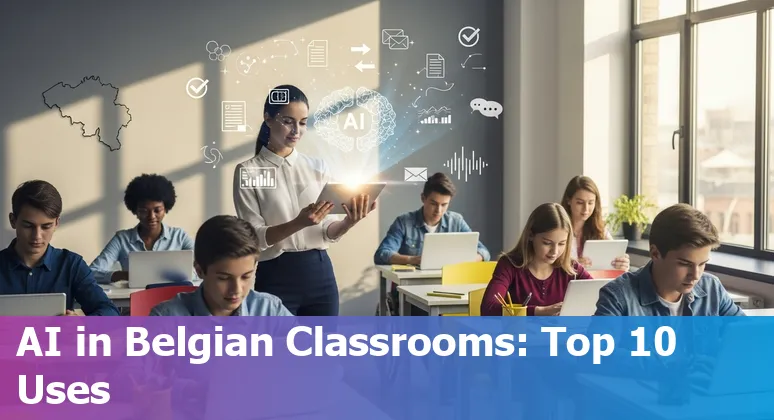
Too Long; Didn't Read:
Top 10 AI prompts and use cases for Belgium's education sector focus on personalization, automated grading, multilingual support, accessibility, admin automation and early‑warning analytics - balanced with GDPR and ethics. Data: 46% self‑educate in AI; pilots report ~6 hours/week saved per teacher; 15‑week course ~$3,582.
Belgium sits at a pragmatic crossroads where national plans, regional action programmes and university pilots are turning AI from buzzword into everyday tools for learning - yet hands‑on training is the missing link: EY's European AI Barometer notes that 46% of Belgians already self‑educate in AI while many employees say employers don't provide enough help, and the INFINITE study finds higher‑education staff and students open to responsibly using GenAI when guided by clear pedagogy and rules.
That mix - strong public funding and a cautious, curious HE sector - makes Belgium ideal for pilots that pair prompt engineering with ethical guardrails; practical, modular courses such as Nucamp's Nucamp AI Essentials for Work bootcamp can help educators translate national strategy into classroom impact, while keeping academic integrity and GDPR compliance central.
| Bootcamp | Length | Focus | Early bird cost |
|---|---|---|---|
| AI Essentials for Work | 15 Weeks | AI tools, prompt writing, applied workplace skills | $3,582 |
Table of Contents
- Methodology: How we picked the top 10 prompts and use cases
- Personalized learning paths with GPT-style LLMs
- Automated assessment and rubric-based feedback with ChatGPT
- Content generation for lesson materials with DALL·E and Midjourney
- Multilingual support and localization using Gemini
- Teacher professional development and micro-training with AI Academy Belgium
- Administrative automation and communications using Gmail/Gemini
- Student support and AI tutors with ChatGPT and Gemini
- Accessibility and inclusive education with text-to-speech tools
- Research assistance and curriculum analytics with LLM summarization
- Early warning systems and learning analytics with ML models
- Conclusion: Getting started - pilot, train, evaluate, scale
- Frequently Asked Questions
Discover classroom uses for Linguineo language-learning AI that can boost student engagement in Belgium's multilingual classrooms.
Methodology: How we picked the top 10 prompts and use cases
(Up)The shortlist of top prompts and use cases was built around criteria that matter in Belgium's multi-layered education landscape: pedagogical value, fit with regional and federal policy, data protection and ethical guardrails, and clear benefits for teachers and learners.
Priority was given to applications that support quality assurance and early‑warning signals - echoing the EUA's call for AI that
supports predictive modelling
to catch problems before they impact the student experience EUA guidance on assuring higher education quality with AI - and to tools explicitly designed to boost teacher capacity and responsible use as highlighted at the EdReNe seminar in Brussels, where the Flemish “Vision Paper for Responsible AI in Education” and practical teacher support were central EdReNe 21st Strategic Seminar on AI in Education - Brussels.
Selection favoured prompts that enable personalization, administrative automation and anomaly detection (reducing routine workloads so staff can focus on students), while rejecting black‑box or high‑risk deployments without transparent governance - an approach informed by regional reports that stress Belgium's layered policy environment, GDPR obligations and the need for ethical oversight.
The result: ten prompts and use cases that balance innovation with safeguards, from adaptive learning nudges to admin automation that frees up classroom time.
Personalized learning paths with GPT-style LLMs
(Up)GPT-style LLMs can scaffold genuinely personalised learning paths that adjust pacing, suggest remedial resources and surface stretch material based on each student's progress - turning one-size-fits-all syllabuses into dynamic, data-informed journeys that respect Belgium's layered policy and GDPR realities.
To make this practical, pair models with focused capacity-building so teachers and admins know how to curate prompts and check outputs - see suggested pathways for AI training and capacity-building for Belgian educators (2025 guide).
When routine tasks such as admissions, scheduling and record-keeping are automated, registrars and student services officers can redirect time toward mentoring and curriculum design rather than paperwork (Practical steps to keep education roles relevant in Belgium as AI advances).
Like campus energy systems that learn to trim utility bills through smarter HVAC and space optimisation, LLM-driven personalization can quietly tune learning environments so each student encounters the right challenge at the right moment - boosting engagement without adding teacher workload (Energy-saving campus AI solutions for Belgian schools).
Automated assessment and rubric-based feedback with ChatGPT
(Up)Automated short‑answer grading driven by ChatGPT‑style LLMs can be a practical, time‑saving assistant for Belgian classrooms - especially in formative assessments - when paired with clear rubrics and human oversight: a large BMC study that graded 2,288 short answers in multiple languages found LLMs handle fully correct or fully wrong answers reliably and save time on edge cases, while variability remains highest for partially correct responses, so teachers still review middle cases (BMC Medical Education study on LLM-based automated short‑answer grading).
The same work shows multilingual grading is feasible (answers in French, English and German showed only weak language effects), which suits Belgium's multilingual campuses; practical deployments should therefore combine structured prompts (question + key + student answer + max points), high‑quality answer keys and sampling‑based human checks.
For teams piloting this, the pragmatic advice from practitioner guides on scaling ChatGPT grading - use the API for batch work, run small pilot regrading loops, and monitor bias and calibration - maps directly to Belgian needs for GDPR‑aware, teacher‑led pilots (Nucamp AI Essentials for Work syllabus and guide to AI training in Belgium).
The upshot: automated rubric feedback can free minutes per student that quickly add up across cohorts, but fairness and accuracy depend on rubric quality, spot checks and clear governance.
| Metric | Human | GPT‑4 | Gemini |
|---|---|---|---|
| Mean (normalized) | 0.68 | 0.65 | 0.68 |
| Median absolute Δ (LLM vs human) | - | 0.17 | 0.17 |
| Precision for fully correct answers | - | 0.91 | 0.72 |
Content generation for lesson materials with DALL·E and Midjourney
(Up)AI image generators like DALL·E and Midjourney turn lesson hooks and dry diagrams into memorable classroom moments - imagine a instantly generated Victorian street scene with horse‑drawn carriages to bring local history alive or a clear step‑by‑step photosynthesis diagram tailored to Year 4 students - and they slot directly into lesson plans and slides so teachers spend minutes, not hours, on visuals (see practical lesson‑planning tips and image‑hook ideas at Ditch That Textbook).
LearningMole's educator guide shows how these tools remove technical barriers and help create accessible, differentiated visuals that reflect pupils' communities, while comparison guides (Edana) help Belgian schools choose between DALL·E's ChatGPT integration and commercial licence clarity, Midjourney's highly artistic, Discord‑centred workflow, or Adobe Firefly's Creative Cloud fit for brand‑safe outputs.
Used responsibly - check copyright, accuracy and accessibility - AI images can save prep time (teachers often report reclaiming hours each week) and make abstract concepts vivid enough that students remember the lesson weeks later.
| Tool | Strength | Best for |
|---|---|---|
| DALL·E AI image generator comparison and educator guidance (Edana) | Strong prompt interpretation; ChatGPT integration; commercial licence | Photorealistic, brand-safe classroom visuals |
| Midjourney AI for illustrative classroom visuals (SlideModel) | Artistic, mood-rich output; fast prototyping via Discord | Creative illustrations, storytelling and prototype concepts |
| Adobe Firefly AI image generator comparison and Creative Cloud integration (Edana) | Creative Cloud integration; legal/commercial clarity | High‑quality, editable assets for school publications |
“When you use AI-generated visuals strategically, students become active participants rather than passive observers. The key is choosing images that support learning rather than distract from it.”
Multilingual support and localization using Gemini
(Up)Gemini can be a practical linchpin for Belgian schools that must serve Dutch‑, French‑ and German‑speaking communities across campuses: by orchestrating a Gemma‑powered front end with specialized translation and reasoning models via MCP, institutions can route simple classroom FAQs to lightweight translators and escalate complex curriculum queries to Gemini for nuanced, context‑aware responses (Guide: build multilingual chatbots for Belgian schools with Gemini, Gemma, and MCP); meanwhile, the new Gemini Embedding‑001 brings cross‑lingual semantic search and RAG workflows that understand over 100 languages, making it easier to surface locally relevant resources or match parents with the right translated newsletter in seconds (Gemini Embedding‑001 for cross‑lingual semantic search and RAG workflows).
Practical payoffs for Belgian classrooms include instant, teacher‑led translations for homework and parent notices, live captions during meetings so a parent can read a message on their phone in real time, and bite‑sized “Little Language Lessons” that adapt examples to local context and dialects - tools that reduce friction and keep human review where it matters most.
| Model / Feature | Key detail |
|---|---|
| Gemini Embedding‑001 | Supports 100+ languages; 3,072‑dim default vectors; up to 2,048 tokens; $0.15 per million tokens |
| MCP architecture | Orchestrates Gemma (conversation), Translation LLM (fast translations) and Gemini (complex reasoning) |
Teacher professional development and micro-training with AI Academy Belgium
(Up)Teacher professional development for an “AI Academy Belgium” should follow the same small‑steps logic that makes microteaching and microlessons work: short, focused practice beats one long lecture every time.
Break AI training into bite‑sized modules (the ACE‑C microlesson model recommends 15–30 minute chunks) that teach one prompt skill or ethical checkpoint, then run 20–30 minute microteaching loops where a teacher demos, gets peer feedback and tweaks the prompt before using it in class (Microteaching lesson plan guide - EzyCourse, Designing effective microlessons - Edutopia).
Design virtual sessions with clear roadmaps, demo/practice cycles and dedicated planning time so teachers leave with something they've already tried - a technique EDUCAUSE shows keeps uptake high in faculty workshops (Virtual edtech faculty development workshops: 10 guiding principles - EDUCAUSE).
For Belgian campuses juggling languages and GDPR, this approach means trainers can focus on prompt curation, safe data practices and quick wins - think of one tight 20‑minute rehearsal that frees up an hour of future prep and turns abstract policy into classroom habit.
Administrative automation and communications using Gmail/Gemini
(Up)Belgian schools and campuses can use Gmail + Gemini to automate routine communications - drafting and polishing parent notices, summarising long threads, and turning meeting notes into action items - while keeping data governance front and centre: Google's Workspace guidance stresses that Gemini in Workspace does not retain prompts and responses after a session ends and that interactions stay within an organisation's trust boundary, with admins able to enable or disable features, use DLP and audit logs, and choose data regions (including Europe) to support GDPR reviews and DPIAs (see the Generative AI in Google Workspace Privacy Hub).
For education customers, the Gemini app also offers enterprise‑grade data protection - chats aren't human‑reviewed or used to train models without permission - so Belgian IT teams can pilot inbox automation and auto‑reply templates while keeping student data ring‑fenced and administrators in control (Gemini enterprise‑grade data protection for education).
The pragmatic takeaway for Belgian institutions: harness Gmail/Gemini to shrink the time spent on repetitive admin workflows, but lock in admin settings, retention policies and DLP before scaling across campuses.
| Product | Prompts & Responses Retention / Control |
|---|---|
| Gemini in Workspace | Prompts/responses not retained after session ends; admins control feature access and data regions |
| Gemini app (Workspace extension) | Admins can manage whether conversations are saved and set auto‑delete (e.g., 3, 18, 36 months) |
| NotebookLM | Prompts/responses not retained after session ends; uploads follow Workspace data rules |
Student support and AI tutors with ChatGPT and Gemini
(Up)AI tutors - from Socratic guides like Khanmigo to school‑focused platforms such as Flint's Sparky - put personalised support into students' pockets, offering hints, step‑by‑step feedback and progress summaries at 9pm when teachers can't be there, which makes after‑school revision genuinely practical (Khanmigo AI tutor by Khan Academy); platforms built for schools also add admin controls, inline citations and multilingual support so Belgian campuses can keep oversight and GDPR compliance front‑and‑centre (Flint AI for Schools platform).
For Belgium's Dutch, French and German communities, route routine FAQs and live captions to fast translators and escalate nuanced curriculum questions to reasoning models (Gemini/MCP workflows) so pupils get accurate, context‑aware responses while teachers remain the final arbiter.
Practical pilots should pair AI tutors with teacher dashboards, sampling‑based human checks and clear data rules: the upside is measurable - more timely, confidence‑building practice for learners and minutes reclaimed for teachers - but the guardrails determine whether that promise becomes everyday classroom reality.
Accessibility and inclusive education with text-to-speech tools
(Up)In Belgian classrooms where Dutch-, French- and German-speaking learners sit side by side, text-to-speech (TTS) tools turn written materials into flexible, inclusive learning experiences: teachers can convert PDFs, slides and homework into audio so students with dyslexia, vision impairment or simply heavy reading lists can follow along on the tram or while revising at home, and language learners gain pronunciation support and listen‑along highlights that boost comprehension.
Practical, classroom-ready options range from NaturalReader's online reader with OCR and customizable voices to Speechify's high-quality, multi‑language reader and browser integrations, while enterprise players like ReadSpeaker offer hundreds of realistic voices for large‑scale deployments; free tools such as TTSReader provide a quick way to export MP3s for study packs.
Used within a Universal Design for Learning approach, TTS can create audible lesson hooks, multilingual parent notices and podcast‑style supplements that save teacher prep time and make content stick - the simple payoff is that a dense academic paper becomes a portable lesson that students can actually finish.
Choose the tool that matches school workflows (LMS integration, MP3 export, OCR) and build teacher checks so audio supports, not replaces, classroom instruction.
“I use Kurzweil 1000 to scan my books, mail, even food boxes. And I have used its handy feature for identifying money. I have found it to be the most efficient and user friendly way for me to read almost anything without human assistance.”
Research assistance and curriculum analytics with LLM summarization
(Up)Research assistance and curriculum analytics with LLM summarization can give Belgian curriculum teams a practical edge: a systematic review of AI chatbots in education highlights numerous benefits for both students and educators, signalling that chatbots and summarization tools are already seen as useful helpers in teaching and learning (systematic review of AI chatbots in education (SpringerOpen)).
In practice, LLMs can turn sprawling literature, policy reports and assessment data into clear, classroom‑ready briefs, surface recurring skill gaps across cohorts, and generate evidence‑based synopsis that help boards and curriculum committees make timely decisions - freeing academic staff to focus on pedagogy and student support rather than long hours of reading.
Pairing these tools with local capacity building and prompt curation keeps outputs aligned with Belgian language and GDPR requirements; see suggested pathways for AI training and capacity‑building for educators in Belgium to embed these workflows responsibly (Nucamp AI Essentials for Work bootcamp syllabus - AI training and capacity‑building in Belgium).
Early warning systems and learning analytics with ML models
(Up)Early warning systems (EWS) turn raw engagement and assessment signals into an explainable risk‑level status on teacher and learner dashboards, giving Belgian campuses a practical way to spot students drifting off course before problems compound - but that promise only works when analytics respect GDPR and de‑identification best practice.
Schools can follow the EWS playbook described in the open‑access study from the International Journal of Educational Technology in Higher Education to present clear, actionable risk flags to staff and learners (International Journal of Educational Technology in Higher Education early warning systems study (open access)), while using robust anonymization so data can be analysed safely; a compact review of student data anonymization techniques shows options from straightforward data masking and pseudonymization to sophisticated synthetic data generation, each trading privacy against analytic usefulness (Student data anonymization techniques - review of options).
Legal and technical guides stress that
“anonymous”
under GDPR is subtle - k‑anonymity, differential privacy and careful governance matter - so Belgian institutions should pilot EWS dashboards alongside privacy‑by‑design steps and clear DPO sign‑offs to turn early alerts into timely, lawful interventions (Harvard Online guidance on de-identification and anonymity for GDPR compliance).
| Technique | Privacy Protection | Data Usefulness |
|---|---|---|
| Data Masking | High | Medium |
| Pseudonymization | Medium | High |
| Synthetic Data | Very High | High |
Conclusion: Getting started - pilot, train, evaluate, scale
(Up)Getting started in Belgium means treating AI adoption as a practical, staged programme: pilot locally (start with one class, department or service), train teachers and admins in short, reusable modules, evaluate outcomes against clear metrics, then scale with regional governance and funding in mind.
The Belgian AI strategy stresses multi‑level coordination and sustained investment in human capital across Flanders, Wallonia and Brussels - use that framework to secure partners and funding (Belgium AI Strategy report (AI Watch)).
Design pilots to measure teacher time saved and student engagement (real results matter: a Century Tech rollout in Belgium documented reclaimed prep time of about six hours per teacher per week), pair pilots with capacity building such as a focused prompt‑writing and workplace AI syllabus (Nucamp AI Essentials for Work bootcamp syllabus), and bake evaluation into the pilot from day one using evidence and ethics criteria promoted by international guidance - piloting and evidence‑led scale are core recommendations of recent policy dialogues (World Bank report: AI in Schools - Opportunities, Challenges, Realities for the Future of Learning).
The pragmatic payoff is simple: small, GDPR‑aware pilots that free teacher time and prove learning gains are the safest path to systemwide, accountable scaling across Belgium's layered education landscape.
| Step | Belgian example / rationale |
|---|---|
| Pilot | Local pilots; Century Tech partnered with 700 Belgian schools and reported ~6 hours/week saved per teacher |
| Train | Short, practice‑led modules; align with national human‑capital measures and bootcamps like Nucamp AI Essentials (15 weeks) |
| Evaluate & Scale | Use evidence, GDPR controls and regional funding streams from the Belgian AI strategy to expand responsibly |
“Ethics must be fully integrated from the start and not treated as a footnote.”
Frequently Asked Questions
(Up)What are the top AI prompts and use cases for the education sector in Belgium?
The top ten use cases identified for Belgian education are: 1) personalized learning paths with GPT‑style LLMs, 2) automated assessment and rubric‑based feedback (ChatGPT‑style), 3) AI image generation for lesson materials (DALL·E, Midjourney), 4) multilingual support and localization (Gemini), 5) teacher professional development via micro‑training, 6) administrative automation and communications (Gmail + Gemini), 7) student support and AI tutors (ChatGPT/Gemini), 8) accessibility and inclusive education with text‑to‑speech tools, 9) research assistance and curriculum analytics (LLM summarization), and 10) early warning systems / learning analytics. These were chosen for pedagogical value, GDPR and ethical fit, and clear teacher/learner benefits.
How were the top prompts and use cases selected and what criteria matter in Belgium?
Selection prioritized pedagogical value, alignment with Belgium's layered policy environment (federal and regional), GDPR compliance, ethical guardrails and practical benefits for teachers and students. Priority was given to tools that support quality assurance and early‑warning signals, boost teacher capacity, enable personalization, automate routine administration and favour transparent, explainable deployments over black‑box, high‑risk systems.
How can Belgian schools pilot and scale AI responsibly?
Adopt a staged approach: Pilot locally (one class/department), Train staff with short practice‑led modules (15–30 minute microlessons and 20–30 minute microteaching loops), Evaluate outcomes (teacher time saved, student engagement, fairness metrics) and then Scale with regional governance and funding. Pair pilots with DPIAs and DPO sign‑offs, sampling‑based human checks, rubric quality checks for automated grading, and clear retention/DLP settings. Example evidence: a Century Tech rollout in Belgium reported ~6 hours saved per teacher per week.
What privacy, governance and technical safeguards should Belgian institutions use?
Key safeguards: full GDPR compliance (DPIAs, DPO involvement), data minimization and purpose limits, chosen de‑identification techniques (data masking, pseudonymization, synthetic data depending on tradeoffs), vendor and deployment controls (e.g., Gemini in Workspace can avoid retaining prompts/responses and supports European data regions), admin DLP/audit settings, sampling‑based human review, explicit consent where required and privacy‑by‑design for early warning systems. Legal teams should clarify when data is truly anonymous vs. pseudonymized.
What evidence supports automated grading and multilingual AI in Belgian classrooms?
Empirical work shows LLMs can reliably grade fully correct or fully wrong short answers and save teacher time on edge cases; a large BMC study grading 2,288 short answers found multilingual grading feasible with weak language effects across French, English and German. Reported LLM precision for fully correct answers was high (e.g., GPT‑4 ≈ 0.91 in cited comparisons), but variability is highest for partially correct responses - so human review and high‑quality rubrics remain essential for fairness and accuracy.
Practical steps for GDPR-compliant data practices for AI that reduce liability when deploying models on student records and admissions data.
Explore energy-saving campus AI solutions in Belgium that trim utility bills through smarter HVAC and space optimization.

Ludo Fourrage
Founder and CEO
Ludovic (Ludo) Fourrage is an education industry veteran, named in 2017 as a Learning Technology Leader by Training Magazine. Before founding Nucamp, Ludo spent 18 years at Microsoft where he led innovation in the learning space. As the Senior Director of Digital Learning at this same company, Ludo led the development of the first of its kind 'YouTube for the Enterprise'. More recently, he delivered one of the most successful Corporate MOOC programs in partnership with top business schools and consulting organizations, i.e. INSEAD, Wharton, London Business School, and Accenture, to name a few. With the belief that the right education for everyone is an achievable goal, Ludo leads the nucamp team in the quest to make quality education accessible