









Top 10 Free Tech Training at Libraries and Community Centres in the Cayman Islands in 2026
By Irene Holden
Last Updated: April 11th 2026
Too Long; Didn't Read
CIPLS Computer Basics workshops and Code(Cayman) intro programming meetups are the top free tech training options in the Cayman Islands in 2026 because CIPLS builds island-wide digital foundations while Code(Cayman) turns that foundation into practical coding skills and local industry connections. CIPLS runs at more than six branches and has guided hundreds of residents through basic digital literacy, while Code(Cayman)’s multi-week cohorts reach dozens per cycle and its Women Who Code programme trained over 30 women in a single run, creating the quickest no-cost pathway toward Cayman’s tax-free careers at firms like Maples Group, Walkers, CIMA and the Big Four.
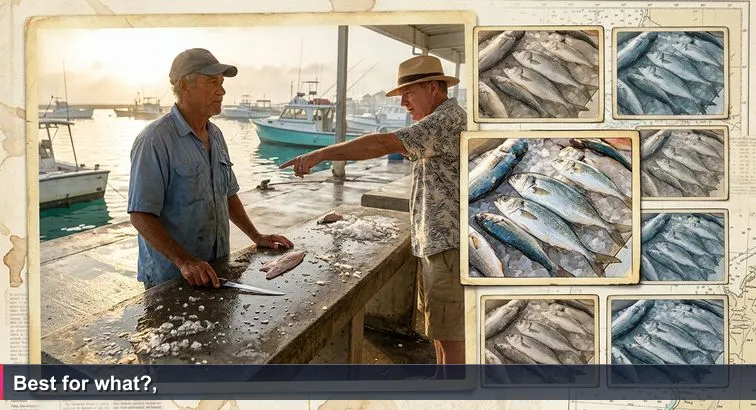
The question drifts across the harbour before the sun is fully up: “Which one is the best?” At the George Town fish market, a fisherman looks from the tourist’s finger to a table stacked with wahoo, snapper, and mahi - a whole ocean collapsed into a few square metres of damp concrete. He knows the answer isn’t a single fish; it’s a conversation about taste, budget, and what’s cooking later.
We ask the same impossible question about our careers. “Best course.” “Fastest path into AI.” “Top 10 training.” In Cayman, where a short commute from Bodden Town or West Bay can put you in front of recruiters from Maples Group, Walkers, global banks or Big Four firms, it’s tempting to believe there’s one magic class that unlocks a tax-free tech salary.
But just like the market, our tech ecosystem is richer and messier than a single recommendation. Public libraries in George Town, West Bay and the Sister Islands quietly run free digital literacy workshops, open computer labs and e-resources that, as guides like Cayman Resident’s overview of local libraries point out, are becoming essential stepping stones into today’s workforce. Community groups and UCCI add their own flavours with coding meetups, youth programmes and public tech talks.
This Top 10 list pulls those offerings onto one “table” so you can see them at a glance. It isn’t a verdict on which programme is objectively best; it’s a tide chart. Each option rises or falls in usefulness depending on your starting point (first email or first Python script), your island (George Town or Cayman Brac), and your destination - AI, data, fintech, or simply feeling confident online.
Back at the harbour, the fisherman eventually smiles and asks the only question that really matters: “Best for what you’re cooking?” Treat the pages that follow the same way. Decide what you’re “cooking” in Cayman’s tech economy, then choose the free resource that moves you one tide closer to that goal.
Table of Contents
- Introduction: a Cayman answer to “Which one is the best?”
- CIPLS Computer Basics
- Public Library Open-Access Computer Labs
- CIPLS Digital Learning Repositories
- Code(Cayman) Intro Programming Series
- Code(Cayman) Women Who Code & Youth Code
- Two-Day Digital Skills Intensives
- Sister Islands Computer Basics (Cayman Brac & Little Cayman)
- District Library Career & Tech Guidance
- Community Centre Digital Citizen & eGovernment Days
- UCCI Public Tech Talks & Tech Tasters
- How to choose: matching free training to your AI or fintech goal
- Frequently Asked Questions
For Cayman-focused advice, check the complete guide to starting an AI career that maps skills to Maples, Walkers, and CEC opportunities.
CIPLS Computer Basics
For many Caymanians and residents, the first real step toward an AI, data, or fintech career isn’t a fancy bootcamp; it’s a plastic chair at the district library’s one-day Computer Basics workshop. Run by the Cayman Islands Public Library Service (CIPLS), these sessions are deliberately designed for people who still feel they might “break the computer” by clicking the wrong thing.
Who it’s for
This workshop is ideal if you’re an absolute beginner or have avoided technology for years. Typical attendees include seniors, hospitality staff, small-business owners, and school leavers who need digital skills before they can benefit from more advanced coding or data courses.
- New computer users who struggle with email or online forms
- Jobseekers needing basic Office skills before applying to banks or law firms
- Parents wanting to keep up with children learning online
What you’ll learn
Across 6+ public libraries in Grand Cayman and the Sister Islands, facilitators cover the true foundations:
- Turning a computer on/off; using a mouse and keyboard
- Basic internet browsing and creating an email account
- Introductory Microsoft Office tasks (typing, simple formatting)
- Safer internet habits and basic cybersecurity
Access in Cayman
Workshops are offered on a rotating schedule in George Town, West Bay, Bodden Town, East End, North Side and Cayman Brac, and cost CI$0 for residents. You can confirm dates and details through the official Computer Basics page on CIPLS’s website or by speaking with your local branch.
Former Director of Library Services Ramona Melody has emphasised that programmes built around guided computer use “provide a comprehensive literacy intervention” for Caymanians facing a skills gap, turning this humble one-day class into a gateway to higher-value, tax-free roles in our financial and tech sectors.
Public Library Open-Access Computer Labs
Walk into any district library on a weekday afternoon and you’ll see one of Cayman’s most underrated tech assets: rows of public PCs quietly humming, Wi-Fi running, students and jobseekers side by side. These open-access computer labs are more than a convenience; for many future data analysts and AI engineers, they’re the first real “office” they work from.
What you get for CI$0
Every public library branch provides on-site computer access, free Wi-Fi and low-cost printing. As guides like Cayman Parent’s library overview explain, the spaces are intentionally quiet and study-friendly, making them ideal for focused learning.
- Free use of desktop PCs during library hours
- Stable internet for streaming tutorials and MOOCs
- Printing and scanning for CVs, application forms and study notes
Your daily “practice gym” for AI and data
From a Nucamp AI-career perspective, these labs rate about 4.5/5 because they let you build the one thing every employer in Cayman’s financial sector expects: daily, comfortable screen time. You can practise Python, SQL or Excel; follow cloud-computing playlists; or work through free courses while knowing your session won’t drop because the Wi-Fi did.
Typical users treat the labs as a routine workspace where they:
- Complete online applications to firms like Deloitte or local banks
- Work through Code(Cayman) homework or UCCI prep materials
- Experiment with basic data tasks, from spreadsheets to simple dashboards
Access and scale
You don’t need a paid membership to start; just sign in at the desk. A free library card extends your session time and unlocks additional services. Across the islands, there are dozens of public PCs available each day, turning our library network into a distributed, no-cost co-working space for anyone serious about entering Cayman’s tech and fintech job market.
CIPLS Digital Learning Repositories
Once you’ve picked up a free library card, Cayman’s public libraries stop being just buildings and become a 24/7 learning platform. Through CIPLS’s digital repositories you can tap into eBooks, online databases and selected journals from your sofa in Bodden Town or a hammock in Cayman Brac - no tuition invoice attached.
What the digital collections include
Accessible via the CIPLS website, the collections span far beyond storybooks. When the service launched its upgraded portal, it was explicitly framed as a way to “enhance access to digital services” for residents across all three islands, as reported by Radio Cayman’s coverage of the new library site.
- Introductory books on programming, databases and spreadsheets
- Guides to digital literacy, cybersecurity and safer internet use
- Business, finance and economics titles aligned with Cayman’s financial sector
- General non-fiction that strengthens writing, numeracy and critical thinking
Why it matters for AI, data and fintech
For self-driven learners, this repository is effectively a free textbook budget. You can build a reading list that mirrors the foundation of a data or AI curriculum: statistics primers, Python overviews, database concepts and introductions to financial markets - all crucial if you’re eyeing roles with law firms, banks or regulators.
Access and scale
Log in using your card number and you’ll find a shared platform supporting thousands of eBooks and resources. Because every branch feeds into the same digital backbone, a Cayman Brac student has the same theoretical-material access as someone living opposite the George Town Library - a quiet equaliser in a high-opportunity, no-direct-tax economy.
Code(Cayman) Intro Programming Series
After you’re comfortable with a mouse and browser, the next logical step is to write your first lines of code. That’s exactly where Code(Cayman)’s free intro series comes in. As a community-led non-profit, it runs evening meetups and structured 8-12 week beginner programmes that Nucamp would rate 5/5 for first steps into coding, especially if you’re curious about AI, data or fintech but not ready to pay for a bootcamp.
Who it’s for
These cohorts are designed for people who can already use a computer but have never coded before. It’s a strong fit if you:
- Have basic digital literacy from a CIPLS workshop
- Want to test whether Python or web development “clicks” for you
- Are considering roles in Cayman’s financial or startup sector and need a foundation
What you’ll learn
Curricula vary by cohort, but the free summer course highlighted by Cayman Enterprise City’s feature on Code(Cayman) is typical: fundamentals of programming plus real problem-solving.
- Core concepts: variables, loops, functions, conditionals
- Beginner-friendly stacks like Python or HTML/CSS/JavaScript
- Debugging, code reading and version control basics
- How software underpins fintech, blockchain and AI applications in Cayman
“Every 21st-century child should have a chance to learn about algorithms, how to make an application, or how the internet works… We are passionate about making technology accessible to everyone.” - Brandon Caruana, Director, Code(Cayman)
Schedule and access
Sessions typically run on weeknights in central George Town, often hosted near Cayman Enterprise City, with no tuition fees and simple online registration. For many learners featured in initiatives like Minds Inspired’s “Coding to solve a problem” stories, these cohorts were the bridge between a library lab and serious consideration of careers in software, data and, eventually, AI.
Code(Cayman) Women Who Code & Youth Code
Plenty of Caymanians are willing to try coding; far fewer want to be the only woman in the room, or the only teenager among adults. That’s why Code(Cayman)’s dedicated Women Who Code and Youth Code cohorts are so powerful. In one multi-week Women Who Code run, organisers successfully onboarded 30+ women into introductory programming at no cost, creating exactly the kind of peer group that makes people stay the course. From a Nucamp AI-career perspective, these programmes are a solid 5/5 if you learn best with a clear support network.
Who these cohorts are built for
Rather than mixing everyone together, Code(Cayman) designs tracks that match life stage and confidence level, which is crucial in a small community where tech can still feel exclusive.
- Women and girls who want a low-pressure first step into Python or web dev
- Teens testing whether coding fits before committing to exam subjects or UCCI
- Career-changers looking for encouragement from peers with similar stories
Participants often discover not just syntax, but career options they hadn’t considered, similar to the way student-employer expos highlighted by Cayman Independent’s coverage of local career pathways expos open eyes to real jobs in data, fintech and compliance.
What actually happens in a cohort
Over 8-12 weeks, 1-2 evenings a week, learners work through beginner-friendly content (Python or web basics), collaborate on small projects and get exposure to local professionals. Youth Code aligns sessions with school schedules, while Women Who Code places extra emphasis on confidence, collaboration and visible role models in Cayman’s law, finance and startup communities.
- Hands-on coding challenges, with plenty of guided help
- Mini-projects you can talk about in future interviews
- Introductions to further study options and internships
Free access, long-term impact
Cohorts remain CI$0 to attend, with simple online registration and sessions usually held in central George Town. The Ministry of Education has repeatedly signalled its support for widening digital access, as seen in public posts about library and skills initiatives on Education Cayman’s community updates. In practice, that means these Code(Cayman) tracks are becoming a recognised, inclusive on-ramp to more intensive training and, eventually, AI and data roles in Cayman’s high-value, no-direct-tax economy.
Two-Day Digital Skills Intensives
Every so often, the flyers go up at your local library: a free 2-day “Digital Skills Training” intensive, limited spots, register now. These short bootcamps sit between one-day Computer Basics and a full coding course, giving Cayman residents a focused way to level up practical tech skills without stretching over months.
How these intensives work
District libraries occasionally host concentrated workshops like the Free 2-Day Digital Skills Training Session at Sunkist Library. Sessions typically run across two consecutive days (often a weekend), delivering around 10-12 hours of instructor-led practice. From a Nucamp AI-career lens, they’re a 4/5 option if you already know how to use a computer but want a quick, employability-focused boost.
- Format: two full days, usually in-person at a branch library
- Cost: CI$0 for residents; some past Cayman Brac events even included free lunch
- Frequency: occasional, rotating across branches based on demand
Skills you cover in 2 days
While content varies, the focus is always on real-world digital tasks you’ll use in offices, banks and government portals:
- File management and basic cloud storage
- Productivity tools such as Word, Excel and PowerPoint (or equivalents)
- Online collaboration, videoconferencing and email etiquette
- Applying these tools to CVs, job searches and simple data tasks
When to choose this option
These intensives are ideal if you’ve done Computer Basics but aren’t ready for a coding bootcamp. They help you move from “can use a PC” to “can work efficiently in a digital office”, a baseline for roles that eventually touch data, automation or AI in Cayman’s financial sector. Upcoming sessions are usually listed on the CIPLS programmes page at the Public Library Service programme listings, or advertised through your local branch.
Sister Islands Computer Basics (Cayman Brac & Little Cayman)
On Cayman Brac and Little Cayman, tech opportunity can feel as distant as Grand Cayman’s skyline on a clear day. CIPLS’s one-day Computer Basics workshops change that, turning the local library into a launchpad for residents who may never have taken a formal IT class. These sessions often include certificates of completion and even lunch to remove barriers, signalling that digital literacy on the Sister Islands is a community priority, not an afterthought.
Who these sessions are designed for
The format mirrors Grand Cayman’s workshops but is tailored for smaller communities and mixed-age groups. It’s especially valuable if you:
- Live on Cayman Brac or Little Cayman and can’t easily travel for training
- Work in tourism, retail or small business and need to handle bookings, emails or spreadsheets
- Are a teen planning to study or work in George Town and want to close basic skills gaps early
Earlier coverage of similar computer literacy efforts by the public library, such as the programmes reported in Cayman Compass’s article on library classes, shows how foundational skills directly affect employability.
What you cover in one day
In a single, structured session you move from hesitant user to someone who can navigate everyday digital tasks:
- Basic hardware use, typing and mouse skills
- Setting up and using email safely
- Searching the internet and recognising suspicious sites
- Using simple productivity tools and accessing CIPLS e-resources from home
Small islands, big advantage
With the Sister Islands’ population in the low thousands, groups are typically small, meaning more one-on-one help than you’d get in a larger class. Workshops remain CI$0, advertised through the Cayman Brac Library and community channels, and delivered right where you live. Once you’re comfortable, the same building that hosted your first workshop becomes your ongoing practice hub, with public PCs and Wi-Fi accessible via the local branch listed on Google’s directory of Cayman libraries.
District Library Career & Tech Guidance
Hidden behind the stacks and children’s corners, Cayman’s district libraries double as quiet career labs. The Cayman Islands Government has explicitly highlighted that public libraries can “help you plan your career path and professional development,” offering printing, computer access, and bookable rooms across branches such as George Town, West Bay and Bodden Town. From a Nucamp AI-career lens, this earns about a 3.5/5: not a course, but a powerful launchpad if you know how to use it.
What you can actually do there
Across the network you’ll find free Wi-Fi, open computer labs, and, in several branches, conference or study rooms you can reserve for focused work. These spaces make it easier to treat upskilling like a job, not a hobby.
- Draft and print CVs and cover letters tailored to firms like Maples Group, Walkers or CIMA
- Work through online Python, Excel or data courses without worrying about home Wi-Fi
- Record mock interviews or portfolio demos in a private room
- Ask staff to help you find books and e-resources on AI, data, finance or compliance
Globally, tools such as those profiled in Bibliotheca’s training on promoting library programmes show how libraries are evolving into active learning hubs; Cayman’s branches are following that pattern in a distinctly local way.
Turning a quiet room into a tech career step
The practical playbook is simple: book a room once or twice a week, treat it as your personal “campus,” and use that time to research employers, complete free MOOCs, or build small projects (like a budgeting spreadsheet or basic web page) that match Cayman’s financial-services needs. Local media such as Cayman News Service’s coverage of education and workforce issues frequently underline how crucial continuous upskilling is in our high-income, no-direct-tax economy.
On paper it’s just a library booking. In practice, it’s you carving out structured, zero-cost time to move from casual interest in AI or fintech to a concrete learning plan that can connect to internships, junior analyst roles, or further study at places like UCCI or international providers.
Community Centre Digital Citizen & eGovernment Days
Not every Cayman resident wants to start with “Hello, World.” For many, the real fear is clicking the wrong button on a government website and losing a form they’ve spent an hour filling in. That’s where district community centres step in with occasional “Digital Citizen” or eGovernment days - informal, drop-in sessions focused on helping people complete real online tasks rather than abstract exercises.
These events are typically organised in partnership with ministries and agencies that, like the Ministry of Education, have been vocal about widening digital access through initiatives with the Cayman Islands Public Library Service. Posts on channels such as Education Cayman’s community updates underline how digital skills are now treated as core to citizenship, not a niche interest.
What actually happens on a Digital Citizen day
- Facilitators sit with residents as they navigate government portals
- People practise uploading documents, resizing files and saving confirmations
- Parents work through school or scholarship applications online
- Seniors learn to recognise scam sites and phishing attempts
From a Nucamp AI-career perspective, this kind of session rates around 3/5 for relevance: it won’t teach you Python, but it will remove the everyday friction that stops many Caymanians from using digital tools at all. Once you are confident handling eGovernment platforms, HR systems, banking portals and basic web apps feel far less intimidating.
Events are free, usually advertised on district noticeboards and government social media, and timed around peak demand - school application seasons, licence renewals, or new portal launches. For someone still unsure about computers, an afternoon at the community centre can be the first proof that “I can do this online” - a small but meaningful step toward the more technical learning that AI, data and fintech roles require.
UCCI Public Tech Talks & Tech Tasters
Long before you enrol in a degree or pay for a professional certificate, you can sit in a UCCI lecture theatre, listen to academics and industry guests unpack AI, cybersecurity or blockchain, and walk out with a clearer sense of whether this world is really for you. UCCI’s public tech talks and “Tech Taster” sessions are free, open-door events that Nucamp would rate around 3.5/5 for AI-career relevance: not a full course, but a sharp way to test your interest in higher-level concepts.
Who benefits most
These sessions are designed for people who already know their way around a computer and want to peek over the wall into more advanced content:
- Students considering UCCI diplomas or degrees in IT, fintech or data
- Early-career professionals in banking, law or compliance curious about AI’s impact
- Self-taught coders who want to hear from researchers and practitioners in person
They typically cluster around campus Tech Week or themed events, similar in spirit to international workshop series such as the IB’s global professional development workshops, but tuned to Cayman’s context.
What topics you’ll encounter
Depending on the year’s focus, a public UCCI event might feature:
- Introductory deep dives into AI and machine learning and how they affect financial services
- Cybersecurity fundamentals and case studies from regional incidents
- Cloud computing, data analytics and visualisation demonstrations
- Panels on blockchain, digital assets and Cayman’s emerging fintech ecosystem
The format echoes global AI conferences like NVIDIA’s GTC, where talks such as “Building Local and National Weather Resilience With AI” break complex ideas into accessible stories - only here, the lens is Cayman’s financial centre and regulatory environment.
Access and how to use them
Public tech talks are typically advertised through UCCI’s calendar and local media, free to attend, and run in the early evening. Turn up with a notebook and one or two specific questions about careers or skills; use the Q&A and post-event mingling to ask speakers which programming languages, cloud platforms or data tools they use daily. Think of each event as a low-risk experiment: an hour or two invested to refine your direction before you commit serious time and money to formal study.
How to choose: matching free training to your AI or fintech goal
Choosing among these free options starts the same way as choosing a fish at the George Town market: by being clear on what you’re “cooking.” For tech careers, that means your current skills, how much time you can commit, and whether you’re aiming at AI engineering, data analysis, or fintech and operations inside Cayman’s financial centre.
Step 1: Be honest about your starting point
If turning on a computer still feels stressful, your “best” option is very different from someone already dabbling in Python. Use this simple filter:
- Pre-digital: Start with CIPLS Computer Basics, Sister Islands workshops, and Digital Citizen days to get comfortable with email, browsing and forms.
- Digitally comfortable: Add two-day intensives, open labs and eResources to build real office skills (Word, Excel, cloud, eGovernment).
- Ready to code: Move into Code(Cayman) intro series, Women/Youth Code, and UCCI tech talks to explore programming, AI and fintech concepts.
Step 2: Match learning to the role you want
Targeting AI or data roles? Prioritise Python, SQL, and statistics via Code(Cayman) plus data-focused reading from CIPLS’s digital repositories. Aiming at fintech, funds, or compliance? Double down on spreadsheets, reporting and automation - skills that let analysts do in hours what used to take days. In global finance, firms using modern data stacks, like those profiled in Sigma Computing’s case study of Makena Capital, have cut analyst reporting time by 50%; Cayman’s funds and banking employers value the same impact.
Step 3: Think in 3-6 month “stacks,” not single workshops
Rather than hunting for one perfect class, design a 3-6 month stack: basics → productivity → coding → a small project. For example, one month of Computer Basics and lab practice, three months of Code(Cayman) plus regular library study sessions, then a simple project (a budgeting tool, a small data dashboard) you can show to recruiters at Maples Group, Walkers or the Big Four. In a no-direct-tax jurisdiction with high salary ceilings for tech and analytics roles, each free step you stack is a deliberate investment in a future where your skills compound faster than in almost any other market.
Frequently Asked Questions
Which free training on this list is best if I want to move into AI, data or fintech in Cayman?
For an entry path into AI/data/fintech, combine Code(Cayman) (the 8-12 week intro series rated 5/5) with CIPLS’s open labs and digital collections; Code(Cayman) gives hands-on coding while CIPLS provides free practice space and thousands of eBooks. These free options can get you started, but Cayman employers usually expect at least one programming language plus project experience before hiring.
Can I become job-ready for firms like Maples Group, Walkers or the Big Four using only these free programmes?
Free programmes can take you from zero to solid digital literacy and initial coding exposure, but most roles at Maples Group, Walkers or Big Four firms expect skills like Python/R/SQL, spreadsheet modelling and cloud familiarity. In practice you’ll likely need to stack a paid certificate, bootcamp or real projects on top of these free resources to meet employer expectations.
How do I find schedules and sign up for the library and community tech sessions?
Check the CIPLS site (library.ky) and the CIPLS/Cayman government Facebook pages for Computer Basics dates, and watch Cayman Enterprise City or Code(Cayman) channels for meetups; many CIPLS workshops accept walk-ins and a free library card unlocks eResources. Remember there are 6+ public libraries across Grand Cayman and the Sister Islands where sessions rotate monthly or bi-monthly.
Are these free programmes available on Cayman Brac and Little Cayman?
Yes - CIPLS runs Computer Basics and occasional two-day intensives on Cayman Brac (sometimes with completion certificates and lunch), and community centre events also reach the Sister Islands. Because the Sister Islands have populations in the low thousands, group sizes tend to be small, which often means more instructor attention.
If I only have 30 days, what’s the most effective plan using only these free resources?
Week 1: get a free library card and take the one-day Computer Basics; Week 2: practise daily in open labs and start a simple spreadsheet; Week 3: join a Code(Cayman) intro or meetup and do 30-60 minutes of coding 3 days that week; Week 4: use CIPLS’s 24/7 eResources to research local employers and draft a 3-month learning plan. This focused routine leverages library PCs, Code(Cayman) cohorts and digital collections to build momentum without spending money.
Our guide to the best tech startups in Cayman hiring juniors in 2026 highlights roles at DeFi, fintech, and devops teams.
Discover where to drop anchor with our piece on the leading tech coworking and incubator hubs in Cayman Islands 2026.
Our 2026 ranking of the Top 10 Cayman Islands tech apprenticeships and internships helps you prioritise opportunities.
Need a starting point? See the best Top 10 women in tech groups in the Cayman Islands curated for AI and fintech hopefuls
Comprehensive guide to Cayman AI salaries in 2026 - what to expect by experience

Irene Holden
Operations Manager
Former Microsoft Education and Learning Futures Group team member, Irene now oversees instructors at Nucamp while writing about everything tech - from careers to coding bootcamps.