









Kubernetes Basics in 2026: Container Orchestration for Backend Developers
By Irene Holden
Last Updated: January 15th 2026
Key Takeaways
Short answer: Kubernetes is essential for backend developers in 2026 because it’s the de facto runtime - about 93% of organizations are using or evaluating it, roughly 80% run it in production, and about 31% of backend developers (≈5.6 million people) use it regularly, with firms often paying a 30-50% premium for orchestration skills. AI tools can speed up YAML and commands, but they can’t replace knowing kubectl, health probes, resource requests/limits, and a repeatable debugging workflow if you want to ship features reliably and control cost.
The gap between theory and the rush
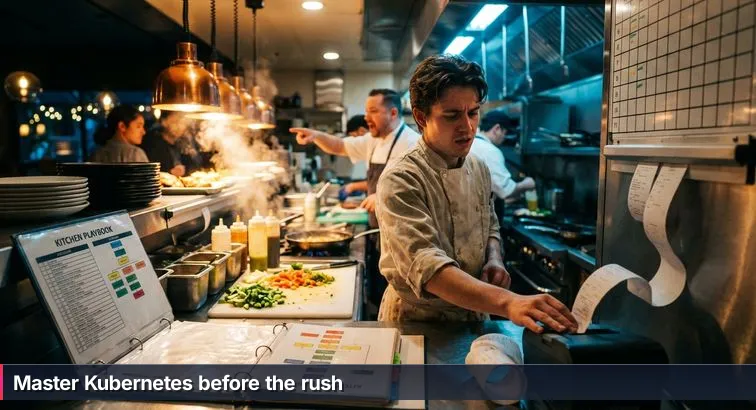
By the time the ticket rail fills up and the grill starts smoking, a line cook discovers whether they really understand the kitchen or just memorized recipes. Kubernetes works the same way for backend developers: reading definitions of Pods and Services is one thing, keeping a real cluster stable when requests spike is another. As the Cloud Native Computing Foundation notes in its overview of the cloud native ecosystem, Kubernetes has become the de facto standard for orchestrating containers in modern cloud environments, which means you’ll encounter it not as a side topic, but as the place your code is expected to live.
Who this guide is for
This guide is written for beginners and career switchers who can already build an app in something like Python, maybe package it in Docker, and are now staring at Kubernetes YAML wondering how it all fits together. If you’ve come through a bootcamp, a self-study path, or on-the-job learning, and you keep hearing terms like Pod, Deployment, and Ingress without a clear internal picture, you’re in the right place. The goal here isn’t to turn you into a pure “cluster admin,” but to help you, as a backend-focused developer, think in Kubernetes the way a head chef thinks in line layout and pacing.
“Kubernetes continues to dominate container orchestration as the industry standard for running distributed applications at scale.” - DEVOPSdigest, 2026 Container Predictions
What this guide will help you do
Across the chapters, you’ll move from vocabulary to flow. You’ll learn a concrete mental model that maps Clusters, Nodes, Pods, and Services onto a restaurant kitchen, then build up to practical skills: writing Deployments and Services, using kubectl to debug issues under pressure, adding health checks and resource limits so your app behaves well under load, and understanding how autoscaling and self-healing actually keep the “line” moving. At every step, we’ll acknowledge the role of AI tools: they can absolutely speed up grunt work like typing YAML or suggesting commands, but they can’t see your traffic patterns or the cost of a bad autoscaling rule. You’ll see clear examples of where AI is a helpful sous-chef and where it can quietly hide dangerous gaps in understanding.
How to use this guide
To get the most out of what follows, treat it like working a new station, not cramming for a quiz. Skim the big ideas first, then come back with a terminal open and try the commands and manifests yourself. Use this sequence as you read:
- Read each concept with the kitchen metaphor in mind, picturing where it sits on the “line.”
- Copy the examples into your own repo or sandbox cluster and run them, breaking things on purpose to see how Kubernetes reacts.
- Let AI help you generate variations of the manifests, but force yourself to explain every field in plain language before applying them.
- Revisit later sections as a reference when you hit real issues on a job, internship, or bootcamp project.
In This Guide
- Introduction and how to use this guide
- Why Kubernetes matters for backend developers in 2026
- Kubernetes as a restaurant kitchen: a practical mental model
- Core Kubernetes concepts every backend developer must know
- Essential kubectl commands and a sane debugging workflow
- YAML that keeps your app healthy: probes, resources, and labels
- Hands-on example: deploying a Python API end-to-end
- Scaling and self-healing in practice with autoscalers
- Managed Kubernetes, AI workloads, and platform engineering
- Observability and FinOps: monitoring, costs, and zombie clusters
- Security basics and common mistakes to avoid
- Career roadmap and how to keep learning (including AI best practices)
- Frequently Asked Questions
Teams planning reliability work will find the comprehensive DevOps, CI/CD, and Kubernetes guide particularly useful.
Why Kubernetes matters for backend developers in 2026
Kubernetes is now the default backend kitchen
For backend developers, Kubernetes has shifted from “cool DevOps tech” to the place your services are expected to live. Recent ecosystem research shows that roughly 93% of organizations are using, piloting, or evaluating Kubernetes and it holds about a 92% share of the container orchestration market, according to updated adoption statistics from Jeevi Academy’s Kubernetes trends report. Around 80% of organizations are already running Kubernetes in production, and an estimated 31% of backend developers worldwide - about 5.6 million people - use it regularly, based on combined CNCF research and industry estimates. At the same time, about 75% of organizations say lack of Kubernetes talent is their single biggest hurdle, which is why backend roles that bridge code and orchestration often see a 30-50% salary premium in DevOps and cloud salary surveys.
This matters even if you “just write APIs” because Kubernetes is no longer a sidecar to your code - it’s the main kitchen. It defines how services discover each other, how traffic is balanced, how failures are handled, and how much CPU, memory, or GPU your Pods are allowed to consume. If you ignore it, you’re essentially cooking blind while someone else designs the line layout, ticket flow, and backup plans that determine whether your app survives a rush.
How Kubernetes reshapes backend work
Thinking like a modern backend developer now means thinking in terms of clusters and Pods, not just processes and ports. Kubernetes becomes your target environment, shaping everything from how you structure microservices to how you expose health endpoints and choose database connection limits. It’s also your app’s runtime contract: liveness and readiness probes, resource requests and limits, and autoscaling policies all live alongside your image. When traffic spikes - when the ticket printer won’t stop - Kubernetes is the system deciding which Pod gets which request, which node you land on, and when to spin up extra “cooks” so the line doesn’t stall.
The AI backbone… but still your responsibility
On top of web and API workloads, Kubernetes has quietly become the “AI backbone” for many teams. The 2026 Kubernetes Playbook from Fairwinds points out that the heaviest AI usage now comes from MLOps platforms coordinating bursty Jobs with always-on Services, and roughly 90% of teams expect their AI workloads on Kubernetes to keep growing. That means more GPU scheduling, more batch Jobs, and more pressure on the platform to autoscale correctly without setting your cloud bill on fire.
“In 2026, the heaviest AI workloads on Kubernetes will be machine learning operations (MLOps) platforms, demanding the coordination of bursty, resource-intensive Jobs with high-volume, continuously running Services.” - Fairwinds, 2026 Kubernetes Playbook
AI coding assistants can absolutely help here: they’re great at spitting out YAML for Deployments, Services, and HPAs or suggesting the right kubectl incantation when a Pod is stuck. What they can’t do is see your real traffic, understand your service-level objectives, or decide whether a misconfigured autoscaler that doubles your replicas is an outage-saving hero or a budget-killing mistake. In a competitive job market where everyone can copy-paste manifests, the differentiator is whether you understand how the “kitchen” actually runs under load - and that’s exactly the gap this guide aims to close.
Kubernetes as a restaurant kitchen: a practical mental model
Why the kitchen metaphor works
When you first open a Kubernetes diagram, it can feel like staring at a map of pipes and valves. The restaurant kitchen metaphor turns that into something you can actually picture. Instead of abstract “nodes” and “services,” you imagine stations on the line, plates on the pass, and a constant stream of tickets. That image gives you a way to reason about new features later: whenever you meet a new Kubernetes term in docs or in a guide like “22 Essential Kubernetes Concepts - Updated for 2026”, you can immediately ask, “Where would this live in the kitchen?”
The goal isn’t to be cute; it’s to give you a mental movie you can run when production is noisy. When the “ticket rail” of HTTP requests is full and error rates climb, that movie helps you see how Pods, Services, and nodes interact, instead of just staring at YAML and hoping a restart fixes things. AI tools can generate manifests all day, but they can’t give you that internal picture - only practice and a good model can.
From building to running the restaurant
Think of Kubernetes as the entire restaurant operation, not just a single stove. The cluster is the whole building and utilities; nodes are individual kitchen stations with their own burners and tools; and namespaces are like separate sections for lunch, dinner, or catering. As a backend developer, you’re not laying the concrete, but you are deciding which station your dish belongs on and how many cooks you’ll need for a rush. That’s what you’re really doing when you choose replica counts, resource limits, and autoscaling rules.
This shift is similar to moving from being a line cook who just follows a recipe to a head chef who designs the line layout. You still care about how your code “tastes,” but you also care about where it runs, how it scales, and how it recovers when something burns.
Mapping Kubernetes objects to kitchen roles
Here’s how the core Kubernetes pieces map to that kitchen in your head:
- Cluster = The whole restaurant - the building, power, plumbing, and layout where everything lives.
- Node = A kitchen station - a grill or fry station (a physical/virtual machine) with finite burners (CPU), space (memory), and tools.
- Pod = A plate on the pass - the smallest thing that gets served. One main container (the dish) plus any tightly coupled sidecars, all sharing network and storage.
- Deployment = “Always keep N of this dish in flight” - the chef’s rule to always have 3 or 5 of a dish being cooked. The Deployment keeps the desired number of Pods running and handles rollouts and rollbacks.
- Service = The expediter (expo) - servers don’t shout at individual cooks; they talk to the expo. A Service gives a stable name and load balances across matching Pods so other services aren’t chasing changing IPs.
- Ingress = The host stand and routing - the front door that decides which room or menu a guest hits based on the URL and hostname, much like an Ingress resource routes external HTTP traffic to different Services.
- Autoscaling = Calling in extra cooks - when orders spike, you add more cooks or open a second line; Horizontal Pod Autoscaler adds more Pods when CPU or other metrics climb.
- Self-healing = Quietly re-firing a bad plate - if a Pod crashes or fails health checks, Kubernetes replaces it so the dining room (your users) ideally never notice.
- Managed Kubernetes (EKS/GKE/AKS) = Leasing a pro kitchen - instead of building your own ovens and ventilation, you rent a kitchen where the landlord maintains the heavy gear so you can focus on the menu.
Using this model as you learn
As you move into more detailed topics - logs, probes, autoscalers, security policies - keep coming back to this kitchen layout. When you see a new spec field in a Deployment, ask whether it’s about the dish (your container), the plate (Pod), the station (node), or the way tickets flow (Services and Ingress). When an AI assistant suggests a snippet of YAML, drop it into this model: is it changing how many cooks you have, how orders arrive, or who’s allowed through the kitchen door? The more you lean on this movie in your head, the less Kubernetes will feel like a wall of configuration files and the more it will feel like a system you can actually run when things get hot.
Core Kubernetes concepts every backend developer must know
From machines to logical kitchens: clusters, nodes, and namespaces
At the widest level, a Kubernetes cluster is the whole restaurant: all the machines, networking, and control components acting as one environment. Inside that building, each node is a kitchen station - a physical or virtual machine with its own CPU “burners,” memory “counter space,” and sometimes GPUs as the specialty equipment. Kubernetes schedules work onto these stations, deciding which plates (Pods) go where based on available resources and constraints.
On top of that, namespaces slice the restaurant into logical sections like lunch, dinner, and catering. They let you group resources by team, environment (dev vs prod), or project so you can apply separate permissions, quotas, and policies. Many teams follow patterns similar to those described in the Linux container and Kubernetes adoption overview on CommandLinux, using namespaces to share a cluster safely across multiple applications and groups.
Pods and Deployments: how your code lives on the line
The unit that actually runs your code is the Pod, which you can picture as a single plate on the pass. A Pod usually hosts one main container (your API or worker) plus any tightly coupled sidecars (for logging or metrics), all sharing the same network identity and storage. You almost never manage Pods directly in production; instead, you use a Deployment, which is like the chef’s standing order: “always keep N identical plates of this dish in flight.” The Deployment defines the desired state (for example, three replicas of your backend), and Kubernetes constantly reconciles reality to match it through rolling updates and rollbacks.
- Pod: smallest deployable unit; shares IP and volumes across its containers.
- Deployment: manages stateless Pods, handles rollout strategy, and ensures the right replica count.
Services, Ingress, and the configuration that glues it together
Because Pods are ephemeral and their IPs change, a Service plays the role of the expediter (expo): it gives a stable DNS name and virtual IP, then load balances traffic across any Pods with matching labels. External HTTP(S) traffic first hits Ingress, which you can imagine as the host stand plus routing signs; an Ingress resource defines rules like “/api goes to this Service,” and an Ingress controller (NGINX, Envoy, Traefik, etc.) enforces them. Guides such as the Kubernetes learning roadmap on DevOpsCube emphasize that understanding this Pod → Service → Ingress path is core to real-world backend work.
Configuration objects round out the picture. A ConfigMap is your non-secret recipe card (feature flags, URLs), while a Secret is the safe with passwords and tokens; both can be injected as environment variables or mounted files. Labels and selectors are the colored stickers on plates, indicating which Service, Deployment, or autoscaler they belong to. Once you internalize how these pieces fit, features like autoscaling and rolling updates stop feeling magical and start feeling like predictable changes to how tickets flow through your kitchen.
“Kubernetes has become the de facto container orchestration tool for many organizations.” - CNCF Cloud Native Landscape, cited by CommandLinux
Essential kubectl commands and a sane debugging workflow
When something breaks, kubectl is your lifeline
The moment a request starts timing out or an error rate spikes, the tool you’ll reach for first is kubectl. It’s the CLI that talks directly to the Kubernetes API server, letting you see what’s running, inspect events, stream logs, and jump inside containers. Guides like Plural’s Kubernetes basics walkthrough treat kubectl as the primary way developers experience the cluster day to day, and that’s how you should think of it too: not as an optional power tool, but as your equivalent of walking the line, checking stations, and talking to cooks when the ticket rail is full.
The core commands you’ll use daily
As a backend developer, you don’t need every kubectl subcommand, but you do need a small set you can run without thinking. These cover checking what’s running, drilling into details, and making small changes when something looks off:
- View resources
kubectl get pods kubectl get services kubectl get deployments kubectl get pods -n my-namespace - Inspect details
kubectl describe pod my-pod-name kubectl describe deployment simple-api-deployment - Check logs
kubectl logs my-pod-name kubectl logs -f my-pod-name kubectl logs -f deployment/simple-api-deployment - Execute commands in a container
kubectl exec -it my-pod-name -- /bin/bash kubectl exec -it my-pod-name -- python manage.py migrate - Reach a Service locally
kubectl port-forward svc/simple-api-service 8000:80 - Apply and remove manifests
kubectl apply -f deployment.yaml
kubectl apply -f service.yaml
kubectl delete -f deployment.yaml
kubectl delete pod my-pod-name
A sane, repeatable debugging workflow
Instead of randomly restarting things when the “tickets” pile up, follow a simple checklist so you don’t miss obvious signals. A practical flow looks like this:
- Check Pod state with
kubectl get podsand look at STATUS and RESTARTS. Are Pods running, pending, or crash-looping? - Inspect a problematic Pod using
kubectl describe pod <name>and read the Events at the bottom for scheduling issues, image pull errors, or failed probes. - Read the application logs via
kubectl logs <name>(or-fto follow) to see stack traces, timeouts, or configuration problems. - Verify the Service wiring with
kubectl get svcand confirm that its selectors match the labels on your Pods; if they don’t align, traffic won’t reach your containers. - Confirm Ingress or external routing using
kubectl get ingress(if applicable) to check hostnames, paths, and any reported errors from the Ingress controller.
“kubectl is the primary interface developers use to understand and manage what’s happening inside their Kubernetes clusters.” - Plural, Kubernetes Basics Guide
Where AI helps - and where it doesn’t
AI assistants can absolutely speed up the grunt work here: they can suggest the right kubectl flags, generate one-liners for common tasks, or translate an error message into plain language. But as analyses of AI-generated configuration show in resources like Netcorp’s AI-generated code statistics report, these tools still make mistakes and lack context. If you don’t personally understand what kubectl describe is telling you, or how a Service selector relates to Pod labels, an AI-suggested command sequence can just dig you deeper. Use AI as a quick reference and typing assistant, but rely on a clear mental model and a repeatable workflow when the cluster is under real pressure.
YAML that keeps your app healthy: probes, resources, and labels
Teaching Kubernetes how to check your app
Out of the box, Kubernetes has no idea whether your container is actually healthy or just “still running.” That’s where liveness and readiness probes come in. Think of them as the head chef walking the line: liveness asks, “Is this cook even conscious?” while readiness asks, “Are they ready to take more tickets right now?” In practice, you usually expose lightweight HTTP endpoints like /healthz and /ready from your Python API, and wire them into your Pod spec so Kubernetes can automatically restart or temporarily pull a Pod out of rotation when things go sideways.
Here’s a typical example wired into a container that listens on port 8000:
livenessProbe:
  httpGet:
    path: /healthz
    port: 8000
  initialDelaySeconds: 10
  periodSeconds: 10

readinessProbe:
  httpGet:
    path: /ready
    port: 8000
  initialDelaySeconds: 5
  periodSeconds: 5
With these in place, a Pod that’s wedged or still booting won’t keep receiving traffic forever. When your app fails the liveness probe repeatedly, Kubernetes kills and restarts the container. When it fails readiness, the Pod stays running but is temporarily removed from the Service’s load balancer, the way a chef might pause tickets to a struggling station without firing the cook.
Requests and limits: how much “burner space” you get
The next critical piece of YAML tells Kubernetes how much CPU and memory your container needs and how much it’s allowed to grab. These are resource requests (what you’re guaranteed) and limits (the ceiling). Without them, one noisy neighbor can hog all the burners on a node and starve other services. A simple configuration might look like this:
resources:
  requests:
    cpu: "200m"
    memory: "256Mi"
  limits:
    cpu: "500m"
    memory: "512Mi"
When you set realistic values based on actual usage, the scheduler can pack Pods efficiently across nodes and autoscalers can make smarter decisions. Industry analyses of Kubernetes cost and security trends, such as the statistics compiled by Tigera’s Kubernetes statistics report, note that teams using Kubernetes-native autoscaling and deliberate rightsizing often see 30-40% cloud cost reductions without hurting performance. That’s not magic; it’s just the payoff from teaching the platform how hot each station really runs during a rush.
Labels and selectors: the stickers that route every plate
Labels are tiny key-value pairs you attach to almost everything in Kubernetes. They’re the colored stickers on every plate that tell the expediter (and the rest of the system) what an object is: app=simple-api, env=prod, tier=backend. Selectors are how other resources, like Services and Deployments, decide which Pods they care about. A Service with selector: app: simple-api will automatically route traffic to any Pod that carries that label, no manual IP tracking required.
This is why “just changing a label” can completely reroute traffic during a rollout or break things if you’re careless. A mismatched selector is like sending all the burger tickets to the salad station; nothing technically stopped working, but customers are going to wait a long time. As observability guidance from sources like the USDSI analysis of Kubernetes monitoring trends points out, consistent labeling is also what makes dashboards, alerts, and traces understandable across large clusters.
Where AI can help with YAML - and where it can’t
AI tools are genuinely useful at drafting these YAML snippets. You can ask for a Deployment with liveness/readiness probes, or request resource stanzas for a small FastAPI service, and get something usable in seconds instead of hunting through docs. The danger is trusting those defaults blindly. If you don’t personally understand what the probes are checking, or why 200m CPU might be too low or too high for your workload, an AI-suggested manifest can leave you with Pods that flap in and out of readiness or a cluster that’s quietly overprovisioned. Treat generated YAML as a starting point, then walk through each field like a head chef checking a new station: what does this probe actually do, how much burner space am I really giving this service, and which labels make sense for how I want traffic and metrics to flow?
Hands-on example: deploying a Python API end-to-end
From theory to a running Python API
Walking through a full deployment is where Kubernetes stops being a wall of YAML and starts feeling like a real kitchen you can work in. In this example, you’ll take a simple Python API (Flask, FastAPI, or Django), package it in a container, and run it end-to-end in a cluster. If you like having reference code side by side, repos such as the stacksimplify/kubernetes-fundamentals lab collection show similar patterns with different languages and tools, but the core ideas are the same: Pods are plates, Deployments are standing orders, and Services are your expediter on the line.
Before you start, you’ll need a few basics in place: a Dockerized Python API image (for example, ghcr.io/your-org/simple-api:1.0.0), a container registry where it’s pushed, and access to a Kubernetes cluster (a local installation like kind or minikube, or a managed service). Those pieces are your “ingredients”; the manifests and commands below are how you lay out the station and start sending plates to the pass.
Write the manifests: namespace, Deployment, Service, Ingress
First, create a separate namespace so this app has its own corner of the kitchen:
kubectl create namespace demo-apiNext, define a Deployment for your API. This is the chef’s instruction to always keep three identical plates in flight, each with clear health checks and resource limits:
apiVersion: apps/v1
kind: Deployment
metadata:
  name: simple-api-deployment
  namespace: demo-api
  labels:
    app: simple-api
spec:
  replicas: 3
  selector:
    matchLabels:
      app: simple-api
  template:
    metadata:
      labels:
        app: simple-api
    spec:
      containers:
        - name: api
          image: ghcr.io/your-org/simple-api:1.0.0
          ports:
            - containerPort: 8000
          env:
            - name: ENV
              value: "production"
          resources:
            requests:
              cpu: "200m"
              memory: "256Mi"
            limits:
              cpu: "500m"
              memory: "512Mi"
          livenessProbe:
            httpGet:
              path: /healthz
              port: 8000
            initialDelaySeconds: 10
            periodSeconds: 10
          readinessProbe:
            httpGet:
              path: /ready
              port: 8000
            initialDelaySeconds: 5
            periodSeconds: 5
To let other services (and, later, users) reach those Pods without caring where they landed, add a Service as your expediter:
apiVersion: v1
kind: Service
metadata:
  name: simple-api-service
  namespace: demo-api
spec:
  selector:
    app: simple-api
  ports:
    - port: 80
      targetPort: 8000
  type: ClusterIP
If you have an Ingress controller installed, you can then expose this Service via HTTP the way a host stand directs guests based on the URL or hostname:
apiVersion: networking.k8s.io/v1
kind: Ingress
metadata:
  name: simple-api-ingress
  namespace: demo-api
spec:
  rules:
    - host: api.example.local
      http:
        paths:
          - path: /
            pathType: Prefix
            backend:
              service:
                name: simple-api-service
                port:
                  number: 80
Apply and verify in the cluster
With your manifests ready, you can “open the station” by applying them to the cluster, then checking that Pods, Services, and Ingress rules are all in place. This mirrors the end-to-end paths described in explainers like Kubernetes Explained: Key Concepts and Architecture, but with your own code instead of a sample image:
kubectl apply -f deployment.yaml
kubectl apply -f service.yaml
kubectl apply -f ingress.yaml   # if using Ingress

kubectl get pods -n demo-api
kubectl get svc -n demo-api
kubectl get ingress -n demo-api
On a local cluster without DNS, you can still “taste the dish” by port-forwarding from your machine to the Service and hitting your health endpoint:
kubectl port-forward -n demo-api svc/simple-api-service 8000:80
curl http://localhost:8000/healthz
What to pay attention to (and where AI fits)
As you run this, focus on how each piece behaves under small changes. If you tweak the image tag and reapply the Deployment, watch the rolling update replace Pods one by one. If you break the /ready endpoint, see how Kubernetes stops sending traffic to that Pod while leaving the process running. If you change labels, notice how it affects which Pods the Service routes to. AI tools are great for scaffolding the initial YAML and even suggesting health check stanzas, but you should still be able to point at each field and explain, in plain language, what it does to the “line”: how many cooks are on this station, how we check if they’re still good to work, and which tickets actually reach them when the rail is full. That understanding is what turns this from a copy-pasted example into a pattern you can reuse on real backend projects.
Scaling and self-healing in practice with autoscalers
In a busy cluster, you rarely touch a Pod directly
Once real traffic starts flowing, you’re not manually adding Pods any more than a head chef personally flips every burger during a rush. Kubernetes constantly compares the desired state from your YAML (for example, “run 3 replicas”) to the actual state in the cluster, then quietly fixes drift. This reconciliation loop is what gives you self-healing: if a Pod crashes, it’s restarted; if a node dies, workloads are rescheduled elsewhere; if health checks fail, Pods are pulled out of rotation. Observability vendors like Site24x7’s Kubernetes monitoring trends report highlight this loop as one of the main reasons teams adopt Kubernetes for production microservices.
What self-healing looks like in practice
When you define Deployments and probes correctly, Kubernetes behaves like a seasoned chef walking the line, fixing issues before customers notice:
- If a container process exits unexpectedly, the Pod is restarted to match the Deployment’s replica count.
- If an entire node (kitchen station) goes offline, the scheduler moves affected Pods to healthy nodes with enough free CPU and memory.
- If a liveness probe fails repeatedly, Kubernetes assumes the app is wedged and kills the container so it can restart clean.
- If a readiness probe fails, the Pod stays running but is removed from Service endpoints, so it stops getting new “tickets” until it recovers.
“Kubernetes’ self-healing capabilities - automatically restarting failed containers and rescheduling pods - are at the heart of why it’s so effective for running modern applications.” - Site24x7, Kubernetes Monitoring & Observability Trends
Horizontal Pod Autoscaler: adding and removing cooks
Self-healing keeps existing Pods healthy; autoscaling decides how many you need as the ticket rail fills up or quiets down. The Horizontal Pod Autoscaler (HPA) watches metrics like CPU, memory, or custom signals (such as request latency) and adjusts the replica count on a Deployment within a min/max range you define. A basic HPA that scales your Python API between 3 and 10 replicas to keep average CPU around 60% might look like this:
apiVersion: autoscaling/v2
kind: HorizontalPodAutoscaler
metadata:
  name: simple-api-hpa
  namespace: demo-api
spec:
  scaleTargetRef:
    apiVersion: apps/v1
    kind: Deployment
    name: simple-api-deployment
  minReplicas: 3
  maxReplicas: 10
  metrics:
    - type: Resource
      resource:
        name: cpu
        target:
          type: Utilization
          averageUtilization: 60
As GPUs become more common in clusters, “golden signals” are evolving; monitoring experts note that teams increasingly track GPU utilization and model-level metrics alongside CPU and memory when tuning autoscalers for AI workloads, a trend called out in resources like Ajeet Singh Raina’s analysis of Kubernetes trends. The idea is the same, though: define what “too hot” looks like so Kubernetes can add or remove cooks automatically.
The autoscaler family at a glance
Behind the scenes, there are actually several autoscalers working at different layers of the system. You’ll encounter at least three:
| Autoscaler | Scales | Typical Use |
|---|---|---|
| Horizontal Pod Autoscaler (HPA) | Number of Pod replicas | Handle traffic spikes for stateless services by adding/removing Pods. |
| Vertical Pod Autoscaler (VPA) | CPU/memory per Pod | Adjust resource requests/limits for workloads whose per-instance size is wrong. |
| Cluster Autoscaler | Number of nodes | Add/remove nodes when there isn’t enough capacity (or when nodes sit idle). |
Pitfalls, cost, and the AI elephant
Autoscaling is powerful, but it’s also where misconfigurations can quietly explode your cost or cause flapping under load. Common mistakes include omitting resource requests so the HPA has no baseline, scaling aggressively on the wrong metric, or setting a narrow min/max range that causes replicas to thrash up and down. AI tools can quickly draft HPA manifests or suggest “optimal” thresholds, but they don’t see your actual traffic patterns, latency budgets, or cloud bill. Use AI to get boilerplate YAML and metric syntax right, then apply your own judgment - like a chef deciding when to really call in an extra cook - to choose sensible min/max values, metrics, and cooldown periods that fit your application and budget.
Managed Kubernetes, AI workloads, and platform engineering
Managed Kubernetes: renting the kitchen instead of building it
Most backend teams don’t build and run their own raw Kubernetes control planes; they use a managed Kubernetes service where the cloud provider maintains the “brain” of the cluster. That’s like leasing a fully equipped restaurant kitchen instead of installing the gas lines, ovens, and ventilation yourself. You still design the menu and the line layout (Deployments, Services, namespaces), but you’re not patching the control plane at 2 a.m. Managed offerings such as Amazon EKS, Google GKE, and Azure AKS all give you a standards-compliant Kubernetes API, while differing in how tightly they integrate with their clouds, how fast they roll out new versions, and how they price the control plane.
Independent comparisons like the Portainer guide to the best Kubernetes managed service providers for 2026 highlight that all three major platforms are production-ready and highly rated, but they shine in different scenarios: deep AWS integration for EKS, cutting-edge automation and AI for GKE, and strong Microsoft ecosystem support for AKS. From a backend developer’s perspective, the important part is that the Kubernetes concepts don’t change - Pods, Deployments, Services, and Ingress work the same; only the cloud-specific plumbing around clusters and load balancers differs.
| Platform | Best for | Standout feature |
|---|---|---|
| Amazon EKS | Teams heavily invested in AWS (IAM, VPC, RDS) | Extended support windows and strong enterprise ecosystem |
| Google GKE | AI/ML-heavy and global-scale cloud-native workloads | Autopilot mode for fully managed nodes and fast version upgrades |
| Azure AKS | Organizations standardized on Azure and Active Directory | Free control plane tier and tight hybrid-cloud integrations |
Why AI workloads keep landing on Kubernetes
As more companies productionize machine learning, Kubernetes has become the default “AI kitchen.” MLOps platforms run training and batch feature processing as Jobs and CronJobs, often on GPU-enabled nodes, while serving models behind always-on Services. That mix of bursty background work and steady online traffic is exactly what Kubernetes’ scheduler and autoscalers were built for. Reviews of orchestration options for ML projects consistently show Kubernetes-based platforms at the top of the list for teams that need portability, fine-grained resource control, and the ability to mix CPUs and GPUs efficiently.
For you as a backend developer, this means your APIs increasingly sit alongside model-serving endpoints in the same cluster. Thinking about resource requests, node pools (CPU vs GPU), and autoscaling policies becomes part of everyday backend design, not a niche ML concern. AI assistants can help write the Job specs and tune some of the YAML, but only you can decide, for example, whether to prioritize model throughput over cost on a particular node pool, or how aggressively to scale a model-serving Deployment during a marketing campaign.
Platform engineering and internal developer platforms
As Kubernetes has grown more powerful - and complex - many organizations have responded by building platform engineering teams. Their job is to design an internal developer platform (IDP) on top of Kubernetes so most developers don’t have to touch raw YAML for everyday tasks. Instead of writing a Deployment by hand, a backend dev might click “Create service” in a portal, fill out a short form, and let the platform generate the manifests and wire up observability and security policies under the hood.
Research into platform engineering maturity shows that this shift is not a fringe experiment; it’s becoming the norm. The Platform Engineering community notes that leading organizations are significantly increasing their investment in these platforms, often budgeting $5-10M for platform initiatives as they scale.
“Platform engineering budgets are projected to double by 2026, as organizations invest heavily in internal developer platforms to tame the complexity of Kubernetes and cloud-native stacks.” - Platform Engineering, Platform Engineering Maturity in 2026
For learners and career switchers, this has two important implications. First, you’re increasingly likely to deploy through an IDP rather than editing manifests directly - but that platform will almost certainly run on Kubernetes. Second, Kubernetes fundamentals still pay off because they give you “x-ray vision” into what the platform is doing: when a template says “pick a replica count” or “enable autoscaling,” you’ll know that you’re really specifying Deployment and HPA settings, not just clicking a mysterious toggle. AI plus a good internal platform can hide boilerplate, but they can also hide bad decisions; understanding the underlying Kubernetes objects keeps you in control of reliability, performance, and cost.
Observability and FinOps: monitoring, costs, and zombie clusters
Observability: turning cluster noise into useful signals
Once your services are running in Kubernetes, the challenge shifts from “does it start?” to “what is it doing right now?” Observability is how you answer that without guessing. In practice, that means collecting logs, metrics, and traces from your Pods and the cluster so you can see where time is spent, where errors come from, and how close you are to resource limits. Modern teams increasingly standardize on OpenTelemetry to emit consistent telemetry across languages and services, then ship it into tools for storage and visualization, a pattern echoed in cloud-native concept overviews like Security Boulevard’s guide to essential Kubernetes concepts. Without that visibility, debugging production issues feels like listening to a noisy kitchen through a closed door.
Practical tools: from kubectl top to full dashboards
You don’t have to adopt a whole observability platform on day one, but you do need a few concrete tools you can reach for during a spike. At the low level, commands like kubectl top pods and kubectl top nodes give you quick CPU and memory snapshots. Most clusters also standardize on Prometheus for scraping and storing metrics and Grafana for building dashboards and alerts, so you can see request rates, error percentages, and saturation for each service at a glance. Together, these let you correlate a page full of 500 errors with a CPU spike on one Deployment or a sudden increase in response times from a downstream database, instead of blindly restarting Pods and hoping. AI can help here by suggesting PromQL queries or dashboard panels, but you still need to know which signals matter for your app and how to read them.
FinOps and the zombie cluster problem
On the cost side, Kubernetes can quietly burn through a budget if no one takes ownership. Overprovisioned nodes, over-generous resource limits, and entire dev or staging clusters left running over weekends add up quickly. Analyses like the AWS in Plain English article “70% of Kubernetes Clusters Are Just Waiting to Be Forgotten” warn about so-called zombie clusters - environments nobody uses but nobody shuts down - that can waste as much as 60% of an organization’s infrastructure budget if left unchecked.
“Forgotten dev and test clusters, left running indefinitely, can quietly consume more than half of a company’s Kubernetes spend without delivering any value.” - AWS in Plain English, In 2026, 70% of Kubernetes Clusters Are Just Waiting to Be Forgotten
Practical FinOps habits for developers
Good FinOps practice starts with small, concrete habits you can adopt as a backend developer. Tag namespaces and clusters with an owner and an expected lifetime, then actually delete or scale them down when a project ends. Choose realistic resource requests and limits so autoscalers don’t force you onto larger nodes unnecessarily. For non-critical environments, set up schedules to scale to zero at night and on weekends. AI can certainly help estimate costs or suggest Terraform and Helm changes, but it can’t see which clusters are politically “untouchable” or which workloads are safe to shut down. Treat end-of-night cleanup in your Kubernetes “kitchen” the way a real restaurant treats leftovers: know what’s still needed tomorrow, what should be stored carefully, and what needs to go, so you’re not paying to keep empty stations fully staffed forever.
Security basics and common mistakes to avoid
Security is mostly about not shooting yourself in the foot
Kubernetes security can look intimidating, but most real incidents don’t start with exotic zero-days; they start with simple misconfigurations. Giving a service too much access, exposing an admin dashboard to the internet, hard-coding credentials into a container image - these are the security equivalents of leaving the walk-in fridge door propped open. Reviews of Kubernetes security tools, such as the analysis from SentinelOne’s guide to Kubernetes security tooling, repeatedly stress that the majority of attacks take advantage of weak defaults and overly broad permissions rather than novel vulnerabilities in Kubernetes itself.
“In many Kubernetes breaches, the root cause isn’t a platform flaw but a misconfiguration - overly permissive access, exposed dashboards, or unprotected secrets.” - SentinelOne, Best Kubernetes Security Tools for 2026
RBAC and identity: who’s allowed in the kitchen
Role-Based Access Control (RBAC) is your first line of defense. It decides which humans and which services can do what inside the cluster. Instead of handing out master keys, you create roles like “view-only in this namespace” or “can update Deployments but not Secrets,” then bind them to users or service accounts. In kitchen terms, servers don’t walk into the back office and line cooks don’t have access to the safe.
- Define narrow roles (view, edit, admin) per namespace or application, not cluster-wide whenever possible.
- Use dedicated service accounts for each app, and give them only the API permissions they truly need.
- Avoid running application Pods with
cluster-adminprivileges or mounting host paths unless there’s a clear, audited reason.
Network and supply chain: who can talk to whom, and what are you running?
On a flat network, every Pod can talk to every other Pod by default. NetworkPolicies let you change that, turning “open kitchen door to the street” into “only the API can reach the database, and only from this namespace.” A simple policy might allow traffic from the frontend namespace to the backend, but block everything else. It’s extra YAML, but it dramatically reduces how far an attacker can move if one Pod is compromised.
The other half of the story is your software supply chain: the images and packages you run. Stick to trusted base images, pin versions instead of using :latest, and scan your images regularly with tools recommended in security-focused reviews. Just as you wouldn’t accept ingredients from an unknown vendor, you shouldn’t run containers from unverified registries or copy random Dockerfiles without inspection. Secrets deserve special care: store them as Kubernetes Secrets (ideally backed by a cloud KMS), mount them only where needed, and never bake them into images or commit them to source control.
Common mistakes - and how AI fits into the picture
The most common security mistakes in Kubernetes are predictable: overbroad RBAC roles like “give this service admin to make it work,” leaving dashboards or health endpoints exposed on public IPs, running everything as root, and assuming that base64-encoding Secrets is the same as encryption. AI tools can accidentally amplify these errors: they’re very good at producing plausible-looking YAML, including SecurityContext blocks and NetworkPolicies, but they don’t understand your compliance requirements, your internal trust boundaries, or which namespaces contain sensitive data. Use AI to generate scaffolding - an example NetworkPolicy, a starting RBAC Role, a hardened Pod security context - but review it with the mindset of a head chef checking locks and fire exits. If you can’t explain exactly what access a generated role grants, or which traffic a policy allows and denies, it’s not safe enough for production yet.
Career roadmap and how to keep learning (including AI best practices)
Seeing Kubernetes as a career skill, not a buzzword
For backend developers and career switchers, Kubernetes is now less of a “nice to have” and more of a baseline skill that separates people who can ship services from people who can run them reliably. Community voices echo this shift; the AWS Builders group on Dev.to even titles one of its pieces a guide on why every developer should master Kubernetes, underscoring how central it has become to modern backends. In a job market where AI can generate boilerplate code on demand, what stands out is your ability to reason about clusters under real load, make tradeoffs around reliability and cost, and explain how your services behave in an orchestrated environment.
“Every developer should master Kubernetes.” - AWS Builders, Dev.to
A practical roadmap from foundations to Kubernetes fluency
The good news is that you don’t have to learn everything at once; you can climb in clear stages if you already know some Python or web development. A realistic path looks like this:
- Strengthen your foundations. Get comfortable with a backend language (Python is ideal), HTTP APIs, SQL databases, and Docker. Without this, Kubernetes just feels like extra abstraction on top of things you don’t fully understand yet.
- Add Kubernetes basics in a focused block. Over roughly 6-8 weeks, layer in core concepts (Pods, Deployments, Services, Ingress), hands-on work with
kubectl, health checks, resource limits, and a simple autoscaler. Treat this as learning to run one station on the line, not the whole kitchen. - Prove it with projects and, optionally, certifications. Build one or two portfolio projects that include a small microservice architecture, basic monitoring, and a documented incident you debugged and fixed. Later, if you want to signal depth, you can explore CNCF-aligned training and certifications, but real projects matter more than badges early on.
Where a structured program like Nucamp fits
If you’re coming from a non-traditional background, jumping straight into Kubernetes can feel like trying to run the grill on your first night in a kitchen. A structured backend program can give you the fundamentals first. Nucamp’s Back End, SQL and DevOps with Python bootcamp, for example, runs for 16 weeks at an early-bird tuition of $2,124, with a 10-20 hour weekly commitment that combines self-paced study and a live 4-hour workshop each week. Small cohorts of up to 15 students work through Python, PostgreSQL, CI/CD, Docker, and cloud deployment, plus 5 weeks of data structures, algorithms, and interview prep. That mix is designed so that when you start learning Kubernetes, you already know how to containerize a Python app, connect it to a database, and ship it via a pipeline - exactly the prerequisites most Kubernetes roadmaps assume. The program keeps costs well below the $10,000+ many competitors charge, holds a 4.5/5 rating from around 398 Trustpilot reviews (about 80% of them five-star), and includes career services like 1:1 coaching and portfolio support, which matter just as much as technical skills when you’re trying to land that first backend role.
Learning in the AI era without letting AI hollow out your skills
AI assistants can genuinely speed up your growth: they’re great at generating starter YAML, suggesting kubectl commands, or turning an error message into a clearer explanation. The danger is letting them skip the thinking for you. As you practice, use AI to handle the typing, but hold yourself to a rule: never apply a manifest or run a command you can’t explain in plain language. When an assistant proposes an autoscaler, ask yourself how it will behave when traffic doubles and what it might do to your cloud bill. When it generates NetworkPolicies or RBAC roles, sanity-check whether your services really need that level of access. If you combine a solid foundation (from self-study or a structured bootcamp), a deliberate Kubernetes learning plan, and disciplined use of AI as a helper instead of a crutch, you’ll be in the small but valuable group of backend developers who can both ship features and keep the cluster steady when the ticket rail fills up.
Frequently Asked Questions
Do I need to learn Kubernetes as a backend developer in 2026?
Yes - Kubernetes is the de facto runtime for modern backends: about 93% of organizations are using, piloting, or evaluating it and roughly 80% run it in production, so understanding how your service behaves on Kubernetes is increasingly expected.
How deep do I have to go - should I aim to be a cluster admin or focus on core developer skills?
You don’t have to be a cluster admin; prioritize core concepts (Pods, Deployments, Services/Ingress), kubectl debugging, probes, and resource requests/limits - a focused 6-8 week block of hands-on practice gets you to a practical, job-ready level.
Can I just rely on AI to generate manifests and kubectl commands instead of learning Kubernetes deeply?
No - AI is a helpful sous-chef for boilerplate and suggestions, but it can’t see your real traffic, SLOs, or cost tradeoffs and it still makes context-free mistakes; always be able to explain and validate every generated field before applying it.
Will learning Kubernetes actually improve my hiring prospects or pay?
Yes - about 75% of organizations cite lack of Kubernetes talent as a top hurdle, and backend roles that bridge code and orchestration commonly command a 30-50% salary premium in cloud/DevOps surveys.
Should I use a managed Kubernetes service (EKS/GKE/AKS) or learn to run my own control plane?
For most backend developers, managed services are the practical choice because they remove control-plane ops while keeping the same Kubernetes API; you still need the fundamentals so you can understand what the platform is doing under the hood.
Use the learn to implement GitHub Actions workflows section to add matrix builds and artifact uploads.
Managers evaluating tools can consult our comparison of CI, IaC, and observability tooling to map tools to flow stages.
If your work is AWS-centric, consult the CloudFormation vs CDK vs Terraform breakdown for trade-offs and portability considerations.
Career switchers should learn backend development with AI tools and DevOps practices to stay competitive.
To plan your study effectively, follow the complete roadmap for DS&A practice tailored for backend career goals.

Irene Holden
Operations Manager
Former Microsoft Education and Learning Futures Group team member, Irene now oversees instructors at Nucamp while writing about everything tech - from careers to coding bootcamps.