









DevOps Fundamentals in 2026: Culture, Practices, and the Tools That Matter
By Irene Holden
Last Updated: January 15th 2026
Key Takeaways
DevOps fundamentals in 2026 mean focusing first on culture and resilience - shared responsibility, blameless postmortems, and continuous improvement - paired with core practices like CI/CD, Infrastructure as Code, observability, and pragmatic platform engineering so teams can ship fast without breaking things. The stakes back that up: the DevOps market is expanding from $10.4 billion in 2023 toward $25.5 billion by 2028, elite teams deploy up to 208x more often and recover 2,604x faster per DORA research, roughly 90% of developers use AI today, and platform adoption already exceeds 55 percent and is moving toward widespread IDP use - so learning system thinking, incident leadership, and how to safely integrate AI and golden-path platforms is what will keep your skills valuable.
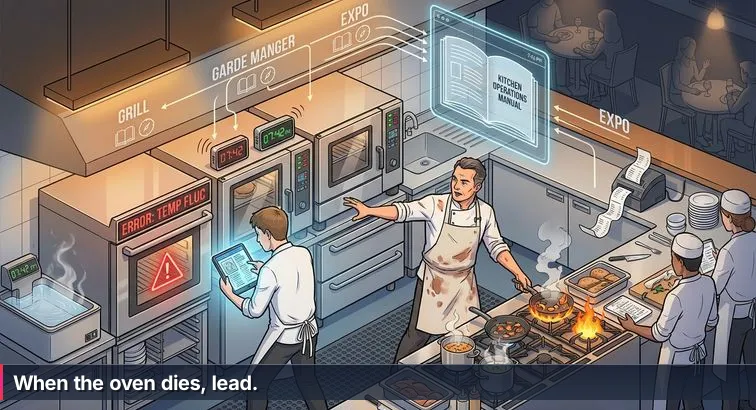
The moment the oven dies in the middle of Friday night service, you find out who really understands the kitchen. Tickets pile up, pans scream on the burners, a wall of smart gadgets blinks, and one cook freezes, scrolling through recipes that all assume the oven works. Meanwhile the head chef never looks at a tablet. They cut three dishes on the fly, reshuffle stations, move pans to new burners, and somehow plates keep landing at the pass.
DevOps today feels a lot like that line. We’re surrounded by “smart ovens” for software delivery: Internal Developer Platforms, Kubernetes operators, GitHub Actions templates, and now AI agents that promise to generate pipelines, Terraform, and incident runbooks for you. Yet when a production outage hits or a cloud bill explodes, the people who understand heat, timing, and flow win. The ones who only know which button to click in which tool tend to stall.
Why this kitchen metaphor matters for DevOps
Across the industry, DevOps has quietly become the default way teams build and run software, even when it shows up under newer labels like platform engineering or cloud-native operations. Market analyses cited by organizations like Digital IT News describe DevOps as the backbone of modern IT, with the global DevOps market projected to grow from $10.4 billion in 2023 to around $25.5 billion by 2028. That growth isn’t just more tools; it’s more kitchens, more services, and more pressure on the people responsible for keeping everything running.
At the same time, the work itself is changing. AI-generated configs and self-service platforms can spin up infrastructure in minutes, but they also make it easier to scale bad decisions. As Ryan Kaw of Catalogic Software puts it in a recent DevOps trends analysis:
“The new benchmark for operational excellence will be resilience… making reliability intrinsic to software delivery rather than an afterthought introduced late in the lifecycle.” - Ryan Kaw, VP of Global Sales, Catalogic Software
This guide: learning to be the chef, not the recipe-follower
This guide is about becoming the person who can reroute the kitchen when the oven dies. We’ll move from that concrete line-cook moment into the core ideas of modern DevOps: shared responsibility, automation with purpose, observability, DORA metrics, and platform engineering. We’ll also be honest about the AI elephant in the room - how tools are reshaping day-to-day workflows, where they genuinely help, and where they simply amplify whatever habits you already have.
If you’re early in your DevOps journey or switching careers, the goal here isn’t to turn you into a collector of buzzword gadgets. It’s to help you build the non-automatable core: systems thinking, debugging under pressure, and collaboration across the “kitchen line” between development and operations. The smart tools will keep evolving. The teams that thrive are the ones who understand heat, timing, and flow well enough to use those tools as extensions of their judgment, not replacements for it.
In This Guide
- Introduction: From Friday-night Chaos to the Modern DevOps Kitchen
- What DevOps Really Means in 2026
- DevOps Culture: Shared Responsibility and Continuous Improvement
- Core Practices: Heat, Timing, and Flow
- Observability, Incident Response, and DORA Metrics
- AI, AIOps, and the New DevOps Kitchen
- Platform Engineering and Internal Developer Platforms
- The 2026 DevOps Toolchain: Practical Choices for Beginners
- DevOps Maturity Model in 2026
- Skills and Career Path: Becoming the Chef, Not the Recipe Follower
- Learning DevOps Fundamentals in 2026: How to Choose a Program
- Bringing It Back to the Line: Actionable Next Steps
- Frequently Asked Questions
Teams planning reliability work will find the comprehensive DevOps, CI/CD, and Kubernetes guide particularly useful.
What DevOps Really Means in 2026
In the middle of that chaotic Friday-night service, nobody cares what brand of smart oven you bought; what matters is whether the kitchen can keep serving when it fails. DevOps is in the same place. Despite periodic headlines about its demise, it has quietly become the default way organizations build and run software, even when it’s called platform engineering or cloud-native operations. Industry forecasts cited by sources like VMblog’s DevOps evolution analysis describe this shift as DevOps “evolving into the operating system of modern IT,” with internal platforms as its most visible face.
Beyond tools: the real core of DevOps
Stripped of buzzwords, DevOps still comes down to a few essentials: collaboration and shared responsibility between development and operations, automation with purpose instead of copy-pasted scripts, reliability treated as a first-class requirement, and continuous feedback from real systems. Guides from practitioners like Atlassian emphasize that DevOps is about shortening and smoothing the path from idea to reliable customer value, not about memorizing Jenkins flags or Kubernetes YAML. In kitchen terms, it’s less “learn this one oven” and more “learn how heat, timing, and flow work together so any oven becomes useful in your hands.”
From speed at all costs to visibility and resilience
One of the biggest mindset shifts is away from raw speed and toward visibility. Recent State of DevOps research summarized by Splunk’s DORA report review shows that elite teams deploy code to production up to 208x more frequently than low performers and recover from incidents 2,604x faster. They achieve that by designing for observability and fast feedback, not by cutting corners. Liav Caspi, CTO and co-founder of Legit Security, captures this shift:
“In 2026, visibility will eclipse velocity as the new competitive edge… The winners won’t be the ones who move first, but the ones who know exactly what their code is doing.” - Liav Caspi, CTO & Co-founder, Legit Security
Those four DORA metrics you’ll hear about - deployment frequency, lead time for changes, change failure rate, and time to restore service - are essentially the ticket rail for your software kitchen. They tell you how smoothly work moves from raw ingredients to plated value, and how gracefully you recover when something burns.
AI is already on the line (and it cuts both ways)
Layered on top of this, AI has moved from novelty to standard equipment. Analyses of recent DORA data note that roughly 90% of developers now use AI tools at work, which has clearly boosted throughput but also correlates with higher change failure rates and more instability when tests, guardrails, and reviews are weak. In other words, AI tends to accelerate whatever practices you already have - good or bad. If your foundations are solid, AI copilots and agents can help you script pipelines faster, reason about logs, and keep the “heat” under control. If your workflow is already messy, they just help you deploy broken recipes more quickly. Understanding this is key to what DevOps really means today: not a stack of tools, but a way of designing systems so that speed, stability, and learning reinforce each other instead of fighting for space on the line.
DevOps Culture: Shared Responsibility and Continuous Improvement
When a steak comes back burned, great kitchens don’t start by yelling at the line cook; they ask what in the system allowed that to happen. Was the ticket timing off? Was the grill overloaded? Did someone miss a call? DevOps culture works the same way. It’s less about who pushed the bad deploy and more about how the pipeline, reviews, tests, and on-call process let a failure reach customers in the first place. That shift from blaming individuals to fixing systems is what separates teams that grow under pressure from those that just burn out.
Shared responsibility and blameless postmortems
Traditionally, development and operations sat on opposite sides of the pass: devs focused on shipping new “dishes,” ops on keeping the oven from catching fire. Modern DevOps culture replaces that with shared responsibility for outcomes. Guides like Atlassian’s DevOps overview describe this as breaking down silos so developers care about operability and operators have a voice in design from day one. When incidents happen, teams run blameless postmortems: structured reviews that ask “how did our process and tooling allow this?” instead of “who messed up?”. Over time, this turns every painful Friday-night outage into an investment in better runbooks, safer rollouts, and clearer ownership.
| Aspect | Blame Culture | DevOps Culture |
|---|---|---|
| Incident reviews | Who broke it? | What system changes prevent this? |
| Dev vs. Ops | Throw work over the wall | Shared responsibility for reliability |
| Learning | Fear of admitting mistakes | Open discussion and experimentation |
Continuous improvement as a team sport
High-performing teams treat improvement as continuous, not a once-a-quarter “process meeting.” Borrowing from lean and agile, they practice continuous improvement and experimentation: small tweaks to pipelines, tests, alerting, documentation, and even how standups run. Post-incident action items are tracked like any other work. Over time, this builds a culture where people are expected to refine the system around them, not just follow whatever brittle checklist they inherited. It’s the difference between a kitchen that blindly follows last year’s prep list and one that constantly adjusts mise en place to match tonight’s menu.
Customer-centric visibility, not internal heroics
Another hallmark of modern DevOps culture is customer-centricity. Instead of celebrating heroics to restart servers at 3 a.m., teams measure success by user experience: error rates, latency, availability, and how quickly they can detect and fix issues before customers notice. That’s why practices like SLOs, real-time dashboards, and clear ownership maps are cultural tools as much as technical ones. They give everyone - from junior engineers to platform teams - a shared view of the “tickets on the rail,” so decisions about tradeoffs are made in terms of impact, not gut feel or politics.
The non-automatable edge in an AI-heavy world
With AI agents and Internal Developer Platforms handling more of the mechanical work - writing boilerplate, wiring pipelines, spinning up environments - it’s natural to worry about where humans fit. Analyses of hiring trends, such as the work-tech study cited by PR Newswire’s software engineering jobs report, point in a clear direction: organizations are doubling down on problem-solving, collaboration, and adaptability rather than raw syntax memorization. Culture is where those show up. You can’t outsource calm incident leadership, thoughtful postmortems, or honest cross-team communication to a model. Programs aimed at career-switchers - like Nucamp’s small-cohort backend and DevOps bootcamps with their emphasis on peer reviews and group projects - work best when they explicitly teach these habits, not just tools. In a kitchen full of smart gadgets, the teams that keep evolving how they work together are the ones that stay in business.
Core Practices: Heat, Timing, and Flow
CI/CD: Controlling the heat on the line
If culture is how the kitchen behaves, CI/CD is how you control the heat and timing so dishes leave the pass consistently. Continuous Integration means every change gets built and tested automatically when it hits your main branch; Continuous Delivery/Deployment means those changes can be shipped to production in a repeatable, low-drama way. Modern pipelines follow a “build once, deploy everywhere” pattern, and best-practice guides like Firefly’s CI/CD tools overview emphasize adding automated checks for security, policy, and drift so what’s in production actually matches what your pipeline thinks it deployed.
name: CI

on:
  push:
    branches: [ "main" ]
  pull_request:
    branches: [ "main" ]

jobs:
  test:
    runs-on: ubuntu-latest
    steps:
      - uses: actions/checkout@v4
      - uses: actions/setup-python@v5
        with:
          python-version: '3.11'
      - run: pip install -r requirements.txt
      - run: pytest --maxfail=1 --disable-warnings -q
Infrastructure as Code: From messy counters to mise en place
Without discipline, your cloud account turns into a messy prep counter: ad-hoc instances, forgotten buckets, hand-edited security groups. Infrastructure as Code (IaC) is how you get back to mise en place. Tools like Terraform, Pulumi, and Ansible let you describe infrastructure in files, version it in Git, review changes, and apply them consistently. The newer layer is Policy as Code - engines such as OPA or Sentinel enforce rules automatically (for example, no public object storage, only approved instance sizes, or required tags for cost tracking) so non-compliant changes fail in CI instead of leaking into production.
| Tool | Primary Use | Typical Scenario |
|---|---|---|
| Terraform | Declarative IaC for multi-cloud | Provisioning AWS/Azure/GCP resources via code |
| Pulumi | IaC using general-purpose languages | Teams that prefer TypeScript/Python/Go over HCL |
| Ansible | Configuration management & orchestration | Configuring servers, apps, and services after provisioning |
Containers and orchestration: Laying out the line
Once your ingredients and tools are in place, you still need a sane layout for the line. Containers are your pans; orchestrators like Kubernetes are how you arrange those pans, control how many are on the heat, and decide what happens when one fails. Docker remains the default for packaging applications, while curated lists such as roadmap.sh’s DevOps tools guide show Kubernetes and Helm as the standard way to schedule and configure containers at scale. Even if an Internal Developer Platform hides the YAML from you, knowing how images, health checks, and scaling work under the hood makes you far more effective.
FROM python:3.11-slim

WORKDIR /app
COPY requirements.txt .
RUN pip install --no-cache-dir -r requirements.txt

COPY . .

ENV PORT=8000
CMD ["gunicorn", "-b", "0.0.0.0:8000", "myapp.wsgi:application"]
Putting it together in real workflows
In practice, these core practices link up: code changes trigger CI, which runs tests and policy checks, builds a container, updates your IaC-controlled environments, and rolls out to a cluster with observability baked in. AI tools can help generate the YAML, Terraform, or even the Dockerfile, but they don’t decide what should be automated, how to stage rollouts safely, or when to roll back. Structured learning paths, including bootcamps that combine Python, SQL, CI/CD, Docker, and cloud into a single 16-week track with small cohorts and live workshops, are effective because they force you to practice that full flow repeatedly. Over time, you stop thinking in terms of “run this command” and start thinking like a chef: how to manage heat, timing, and flow so your system can keep serving even when something breaks.
Observability, Incident Response, and DORA Metrics
When the kitchen fills with steam and smoke, good chefs don’t guess what’s burning; they look for clear signals - ticket times, station calls, the sound of a pan left too long. In DevOps, observability plays that role. Instead of just knowing “the server is up,” you instrument your system with metrics, logs, and traces so you can see what each “burner” is doing, how requests are flowing, and where things are starting to go wrong long before users feel it.
Making the system observable
Modern teams treat metrics, logs, and traces as three complementary lenses on the same reality. Metrics show numbers over time (CPU, latency, error rates), logs capture detailed events, and traces follow a single request across microservices. Toolchains described in overviews like Inflectra’s DevOps tools guide highlight Prometheus, Grafana, ELK/EFK stacks, Splunk, and Datadog as common ways to collect and visualize these signals. The goal isn’t more dashboards for their own sake; it’s fast, reliable answers to concrete questions: “Is this deployment increasing errors?”, “Which service is slowing this endpoint?”, “Did that config change actually take effect?”
| Signal Type | What It Tells You | Typical Questions |
|---|---|---|
| Metrics | Trends over time (rates, latency, saturation) | Is the service healthy? Are we breaching SLOs? |
| Logs | Detailed events and error messages | What exactly failed? With what input and context? |
| Traces | End-to-end request paths across services | Where in the call chain are we spending time or failing? |
From alerts to calm incident response
Observability feeds directly into incident response. Instead of paging someone whenever CPU spikes, mature teams define SLOs and error budgets that reflect user experience. A simple example might be: 99.9% of user-facing requests return HTTP 2xx within 300 ms over 30 days, with alerts if error rate exceeds 1% for 5 minutes or 95th-percentile latency goes over 500 ms for 10 minutes. During an incident, ChatOps setups - where alerts and remediation steps flow through tools like Slack or Teams - help keep everyone aligned and reduce Mean Time to Recovery (MTTR). As Brady Lamb from Recast Software notes in a set of DevOps predictions:
“AI will transform DevSecOps from reactive to predictive, spotting vulnerabilities before they become risks and automating compliance in real time.” - Brady Lamb, Sr. Manager of DevOps, Security, and IT, Recast Software
DORA metrics: reading the ticket rail
All of this work shows up in the four classic DORA metrics, which function like tickets on the rail for your delivery pipeline. Deployment frequency and lead time for changes measure how quickly code moves from commit to production. Change failure rate and time to restore service capture how often things break and how fast you recover. Research from the DORA program, now maintained under Google Cloud, has repeatedly found that teams scoring well on these metrics also report better organizational performance and team well-being, not just faster shipping. The latest DORA State of DevOps report emphasizes that elite performers manage to increase both throughput and stability together, rather than trading one for the other.
For you, that means instrumenting even small projects: track how often you deploy, how long it takes to get a change live, how many deploys require hotfixes, and how quickly you can detect and fix an intentional break in a test environment. Over time, those numbers stop being abstract jargon and start feeling like a direct readout of your kitchen’s heat, timing, and flow - concrete feedback you can use to tune pipelines, improve observability, and run calmer incidents, even when the oven fails mid-service.
AI, AIOps, and the New DevOps Kitchen
AI in today’s DevOps world is like dropping a whole wall of smart gadgets into an already-busy kitchen. You get copilots that write YAML, agents that open incidents, observability tools that “explain” your logs, and Internal Developer Platforms that wire up pipelines with a click. Used well, they take grunt work off your plate. Used blindly, they just help you ship broken recipes faster and at greater scale, especially when tests, reviews, and rollback plans are weak.
What AI is actually doing on the line
Most teams already use AI for very specific kitchen tasks: generating boilerplate code and Terraform, drafting CI/CD workflows, summarizing massive log streams, and flagging anomalies in metrics before humans notice. Trend roundups like DZone’s look at software and DevOps trends highlight AIOps as a major investment area, where vendors bake machine learning into monitoring and incident tools to cluster related alerts, suggest likely root causes, and even propose remediation steps. Inside platforms like Datadog or Splunk, that means you spend less time staring at graphs and more time deciding which fix is safest for customers.
From generative to agentic AI - and why guardrails matter
The next phase is agentic AI: systems that don’t just suggest a pipeline but also create branches, open pull requests, tweak configs, and talk to your CI/CD APIs. In a set of 2026 predictions on DEVOPSdigest, Jason Burt, AI Product Lead at CloudBees, describes it this way:
“By 2026, the DevOps industry will have moved decisively from basic generative AI to agentic AI… Teams will leverage this shift to boost both productivity and quality while reducing the need for heavy manual oversight.” - Jason Burt, AI Product Lead, CloudBees
The catch is that agentic systems accelerate whatever process you already have. If your CI/CD lacks solid tests, policy-as-code checks, traceability, and easy rollback, an AI agent can turn a minor mistake into a fast-moving outage. That’s why security and platform leaders keep stressing fundamentals: version everything, require reviews, gate deployments on meaningful tests and policies, and keep humans in the loop for high-risk changes.
Your role in an AI-augmented DevOps team
All of this changes what it means to be effective in DevOps, but it doesn’t erase the need for people. As one recent work-tech analysis on AI and software engineering jobs points out, hiring is shifting toward aptitude, problem-solving, and collaboration rather than memorizing syntax. Your non-automatable edge is knowing which problems to automate, how to design safe workflows for humans and AI together, and how to debug complex systems when the AI gets confused. The most resilient teams treat AI like a very fast junior engineer: great at cranking out options, never allowed to bypass tests, reviews, or rollback plans. If you build those muscles now, AI tools stop feeling like a threat and start feeling like power tools you can bring onto the line without burning the house down.
Platform Engineering and Internal Developer Platforms
At a certain point, adding more gadgets to the line stops helping. Every station has its own timers, thermometers, and tablets, but nobody can keep all the quirks straight, and the chef spends more time debugging gear than plating food. That’s where platform engineering comes in. Instead of every team wiring its own one-off setup for CI/CD, Kubernetes, and cloud services, a dedicated platform team designs a clean “kitchen” and a reliable pass: a shared Internal Developer Platform (IDP) that gives product teams a sane, opinionated way to ship.
From “everyone does DevOps” to platform teams
As organizations scaled their cloud-native systems, the original “you build it, you run it” DevOps idea ran into cognitive overload: too many tools, too many environments, too many security rules for each product team to reinvent. In response, platform engineering emerged as a focused discipline. Analyses like Vertex’s look at the DevOps evolution describe platform engineering as the natural continuation of DevOps rather than a replacement, with surveys showing that more than 55% of organizations had adopted some form of platform team by 2025 and forecasts pushing Internal Developer Platform usage toward 80% by the end of 2026. As that article puts it:
“Platform engineering is the next step in the DevOps evolution.” - Vertex Computer Systems, DevOps Evolved: Platform Engineering Is The Next Step
What an Internal Developer Platform actually provides
Instead of asking every team to choose a CI tool, define Kubernetes manifests, set up logging, and negotiate with security, the platform team builds an IDP that bakes those choices into a few well-designed “golden paths.” A developer clicks “create service,” picks a template, and gets a repo, pipeline, runtime configuration, and observability wired in by default. Under the hood, it’s still the same ingredients - Git, CI/CD, containers, IaC, policy engines - but laid out in a way that lets product teams focus on features while the platform team owns the ergonomics and guardrails.
| Perspective | Classic DevOps | With Platform & IDP |
|---|---|---|
| Product teams | Pick and wire tools themselves | Use golden paths via self-service portal |
| Platform/ops | Respond to tickets, maintain many bespoke setups | Design and evolve a shared platform and templates |
| Security/compliance | Manual reviews, one-off exceptions | Policies codified into the platform by default |
Golden paths, not golden cages
The best platform teams think like chefs designing stations, not like bureaucrats locking everything down. A good IDP makes the paved road so smooth that most teams never need to leave it: standard service templates, built-in observability, cost and security guardrails, and easy buttons for common tasks like spinning up a database or rolling back a release. At the same time, there’s a way to go “off menu” when needed, with clear contracts and support from the platform team. In a world where AI is already generating boilerplate and wiring up configs, platform engineering becomes the discipline that decides which tools are allowed in the kitchen, how they’re connected, and how humans and AI safely share the line.
What this means for you
For someone entering DevOps or backend engineering, this shift doesn’t make your skills obsolete; it changes where you apply them. You might work on the platform itself, building templates, APIs, and policy checks, or on a product team that uses the platform but still needs to understand how CI/CD, containers, and observability fit together. Either way, knowing how a well-run platform supports heat, timing, and flow is a serious advantage. You’re not just clicking buttons on an internal portal; you understand the kitchen it represents - and that’s what lets you debug, improve, and eventually help redesign it when the next wave of tools arrives.
The 2026 DevOps Toolchain: Practical Choices for Beginners
Standing in front of the DevOps tool wall can feel like staring at a rack of unfamiliar knives and gadgets: Git platforms, CI servers, container engines, IaC frameworks, observability suites, security scanners, plus a growing list of AI assistants. If you’re early in your journey, it’s easy to think the job is “learn all the tools.” In reality, your goal is to understand which part of the kitchen each tool belongs to and what problem it actually solves in the flow from commit to production.
Mapping tools to stages of the flow
A helpful way to think about the 2026 toolchain is by lifecycle stage. Version control tools like GitHub and GitLab handle the “prep” of source code. CI services such as GitHub Actions or Jenkins run automated builds and tests. CD and GitOps tools (for example, Argo CD) handle safe releases. Containers (Docker) and orchestrators (Kubernetes) keep services running. IaC tools (Terraform, Pulumi) define your infrastructure mise en place. Observability stacks (Prometheus, ELK, Datadog) show you what’s happening in real time, while incident tools and ChatOps integrations coordinate the response when something breaks. Surveys like Spacelift’s overview of more than 70 commonly used DevOps tools make it clear there’s no single “right” choice; what matters is having at least one solid option in each category that your team understands well.
| Stage in Flow | Purpose | Beginner-Friendly Tools |
|---|---|---|
| Source & Review | Store code, track changes, review work | Git, GitHub |
| CI & Testing | Automatically build and test on each change | GitHub Actions |
| Packaging & Runtime | Bundle apps and run them reliably | Docker, basic Kubernetes or PaaS |
| Infra & Observability | Provision cloud resources and see behavior | Terraform, Prometheus/Grafana or managed monitoring |
A realistic starter stack for career-switchers
For most beginners, a focused starter stack beats trying to sample everything. A common, job-relevant combination looks like this: Git and GitHub for version control, GitHub Actions for CI, Docker for containerization, a major cloud provider plus Terraform for basic IaC, and a simple observability setup (managed logs and metrics, or Prometheus with Grafana). From there, you can layer on Kubernetes, security scanners, and more specialized tools as you encounter real problems that call for them. Structured programs for backend and DevOps learners often center their projects around exactly this stack, because it forces you to practice the full path from code to running service while still being manageable alongside a 10-20 hour per week schedule.
Tools vs. skills: what actually compounds
Hiring managers repeatedly stress that understanding concepts beats memorizing tool-specific flags. Commenting on the shift, Michael Zuercher, CEO of Prismatic, summed it up this way:
“The job will look less like writing code and more like orchestrating intelligent tools toward a shared goal.” - Michael Zuercher, CEO, Prismatic
That orchestration is where your long-term value lives. You do need hands-on familiarity with real tools to get hired, but the part that compounds over years is learning how to choose tools, connect them, and debug them when reality doesn’t match the docs. As one skills guide from TechTarget’s DevOps career coverage points out, fundamentals like Linux, networking, scripting, and CI/CD concepts show up in every environment, even as specific products change. So when you meet a new tool, keep asking: What part of the kitchen is this? What problem in heat, timing, or flow does it actually solve? If you can answer those, you won’t get lost when the tool landscape shifts again.
DevOps Maturity Model in 2026
Not every kitchen runs like a three-star restaurant. Some nights are pure chaos: manual orders, missing prep, everyone firefighting. Others hum along with predictable rhythms and quick recoveries when something goes wrong. DevOps teams move through similar stages. A maturity model gives you language for where you are today and, more importantly, what a realistic “one step up” looks like instead of trying to jump straight to world-class overnight.
Four practical levels of DevOps maturity
Across case studies and training guides, you tend to see the same patterns repeat. Foundational overviews like Simpliaxis’ DevOps foundations guide talk about moving from ad-hoc, manual work toward repeatable automation, shared ownership, and measurable outcomes. You can think of that journey in four broad levels, whether you’re looking at a whole organization or just your own projects.
| Level | Nickname | Typical Traits | Next Best Move |
|---|---|---|---|
| 0 | Heroic Ops | Manual deploys, fragile scripts, knowledge in a few heads | Put everything in Git, add a basic CI pipeline |
| 1 | Scripted & Siloed | Some automation, inconsistent environments, limited observability | Standardize CI, adopt one IaC tool for core infra |
| 2 | Product Teams Own the Path | CI/CD for most services, IaC in place, good monitoring | Define SLOs, add policy-as-code and better incident practices |
| 3 | Platform & AIOps | Internal platform, self-service, AIOps, clear DORA metrics | Continuously refine golden paths and feedback loops |
Using maturity to pick your next move
The value of this model isn’t the labels; it’s the ability to choose one concrete improvement at a time. If you’re in “Heroic Ops,” don’t start by designing an Internal Developer Platform. Start by version-controlling your deployment scripts and wiring up a simple CI job to run tests on every push. If you’re at “Scripted & Siloed,” pick a single Infrastructure as Code tool and commit to using it for new environments instead of clicking around in the cloud console. As you reach “Product Teams Own the Path,” you can add SLOs, error budgets, and policy-as-code checks that turn reliability and compliance into guardrails instead of last-minute fire drills.
Telling your story in terms of maturity
Thinking in maturity levels also helps you explain your impact. In resumes or interviews, “set up Jenkins” is less compelling than “moved our team from manual releases to automated CI, cutting deploy time from days to hours.” You’re describing a shift up the ladder: better heat control, smoother timing, cleaner flow. For learners and career-switchers, bootcamp and side-project choices can be framed the same way: start with projects that get you from Level 0 to 1 (Git, CI, basic observability), then tackle ones that include IaC, containers, and simple SLOs to nudge you toward Level 2. Over time, you’re not just collecting tools; you’re learning how to turn a chaotic kitchen into one that can handle a broken oven and still keep the plates moving.
Skills and Career Path: Becoming the Chef, Not the Recipe Follower
In a busy kitchen, the chef everyone trusts isn’t the person who memorized the recipe app; it’s the one who understands how heat, timing, and flow work well enough to improvise when the oven dies. DevOps careers follow the same pattern. Tools, frameworks, and even job titles change fast, especially with AI on the line. What doesn’t change is the value of people who can reason about systems, debug calmly under pressure, and keep the rest of the team moving when smart gadgets get it wrong.
Technical fundamentals that still matter
Hiring managers looking for DevOps, SRE, or platform talent consistently list the same foundations: solid Linux skills, basic networking (DNS, HTTP, TCP/IP), a scripting language like Python or Bash, Git and pull requests, CI/CD concepts, and at least one major cloud provider. Guides such as Simplilearn’s roadmap for becoming a DevOps engineer emphasize that you don’t need every tool, but you do need to be comfortable automating tasks, reading logs, and reasoning about how code moves from laptop to production. Add SQL and database basics to that mix and you’re well-positioned for backend and DevOps roles, even as AI assistants handle more of the boilerplate.
Human skills you can’t hand to an agent
On the human side, the skills that separate chefs from recipe-followers are even harder to automate: clear communication during incidents, honest post-incident reviews, cross-team collaboration, and system thinking - the ability to see how small changes ripple through complex services. A recent work-tech analysis, summarized in an AI and jobs report from PR Newswire, captured the hiring shift this way:
“Mastery of fundamentals is still the fastest path to employability.” - WorkTech Predictions 2026 Panel, Solutions Review (via PR Newswire)
That “fundamentals” bucket includes how you work with others, not just what you can script. Being the person who can explain a production issue to non-technical stakeholders, coordinate a calm rollback, and turn an outage into specific improvements is a career moat AI agents can’t easily cross.
A realistic roadmap from line cook to chef
For career-switchers, it helps to think in a 6-12 month arc rather than trying to learn everything at once. A practical sequence looks like this:
- Months 1-3: Learn Linux basics, Git, and core Python. Set up simple CI (for example, a GitHub Actions pipeline that runs tests on each push) and containerize a small app with Docker.
- Months 3-6: Add one cloud provider and Terraform to create real infrastructure. Learn SQL and design a small database-backed service so you’re operating on more than “hello world” apps.
- Months 6-12: Build one or two end-to-end projects with CI/CD, containers, IaC, and basic monitoring. Practice incidents on purpose: break something in a non-prod environment and time how quickly you can detect and fix it.
You can follow that path with self-study or through a structured program designed for working adults. For example, Nucamp’s 16-week Back End, SQL and DevOps with Python bootcamp wraps Python, PostgreSQL, CI/CD, Docker, and cloud deployment into a single track, with 10-20 hours per week of work, weekly live workshops capped at 15 students, and tuition around $2,124 for early-bird enrollees. Whatever route you choose, the aim is the same: come out not just knowing which buttons to push, but understanding the kitchen well enough to keep service running when the tools change or fail. That’s the profile that stays valuable, with or without AI on the line.
Learning DevOps Fundamentals in 2026: How to Choose a Program
Choosing how to learn DevOps can feel a lot like picking your first kitchen job: do you stage for free, enroll in a culinary program, or piece things together from YouTube? In a world full of AI-assisted tutorials and glossy course pages, it’s easy to focus on tool lists and ignore the real question: will this path actually help you internalize heat, timing, and flow well enough to handle a broken “oven” in production, not just follow recipes when everything works?
Deciding what you actually need to learn
Before you compare programs, get clear on the fundamentals you’re aiming for. Most serious DevOps skills guides - from Linux and Git through CI/CD, containers, cloud, and monitoring - line up on the same core ideas: automate repeatable work, understand how code moves from laptop to production, and learn to read real system signals instead of guessing. A step-by-step DevOps tutorial like the one from Edureka’s beginner DevOps guide emphasizes exactly this end-to-end view rather than just “learn Kubernetes.” In the AI era, that becomes even more important: if you know why pipelines, Infrastructure as Code, and observability matter, AI-generated scripts turn into accelerators; if you don’t, they’re just opaque magic you can’t safely debug.
Comparing learning paths: self-study, bootcamps, and beyond
Once you know the skills you’re targeting, you can choose the learning format that fits your life. Pure self-study is flexible and cheap, but demands a lot of structure and discipline. University or corporate programs offer credentials but can be expensive and slow to update. Focused bootcamps sit in the middle: they’re shorter and more applied, often built around shipping real projects with CI/CD, Docker, cloud, and databases. For example, Nucamp’s 16-week Back End, SQL and DevOps with Python bootcamp is intentionally scoped for career changers: 10-20 hours per week, weekly 4-hour live workshops capped at 15 students, early-bird tuition around $2,124, and new cohorts starting roughly every five weeks so you’re not waiting half a year to get going.
| Path | Typical Duration | Cost Range | Best For |
|---|---|---|---|
| Self-study | Flexible (often 6-12+ months) | Low (books, courses, cloud credits) | Highly self-directed learners with time to curate resources |
| Bootcamp | Intensive 8-24 weeks | Moderate (e.g., $2,124 vs $10,000+ at some competitors) | Career-switchers needing structure, projects, and a clear timeline |
| University / corporate program | Months to years | Higher tuition or employer-sponsored | Those prioritizing formal credentials or internal promotion tracks |
Evaluating a DevOps program in practice
Whatever route you lean toward, evaluate it like an engineer, not a shopper. Look for curricula that cover the full path (Git, Python or another scripting language, SQL, CI/CD, Docker, cloud, and basic observability), not just a grab bag of tools. Check that you’ll build at least one end-to-end project you can deploy and debug, ideally with some form of incident simulation or postmortem practice. For cohort-based options, class size and instructor access matter: small groups and weekly live sessions make it easier to ask hard questions and learn from others’ mistakes. Finally, consider support beyond the material itself: portfolios, mock interviews, and realistic talk about the job market help you translate your new skills into that first role. The right program won’t just teach you which buttons to click; it will train you to think like the chef who can keep the line moving when the gadgets fail.
Bringing It Back to the Line: Actionable Next Steps
By now, the kitchen metaphor should feel familiar: tickets on the rail as DORA metrics, CI/CD as your control over heat, observability as your ability to see through the steam, and platform engineering as the way you lay out the line. The last step is turning all of that into concrete action so you’re not just nodding along with the concepts, but actually changing how you work on the next “Friday night service” your systems face.
Step 1: Instrument your current kitchen
Start with whatever you have today: a side project, a team service, or even a simple API. Add just enough observability to see requests, errors, and latency, then pick at least two DORA-style metrics to track (deployment frequency and time to restore service are great starting points). Even a lightweight spreadsheet and a few dashboards will do. Over time, you can evolve toward more sophisticated setups like the ones described in Cortex’s 2025 playbook for DevOps excellence, but the key first move is to make work visible so you can reason about flow instead of guessing.
Step 2: Ship one end-to-end project
Next, give yourself one well-defined “dish” to serve: a small but real service that goes all the way from code to users. Aim to cover the full path: Git for version control, a CI pipeline that runs tests on each push, a Docker image, Infrastructure as Code to stand up basic cloud resources, and some form of monitoring and logging. The goal isn’t to build something huge; it’s to experience the entire lifecycle at least once so terms like CI/CD, IaC, and SLOs map to muscle memory, not just slides.
- Initialize a repo and set up automated tests.
- Add CI to run on every commit to main.
- Containerize the app and deploy it to a cloud environment.
- Use IaC to define the infrastructure instead of clicking in the console.
- Hook up basic metrics, logs, and one simple alert.
Step 3: Practice incidents and postmortems on purpose
Once something is live, practice breaking it in safe ways. Trigger a controlled failure (for example, a bad config in a non-production environment), then time how long it takes you to detect, diagnose, and fix it. Write a short, blameless postmortem focused on what signals helped or hurt, and what process or tooling changes would make the next response smoother. Resources like Oobeya’s guide to DevOps metrics beyond DORA can give you ideas for what to measure as you improve. Treat each run as another rep at staying calm when the “oven” fails, and another chance to refine your mise en place.
Step 4: Layer in AI and platforms intentionally
Finally, start bringing AI tools and any Internal Developer Platforms your company offers into this picture as conscious choices, not magic. Use AI to draft pipelines, Terraform, or runbooks - but insist on tests, reviews, and clear rollback paths before anything touches production. When you use a platform’s golden path, peek under the hood to understand what it’s doing with containers, IaC, and policies. Over months of this kind of practice, you’ll move from following recipes on a tablet to thinking like the chef at the pass: reading the ticket rail, adjusting heat and timing, and keeping the line moving even on the nights when everything seems to break at once.
Frequently Asked Questions
Which DevOps fundamentals should I focus on in 2026 to be job-ready?
Prioritize systems thinking and the full commit-to-production flow: CI/CD, Infrastructure as Code, containers, observability (metrics/logs/traces), SLOs, plus Linux, basic networking, and a scripting language like Python or Bash. These fundamentals remain the most transferable skills even as ~90% of developers adopt AI tools that mainly accelerate existing practices.
How is AI changing day-to-day DevOps work, and should I worry my skills will become obsolete?
AI speeds boilerplate tasks - generating YAML, Terraform, and runbooks - and can surface likely root causes, but it amplifies whatever processes you already have; teams with weak tests see more instability when AI accelerates bad changes. Think of AI as a fast junior: valuable for productivity but not a substitute for fundamentals like testing, review gates, and incident leadership.
What minimal toolstack should a beginner learn first to be effective in DevOps?
Start with Git/GitHub for source control, GitHub Actions for CI, Docker for packaging, one cloud provider plus Terraform for basic IaC, and a simple monitoring setup (managed logs/metrics or Prometheus + Grafana). That focused stack maps to real job expectations and is what many entry-level projects and bootcamps use to teach the end-to-end flow.
How can I prove DevOps experience as a career-switcher without years of on-the-job time?
Build one end-to-end project that goes from repo → CI tests → Docker image → IaC-deployed environment with monitoring, and track at least two DORA-style metrics (e.g., deployment frequency and time to restore). Structured programs or focused 16-week bootcamps (many run 10-20 hrs/week) can accelerate this by forcing repeated, coached practice.
When does it make sense for an organization to invest in a platform/Internal Developer Platform (IDP)?
Invest in a platform when tool sprawl and cognitive load slow teams down - when many teams are reinventing CI/CD, infra, and observability - because a good IDP provides golden paths and consistent guardrails. More than 55% of organizations had some platform team by 2025, and forecasts push IDP usage toward ~80% by the end of 2026, so it’s often the right move as you scale.
Platform and ops context is covered in the complete guide to managed Kubernetes and IDPs, comparing EKS, GKE, and AKS tradeoffs.
- metadescription": "Most In-Demand Backend Skills in 2026: how to prioritize APIs, databases, cloud, observability, and security with practical starter goals and AI-aware tips.",
If you're preparing a portfolio project, follow the long-tail walkthrough: AI tools, RAG, and MCP design patterns to demonstrate architecture skills.
See the step-by-step testing with pytest and httpx walkthrough to automate critical flows.
This step-by-step CI/CD tutorial for Python demonstrates linting, tests, security scans, and Docker image pipelines.

Irene Holden
Operations Manager
Former Microsoft Education and Learning Futures Group team member, Irene now oversees instructors at Nucamp while writing about everything tech - from careers to coding bootcamps.