









How to Become an AI Engineer in Bellevue, WA in 2026
By Irene Holden
Last Updated: January 23rd 2026
Quick Summary
You can become an AI engineer in Bellevue in about 12 months by following a month-by-month roadmap that takes you from Python and core math to scikit-learn, PyTorch, LLM/RAG pipelines, and deployed, Dockerized cloud services with 2-3 polished end-to-end projects. Bellevue makes this practical - there are hundreds of local AI/ML listings, experienced roles commonly pay in the mid-six figures around $152,000 to $200,000 or higher, and Washington’s lack of state income tax boosts take-home pay, so pair affordable, project-focused training like Nucamp’s bootcamps with steady hands-on work to be competitive.
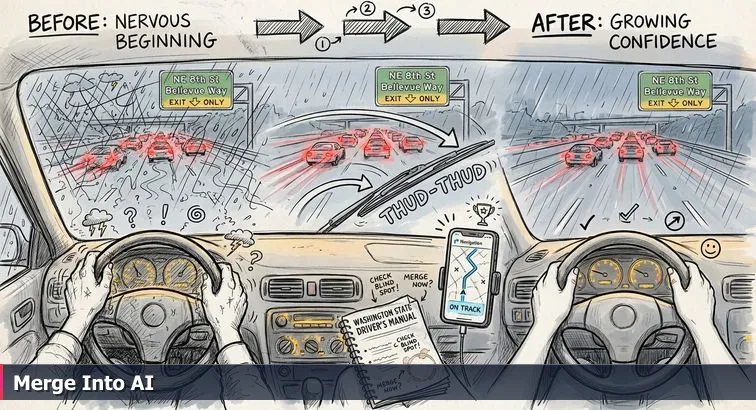
You’re sitting at your kitchen table in Bellevue, rain blurring the view of I-405, laptop open, a dozen AI tutorials in your tabs. Before you follow any neat 12-month “blue line” roadmap, you need to make sure your “car” can actually handle the drive: the right laptop, the right tools installed, and just enough math and time in your week so you’re not stalling in the merge lane three months from now.
Check your baseline prerequisites
You don’t need a CS degree to get onto the AI highway here, but you do need a minimum skill floor and a realistic schedule. Roadmaps like the AI Engineer Roadmap 2026 from Testleaf and the practical guide on how to become an AI engineer without a PhD both assume you can carve out focused time and are comfortable with basic math.
- Math: solid high-school algebra (variables, functions, basic graphs) and a willingness to pick up some linear algebra, probability, and calculus concepts as you go.
- Computer comfort: you can install software, tweak settings, and aren’t afraid of following copy-paste commands in a terminal.
- Time per week:
- 10-12 hours/week over roughly 12-18 months if you’re changing careers.
- 20+ hours/week over 6-8 months if you already code professionally in another area.
Install your core development stack
Most Bellevue AI teams at places like Amazon, Microsoft, and Eastside startups expect you to be comfortable in a modern Python stack: Python 3.10+, a code editor, Git/GitHub, basic Linux shell, and containerization with Docker. Set this up once and you’ll reuse it for every project, from your very first notebook to deployed RAG systems.
-
Install and verify Python 3.10+.
- Install the latest Python 3.10+ release for your OS.
- Open a terminal and run:
python3 --version
If you see a version below 3.10, install a newer one and try again. - Create a project folder:
mkdir ai-roadmap && cd ai-roadmap - Set up a virtual environment:
python3 -m venv .venv
Activate it:
macOS/Linux:source .venv/bin/activate
Windows (PowerShell):.venv\Scripts\Activate.ps1
-
Install your editor (VS Code or Cursor).
- Install VS Code or Cursor and enable the Python extension.
- Open your
ai-roadmapfolder in the editor and confirm it picks up your virtual environment.
-
Set up Git and GitHub.
- Install Git, then configure it:
git config --global user.name "Your Name"git config --global user.email "you@example.com" - Create a free GitHub account.
- Initialize your first repo:
git initgit add .git commit -m "Initial commit: AI roadmap setup"
- Install Git, then configure it:
-
Install Docker Desktop.
- Install Docker Desktop for your OS and start it.
- Verify it works:
docker run hello-world
-
Get comfortable with a terminal.
- Practice core commands:
cd,ls,pwd,mkdir,rm. - Create a simple script file from the terminal (for example,
touch main.py) and open it in your editor.
- Practice core commands:
Pro tip: Create one top-level dev folder (for example, ~/dev) and keep every AI project inside it so you’re never hunting for code across your drive. Warning: Docker can be heavy on laptops with less than 16GB RAM - close browsers and non-essential apps when you’re building images or running multiple containers.
Set up your cloud and AI accounts
On the Eastside, most AI engineer roles assume basic fluency with at least one major cloud - Azure if you’re eyeing Redmond, AWS if you’re targeting teams that work closely with Amazon, and often GCP in startup environments. You don’t need deep DevOps skills yet, but you do want free-tier accounts ready so you’re not scrambling the first time you deploy a model or call an LLM API.
-
Create your AWS, Azure, and (optionally) GCP accounts.
- Sign up for AWS and enable the free tier; keep root credentials safe and create a separate IAM user for daily work.
- Create an Azure account; you’ll later use it for services like Azure AI and Azure OpenAI that show up in local postings.
- Optionally, create a GCP account to experiment with their AI/ML offerings.
-
Set up basic cost guardrails.
- In each cloud console, enable billing alerts with a low threshold while you’re learning.
- Use separate “playground” projects/subscriptions for experiments so you can shut everything down quickly if needed.
-
Organize your credentials.
- Store API keys and cloud credentials in a password manager, not in text files on your desktop.
- Plan to load secrets via environment variables in your code rather than hardcoding them - this is a habit Bellevue employers expect from day one.
Pro tip: Treat this whole setup as a one-time “garage tune-up.” Once it’s done, every hour you spend learning Python, ML, or LLMs will be on the actual road, not spent changing tires at the on-ramp.
Steps Overview
- Prepare your toolkit and prerequisites
- Choose your AI engineer flavor
- Learn Python, Git, and foundational math
- Master core machine learning and evaluation
- Build deep learning and LLM/RAG skills
- Deploy end-to-end systems to the cloud
- Specialize, add governance, and polish projects
- Follow the 12-month Bellevue AI roadmap
- Verify skills: projects, tests, and checklist
- Troubleshoot common pitfalls and gotchas
- Common Questions
This guide: starting an AI career in Bellevue WA in 2026 lays out education choices from bootcamps to UW certificates.
Choose your AI engineer flavor
Once your tools are installed, the next move is deciding which lane you’re actually aiming for. Out here between downtown Bellevue and Redmond, “AI engineer” is a catch-all on job boards, but the work at Microsoft, Amazon, T-Mobile, or an Eastside startup feels very different depending on the flavor. This is where you stop staring at the blue line on the map and look up at the actual exit signs.
See what Bellevue is actually hiring for
Instead of guessing, start with the local road conditions. Pull up AI roles around Bellevue on a site like Glassdoor’s AI/ML engineer listings for Bellevue, where a recent snapshot showed 487+ AI/ML engineer roles across the metro. You’ll see everything from LLM-heavy “Agentic Automation” roles to applied ML and hardcore platform engineering, often in the same search results.
- Filter by “AI Engineer,” “Machine Learning Engineer,” and “AI Platform Engineer.”
- Scan 10-15 postings from Microsoft, Amazon, T-Mobile, Chewy, and a few Eastside startups.
- Write down every repeated tool or concept (Python, PyTorch, RAG, LangChain, Docker, Kubernetes, AWS, Azure, etc.).
- Mark each posting as “LLM apps,” “applied ML,” or “platform/infra” based on what the day-to-day work looks like.
Pick your lane: three AI engineer flavors
Once you’ve looked at enough postings, the traffic separates into three clear lanes. They overlap, but choosing one as your primary direction gives you a concrete target instead of trying to cover every tool mentioned in a job description.
| Flavor | What you build | Bellevue examples | Key stack |
|---|---|---|---|
| LLM Application Engineer | Copilots, chatbots, RAG apps, agentic workflows for internal teams | Roles like Freshworks’ AI Engineer - Agentic Automation in Bellevue | Python, LLM APIs, LangChain/agents, embeddings, vector DBs |
| Applied ML Engineer | Prediction systems: churn, fraud, ranking, recommendations | ML teams at T-Mobile, Chewy, and enterprise SaaS companies | Python, NumPy/Pandas, scikit-learn, PyTorch/TensorFlow, SQL |
| AI Platform / Infra Engineer | Tooling and infrastructure: model serving, feature stores, pipelines | AI platform groups at Microsoft Azure AI, Meta Superintelligence Labs, AlphaSense | Python/Java/C++, Docker, Kubernetes, model optimization, cloud infra |
Run a one-week decision sprint
Give yourself a single focused week to choose a primary and a backup lane. This isn’t a forever decision, it’s picking the next exit so you’re not drifting between lanes.
- Day 1-2: Save 10 local job postings per flavor into one document and highlight required skills.
- Day 3: For each flavor, write a 3-4 sentence “day in the life” based on those postings.
- Day 4-5: Watch or read one in-depth roadmap, like the AI Engineer Roadmap for 2026 on Medium, and map its recommendations onto your saved postings.
- Day 6: Choose your primary flavor (the work you’re most excited to do) and a secondary (the one you’d be okay merging into later).
- Day 7: List the top 6-8 skills that show up in most postings for your chosen flavor - these become your learning targets for the next three months.
“The learning that sticks is the learning that you apply... You just need to start moving with intention.” - AI engineer quoted in Data with Baraa’s roadmap series
Pro tip: Bellevue is competitive, especially for AI roles clustered around Amazon, Microsoft, and the growing Eastside startup scene. Instead of treating that as a reason to wait, use it as a filter: if a skill shows up in several postings for your chosen lane, it goes on your roadmap; if it doesn’t, it’s background noise for now. This way, your next lane change - from tutorials into real projects - lines up with what the market here is actually asking for.
Learn Python, Git, and foundational math
When you actually sit down to code in that new Bellevue apartment, this is where the map finally meets the road. Python, Git, and a bit of math are the difference between “I watched a great tutorial” and “I can open my laptop at a café in downtown Bellevue and build something that would pass a first screen at Microsoft or an Eastside startup.” This is your first real merge: from watching other people drive to handling the wheel yourself.
Shape your first two months around Python practice
Most serious AI roadmaps, like Coursera’s AI learning roadmap, put Python and data handling at the very start for a reason: every model you train, every RAG pipeline you wire up, starts as Python code. For Months 1-2, think of your goal as “I can read and write non-trivial Python scripts without copying everything from Stack Overflow.”
- Week 1-2: Core language basics
- Learn variables, data types, lists/dicts, conditionals, loops, functions, and modules.
- In your activated virtual environment, create a simple script:
touch main.py # or use your editor’s New File
Insidemain.py, write a function that takes a list of numbers and returns the mean, min, and max. - Run it from the terminal:
python main.py
- Week 3-4: NumPy & Pandas
- Install your core data stack:
pip install numpy pandas matplotlib - Load a CSV (any public dataset is fine) with Pandas, clean a few columns, and compute summary statistics.
- Plot a simple histogram or line chart with Matplotlib so you see your data, not just numbers.
- Install your core data stack:
Pro tip: Code every day, even if it’s only 30 minutes. Set a recurring block on your calendar like a standing commute; when the time comes, you open your editor and move the project forward by one small step.
Add Git from day one, not “later”
- Initialize version control early.
- Inside your
ai-roadmapfolder:git initgit add .git commit -m "Day 1: Python setup and first script" - Create a GitHub repo and push:
git remote add origin <your-repo-url>git push -u origin main
- Inside your
- Make small, frequent commits.
- Every time you finish a mini-task (new function, bugfix, small refactor), run:
git add <files>git commit -m "Describe the change in one sentence" - By the end of Month 2 you want a visible history on GitHub, not one giant “initial commit.”
- Every time you finish a mini-task (new function, bugfix, small refactor), run:
Warning: Don’t keep your work trapped in local folders “until it’s good enough.” Bellevue hiring managers skim GitHub in seconds; seeing consistent, incremental commits over a few months is far more convincing than one perfect-looking repo created the night before you apply.
Build just enough math to understand what your code is doing
- Linear algebra (intuition level).
- Practice vector and matrix operations in NumPy: addition, dot products, and matrix multiplication.
- Write a tiny script that implements a manual dot product and compare it to
numpy.dotto cement the idea.
- Statistics & probability (for model thinking).
- With NumPy and Pandas, compute mean, median, variance, and standard deviation for columns in a real dataset.
- Create a simple function that simulates coin flips or dice rolls and empirically estimates probabilities.
- Calculus (conceptual only, for now).
- Use a small Python function to approximate a derivative numerically and see how changing inputs changes outputs.
- The goal is to understand that gradient descent is “nudging” parameters downhill, not to do hand derivations.
Ship one mini-project that touches all three
This is where you merge Python, Git, and math into one short stretch of road. Pick a simple dataset (for example, local housing or traffic data) and give yourself 7-10 days to ship a tiny but complete project.
- Create a new repo folder like
bellevue-data-explorerinside yourdevdirectory and initialize Git. - Write a script that:
- Loads the dataset with Pandas.
- Cleans or filters at least three columns.
- Computes basic descriptive stats and one or two simple correlations.
- Generates at least one visualization, saved to a
plots/folder.
- Add a short
README.mdexplaining:- What data you used.
- Exactly how to run the script (commands, expected output).
- What you learned from the numbers.
- Commit and push your work, then share the repo URL with a friend or mentor and ask if they can run it without your help.
Down the road, when you’re wiring up RAG systems or deploying models to AWS from Bellevue coworking spaces, this little project becomes your first lane marker: proof that you can write real Python, track your work with Git, and use math as a tool instead of a roadblock.
Master core machine learning and evaluation
The first time you train a real model, it feels a bit like taking your car off side streets in Factoria and up that long hill toward I-90: suddenly the road tilts, traffic speeds up, and any wobbliness in your steering shows. Months 3-5 are where you leave “just Python scripts” behind and learn to steer actual machine learning models - the kind Bellevue teams at Microsoft, Amazon, and Eastside startups use every day to make predictions, score risk, and personalize experiences.
Focus your Months 3-5 on core ML, not every buzzword
Most serious guides, like Scaler’s machine learning roadmap, line up on the same fundamentals for this phase: supervised learning, a bit of unsupervised learning, and solid evaluation. Your goal is to be able to look at a dataset from work in downtown Bellevue and say, “this is a classification problem,” “that’s regression,” and then prove it with code and metrics.
- Set up your ML environment.
- In your virtual environment, install key packages:
pip install scikit-learn pandas numpy matplotlib jupyterlab - Start a notebook:
jupyter lab
- In your virtual environment, install key packages:
- Learn supervised learning with scikit-learn.
- Classification: logistic regression, decision trees, random forests, gradient boosting (e.g.,
RandomForestClassifier,GradientBoostingClassifier). - Regression: linear and regularized regression (e.g.,
LinearRegression,Ridge,Lasso). - Use
train_test_splitto create training and test sets and always compare against a simple baseline model.
- Classification: logistic regression, decision trees, random forests, gradient boosting (e.g.,
- Touch unsupervised learning just enough.
- Run k-means clustering (
KMeans) on a small numeric dataset and visualize clusters. - Try PCA (
PCA) to reduce dimensionality and plot the first two components.
- Run k-means clustering (
- Practice data cleaning and feature handling.
- Use
SimpleImputeror Pandas to handle missing values. - Apply
StandardScalerand one-hot encoding (OneHotEncoder) viaColumnTransformerandPipeline. - Pro tip: Always keep preprocessing inside a scikit-learn
Pipelineso it’s reproducible - this is the kind of detail hiring managers around Bellevue look for in take-home exercises.
- Use
Build two anchor projects: one classifier, one regressor
Rather than drifting through dozens of toy notebooks, anchor this phase with two concrete projects you’d be comfortable walking through in an interview at a Bellevue company: one classification problem, one regression. Treat them like short highway segments where you practice staying in your lane under real traffic.
- Project 1 (Month 4): Binary or multi-class classifier.
- Pick a real dataset (customer churn, loan default, or anything with a yes/no or category label).
- Load and clean it with Pandas, then:
- Split into train/validation/test using
train_test_split. - Train at least three models (e.g., logistic regression, random forest, gradient boosting).
- Evaluate using accuracy, precision, recall, and F1; plot an ROC curve with
roc_curve. - Use
GridSearchCVorRandomizedSearchCVfor basic hyperparameter tuning.
- Split into train/validation/test using
- Write a short
REPORT.mdsummarizing which model you’d ship and why, based on metrics - not vibes.
- Project 2 (Month 5): Regression or simple forecasting.
- Choose a numeric target (house price, monthly demand, time-on-site).
- Engineer a few intuitive features (e.g., day of week, season, or counts) and train:
- A baseline model (mean predictor or simple linear regression).
- At least one advanced model (e.g.,
RandomForestRegressororXGBRegressorif you install XGBoost).
- Compare MAE, MSE, and RMSE across models, and plot actual vs. predicted values.
- Warning: Don’t peek at the test set until the very end; Bellevue interviews often probe for data leakage, and this is where it sneaks in.
“The most valuable AI skill in 2026 isn't coding, it's building trust.” - Deepak Seth, Director Analyst, Gartner, quoted in Computerworld’s review of AI skills
Evaluate models like you’re already on the job
The point of these months isn’t just “I used scikit-learn,” it’s learning to talk about models the way an AI engineer in the Seattle-Bellevue corridor would. When you can explain why F1 beats accuracy on an imbalanced dataset, why you chose ROC-AUC over precision for a given stakeholder, or how your cross-validation scores compare to test performance, you’re not just following tutorials - you’re checking your mirrors, understanding your blind spots, and driving in the same traffic pattern local teams work in every day. Capture those choices in your notebooks and READMEs now, and by the time you start wiring up deep learning and LLMs, you’ll have a solid ML “engine” under the hood instead of a mystery box.
Build deep learning and LLM/RAG skills
By the time you hit Months 6-8, you’re not just cruising neighborhood streets anymore - you’re finally merging onto I-405 speed. This is where you bolt a neural network “engine” under the hood, then wire it into real large language models, RAG pipelines, and the vector databases you keep seeing in Bellevue job posts for agentic AI and internal copilots.
Lay the deep learning foundation (Month 6)
Your first goal is to get comfortable with at least one major deep learning framework - either PyTorch or TensorFlow - with PyTorch slightly more common in research-style and cutting-edge work. The target for this month is simple: you can define a small network, run a training loop, and inspect loss going down.
- Install a framework and verify it.
- In your virtual environment:
pip install torch torchvision torchaudio
orpip install tensorflow - Open a Python shell and confirm:
import torch; print(torch.version)
orimport tensorflow as tf; print(tf.version)
- In your virtual environment:
- Build a minimal classifier end-to-end.
- Use a standard dataset (for example, MNIST or Fashion-MNIST).
- Implement:
- A simple feedforward network (2-3 layers).
- A training loop with forward pass, loss computation, backward pass, and optimizer step.
- Basic metrics: training loss per epoch and final accuracy on a held-out set.
- Save and reload the trained model using the framework’s save functions so you understand how persistence works.
- Experiment deliberately.
- Change learning rates and batch sizes and watch how training curves respond.
- Add one regularization technique (dropout or weight decay) and note the impact on overfitting.
- Pro tip: Keep this first network small enough to train on CPU in a few minutes - your goal is intuition, not benchmarks.
Get hands-on with LLM APIs and prompts (Month 7)
Once you can drive a neural net, you shift lanes into modern LLMs. Bellevue postings for roles like “AI Engineer - Agentic Automation” call out things like tool use, planning, and memory, but you start with the basics: calling an LLM API, shaping prompts, and understanding how parameters change behavior.
- Call an LLM from Python.
- Sign up for an LLM provider that supports an OpenAI-compatible API (Azure OpenAI, AWS Bedrock models, or similar).
- Store your API key in an environment variable (for example,
export LLM_API_KEY=...) - never hardcode it. - Write a small client script that:
- Reads a question from standard input.
- Sends it to the model with a system message describing the assistant’s role.
- Prints the response text.
- Practice prompt engineering, not prompt guessing.
- Systematically vary:
- System messages (role and tone).
- Temperature (0-0.3 for deterministic tools, 0.7+ for creative tasks).
- Max tokens (keep small at first to control cost).
- Log each experiment in a simple table (prompt → settings → output quality) so you start to see patterns.
- Systematically vary:
- Build a non-RAG Q&A bot.
- Create a script or notebook that:
- Loads a small set of facts (for example, your own notes about Bellevue’s tech scene).
- Injects those facts directly into the prompt as context.
- Answers user questions using that combined prompt.
- This gives you a baseline to compare against RAG later.
- Create a script or notebook that:
- Warning: Watch token usage and set budget caps in your account dashboard; LLM costs can spike quickly if you loop requests in code without limits.
Build a full RAG assistant with vector search (Month 8)
Now you wire everything together into the stack that keeps showing up in Bellevue descriptions: RAG, vector databases, and basic agentic flows. Your outcome for Month 8 is a working RAG app that could plausibly sit inside an Eastside company as an internal assistant.
- Stand up a local RAG pipeline.
- Install core libraries:
pip install chromadb sentence-transformers langchain - Choose a document set (for example, public policy PDFs, a mock employee handbook, or product docs you write yourself).
- Implement:
- Chunking: split documents into overlapping text chunks.
- Embeddings: use a local sentence-transformer model to turn chunks into vectors.
- Storage: persist vectors and metadata in ChromaDB.
- Install core libraries:
- Connect retrieval to your LLM.
- On each user query:
- Embed the query.
- Retrieve the top k similar chunks (start with k = 3-5).
- Build a prompt that includes the user question plus those chunks as context.
- Send that prompt to your LLM API and return the answer.
- Log which chunks were retrieved for each answer so you can debug relevance later.
- On each user query:
- Turn it into a Bellevue-flavored project.
- Wrap your RAG pipeline in a simple CLI or web UI where:
- Users ask natural-language questions.
- The app displays both the answer and the source snippets used.
- Optionally, add a very simple “agent” loop:
- If the model says it’s unsure, automatically broaden the retrieval (increase k or query variations) before answering.
- Wrap your RAG pipeline in a simple CLI or web UI where:
- Pro tip: If you want guided practice building LLM-powered products and agents, a focused program like Nucamp’s Solo AI Tech Entrepreneur bootcamp (25 weeks at $3,980, centered on LLM integration, AI agents, and monetizing SaaS-style products) can give you structured projects and feedback while you keep experimenting on your own - details are laid out in the Solo AI Tech Entrepreneur overview.
- Warning: Don’t treat RAG as “just adding a vector database.” You’re now designing a retrieval system, an LLM interface, and a user experience; document your design choices and limitations so you’re already thinking like the AI engineers Bellevue companies trust with production systems.
Deploy end-to-end systems to the cloud
By the time you hit Months 9-11, you’ve got models that work in notebooks and RAG assistants running on your laptop. Now you need to do what Bellevue employers actually pay for: turn that code into a running service on the internet. This is the lane change from “smart prototype” to “production-capable system” - the kind of work AI teams at Amazon in Seattle, Microsoft in Redmond, and Eastside startups expect you to handle without handholding.
Turn your notebook into a FastAPI service
Your first move is to wrap an existing model or RAG pipeline in a lightweight web API so other systems (or frontends) can call it. FastAPI is a strong default: it’s Pythonic, async-friendly, and common in ML/LLM backends.
- 1. Install FastAPI and Uvicorn.
- In your virtual environment:
pip install fastapi uvicorn[standard]
- In your virtual environment:
- 2. Create a minimal API around an existing model.
- Save your trained model (for example, a scikit-learn churn model or your Month 8 RAG pipeline) into a Python module.
- Create
main.py:from fastapi import FastAPI from pydantic import BaseModel import joblib model = joblib.load("model.joblib") class Input(BaseModel): feature1: float feature2: float app = FastAPI() @app.post("/predict") def predict(inp: Input): data = [[inp.feature1, inp.feature2]] pred = model.predict(data)[0] return {"prediction": int(pred)} - Run locally:
uvicorn main:app --reload --port 8000 - Test with curl or HTTPie:
curl -X POST "http://127.0.0.1:8000/predict" -H "Content-Type: application/json" -d '{"feature1": 1.0, "feature2": 2.0}'
- 3. Add basic error handling and health checks.
- Define a
GET /healthendpoint that returns a simple JSON payload. - Handle common errors (missing fields, bad types) with clear messages; production teams around Bellevue care as much about robustness as raw model accuracy.
- Define a
Containerize with Docker so it runs anywhere
Once your API works locally, you lock it into a Docker image so it behaves the same on your laptop, an engineer’s machine in South Lake Union, or a container service in Azure or AWS. Containers are mentioned explicitly in many AI/ML postings around the Seattle-Bellevue corridor, so this isn’t optional.
- 1. Write a minimal Dockerfile.
- Create
Dockerfilein your project root:FROM python:3.11-slim WORKDIR /app COPY requirements.txt . RUN pip install --no-cache-dir -r requirements.txt COPY . . CMD ["uvicorn", "main:app", "--host", "0.0.0.0", "--port", "8000"] - Generate
requirements.txt:pip freeze > requirements.txt
- Create
- 2. Build and test the image locally.
- Build:
docker build -t bellevue-ml-api:latest . - Run:
docker run -p 8000:8000 bellevue-ml-api:latest - Hit
http://localhost:8000/healthand/predictto confirm it behaves exactly like your local FastAPI run. - Warning: If builds are slow or your fan sounds like a jet engine, shut down other containers and heavy apps; container work on 8GB machines is possible but tight.
- Build:
- 3. Prepare for the registry.
- Pick a registry that matches your target employer’s ecosystem (Amazon ECR for AWS, Azure Container Registry for Azure).
- Tag your image for the registry format you’ll use later:
docker tag bellevue-ml-api:latest YOUR_REGISTRY/bellevue-ml-api:latest
Push to the cloud and wire in basic ops
Now you connect your work to real infrastructure. Whether you choose AWS or Azure first, the core pattern is the same: push your image to a registry, create a container-based service, set environment variables for secrets, and turn on logging. Programs like UW’s Graduate Certificate in Modern AI Methods emphasize these “last mile” skills because they separate notebook tinkering from deployed AI systems.
- 1. Push your image to a registry.
- Log in via your cloud CLI (AWS CLI or Azure CLI).
- Run:
docker push YOUR_REGISTRY/bellevue-ml-api:latest
- 2. Create a managed container service.
- On AWS, use ECS Fargate; on Azure, use App Service or Azure Container Apps.
- Point the service at your image, expose port 8000, and set CPU/memory small (for example, 0.25 vCPU and 0.5-1GB RAM) to stay in free/low-cost tiers.
- Configure environment variables for any API keys or DB URLs.
- Enable health checks on
/healthwith a short timeout so bad deployments auto-restart.
- 3. Add logging, monitoring, and a basic CI/CD loop.
- Turn on container logs (CloudWatch Logs on AWS, Log Analytics on Azure) and confirm requests and errors are visible.
- Set a simple alert: for example, trigger an email if 5xx errors spike over a short window.
- Wire your GitHub repo to a basic pipeline (GitHub Actions, Azure DevOps, or similar) that:
- Runs tests on every push to
main. - Builds and pushes a new Docker image on tagged releases.
- Deploys the new image to your dev environment automatically.
- Runs tests on every push to
- Pro tip: Use distinct “dev” and “prod” environments, even if both are tiny. Bellevue teams will ask how you ship safely; having a story about testing in dev before promoting to prod makes you sound like someone who has actually driven this road.
Practice one real Bellevue-style deployment
To pull this together, pick one of your earlier models - a churn predictor, demand forecaster, or your Month 8 RAG assistant - and commit to a full deployment: FastAPI service, Docker image, cloud deployment, logging, and at least a smoke-test CI pipeline. Name the project something you’d be proud to mention when a hiring manager in Bellevue asks, “Tell me about an end-to-end system you built.” When you can open a browser, hit a live URL, and watch logs roll in for a model you trained yourself, you’ve officially moved out of the learner’s parking lot and into the same traffic the local AI teams are driving every day.
Specialize, add governance, and polish projects
By Month 12, you’ve got models in production and a couple of RAG or ML projects under your belt. Now the question shifts from “Can you build something that works?” to “Can you own a slice of the stack that a Bellevue team would actually trust you with?” This is the phase where you pick a lane to go deep in, bake in responsible AI practices, and polish one flagship project until it feels less like a class assignment and more like something you’d be proud to discuss with an Amazon or Microsoft hiring panel.
Pick a specialization lane to go deep, not wide
You already sketched your “flavor” back in Week 1. Here, you commit to it. Bellevue employers increasingly talk about “hybrid, AI-enabled roles” rather than generic AI titles, and pieces like the LinkedIn article on six AI skills that make you irreplaceable emphasize depth in at least one area alongside broad literacy. Your goal is to be the person who can clearly say, “I’m strongest at X, and here’s a real system that proves it.”
| Specialization | Deepen these skills | Governance focus | Flagship project idea |
|---|---|---|---|
| LLM App / Agentic Engineer | LLM APIs, RAG, agents, tool use, conversation design | Prompt logging, abuse/misuse filters, safe tool calling | Internal “copilot” for a Bellevue team (PM, sales, or support) with RAG + basic tools |
| Applied ML Engineer | Feature engineering, time-series, recommendation systems | Fairness metrics, robustness checks, drift monitoring | Churn, fraud, or demand model with monitoring and retrain strategy |
| AI Platform / Infra Engineer | Model serving, Kubernetes, observability, optimization | Access control, audit trails, resource and cost guards | Multi-tenant model serving platform with auth, logging, and quotas |
Choose one row as your primary and one as a “nearby exit.” For the next 2-3 months, most of your extra reading, side experiments, and refactors should point in that direction: if you’re LLM-first, spend time on better RAG, agents, and evaluation; if you’re platform-focused, lean into deployment patterns and monitoring.
Layer in responsible AI and governance from the start
In the Seattle-Bellevue corridor, responsible AI isn’t a nice-to-have add-on; it’s threaded through how big employers and serious startups talk about their work. Programs like Bellevue College’s Software Development, Artificial Intelligence concentration explicitly highlight human-AI interaction and practical ethics alongside algorithms, and that’s a good signal for how you should treat your own projects.
- Identify risks and stakeholders.
- Write a short note for your flagship project answering:
- Who uses this system?
- What’s the worst realistic harm if it behaves badly or unfairly?
- Who’s accountable for monitoring and fixing issues?
- Write a short note for your flagship project answering:
- Add basic guardrails and observability.
- For LLM apps: implement input and output checks (for example, regex or classifier-based filters for disallowed content, maximum prompt length caps, rate limits per user).
- For prediction systems: track performance over time on key segments (by geography, customer type, or other relevant slices) and alert if metrics degrade or diverge.
- Document what your system should and should not be used for.
- Create a lightweight “model card” that lists:
- Intended use and out-of-scope use.
- Training data sources and any known limitations.
- Evaluation results, including where performance is weaker.
- Create a lightweight “model card” that lists:
You’re not trying to replicate a Fortune 100 governance process in your apartment; you’re demonstrating that you see the blind spots and have started checking your mirrors, which is exactly what senior engineers will probe for in interviews here.
Polish one flagship project to “interview-ready” quality
Instead of starting three new repos, pick your strongest project - often your RAG assistant or your best-performing ML system - and treat it like a production service you’re responsible for. The aim is that a Bellevue recruiter or engineer can scan the repo in under a minute and think, “This looks like something our junior AI engineers ship.”
- Refine the architecture.
- Split code into clear modules (for example,
data/,models/,api/,config/). - Use a single configuration system (environment variables or a
config.yaml) instead of scattering magic numbers.
- Split code into clear modules (for example,
- Add tests and automated checks.
- Install a test framework:
pip install pytest - Write:
- Unit tests for core functions (for example, feature transforms, chunking logic, routing decisions).
- At least one integration test that spins up your API and exercises a real request/response path.
- Hook tests into a simple CI workflow so they run on every push.
- Install a test framework:
- Upgrade docs and developer experience.
- Revise your
README.mdto include:- One-paragraph overview (who it’s for, what problem it solves).
- Exact setup commands (Python version, dependencies, environment variables).
- How to run tests and a local server, and how to hit a sample endpoint.
- Add an architecture diagram (even a simple ASCII or PNG) that shows data flow end-to-end.
- Revise your
- Control cost and safety for LLM-based systems.
- Log token usage per request and aggregate by user or day.
- Set conservative defaults for max tokens and concurrency; add rate limiting in your API layer.
- Implement a simple “red-team” script that runs a small set of adversarial prompts and reports how the system behaves.
When you can open that flagship repo and see clear specialization, basic governance baked in, tests that pass, and documentation that a stranger could follow, you’ve crossed a quiet but important line. You’re no longer just following the blue line of someone else’s roadmap - you’ve got your own lane markers, you know where your blind spots are, and your projects look like they belong on the same road as the systems running inside Bellevue’s AI teams.
Follow the 12-month Bellevue AI roadmap
At this point you’ve got pieces of the journey: some Python, a couple of models, maybe a scrappy RAG demo. Now you need a 12-month plan that feels less like a random playlist of tutorials and more like an actual route from “I live near Bellevue” to “I can ship AI systems for teams at Microsoft, Amazon, or an Eastside startup.” Think of this roadmap as lane markers on I-405: it doesn’t drive the car for you, but it keeps you pointed at the right exits month after month.
Use the 12-month timeline as lane markers
The idea is simple: every month has a clear primary goal and at least one small project. If you’re putting in around 10-12 hours per week, this is a realistic pace; if you can manage 20+ hours, you can compress some steps but the order stays the same.
- Month 1 - Python & Git foundations
- Set up your environment, learn core Python syntax, and commit code to GitHub from day one.
- Month 2 - NumPy, Pandas, and math intuition
- Practice data wrangling, basic statistics, and linear algebra operations inside Python.
- Month 3 - Supervised ML with scikit-learn
- Implement regression and classification models, with proper train/test splits.
- Month 4 - Evaluation and model comparison
- Get comfortable with metrics (accuracy, F1, ROC-AUC, RMSE) and cross-validation.
- Month 5 - Advanced ML & feature pipelines
- Use tree-based models and hyperparameter tuning; build end-to-end pipelines.
- Month 6 - Deep learning basics
- Train your first small neural nets in PyTorch or TensorFlow, track loss, and save models.
- Month 7 - LLM APIs and prompt engineering
- Call LLMs from Python, iterate on prompts, and control temperature, max tokens, and roles.
- Month 8 - RAG and vector databases
- Build a retrieval-augmented assistant using embeddings and a vector store.
- Month 9 - FastAPI and ML/LLM as a service
- Wrap a model or RAG pipeline in a FastAPI app with clear request/response schemas.
- Month 10 - Docker and cloud deployment
- Containerize your service and deploy it to a small AWS or Azure instance.
- Month 11 - Monitoring and “real-time” patterns
- Add logging, basic alerts, and a simple simulated streaming or near-real-time workflow.
- Month 12 - Specialization & polish
- Deepen one lane (LLM apps, applied ML, or platform), add governance, and harden a flagship project.
Every 4 weeks, do a quick checkpoint: “Can I demo something that didn’t exist last month?” If the answer is yes and it runs without you hovering over the keyboard, you’re on track.
Combine self-study, Nucamp, and local programs intelligently
You don’t have to white-knuckle all 12 months alone. Around Bellevue, people mix self-study with bootcamps and college programs to keep momentum going. Nucamp is popular with career changers here because its bootcamps sit in the $2,124-$3,980 range instead of the $10K+ some competitors charge, and it runs live, community-based workshops in over 200 US cities with flexible payment plans. Its Back End, SQL and DevOps with Python bootcamp (16 weeks, $2,124) lines up neatly with Months 1-5, while the 25-week Solo AI Tech Entrepreneur bootcamp ($3,980) overlaps your LLM/RAG and deployment phases.
| Path | Typical duration | Best fit in the 12 months | What it adds |
|---|---|---|---|
| Self-study only | 12-18 months at 10-12 hrs/week | All months (you drive the full route) | Maximum flexibility; requires strong discipline and planning |
| Nucamp Back End, SQL & DevOps | 16 weeks, $2,124 | Months 1-5 (Python → APIs → cloud basics) | Structured Python, SQL, and deployment skills that employers expect |
| Nucamp Solo AI Tech Entrepreneur | 25 weeks, $3,980 | Months 6-11 (LLMs, agents, shipped products) | Hands-on LLM integration, AI agents, and SaaS product thinking |
| Degree / certificate | 1-2 years part-time | Deepen theory alongside this roadmap | More formal math/AI background, often helpful for big-tech roles |
Nucamp reports an employment rate of about 78%, a graduation rate near 75%, and a 4.5/5 Trustpilot rating with roughly 80% five-star reviews, which is why it shows up in many “best AI bootcamps” lists, including reviews from sites like TripleTen’s overview of AI engineering bootcamps. The trick is to let these programs anchor key stretches of the year instead of replacing your own project work.
“It offered affordability, a structured learning path, and a supportive community of fellow learners.” - Nucamp AI student, on why they chose the bootcamp
Plan your weekly rhythm and adjust without restarting
A roadmap is only useful if it survives contact with real life in Bellevue: late buses, daycare pick-ups, crunch weeks at your current job. Protect a consistent weekly block (for example, two weekday evenings plus one longer weekend session) and treat it like a non-negotiable commute. If a month slips, don’t restart from Month 1; slide the calendar forward and pick up where you left off. The point is steady forward motion: every quarter, you should be able to demo at least one new end-to-end AI system that looks more like something a local team would deploy and less like a tutorial clone.
By the time you’ve followed this 12-month line once, the Bellevue job market won’t feel like an unreadable blur of agentic AI, RAG, and cloud buzzwords. You’ll recognize most of what’s in those postings as tools you’ve already driven, with Git history, Dockerfiles, and deployed endpoints to prove it. At that point the blue line on your map stops being someone else’s roadmap and starts looking a lot like the path you’ve already taken, one month and one system at a time.
Verify skills: projects, tests, and checklist
At some point on this drive, watching more tutorials stops helping. What matters is whether your code runs, your systems hold up under light pressure, and your skills line up with what Bellevue AI teams are actually hiring for. This section is about checking that, before you try to merge into traffic with Microsoft, Amazon, or an Eastside startup: do your projects run end-to-end, do they have tests, and can you pass a concrete skills checklist?
Step 1: Make each flagship project demo-ready
Pick your best 2-3 projects (one classic ML, one LLM/RAG, and optionally one infra-heavy deployment). The goal is that a stranger can clone, run, and see real output in under 10-15 minutes, and you can demo at least one deployed version live.
- Standardize the repo layout.
- Use a clear structure, for example:
src/for Python packagesnotebooks/for exploration onlytests/for automated testsapi/orservice/for FastAPI codeinfra/for Dockerfiles and deployment manifests
- Use a clear structure, for example:
- Write a precise README.
- Include:
- What the project does (1-2 sentences).
- Exact setup commands:
python -m venv .venvsource .venv/bin/activate # or .venv\Scripts\Activate.ps1pip install -r requirements.txt - How to run the main script or API:
uvicorn api.main:app --reload --port 8000 - Sample requests (curl examples for key endpoints).
- Include:
- Verify a full “cold start” run.
- On a clean machine or fresh dev container, follow only the README.
- Fix anything that breaks: missing env vars, wrong Python version, undocumented migrations.
- Repeat until you can go from zero to working demo without touching anything that isn’t documented.
- Confirm at least one live demo.
- For one project, keep a live endpoint running (tiny free-tier instance is enough).
- Before interviews, hit the health-check and a real endpoint to make sure it’s up.
Step 2: Test and inspect your systems like production
Teams here don’t just ask “What did you build?” but “How do you know it keeps working?” Add a thin but real layer of automated checks so you can talk about reliability, not just features.
- Add unit and integration tests.
- Install pytest:
pip install pytest - Create
tests/with:- Unit tests for core logic (feature engineering, chunking, retrieval, scoring).
- An integration test that:
- Starts your FastAPI app with
TestClient. - Calls a real endpoint (for example,
/predictor/ask). - Asserts on status code and basic structure of the response.
- Starts your FastAPI app with
- Run:
pytest -q
- Install pytest:
- Smoke-test Docker and cloud deployments.
- For each containerized project:
- Build locally:
docker build -t project-api:latest . - Run:
docker run -p 8000:8000 project-api:latest - Hit
/healthand a main endpoint; fix any discrepancies from your non-Docker run.
- Build locally:
- Once deployed, confirm logs are streaming to your cloud logging solution and scan for errors after a few test calls.
- For each containerized project:
- Set up a basic CI run.
- Use a simple GitHub Actions workflow that, on push to
main:- Installs dependencies.
- Runs
pytest. - Optionally builds the Docker image (to catch Dockerfile issues early).
- This doesn’t have to deploy automatically yet; it just proves you understand modern workflows that Bellevue teams use daily.
- Use a simple GitHub Actions workflow that, on push to
Step 3: Run a hard skills checklist against Bellevue roles
Finally, compare your skills to the job market you’re targeting instead of to generic AI roadmaps. Pull up AI/ML engineer roles for Bellevue on sites like Indeed and Glassdoor, and cross-check line by line. Guides like those on AIFWD’s AI career resources emphasize translating vague “I know X” into concrete, verifiable capabilities.
- Python & tooling.
- You can:
- Write non-trivial Python modules from scratch (no copying whole functions).
- Use virtual environments, requirements files, and basic packaging.
- Manage branches and pull requests in Git, not just commit to
main.
- You can:
- ML and LLM fundamentals.
- You have at least:
- Two scikit-learn projects (one classification, one regression) with clear metrics and baselines.
- One deep learning model trained end-to-end (even on a small dataset).
- One LLM-powered project that uses an API, not just a chat UI.
- One RAG project using embeddings and a vector store.
- You have at least:
- Deployment and ops.
- You can:
- Wrap models in FastAPI, containerize with Docker, and deploy to at least one cloud platform.
- Explain how you handle configuration, secrets, and logging.
- Show a live or easily re-deployable service.
- You can:
- Responsible AI and communication.
- For at least one project you have:
- A short “model card” or limitations section.
- Documented risks and basic mitigations (bias checks, abuse handling, or drift monitoring).
- A concise story about trade-offs you made that a hiring manager could follow.
- For at least one project you have:
If you can check most of these boxes and your projects run cleanly from clone to demo, you’re not just hoping you’re ready for Bellevue’s AI market - you have evidence. At that point, job descriptions stop reading like aspirational lists of buzzwords and start sounding like slightly larger versions of problems you’ve already solved, with code, tests, and deployed systems to back you up.
Troubleshoot common pitfalls and gotchas
Even with a solid 12-month plan, there are days when nothing works: conda melts down, your LLM bill spikes overnight, or a Docker deploy to AWS fails five minutes before a Bellevue recruiter screens your portfolio. This is the “standing on the shoulder in the rain” part of the drive. The goal here isn’t to avoid every problem; it’s to have a short playbook so you can clear issues fast and keep moving toward those Microsoft, Amazon, or Eastside-startup interviews.
Fix environment and dependency blow-ups fast
Most early roadblocks are boring but brutal: broken environments, clashing package versions, notebooks that only run on the machine that created them. Treat your environment like a reproducible artifact, not a one-off science project.
- When “it worked yesterday” stops working:
- Freeze dependencies in each project:
pip freeze > requirements.txt - Rebuild from scratch when things get messy:
rm -rf .venvpython -m venv .venvsource .venv/bin/activate # or .venv\Scripts\Activate.ps1pip install -r requirements.txt - If a package breaks after an update, pin known-good versions in
requirements.txt(for example,pandas==2.1.4).
- Freeze dependencies in each project:
- When CUDA/GPU installs eat your weekend:
- Default to CPU for learning unless a project truly needs GPU speed.
- If you must use GPU, stick to framework install commands from one official guide (PyTorch or TensorFlow) and match CUDA version exactly.
- Pro tip: For many portfolio projects, renting short bursts of GPU in the cloud is simpler than wrestling local drivers.
- When “it works on my machine” haunts you:
- Put a “Quick start” section in the README with:
- Exact Python version.
- The 3-4 commands to get running from zero.
- Test from a fresh clone in a new virtual environment or dev container before assuming others can run it.
- Warning: If you’re editing notebooks and scripts interchangeably, you’ll keep drifting; always push changes from scripts into notebooks (or vice versa) before committing.
- Put a “Quick start” section in the README with:
Tame models that overfit, drift, or cost too much
Once your environment is stable, the next set of gotchas lives inside the models: overfitting, unstable evaluation, and LLM systems that quietly burn money or hallucinate under pressure. Bellevue hiring managers care less about a perfect accuracy number and more about whether you can diagnose and fix these issues like an engineer.
- When your model looks great in training but fails on new data:
- Always keep a hold-out test set that you never touch until the end.
- Plot learning curves (train vs. validation loss/metric): if training improves while validation flattens or degrades, you’re overfitting.
- Add regularization: fewer features, simpler models, L2 penalties, or early stopping.
- Use k-fold cross-validation for small datasets to reduce variance in estimates.
- When LLM/RAG output is unreliable or too expensive:
- Log prompt/response pairs and token counts for each request; add a per-user or per-day token budget.
- Clamp max tokens and lower temperature for tools and production-style flows.
- For RAG:
- Inspect retrieved chunks when answers are wrong; often the bug is retrieval, not the model.
- Tune chunk sizes and k (number of results) instead of just swapping vector DBs.
- Pro tip: Put a small “evaluation notebook” in each LLM project where you run a fixed list of questions and score responses manually or with simple heuristics; this is the start of proper evaluation.
- When your experiments feel chaotic:
- Adopt a simple experiment log (Markdown, spreadsheet, or a lightweight tool) with:
- Run ID, code commit hash, data snapshot, key hyperparameters, and metrics.
- Change one major thing per run; if you tweak five knobs at once, you won’t know what helped.
- Adopt a simple experiment log (Markdown, spreadsheet, or a lightweight tool) with:
“Perfect for seminar research and development” is how one learner described a hands-on AI program at Data Science Dojo, highlighting how structured experimentation helps you debug real LLM behavior long before you’re on a production team.
Unstick deployments and Git workflows under pressure
The last class of gotchas hits right where Bellevue teams live: Docker images that won’t start in the cloud, FastAPI apps that silently crash, and Git histories that look like spaghetti. These are the problems that turn promising take-homes into rejections if you don’t have a playbook.
- When Docker works locally but dies in the cloud:
- Confirm the container runs with the exact
CMDlocally:docker run -p 8000:8000 your-image:tag - Check environment variables: print a clear error if a required secret is missing instead of failing silently.
- Use health checks (for example,
/health) and inspect container logs immediately after a deploy.
- Confirm the container runs with the exact
- When FastAPI doesn’t respond or returns 500s:
- Test locally with the autogenerated docs at
/docsto confirm request schemas. - Wrap model loading in startup events and catch exceptions early, returning a descriptive error instead of crashing the app.
- Add basic logging around every request path so you can see which step fails (parsing, model, external API).
- Test locally with the autogenerated docs at
- When your Git history is a mess:
- Adopt a simple branch model:
mainfor stable code.- Short-lived feature branches (
feature/rag-improvements,fix/docker-build).
- Commit small, logical changes with clear messages instead of “WIP” dumps.
- Warning: Never rewrite shared history (for example, using
git push --force) on branches other people might be using; even for solo projects, practice the habits Bellevue teams expect.
- Adopt a simple branch model:
- When everything breaks right before an interview:
- Keep at least one “demo-safe” branch or tag for each flagship project that you never change on the day of the call.
- Have a local fallback: a recorded short loom-style walkthrough in case your cloud provider or internet misbehaves.
With these troubleshooting habits, setbacks become short pauses on the shoulder instead of reasons to turn around. You’ll still hit weird bugs on the way to an AI role in Bellevue, but each time you diagnose and fix one, you’re proving you can handle real traffic - not just follow the blue line on a quiet test drive.
Common Questions
How long will it take me to become an AI engineer in Bellevue if I follow this roadmap?
It depends on your starting point: about 6-8 months if you already code and can study intensively, 12-18 months for part-time career changers (roughly 10-12 hours/week), and ~2 years if you pursue a full college program. The guide’s default plan assumes a 12-month, project-focused path to be hiring-ready for Bellevue roles.
Do I need a computer science degree or advanced math to land AI roles in Bellevue?
No - many Bellevue employers prioritize practical skills and end-to-end project experience over formal degrees, though a CS degree can help for senior roles. You should be comfortable with high-school algebra and willing to learn applied linear algebra, probability, and basic calculus concepts used in model building.
Which specialization should I pick to get hired fastest in the Seattle-Bellevue job market?
For speed to hire, focus on LLM Application Engineering (RAG, vector DBs, agentic workflows) because many Eastside startups and product teams are hiring for those skills in 2026. If you already have backend or data-engineering experience, Applied ML or AI Platform roles are also strong fits - pick the lane that matches repeated requirements in local job postings.
What salary range can I expect for AI/ML engineer jobs around Bellevue?
Experienced AI/ML engineers at major Bellevue-area firms commonly see compensation in the roughly $152,000-$200,000+ range, according to aggregated local postings, and Washington’s lack of state income tax increases your take-home pay. Junior or entry roles will be lower, but the Seattle-Bellevue corridor remains one of the higher-paying U.S. markets for AI talent.
What local training options should I consider and how much will they cost?
Affordable, Bellevue-relevant options include Nucamp bootcamps (e.g., Back End, SQL & DevOps with Python at $2,124; Solo AI Tech Entrepreneur at $3,980; AI Essentials at $3,582), Bellevue College AAS-T/BAS multi-year programs, and UW’s professional certificates (about one year). Choose a program that emphasizes hands-on, deployed projects and maps to your chosen specialization.
Get practical advice in the complete Bellevue AI meetups, communities & events guide for turning meetups into projects and jobs.
This piece outlines the best free tech learning options in Bellevue libraries and community centers, including LinkedIn Learning access.
Our hiring guide references the Top 10 Remote-Friendly Tech Companies Hiring in Bellevue, WA in 2026 for local remote opportunities.
See our Bellevue AI startup ranking - Top 10 (2026) for companies shaping the Eastside orchard.
See which firms made the best paying tech companies in Bellevue, WA (2026) list.

Irene Holden
Operations Manager
Former Microsoft Education and Learning Futures Group team member, Irene now oversees instructors at Nucamp while writing about everything tech - from careers to coding bootcamps.