









Top 10 Free Tech Training at Libraries and Community Centers in Tyler, TX in 2026
By Irene Holden
Last Updated: March 31st 2026
Too Long; Didn't Read
In Tyler, TX, the top free tech training resources for 2026 are Smith County Libraries' LinkedIn Learning portal with over 16,000 expert-led courses, and Tyler Public Library's award-winning digital literacy workshops. These picks stand out for providing 24/7 access to skills like Python and cybersecurity, along with hands-on learning in a supportive local environment, helping you tap into Texas's tech opportunities without cost.
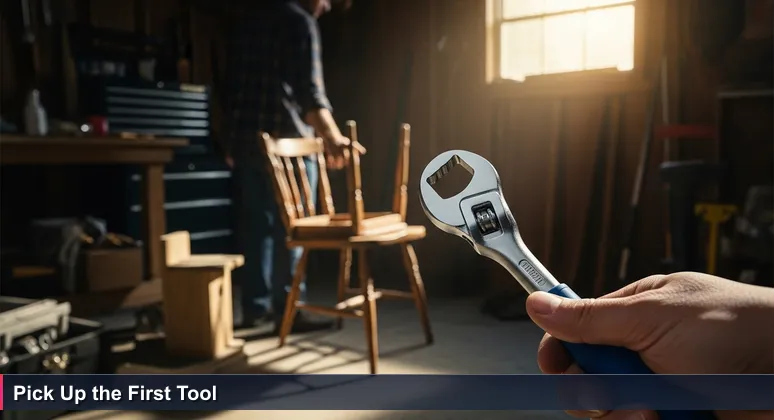
We’ve all stood in front of a toolbox, knowing the right tool is in there somewhere, yet frozen by the question, “Where do I even start?” For aspiring tech professionals in Tyler, that community toolbox is overflowing - but the challenge is knowing which free resource to pick up first.
With a lower cost of living and no state income tax, investing in your education here makes profound financial sense. However, committing to a paid bootcamp is a big step. That’s where your local libraries and community centers shine, offering zero-cost, low-barrier ways to explore coding, cybersecurity, and data analysis.
In Tyler, institutions like the Tyler Public Library, which recently received the 2024 Achievement of Library Excellence Award for digital inclusion, have become powerful launchpads. This list isn't just a ranking; it's a map to different entry points into Tyler’s community workshop, where success stories like the local Project SEARCH program - which placed 74 out of 83 interns into community jobs - show what's possible.
The best resource is the one that meets you where you are and makes picking up that first digital tool feel not only possible but empowering. These are your community’s investment in you, designed to build the essential foundation and confidence needed to succeed right here in Tyler.
Table of Contents
- Your Community Tech Toolbox
- Smith County Libraries' LinkedIn Learning Portal
- Tyler Public Library's Digital Literacy Workshops
- GoodTech Academy at Goodwill East Texas
- Tyler Senior Center's Intergenerational Tech Classes
- Audit Courses at Tyler Junior College
- Tyler Public Library's Makerspace & 3D Printing
- Smith County Library's Digital Resource Navigation
- Community Success Story Sessions & Project SEARCH
- Audit Courses at The University of Texas at Tyler
- Tyler ISD Career & Technology Center
- Your First 30-Day Free Learning Plan
- Frequently Asked Questions
This article offers a comprehensive guide to starting an AI career in Tyler in 2026.
Smith County Libraries' LinkedIn Learning Portal
The single most powerful free tech resource in Smith County isn't a physical class - it's the digital key provided with your local library card. This portal is the quintessential first tool you should grab from the community toolbox, offering unlimited, 24/7 access to the entire LinkedIn Learning library of over 16,000 expert-led courses.
This isn't just basic material; it includes in-depth, project-based paths in Python, Java, data visualization, and IT security taught by industry practitioners. For someone in Tyler eyeing the larger Dallas-Fort Worth tech market, this is a golden ticket to build a competitive portfolio from your living room.
How to Access: Simply use your Smith County library card number and PIN to log in via the portal. No LinkedIn profile is required, embodying the low-barrier ethos of community resources. This service is a prime example of the digital skilling initiatives championed by libraries nationwide.
This resource perfectly embodies the Texas advantage: a world-class educational asset, paid for by your community, available on your schedule. It allows you to start building foundational knowledge immediately, turning that moment of hesitation into your first step toward a new career.
Tyler Public Library's Digital Literacy Workshops
At the heart of downtown Tyler’s free learning is the Tyler Public Library, recently honored with the 2024 Achievement of Library Excellence Award for its digital inclusion efforts. Here, tech learning is hands-on, personal, and designed to overcome initial intimidation.
Their recurring "Basic Computer Classes" and workshops on internet navigation and cybersecurity basics are crafted for true beginners. As one patron noted in a review, the environment is uniquely supportive:
"I am particularly impressed by the FRIENDLINESS of the staff and have always found them more than willing to help."
This award-winning program is your go-to for building the foundational confidence needed to tackle more complex skills. It turns the library from a quiet repository of books into an active community workshop where the first, daunting steps into technology are met with guidance and patience.
How to Access: Walk in during library hours or check their online calendar for specific workshop dates. A library card is beneficial, but many of these foundational programs are open to all visitors, ensuring everyone has a place to start.
GoodTech Academy at Goodwill East Texas
For learners who thrive with guidance and accountability, Goodwill’s GoodTech Academy is a standout nonprofit resource. This program offers a structured, mentor-supported alternative to purely self-directed learning, featuring self-paced online modules from Basic Computer Literacy to advanced tracks like CompTIA CySA+ cybersecurity certification prep.
The program’s weekly instructor check-ins provide essential mentorship that purely online platforms lack, creating a supportive framework for skill development. This direct link to local workforce development is a powerful example of community investment in action.
As Dr. Kristen Walls, Executive Director of College and Career initiatives in Tyler, has highlighted, such programs are vital for creating "better futures for so many of our students as well as helping our workforce and economy in Tyler." This initiative demonstrates how local nonprofits are directly fueling the region's tech-ready workforce.
How to Access: Visit the Goodwill East Texas website or call (903) 787-0500 to inquire about receiving a "Skills 2 Succeed" access code. It’s a clear, supported pathway from curiosity to competency, perfectly complementing the more exploratory resources in your community toolbox.
Tyler Senior Center's Intergenerational Tech Classes
Don't let the name fool you - the Tyler Senior Center offers one of the most accessible and pressure-free tech environments in the city. Their introductory classes on using smartphones, tablets, email, and social media are famously "designed by seniors for seniors," fostering a uniquely patient and collaborative learning atmosphere.
This peer-to-peer model transforms the learning experience. For any adult who feels left behind by the digital age, this is a perfect, judgment-free zone to start. It embodies the community toolbox metaphor perfectly: you learn not from a distant expert, but from a neighbor who recently mastered the same skill, making that first step feel much less daunting.
The Center provides a fun way to learn technology through this intergenerational approach. It’s a vital resource that directly addresses digital inclusion by meeting learners exactly where they are, with familiarity and patience.
How to Access: The Center’s schedule is posted on the City of Tyler website. Simply walk in during a scheduled class - no application or prior experience needed. This resource proves that the right learning environment is just as important as the curriculum itself for taking that first, confident step into the digital world.
Audit Courses at Tyler Junior College
Texas offers an incredible, often-overlooked benefit for lifelong learners: the ability to audit courses at public colleges. At Tyler Junior College, this means you can sit in on credit courses in Computer Science, Networking, or other technology fields without the pressure of grades or exams.
While not free for all, Texas residents aged 65 and over are exempt from associated fees, making it a zero-cost avenue to formal, structured education. This policy allows qualified residents to explore a formal tech curriculum and gauge their interest before any financial commitment.
The process provides direct exposure to college-level instruction and syllabus structure, which is invaluable for anyone considering a career change or further education. It's a low-risk way to test the academic waters and build confidence.
How to Access: You must first complete a basic admission application to create a student record. Then, register for "Audit" status in person at the White Administrative Services Center, starting on the first day of classes each semester. Space is permitted, so early inquiry is key. Review TJC's audit policies for full details. This is how you transform curiosity into informed next steps, using a powerful Texas educational benefit.
Tyler Public Library's Makerspace & 3D Printing
Beyond software, the Tyler Public Library provides physical access to technology through its makerspace resources, including 3D printers. This is where abstract learning becomes tangible, introducing core concepts in computer-aided design (CAD), spatial reasoning, and iterative problem-solving.
These hands-on tools are more than gadgets; patrons consistently cite them as providing the practical, experiential learning that sparks deeper interest. As noted in community feedback, these resources are seen as "vital enhancements" that bridge the gap between theory and practice.
The skills developed here are directly relevant to high-demand fields. In a region anchored by major employers like UT Health East Texas and Trinity Mother Frances Health System (now part of CHRISTUS), which utilize advanced medical and diagnostic technology, this tactile experience can illuminate career paths in tech-adjacent fields like biomedical engineering or advanced manufacturing.
How to Access: Inquire at the library's help desk about using the makerspace equipment. It’s a powerful example of your community workshop providing not just the instruction manual, but the actual tools to build, experiment, and discover where your technical interests truly lie.
Smith County Library's Digital Resource Navigation
Sometimes the barrier to learning isn't the course content itself, but simply knowing how to access and navigate the vast digital landscape. This is where personalized assistance from Smith County library staff becomes an invaluable tool in your community workshop.
Library staff are trained to help patrons navigate everything from LinkedIn Learning and academic databases to government services and job portals. This one-on-one guidance can unlock the full potential of every other resource on this list, turning overwhelm into a clear, actionable plan.
This service is a local implementation of national library initiatives for Digital Literacy and workforce Digital Skilling. It transforms the library from a passive repository into an active guide, helping you choose the right digital tool for your specific project and learning style.
How to Access: Walk into any Smith County library branch and ask for help getting started with digital learning tools. It’s the equivalent of having a Digital Navigator right beside you in the workshop, ensuring you never have to face a confusing interface or a stalled download alone.
Community Success Story Sessions & Project SEARCH
Inspiration is a powerful, often overlooked learning tool. Tyler institutions frequently host presentations from programs like Project SEARCH, which has a remarkable record of placing interns into local tech and operations roles. The data speaks volumes: in one recent cycle, 74 out of 83 interns transitioned directly into community jobs.
Attending a graduate panel or success story session provides irreplaceable real-world context. Hearing directly from someone who started with free community training and now works at a local hospital or tech firm makes the entire journey from student to professional feel tangible and achievable.
These sessions are a vital part of the community ecosystem, showing concrete, local pathways that begin with the very resources listed here. They turn abstract career goals into relatable narratives, proving that success is built step-by-step with the tools your community provides.
How to Access: Monitor the event calendars for the Tyler ISD and the Tyler Public Library. These gatherings are the motivational fuel for your journey, reminding you that the toolbox works and that your neighbors have used it to build remarkable new futures.
Audit Courses at The University of Texas at Tyler
For those targeting advanced academic or research-oriented tech careers, The University of Texas at Tyler offers a formal auditing process. This provides exposure to university-level theory and terminology in computer science, which is invaluable before committing to a graduate program or specialized bootcamp.
The access is more structured than at TJC and comes with an important restriction: while you can audit lecture-based courses, those requiring computer labs or studios are generally ineligible. This makes it ideal for absorbing advanced conceptual frameworks rather than hands-on technical practice.
As with TJC, Texas residents 65 and older are exempt from associated fees, continuing the state's commitment to lifelong learning. This policy opens doors to high-level instruction that would otherwise carry a significant cost, aligning with Tyler's advantage of maximizing educational value.
How to Access: The process requires obtaining an audit application from the One-Stop Service Center (STE 230) and, crucially, securing the instructor's permission. Detailed guidelines are available through the Registrar's Office. It’s the community toolbox offering its most advanced instrument, allowing you to test the weight and feel of a university curriculum before making a full commitment.
Tyler ISD Career & Technology Center
While primarily for students, the Tyler ISD Career & Technology Center (CTC) - celebrating over a decade of impact - opens its doors to the community during showcases and career fairs. This offers a rare, inspiring glimpse into workforce training in action.
Walking through the facility, you can see the 25 specialized programs - from networking labs to robotics workshops - that directly feed into the skills the local economy values. As Superintendent Dr. Marty Crawford stated, this work is about "preparing students for success in the workforce and empowering them to pursue their dreams with confidence." It’s a living blueprint for tech education.
Seeing these advanced labs and student projects makes the endpoint of technical training visible and exciting. It transforms abstract career paths into tangible realities, providing powerful motivation to begin your own foundational work with the community's free tools.
How to Access: Watch for public event announcements on the Tyler ISD news page or local media. Attending one of these events is like getting a tour of a master craftsman's workshop - it shows you what’s possible to build and inspires you to pick up your first tool.
Your First 30-Day Free Learning Plan
This step-by-step guide transforms the community toolbox from a concept into action. Using only Tyler's free resources, this 30-day plan provides structure to build foundational tech skills and discover your path forward, all without financial risk.
Weeks 1 & 2: Build Your Foundation.
- Day 1: Get your Smith County library card.
- Days 2-4: Log into the LinkedIn Learning portal. Complete "Learning Computer Security" and "Computer Literacy for Windows 10/11."
- Day 5: Attend a "Basic Computer Class" at the Tyler Public Library (check their online calendar).
- Days 6-10: On LinkedIn Learning, start the "Programming Foundations: Fundamentals" path.
Weeks 3 & 4: Explore and Specialize.
- Day 11: Contact Goodwill about GoodTech Academy to add structured check-ins.
- Days 12-19: Choose one path: "Python Essential Training" on LinkedIn Learning OR focus on Goodwill's Microsoft Office modules.
- Day 20: Visit the library makerspace and learn about the 3D printer.
- Days 21-25: Deepen your chosen skill. Build a simple script or a professional spreadsheet.
- Day 26: Attend a Tyler Senior Center class or a community success story session.
- Days 27-30: Research your next step. Explore bootcamp syllabi or college catalogs for future audit potential.
By following this plan, you systematically move from staring at the toolbox to confidently building your future. These free resources are your community’s investment, designed to build the essential foundation and confidence needed to succeed in more intensive, career-focused training right here in Tyler.
Frequently Asked Questions
Are these free tech training resources in Tyler actually useful for getting a tech job?
Yes, they are highly effective for career advancement. For example, Smith County Libraries provide access to LinkedIn Learning with over 16,000 courses, and Goodwill's GoodTech Academy includes CompTIA CySA+ cybersecurity certification prep. With Tyler's lower cost of living and no state income tax, you can build skills cost-effectively for roles at local employers like Trinity Mother Frances Health System (CHRISTUS) or the Dallas-Fort Worth tech market.
Which free resource is best for complete beginners in tech?
The Tyler Public Library's Digital Literacy Workshops are ideal for true beginners, offering hands-on classes in basic computer skills and cybersecurity. Their award-winning, supportive staff make it a great starting point, as highlighted in 2026 reviews, helping you overcome initial intimidation in a local, friendly environment.
Do I need any special qualifications to access these free trainings in Tyler?
Most resources only require a library card or walk-in access, but some have age benefits. For instance, Tyler Junior College allows Texas residents aged 65 and over to audit courses for free, leveraging a unique state advantage. This makes advanced tech education accessible without financial barriers in Tyler.
How can these free community resources help me compete in larger tech markets like Dallas?
By building skills through free training, such as LinkedIn Learning's project-based paths in Python or data visualization, you can prepare for the Dallas-Fort Worth metroplex. Local success stories, like Project SEARCH placing 74 out of 83 interns in jobs, show how community investment in Tyler creates tangible career paths to regional tech opportunities.
What's the easiest way to start with free tech training in Tyler today?
Start by getting a Smith County library card to access LinkedIn Learning's 16,000+ courses online for free. Then, attend a walk-in workshop at Tyler Public Library for hands-on fundamentals. This low-barrier approach uses Tyler's community toolbox to kickstart your tech education flexibly and affordably.
For detailed insights on AI salaries in Tyler, TX for 2026, this guide provides a comprehensive breakdown.
Learn about funding options for technology education in Tyler, including local and state grants.
This analysis explores tech career opportunities in Tyler, TX and their stability for the future.
For insights into Tyler's AI scene and networking strategies, this article provides valuable tips and event listings.
This resource provides a comprehensive list of top tech entry-level roles in the Tyler area.

Irene Holden
Operations Manager
Former Microsoft Education and Learning Futures Group team member, Irene now oversees instructors at Nucamp while writing about everything tech - from careers to coding bootcamps.