









Top 10 Free Tech Training at Libraries and Community Centers in Samoa in 2026
By Irene Holden
Last Updated: April 26th 2026
Too Long; Didn't Read
The top free tech training in Samoa is the MCIT Digital Hubs network, offering fully equipped labs with guided staff support and reliable internet through improved undersea cables, making it the best place to start for all-around digital literacy. The Mauritius Lifelong Learning Lab (MILLL) at NUS ranks second for its structured progression from basic navigation to building WordPress sites, ideal for job-relevant skills. Both are free, walk-in, and supported by Samoa's growing digital infrastructure, aligning with employer demand at Digicel, SamoaTel, and the public sector.
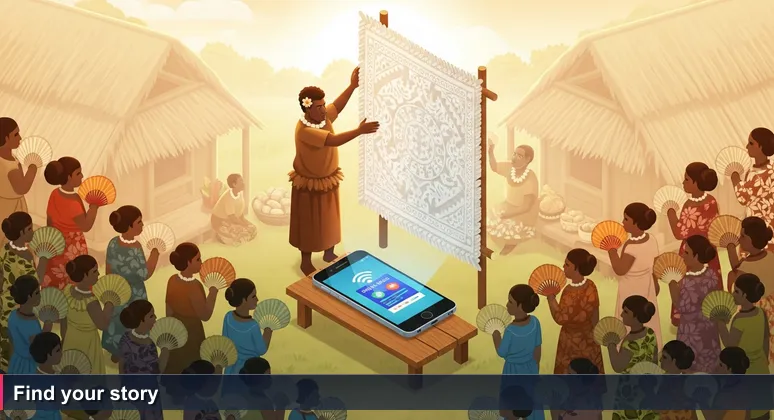
The auctioneer lifts the ʻie tōga high, beginning his chant. "Fifty tālā - who will start me at fifty?" The crowd leans forward, reading not the price but the pattern: the tightness of the weave, the age of the dye, the village it came from. A simple price tag would miss everything that matters - and so it is with free tech training in Samoa in 2026.
A list of locations and hours tells you little. The real value lives in community trust, hands-on guidance, and the story behind each program. The Samoa Knowledge Society Initiative, backed by the United Nations, understands this deeply: it was conceived not merely to install computers but to bridge digital gaps through "lifelong" learning approaches that increase knowledge creation and preservation right here in our villages. The Ministry of Communications and Information Technology's Digital Week roadshows succeed not because of the equipment they bring, but because they set up in familiar community resource centres where neighbours already gather.
This is the hidden curriculum that no ranking captures. The MILLL instructor at the National University of Samoa who stays after a WordPress workshop to help a beginner troubleshoot. The SITA volunteer who teaches mobile security on your own phone - in your own language - so you can practise the moment you walk home. The librarian at Nelson Memorial Public Library who remembers your name and points you to the Samoa Digital Library, a free collection of digitised historical records and educational materials that requires no login to browse.
So approach any "Top 10" list - including this one - as a starting bid, not a final price. Read the descriptions, then walk into the MCIT hub yourself. Sit beside someone learning the same things you are. Ask what they're working on. In Samoa, the best learning still moves through relationships. The real ranking is in the story you find.
Table of Contents
- The Value Behind Free Tech Training
- OERu Free Online Courses
- UNESCO LearnBig Digital Literacy
- SITA Pop-Up Workshops
- NSSE Digital Skills Project
- GCFLearnFree.org
- Nelson Memorial Public Library
- One-Government Portal Training
- USP Walk-In Computer Access
- MILLL at NUS
- MCIT Digital Hubs
- Your First 30 Days: Free Learning Plan
- The Real Ranking
- Frequently Asked Questions
Learn how to start an AI career from Samoa with this complete guide for 2026.
OERu Free Online Courses
For the self-motivated learner who can follow a syllabus without a teacher in the room, the OERu free online courses offer a flexible starting point. The University of the South Pacific's Alafua campus provides free open courseware through this global partnership, covering introductory programming, digital literacy, and project management. You do not need to apply for admission - simply visit the website, browse, and begin. The campus library computers in Alafua are available for public research and open courseware access, meaning you can study without relying on your own device if needed.
The courses are self-paced and globally structured, making them ideal for disciplined learners who prefer to work independently. The curriculum covers foundational skills that employers like the Government of Samoa look for when hiring for digital transformation roles - capabilities such as basic data handling, understanding project lifecycles, and navigating online tools. While the courses themselves are free, earning formal credit requires paying for assessments; but the knowledge you gain costs nothing.
Rated 4.0 out of 5 based on learner satisfaction surveys via OERu, this option suits those who can set their own schedule and do not need hands-on instruction. The University of the South Pacific's presence in Samoa through the Alafua campus, supported by the United Nations Office for South-South Cooperation, provides a trusted local anchor for what is otherwise a global platform. It is a quiet, reliable starting bid for anyone ready to learn on their own terms.
UNESCO LearnBig Digital Literacy
In village resource centres across Upolu and Savaiʻi, UNESCO’s LearnBig initiative places digital literacy resources where they matter most: close to home. These are not formal classes with fixed timetables but printable guides, offline mobile content, and occasional facilitator-led sessions covering basic smartphone use, internet safety, and accessing government services online. For someone who has never sent an email or opened a browser, this is a safe, low-pressure environment to begin.
The programme’s strength lies in meeting learners where they already are - in their own village, among neighbours they trust. Rated 4.2 out of 5 from UNESCO pilot programmes reported in 2024-2025, LearnBig addresses the first and most intimidating step for many Samoans: touching a screen with confidence. The curriculum avoids technical jargon and builds slowly, recognising that digital literacy is not about speed but about understanding what each button does and why it matters.
Availability varies by village, so checking with your local pulenuʻu is the best way to find upcoming sessions. Some centres provide shared devices, though bringing your own smartphone is recommended. This initiative complements the broader Samoa Knowledge Society Initiative, which aims to bridge digital gaps through lifelong learning approaches that preserve and create knowledge within local communities. For absolute beginners who prefer learning in a familiar setting, LearnBig offers the gentlest possible entry into the digital world - no pressure, no judgment, just patient guidance in your own language.
SITA Pop-Up Workshops
The Samoa Information Technology Association brings digital skills directly to where people already gather - village resource centres across Upolu and Savaiʻi, and the TATTE building in central Apia. These pop-up workshops are mobile-focused by design: participants learn using their own phones, covering mobile security, navigating e-learning platforms, and basic internet governance concepts. The approach is deeply practical because you learn on the device you already own, removing any barrier to practising at home the same afternoon.
Rated 4.5 out of 5 from participant feedback shared via Facebook comments, these sessions target the exact group that formal training often misses: youth and adults who have been hesitant to engage with technology. The e-learning initiative launched in partnership with the Samoa Observer was designed specifically for this audience, meeting them in familiar community spaces where the fear of "not belonging" fades away. No registration is needed - you simply walk in with your phone and sit down.
The workshops cover three core areas that matter most for daily digital life in Samoa: keeping your mobile data safe, finding and using free online courses, and understanding how the internet works at a basic level. Because SITA runs these sessions periodically rather than on a fixed schedule, following their Facebook page is the best way to catch upcoming "Digital Dialogue" locations in your area. For mobile-first learners who want skills they can use immediately - not next week, but today - these pop-ups offer the most direct path forward in Samoa's growing digital landscape.
NSSE Digital Skills Project
Funded by the European Union, the Nofotane Samoa Social Enterprise Digital Skills Project focuses specifically on women's digital empowerment across Samoa. Rather than offering general computer literacy, the programme targets practical, income-generating skills: digital payment tools, online marketing, and basic data entry. These are the exact competencies that small business owners and remote workers need most, and they align directly with the skill gaps employers like Digicel Samoa and Bank of South Pacific Samoa look to fill when hiring for office and customer-facing roles.
The project runs on a 2024-2026 cycle, meaning time to participate is limited. Workshops are held periodically, with eligibility requirements focused on women seeking to enter or advance in Samoa’s growing tech-adjacent workforce. The NSSE approach is deliberately supportive: sessions are designed to build confidence alongside competence, recognising that for many women, the barrier is not ability but access to a welcoming learning environment.
While the programme is too new for formal ratings, early participant feedback has been positive, with attendees reporting increased willingness to explore digital tools they had previously avoided. The European Union's backing ensures resources for equipment, facilitators, and follow-up materials. For women in Samoa who want to build digital skills for entrepreneurship, remote work, or entry-level office positions, the NSSE Project offers a structured, supported entry point before the cycle ends in 2026. Check the SVSG Samoa Facebook page for upcoming workshop locations and application details.
GCFLearnFree.org
For anyone aiming at administrative or customer service roles - common first jobs at SamoaTel or the Public Service Commission - the free tutorials at GCFLearnFree.org build the exact skills employers test for during hiring. This global platform offers guided pathways in email, search, and Microsoft Office essentials, structured so clearly that it feels like having a patient tutor walk you through each step. The tutorials are self-paced and available 24/7 online, but their real value in Samoa comes from being accessible on MCIT public ICT lab computers during business hours - no personal device or home internet required.
Rated 4.7 out of 5 from global user reviews, GCFLearnFree.org covers the fundamentals that most office and government positions assume you already know: composing professional emails, organising files, creating spreadsheets, and navigating search effectively. For someone whose computer experience stops at Facebook and WhatsApp, these tutorials close the gap between casual use and workplace readiness. The platform's design deliberately avoids technical jargon, using real-world scenarios that mirror what you will actually do in a job - sending a memo, updating a budget spreadsheet, finding a policy document online.
The zero cost and no registration required structure means you can start immediately. Walk into any MCIT hub during business hours, open a browser, and begin the Microsoft Office track. By the time you finish the sequence - typically a few hours spread across a week - you will have practised the same skills that appear on the computer-based assessments used by the Public Service Commission and private employers across Apia. For building foundational office competence with professional structure but no instructor, this is the most efficient free option available in Samoa.
Nelson Memorial Public Library
In the heart of Apia, the Nelson Memorial Public Library has long been a quiet anchor for self-directed learning. Starting this year, it offers free computer terminals with reliable Wi-Fi and access to the Samoa Digital Library (SADIL) - a growing collection of digitised historical records, educational materials, and research databases. Most importantly, SADIL requires no login to browse, removing a common barrier for first-time users who may not have email accounts or familiarity with online authentication.
While formal training sessions are not yet held on a fixed schedule, the library staff are available to help visitors navigate digital resources. For someone building confidence on a keyboard for the first time, this is a low-pressure environment to practise research, explore government information portals, or simply become comfortable with using a mouse and typing. The library's computers are connected to the same broadband infrastructure that now serves government buildings in central Apia, offering consistent speeds that home connections in some areas still lack.
Rated 4.0 out of 5 based on user surveys reported in the Samoa Observer, the Nelson Memorial Library is less a training centre and more a launchpad. According to coverage of the library's digital transition, the move toward free public terminals reflects a broader push to make technology accessible beyond school or workplace settings. For anyone in Apia who needs a quiet space to practise digital skills - whether preparing for an online job application or simply learning to send an email - this is a reliable, welcoming place to begin without pressure or cost.
One-Government Portal Training
The Ministry of Communications and Information Technology runs Digital Week roadshows and Mini Tech Expos that travel to village resource centres across Upolu and Savaiʻi, bringing hands-on training for Samoa's most important digital platform: the One-Government Portal. This central platform handles payments, ID services, and government forms - understanding how to use it is now a practical necessity for anyone who needs to interact with state services, whether renewing a driver's licence or applying for a business permit.
The sessions cover three essential areas: navigating the portal itself, basic cybersecurity awareness, and using digital payment tools. What makes this training effective is its setting. Because the roadshows are walk-in affairs held in familiar community spaces - no registration, no prior requirements - they remove the fear of "not belonging" that keeps many Samoans from formal classes. The equipment is provided through temporary Wi-Fi hubs, and facilitators speak in plain language, not technical jargon. Rated 4.3 out of 5 from participant feedback during MCIT Digital Week 2026, the approach works because it meets people where they already feel comfortable.
For anyone who has avoided government offices due to long queues or confusing paperwork, the portal training offers a genuine alternative. Once you learn to submit a form or make a payment online, you carry that skill with you - no more waiting in line. These expos happen periodically throughout the year; following MCIT's Facebook page is the best way to know when one will visit your village. For building digital confidence through practical, government-focused tasks, this is the most directly useful free training available in Samoa.
USP Walk-In Computer Access
Two doors down from the lecture halls where degree students file into formal classes, the USP Alafua Campus library offers walk-in computer access for any member of the public. No application, no enrolment number - just a willingness to sit down and learn. The library's desktop computers connect you to academic databases, OERu open courseware, and the same research tools that enrolled students use daily. For someone serious about advancing beyond basic digital literacy, this space bridges the gap between free community training and formal education.
The library is open Monday to Friday, 8:30 AM to 4:30 PM, and the computers are available for public research and open courseware access at no cost. Rated 4.1 out of 5 from student and community user surveys, the environment itself matters: you sit beside university students, access the same databases, and work through material that prepares you for further study at the National University of Samoa or USP itself. The United Nations Office for South-South Cooperation has highlighted USP's role in expanding access to information and digital transformation across the Pacific, noting how open-access resources at regional campuses like Alafua create pathways for learners who might otherwise be excluded.
This is not a training centre with instructors guiding each step - it is a launchpad for independent study. You bring your own focus and questions; the space and resources are provided. For learners who have completed introductory programmes at MCIT hubs or community centres and are ready to push further, USP's open-access computers offer the next logical step. The librarian can point you toward relevant databases, but the learning is yours to direct. If you are preparing for formal study at NUS or considering a career that requires research skills, this is where you practise before you commit to a degree programme.
MILLL at NUS
The Mauritius Lifelong Learning Lab at the National University of Samoa stands as the most structured free tech learning space in the country that is not a formal degree programme. It offers workshops on open-source software tools like WordPress, advanced information literacy, and collaboration through learning management systems. According to the United Nations Office for South-South Cooperation, the MILLL was designed as an inclusive hub providing accessible learning opportunities that draw in youth and people with disabilities to meet contemporary tech challenges. The virtual branch at samoaksi.ws operates 24/7, while physical workshops bring learners together at the NUS Learning Resource Centre on a regular schedule.
What sets the MILLL apart is its deliberate bridging of beginner and intermediate levels. You start with basic computer navigation, then progress to building a WordPress site or collaborating through an LMS, all within the same programme. Rated 4.5 out of 5 in the Technology-Enabled Learning case study published in 2024, the lab's approach ensures that learners are never stuck at the "what next?" stage that plagues many free programmes. The instructors intentionally stay after workshops to help beginners troubleshoot, creating the kind of relationship-based learning that resonates in Samoan communities.
For anyone aiming at roles that require project management or content creation - positions at Digicel Samoa or the Public Service Commission - the MILLL builds exactly those competencies. The path is clear: walk into the NUS campus during any physical workshop session, or access samoaksi.ws on your own time. This is where you move beyond basic digital literacy into practical, job-relevant skills that employers actually test for in interviews and assessments across Apia.
MCIT Digital Hubs
The top spot belongs to the Ministry of Communications and Information Technology's network of Public ICT Labs, spread across Upolu and Savaiʻi as part of the broader Samoa Knowledge Society Initiative backed by the United Nations. These hubs are equipped with desktop computers, reliable internet access through Samoa's improving undersea cable connections, and staff who provide guided support during business hours. Unlike other free options, these labs combine quality equipment with consistent availability and human help when you get stuck.
Training covers three practical areas that every Samoan digital citizen needs: cybersecurity basics for protecting personal information, navigating the One-Government Portal for payments and ID services, and using digital payment tools. The hubs function as both learning spaces and community drop-in centres. During Digital Week events, these locations host town-hall style training sessions covering everything from e-learning platform navigation to online safety for families. According to the International Telecommunication Union's assessment of Samoa's digital journey, this kind of accessible public infrastructure is essential for building the skills base that employers and government services increasingly demand.
Rated 4.6 out of 5 from Digital Week 2026 participant evaluations, the MCIT hubs earn the top ranking because they offer the complete package: equipment, staff, reliable connectivity, and consistent walk-in availability. Whether you are a beginner learning to use a mouse for the first time or an intermediate learner exploring online government services, you will find a welcoming environment with someone who can answer your questions. No registration, no cost, no prior knowledge required - just walk in during business hours and start. For anyone serious about building digital skills in Samoa, this is where you should begin your journey.
Your First 30 Days: Free Learning Plan
This four-week plan uses only the free resources listed above, requires no registration or prior experience, and costs absolutely nothing. Each week builds on the previous one, moving from basic confidence to practical job research. Follow the steps in order, and by day 30 you will know exactly where your skills stand and what to learn next.
| Week | Goal | Action | Location |
|---|---|---|---|
| Week 1 | Build basic confidence | Visit your nearest MCIT Digital Hub. Spend 2 sessions learning to navigate the One-Government Portal. Ask staff for help whenever you are unsure. | MCIT Hub |
| Week 2 | Learn mobile security | Attend a SITA pop-up workshop (check their Facebook page for locations). Bring your phone. Practise what you learn at home. | Village centre or TATTE building |
| Week 3 | Explore structured courses | Visit the MILLL virtual branch at samoaksi.ws. Complete one foundation module in WordPress or digital literacy. | NUS campus or online |
| Week 4 | Apply and reflect | Use Nelson Library computers to research job postings at Digicel Samoa, SamoaTel, or the Public Service Commission. Identify which skills you need next. | Nelson Memorial Public Library |
This plan works because each resource prepares you for the next. The MCIT hub eliminates the fear of the machine. The SITA workshop protects what you learn. The MILLL gives you structure. And the library shows you where all of it leads. By the end of the month, you will not only have new skills - you will have met the people and places that can support your learning for years to come.
The Real Ranking
Back at the faʻatau, the auctioneer brings down the hammer. The ʻie tōga sells for more than its listed price - because the buyer knew its story: the weaver's patience, the family history, the ceremony it will grace. A ranked list of free tech training is useful in the same way a price tag is useful: it gives you a starting point. But the real value comes from walking into that library, sitting beside someone learning the same things you are, and asking, "What are you working on?"
In Samoa, the best learning still moves through relationships. The MILLL instructor who stays after class to help you troubleshoot a WordPress theme. The MCIT staff member who remembers your name when you walk into the hub for the third time. The SITA workshop where you learn on your own phone, in your own language, surrounded by neighbours you trust. The Samoa Knowledge Society Initiative understood this when it designed its programmes around lifelong learning that increases knowledge creation and preservation within communities - not just individual skill-building, but shared growth that strengthens villages across Upolu and Savaiʻi.
These ten resources will not make you job-ready overnight. But they build the foundation - and the confidence - to take the next step, whether that is a paid certificate programme, an apprenticeship at Digicel Samoa, or remote work for a Pacific-based startup. The ranking is just a starting bid. The real auction happens when you walk through the door, sit down at a computer, and begin. So stop reading. Pick one. Walk in. And find the story that makes learning stick.
Frequently Asked Questions
Which free tech training in Samoa is best for absolute beginners with no computer experience?
UNESCO LearnBig resources at village resource centres are designed for absolute beginners, covering basic smartphone use and internet safety in a familiar community setting. For structured guidance with reliable equipment, MCIT Digital Hubs offer staff support and free computer access, with a 4.6/5 rating from participant evaluations.
Do I need to bring my own device to use these free training resources?
It varies: SITA pop-ups and GCFLearnFree.org are designed for your smartphone, while MCIT Digital Hubs and USP Alafua campus provide desktop computers. The NSSE project supplies devices during workshops, and the Nelson Memorial Public Library has free terminals.
How can I access structured courses on WordPress or project management for free in Apia?
The MILLL at NUS offers free workshops on WordPress and learning management systems; visit samoaksi.ws for 24/7 virtual access. For project management basics, OERu courses through USP Alafua are self-paced and free.
Are these free trainings recognized by employers like Digicel or the Government of Samoa?
While they don't award formal credentials, the skills are directly relevant: MCIT's One-Government Portal training is essential for government roles, and Microsoft Office skills from GCFLearnFree.org are tested in admin jobs at SamoaTel and the Public Service Commission.
Is there a recommended plan to start learning tech skills using only these free resources?
The article provides a 30-day plan: Week 1 at an MCIT Hub for the One-Government Portal, Week 2 at a SITA mobile security workshop, Week 3 on MILLL's WordPress module, and Week 4 at Nelson Library researching job postings.
For a detailed list, see the top 10 fields for AI talent in Samoa according to this guide.
Learn to combine scholarships, loans, and family support to fund tech training in Samoa.
Discover the highest-ranked startups for new developers in Samoa.
Check out the top 10 AI jobs in Samoa.
Our list of the best AI bootcamps in Samoa includes pricing, duration, and employer demand.

Irene Holden
Operations Manager
Former Microsoft Education and Learning Futures Group team member, Irene now oversees instructors at Nucamp while writing about everything tech - from careers to coding bootcamps.