









WorkSource Washington: How to Access WRT and Career Services (2026)
By Irene Holden
Last Updated: January 10th 2026
Key Takeaways
To access Washington’s Worker Retraining (WRT) and WorkSource career services in 2026, create a WorkSourceWA.com account, attend a local WorkSource WIOA orientation, and bring photo ID plus proof of unemployment or a layoff so staff can screen you for WRT, WIOA, or other supports. WRT funds flow through the state’s 34 community and technical colleges (and some approved private schools), WorkSourceWA lists over 1.5 million job postings and connects you to workshops and hiring events, and approved WRT scholarships - such as Nucamp’s - can cover up to 80% of tuition, often leaving a predictable $100 per month for five months.
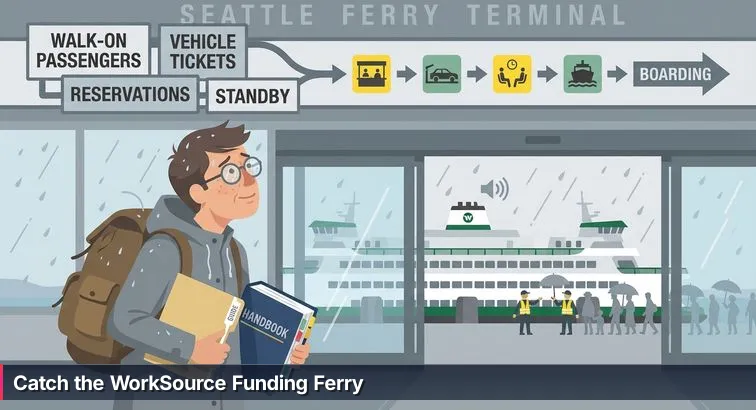
You’re standing in a bright terminal, fluorescent lights humming, watching the ferry idle at the dock. The horn sounds, people line up, and overhead signs bark directions in shorthand: “Walk-On,” “Vehicles,” “Priority Loading.” If you’ve never done this before, it’s hard to know which lane is yours until someone quietly points you to the right line. In Washington’s job market, WorkSource is that terminal: busy, full of acronyms, and genuinely useful once you understand how it’s laid out.
From ferry terminal to statewide network
WorkSource is Washington’s statewide, publicly funded “one-stop” system for employment and training. It’s a network of local centers, affiliate offices, and smaller connection sites that share a common mission: help job seekers connect to work, training, and support without charging fees at the door. The Employment Security Department describes these as no-cost job seeker services ranging from basic job search help to more intensive coaching and training support, all coordinated through the WorkSource partnership of state, local, and nonprofit agencies (job seeker services at WorkSource).
The programs behind the acronyms
Underneath the signs and acronyms, WorkSource is built on a few major laws and funding streams. The federal Workforce Innovation and Opportunity Act (WIOA) is the backbone, setting the rules for core programs like Adult and Dislocated Worker services. On top of that, Washington layers its own state investments such as the Worker Retraining Program, which channels money through all 34 community and technical colleges to help laid-off and “vulnerable” workers train for new careers. When you walk into a WorkSource office, you’re not just entering a single program - you’re stepping into the front door for this entire ecosystem.
Different “docks” in the system
Just like ferry terminals come in different sizes, WorkSource locations are organized into Centers (full-service hubs), affiliate sites (almost full-service, sometimes focused on specific communities), and smaller connection sites tucked into libraries, colleges, and community organizations. The signage may differ by county, but the idea is the same: no matter which “dock” you start from, staff can connect you to the larger network - whether that’s a WIOA orientation at a comprehensive center, a referral to a college Worker Retraining office, or help getting into workshops and hiring events listed on WorkSourceWA.com.
Why this network matters if your job has changed
For anyone laid off, stuck in unstable work, or trying to pivot careers, WorkSource is one of the few places where you can get coordinated help with career planning, skills assessment, training options, and job search without paying out of pocket. It also sits at the crossroads of sectors expected to grow in Washington - healthcare, AI and cybersecurity, clean energy, and advanced manufacturing - by steering people toward training and employers in those fields. Instead of guessing which boat to board, you get a map of the crossings available to you, grounded in how the state’s workforce system actually works and what funding you might be able to use.
In This Guide
- WorkSource Washington in 2026
- Free WorkSource services you can use now
- Plan your first WorkSource visit
- How training funding works in Washington
- Nucamp and Washington Worker Retraining
- Who qualifies for Nucamp’s WRT scholarship
- How to apply to Nucamp with Worker Retraining
- WIOA training and support services explained
- Veterans and Priority of Service
- Real-world outcomes and common frustrations
- WorkSource online and the WIT modernization
- Major WorkSource locations by region
- Strategy to get the most from WorkSource
- Pulling it all together: a concrete action plan
- Frequently Asked Questions
Veterans should review the WRT for recently discharged veterans section to understand required documents.
Free WorkSource services you can use now
Before you worry about applications, acronyms, or whether you qualify for special programs, there’s a layer of WorkSource you can use right now. Think of it as the public lobby: open doors, no ticket check, and a lot of practical, no-cost services you can walk into whether you’re on unemployment benefits or not.
Core walk-in and virtual services
Every WorkSource location offers a mix of “core” services you can tap immediately. These are designed to stabilize your job search and give you a clearer picture of where you’re headed, even if you’re not ready to commit to a training program yet.
- Career counseling: One-on-one sessions with employment specialists to review your work history, clarify your goals, and sketch out an Individual Employment Plan.
- Skills and interest assessments: Tools like the online Your Career Profile help you match what you’re good at with occupations that are actually in demand in Washington, instead of guessing based on job boards alone.
- Resource rooms: Free access to computers, internet, printers, and often fax or phones, plus help setting up email, applying to jobs, or uploading your resume for the first time.
- Job matching platform: The WorkSourceWA.com system is powered by Monster and routinely lists over 1.5 million job postings while serving more than 20,000 employers a year through automated matching and staff referrals.
These supports are available at no cost to job seekers, and you can typically use them on a walk-in basis or by signing up for specific activities through the online portal and local calendars.
Workshops, hiring events, and live coaching
Beyond the basics, most centers run a full calendar of workshops and hiring events that you can register for with a WorkSourceWA.com account. Schedules for things like “Effective Resumes and Cover Letters,” job search strategy sessions, and in-person job fairs are posted on regional calendars such as the statewide Workshops & hiring events listing.
- Resume and interview workshops help you translate previous experience into language employers recognize, and many sites share template kits like the 2026 Resume Kit developed by WorkSource Pierce.
- Hiring events and job fairs bring employers on-site or online to interview and sometimes hire on the spot, which can be especially helpful if your savings or benefits are running low.
“Joseph Hennessey’s ‘Strategies for Success’ workshop was brilliant and I use what I learned every day.” - Yelp reviewer, WorkSource Vancouver
Comments like this are common in community reviews: while the system can be bureaucratic, the front-line workshops and coaches often make an immediate, day-to-day difference in how people search for work.
Online tools you can start with today
Even if you can’t get to a physical office this week, the WorkSourceWA.com portal gives you a way to start from home. Once you create an account, you can post or upload your resume, set up saved job searches, and complete assessments like Your Career Profile that feed into more personalized help when you do talk to staff. The self-service platform is built to guide you step by step through applying to jobs, tracking applications, and exploring careers that align with your skills, not just your last job title.
For many people, doing this groundwork online first makes in-person appointments more productive: instead of spending the whole visit typing in your work history, you and your counselor can dig into strategy, training options, and local employers hiring in your field or in fields you want to move into.
Referrals and supportive services when life is unstable
WorkSource staff also act as connectors when the barriers you’re facing go beyond your resume. If you’re dealing with housing instability, mental health struggles, or a crisis that makes job search feel impossible, they can point you toward community partners that specialize in those areas. One example is Crisis Connections, which runs 24/7 phone and online support across Washington for issues ranging from emotional distress to resource navigation.
On top of that, staff can screen you for eligibility for more intensive services - like training funds or supportive services under WIOA - once they understand your situation. You don’t have to have everything figured out to start; using these free, low-barrier services is often the first steady footing people find after a layoff or a long stretch out of work.
Plan your first WorkSource visit
Walking into a WorkSource office for the first time can feel a lot like stepping into a busy ferry terminal: signs everywhere, people who seem to know exactly where they’re going, and you standing there hoping you’re in the right line. A little planning before you go can turn that first visit from overwhelming into productive, so you leave with clear next steps instead of more questions.
Step 1: Set up your online “ticket”
Before you ever talk to someone at the front desk, it helps to create your WorkSourceWA.com account at home or on your phone. That single login is what lets you register for workshops and hiring events, upload or post your resume, save job searches, and complete tools like Your Career Profile that counselors can see and build on. If technology is a barrier, local partners such as WorkSource Seattle-King County’s self-serve resources explain how to navigate the system and often have staff or volunteers on-site who will sit with you while you set up your account.
Step 2: Choose your “terminal” and plan your trip
Next, decide which physical site you’ll actually visit. When possible, aim for a full WorkSource Center or major affiliate, because that’s where you’re most likely to find WIOA orientations, veteran specialists, and staff who can talk in depth about training. You can scan the statewide network using the official list of WorkSource centers and affiliate sites, then note which one is closest and how you’ll get there. If transportation is tough, look for nearby connection sites inside community colleges or libraries where you can at least start with the resource room and an initial conversation.
Step 3: Bring a small “boarding pass” folder
Treat your documents like a boarding pass: they’re what turn you from “visitor” into someone staff can start qualifying for specific programs. It’s better to bring more than you think you’ll need. At minimum, pack a government-issued photo ID, your Social Security card or the last four digits, and a resume plus a list of your last 10 years of jobs with dates, employers, and job titles. If you have them, add unemployment claim information, recent UI payment stubs, layoff or WARN notices, separation papers, DD-214 discharge papers, proof of address, proof of income, and any college transcripts or certificates. Missing paperwork doesn’t lock you out forever, but it can delay things like WIOA or Worker Retraining eligibility while staff chase down details they could have verified on day one.
Step 4: Know what will happen inside - and what to ask
Most first visits follow the same rough pattern: you check in at the front desk, answer a few questions about why you’re there, and are either directed to the resource room or scheduled for an orientation. Many Centers require a WIOA orientation before you can be assigned a case manager or discuss training money; that session explains Adult and Dislocated Worker programs, expectations, and how your next steps will be documented. After that, you may get a one-on-one appointment where you can ask targeted questions like whether you might qualify as a dislocated worker, how Worker Retraining works at local colleges, or how an approved private school such as Nucamp could fit your plan. Going in with at least three written questions about funding, training options, and timelines helps you leave with real answers instead of a blur of acronyms.
“There’s a real sense of community here and you feel like the work you do genuinely helps people.” - Staff review on Glassdoor, WorkSource Washington
How training funding works in Washington
Once you know WorkSource is more than just a job board, the next puzzle is how actual training gets paid for. Behind the acronyms and intake forms are a few main “routes” that money can take: federal WIOA funds, Washington’s own Worker Retraining dollars, and options like apprenticeships or employer-sponsored training. Understanding which route fits your situation is what turns a vague idea of “going back to school” into an actual plan with tuition covered.
WIOA: Federal training and support through WorkSource
The Workforce Innovation and Opportunity Act (WIOA) is the federal backbone of Washington’s workforce system. Through WIOA Adult and Dislocated Worker programs, WorkSource can pay for vocational training when it leads to “in-demand” jobs identified by local workforce boards. According to the state’s workforce board, WIOA Dislocated Worker funds are specifically aimed at people who have lost jobs due to layoffs, closures, or major economic shifts and need help moving into new occupations that are actually hiring in their region.
When you’re found eligible, WIOA can cover tuition and fees for approved programs, plus required books, tools, and industry certification exams. In many areas, it can also fund supportive services written into your Individual Employment Plan, such as transportation assistance, childcare, or work clothing, as local policy and budgets allow. You and a WIOA case manager decide on a target occupation and training provider, then the program pays the school directly instead of you fronting thousands of dollars on your own.
Worker Retraining: Washington’s state-funded lifeline
Layered on top of WIOA is Washington’s own Worker Retraining Program, coordinated by the State Board for Community and Technical Colleges. This program partners with all 34 community and technical colleges to help people who are unemployed, recently laid off, or otherwise “vulnerable workers” upgrade their skills or pivot into new careers. As the State Board explains, Worker Retraining dollars are designed to move people quickly into high-demand fields by reducing or eliminating tuition and helping with books and fees when funds are available (Worker Retraining overview).
Instead of flowing through WorkSource, these funds are usually managed by a college’s Workforce Education or Worker Retraining office, which screens students for eligibility and links them to specific programs. In addition to public colleges, a small number of approved private career schools also participate. Nucamp, for example, is an approved Private Career School under Worker Retraining and structures its tech bootcamps so that state funds can cover a significant share of tuition while students pay a predictable monthly amount.
Other routes: Apprenticeships, OJT, and employer-funded training
Not every funded pathway looks like a classroom or online bootcamp. Some WorkSource customers use apprenticeships or On-the-Job Training (OJT), where you’re hired by an employer and learn while you work. In OJT arrangements, WorkSource may reimburse a portion of your wages to the employer for a set training period, making it easier for them to take a chance on someone who doesn’t meet every requirement on paper. Separately, some people stay with their current employer and use internal tuition assistance or structured upskilling programs, especially in sectors like healthcare and advanced manufacturing.
Because there are several options, your counselor’s job is to help you match the right funding route to your situation: WIOA if you’re a dislocated worker needing a new credential, Worker Retraining if you fit the state’s categories for vulnerable or laid-off workers, or earn-while-you-learn options if immediate income is critical. Local workforce boards, such as the Washington Workforce Training and Education Coordinating Board, continuously update which industries and occupations are considered “in demand,” and that list strongly shapes which training programs are most likely to be approved.
| Funding route | Who runs it | Typical use | What it can pay for |
|---|---|---|---|
| WIOA Adult & Dislocated Worker | Federal funds via local WorkSource centers | Laid-off or low-income adults training for in-demand jobs | Tuition, fees, books, tools, certifications, some supportive services |
| Worker Retraining (WRT) | State funds via community/technical colleges and approved private schools | Unemployed, recently laid-off, or vulnerable workers upgrading skills | All or most tuition, often books and some fees |
| Apprenticeships & OJT | Jointly by employers, unions, and workforce partners | Earn-while-you-learn paths in trades and technical roles | Wages paid by employer; some wage reimbursement or related training costs |
| Employer-funded training | Individual companies | Current workers advancing within their organization | Tuition reimbursement, internal courses, paid training time |
Nucamp and Washington Worker Retraining
When you’re staring at a layoff notice or watching your industry shrink, retraining into a new field can feel like trying to catch a different ferry entirely. Nucamp sits right at that crossing for tech careers: it’s an officially approved Private Career School in Washington’s Worker Retraining Program, and for eligible residents, state funding can cover up to 80% of tuition. With the remaining cost set at $100 per month for 5 months (a total of $500 out of pocket), it turns what could be a multi-thousand-dollar bootcamp into something closer to a manageable utility bill. You can confirm current details and dates on Nucamp’s dedicated Washington Worker Retraining scholarship page.
Programs that qualify under Worker Retraining
Nucamp has structured specific bootcamps to align with Washington’s Worker Retraining rules, so state dollars can be applied directly to programs that lead to in-demand roles. All of the options below include a built-in “Job Hunting” component focused on resumes, portfolios, and interviews alongside the technical curriculum.
| Eligible Nucamp program | Primary focus | Typical outcome goal |
|---|---|---|
| Web Development Fundamentals + Full Stack & Mobile Development + Job Hunting | Front-end, back-end, and mobile web development | Junior web developer or full-stack developer roles |
| Back End with SQL and Python + Job Hunting | Databases, APIs, and Python-based back-end skills | Entry-level back-end developer or data-focused positions |
| Cybersecurity Fundamentals + Job Hunting | Security foundations, threat awareness, and defensive practices | Entry-level cybersecurity analyst or IT security support |
To tap Worker Retraining for any of these, you need to be a Washington resident who meets at least one of the state’s standard categories: receiving or having recently exhausted unemployment benefits, holding a layoff notice, working in stop-gap employment after a layoff, being a displaced homemaker or formerly self-employed due to economic conditions, having an active-duty separation notice, being a veteran discharged within the last 48 months, or fitting the “vulnerable worker” criteria used by Worker Retraining offices. Nucamp verifies these through a short eligibility form plus supporting documents, then typically reviews your submission within about 48 hours before issuing your discounted tuition plan.
How Nucamp fits real-world schedules
Because all of Nucamp’s Worker Retraining-eligible bootcamps are 100% online, you can train from anywhere in Washington without adding a commute on top of job search, childcare, or part-time work. The format combines self-paced study during the week with live, instructor-led workshops capped at 15 students, so you get both flexibility and the ability to ask questions in real time. Career services are woven throughout: tailored resume help, guidance on building a GitHub portfolio or personal site, and practice answering technical and behavioral interview questions, all aimed at people who may be coming from non-tech backgrounds.
- Weekly live sessions help keep you on track while leaving room for family or shift work.
- Projects are designed to be portfolio-ready so you leave with concrete proof of your skills.
- Curriculum assumes no prior tech career experience, making it realistic for true career changers.
Why tech retraining lines up with Washington’s job outlook
Choosing a tech-focused path like web development, Python/SQL back end, or cybersecurity isn’t just about personal interest; it also lines up with where Washington’s labor market is heading. National and regional analysts point to sectors like AI, cybersecurity, clean energy, and advanced manufacturing as key engines of job growth in the coming years, with U.S. Veterans Magazine highlighting cybersecurity and related digital roles among the fields expected to see strong demand across the decade (2026 workforce forecast). That makes a Worker Retraining-funded tech bootcamp a practical way to align your new skills with job postings you’re likely to see on WorkSourceWA.com and other boards, rather than training for roles that may be shrinking.
“Cybersecurity, clean energy, health care and advanced manufacturing are among the sectors poised for significant job growth by 2026.” - U.S. Veterans Magazine, Workforce Forecast
Who qualifies for Nucamp’s WRT scholarship
Eligibility for Nucamp’s Worker Retraining scholarship follows the same playbook Washington uses for its broader Worker Retraining program. Instead of being based on grades or test scores, it’s based on your work and income situation: have you lost a job, burned through unemployment, been pushed into stop-gap work, or left out of the labor market because of unpaid caregiving or self-employment that dried up? If you are a Washington resident and your story fits one of the state’s categories, there’s a good chance you’re in the right lane.
Core requirements: Washington resident plus a qualifying situation
To qualify, you must first be a Washington resident. From there, you need to match at least one of the Worker Retraining categories that colleges and private career schools use statewide. Colleges like Seattle Central, North, and South outline nearly identical criteria on their Worker Retraining overview, and Nucamp mirrors those same definitions when it reviews scholarship applications. That alignment matters: it means if a college workforce office says you look like a good candidate for Worker Retraining, you’re likely describing the same situation Nucamp is listening for.
Common paths that make people eligible
Most Nucamp applicants who are approved fall into one or more of a few familiar categories: receiving unemployment benefits now, having used up those benefits within roughly the past four years, holding a written layoff notice, or working in “stop-gap” jobs that pay less or use fewer skills than the job they lost. Others qualify because they’ve been unpaid homemakers whose household income is no longer reliable, or because they were self-employed and lost work due to economic conditions beyond their control. Military-connected applicants often qualify either as active-duty service members with a documented separation date or as veterans who were discharged within the last several years.
| Worker Retraining category | What this often looks like | Typical documentation |
|---|---|---|
| Currently receiving unemployment insurance (UI) | Laid off or hours cut, getting weekly UI payments | ESD claim printout or recent UI payment statements |
| Exhausted UI in the past few years | Benefits ran out but you’re still under-employed or job searching | ESD letter or online record showing exhausted benefits |
| Layoff notice or stop-gap employment | Written notice of future layoff, or temporary/low-wage work after a layoff | Layoff/WARN notice, new lower-wage job offer, or pay stubs |
| Displaced homemaker or formerly self-employed | Previously unpaid caregiver or small business owner who lost income | Tax records, business closure documents, or proof of changed household income |
| Active-duty with separation date / recent veteran | Transitioning out of the military or recently discharged | Separation orders or DD-214 showing recent discharge |
| “Vulnerable worker” | At high risk of layoff or stuck in a declining industry | Employer letters, industry layoff news, or case manager notes |
Special notes for veterans and military families
For veterans, one key detail is that Nucamp’s bootcamps are eligible for Washington Worker Retraining when you meet the state’s veteran criteria, but they are not eligible for GI Bill or many other VA education benefits that require in-person, credit-bearing programs. In practice, that means your most realistic route into Nucamp is through Worker Retraining, not federal VA funding. If you’re active-duty with a separation date or a recently discharged veteran, your best move is to gather your separation orders or DD-214, then talk both to WorkSource’s veteran specialist and to Nucamp’s admissions team so they can confirm how your service record fits the eligibility grid.
If you’re not sure whether you fit
Many people look at these categories and don’t see themselves clearly at first. Maybe you’ve pieced together gig work since your layoff, or you left a long-term caregiving role after a divorce. In those gray areas, it’s worth having two conversations: one with a college Worker Retraining or workforce education office, and one with Nucamp via the short eligibility form on its scholarship page. Between them, staff can usually tell you whether your situation lines up with a recognized category or whether another route - like WIOA training funds through WorkSource - might be a better match. The goal isn’t to force your story into the wrong box, but to find the funding path that honestly reflects what you’ve been living through and gives you a fair shot at retraining.
How to apply to Nucamp with Worker Retraining
Applying to Nucamp with Worker Retraining is more like booking a specific sailing online than standing in a long line at the terminal. Instead of waiting for a college committee cycle, you move through a short, focused application that confirms your eligibility, checks your documents, and then locks in a discounted tuition plan backed by Washington’s Worker Retraining funds.
Follow the online application flow
The process starts on Nucamp’s Washington Worker Retraining scholarship page, where you choose the bootcamp you’re interested in (Web Development, Back End with SQL and Python, or Cybersecurity) and answer a brief set of questions about your work situation. Those questions mirror the state’s Worker Retraining categories: whether you’re on unemployment benefits, recently exhausted them, have a layoff notice, are in stop-gap work, or fit one of the other qualifying paths such as being a displaced homemaker, formerly self-employed, or a recent veteran. You’ll then upload whatever proof you have and sign a simple self-attestation stating that what you’ve reported is true. From there, Nucamp’s team reviews your information and, if everything lines up, sends you a tuition discount code you use at checkout when you register for your chosen bootcamp.
- Choose an eligible Nucamp program and start the Worker Retraining scholarship form.
- Answer eligibility questions that align with Washington’s Worker Retraining categories.
- Upload supporting documents (for example, UI claim details, layoff notice, or DD-214).
- Sign the self-attestation confirming your answers.
- Wait for Nucamp’s review and approval message.
- Use your discount code to enroll and activate your reduced monthly payment plan.
Gather your documents before you click “submit”
To avoid back-and-forth and delays, it helps to assemble a small digital “folder” before you start the application. For most people, that means screenshots or PDFs of your unemployment insurance claim information, benefit exhaustion notice, or recent payment stubs; a copy of any layoff or WARN notice you received; pay stubs that show drop-in income if you’re in stop-gap work; and, for veterans or active-duty service members, separation orders or a DD-214. These are the same kinds of documents community colleges ask for when determining Worker Retraining eligibility, and they’re what Nucamp uses to align your situation with the state’s rules.
Coordinate with WorkSource and your wider plan
Even though you apply to Nucamp directly for the scholarship, it’s wise to loop WorkSource into your plan early. Local workforce boards emphasize that training funds work best when they’re tied to an Individual Employment Plan and to occupations your region has tagged as “in demand” through WIOA and related programs; for example, Pierce County’s workforce system explains how WIOA and retraining resources are meant to move dislocated workers into real openings, not just any classroom available (about WIOA and Pierce County’s workforce system). Before or shortly after you apply to Nucamp, talk with a WorkSource counselor about how a tech bootcamp fits your longer-term goals, what other supports (like transportation or childcare under WIOA) might be available while you study, and how to document your bootcamp in your employment plan so it’s part of a coordinated path, not an isolated step.
As you move through this, think of Nucamp’s application as securing your spot on one particular boat while WorkSource helps you map the whole route: the training itself, the supportive services around it, and the job search that comes after. Having both in view makes it easier to stay grounded when paperwork feels endless and to keep going until you’re not just enrolled, but actually landing interviews in the new field you chose.
WIOA training and support services explained
WIOA is the federal spine running through Washington’s training system. Where Worker Retraining is state-funded and tied to specific colleges and schools, the Workforce Innovation and Opportunity Act is what allows WorkSource to pay for tuition, books, and even things like bus passes or childcare in many cases. Understanding how WIOA is set up - who it’s meant to help and what it will and won’t pay for - makes it much easier to see whether this is a realistic route for you.
Who WIOA is designed to help
WIOA money is not general financial aid; it’s targeted at people who need help getting into, or back into, steady work. The Workforce Development Council of Seattle-King County describes WIOA as a set of programs for adults, dislocated workers, and young people who need education, training, and support to enter high-demand careers, with services delivered locally through WorkSource partners (WIOA overview from the Workforce Development Council). Across Washington, that usually looks like:
- Dislocated Workers: People who have lost jobs through layoffs, plant or business closures, position eliminations, or major economic shifts and who are unlikely to return to the same kind of work.
- Adults with low income or barriers: Individuals whose household income is below set limits or who face significant barriers such as homelessness, justice involvement, or limited English.
- Youth and young adults: Often served through specialized youth providers, focusing on those who are out of school, under-employed, or facing systemic barriers to work.
Local workforce boards add detail on top of these broad categories, so two people with similar stories might qualify in slightly different ways depending on their county. That’s why WIOA orientations and one-on-one eligibility appointments are such important early steps.
What WIOA can actually pay for
When you’re found eligible and your training choice is approved, WIOA funds can do more than just cover tuition. They’re meant to remove practical obstacles that would otherwise keep you from finishing school and getting hired. Depending on your local policies and budget, WIOA can pay for:
- Tuition and fees for approved programs on the state’s Eligible Training Provider List (ETPL).
- Books, tools, and required supplies needed to complete your program.
- Certification and exam fees for industry-recognized credentials tied to your new occupation.
- Supportive services written into your Individual Employment Plan, such as transportation assistance, childcare support, work clothing, or limited emergency help.
| WIOA program | Main focus | Typical participants | Common supports |
|---|---|---|---|
| Adult | Stabilize and upskill low-income adults | Adults with low income or significant barriers | Training, job search help, supportive services |
| Dislocated Worker | Help laid-off workers move into new careers | People laid off, affected by closures, or unlikely to return to prior industry | Training, career counseling, credentials, supportive services |
| Youth / Young Adult | Support entry into the workforce and postsecondary paths | Out-of-school youth and young adults facing barriers | Education completion, work experience, training, mentoring |
How the WIOA training process usually works
Turning WIOA from an acronym into an approved training plan happens step by step. It starts with a required orientation at a WorkSource Center, moves through eligibility screening, and then becomes a written Individual Employment Plan that both you and your case manager sign. From there, you identify a target occupation and training provider on the ETPL, confirm that it’s in demand for your region, and request funding approval. If your plan is approved, your case manager authorizes a training voucher or direct payment to the school, and you stay in touch as you progress so they can help with job search and any additional support you may qualify for.
- Attend a WIOA orientation at your local WorkSource Center.
- Complete eligibility intake and provide documentation of your work and income history.
- Work with a case manager to create an Individual Employment Plan and pick an in-demand occupation.
- Choose an approved training program that fits that occupation and appears on the ETPL.
- Request and receive funding approval, then start training with WIOA paying the school directly.
- Check in regularly with your case manager for supportive services and job search help as you near completion.
Veterans and Priority of Service
At many ferry docks, you’ll see a “priority loading” lane for carpools, bikes, or frequent riders who board first when the boat arrives. At WorkSource, veterans and some military spouses stand in that kind of lane. You still need a valid “ticket” - eligibility for programs like WIOA or Worker Retraining - but once you qualify, Priority of Service means you don’t just get in line; you move toward the front for referrals, training slots, and staff attention.
What Priority of Service really means
Priority of Service is a federal requirement for all Department of Labor-funded programs delivered through WorkSource. In practice, that means if a workshop, training slot, or WIOA-funded service has limited capacity, eligible veterans and spouses who meet the same criteria as other applicants must be served before or ahead of non-veterans. State guidance on WIOA services notes that veterans and eligible spouses receive this priority across core offerings like job search help, retraining, and intensive case management delivered through WorkSource and its partners, rather than only in “veteran-specific” programs (Employment Assistance and WIOA Training at WorkSource). You still go through the same intake steps, but when decisions are made about who gets what slot, your status moves you up the list.
Who’s in the priority lane and what to bring
Generally, Priority of Service covers anyone who served on active duty (outside of training) and was discharged under conditions other than dishonorable, plus certain spouses - for example, those of veterans with service-connected disabilities or of service members who died on active duty. To actually use that priority, you’ll need to bring proof: a DD-214 if you’re a veteran, separation or retirement orders if you’re transitioning from active duty, and any documentation that shows your relationship and the veteran’s status if you’re an eligible spouse. Once you check in at a WorkSource Center, ask directly for the veteran representative; locations near installations like Joint Base Lewis-McChord often have dedicated staff whose entire job is helping military-connected job seekers translate their experience into civilian work and navigate WIOA and related programs.
| Group | Typical situation | Key documents | Examples of services |
|---|---|---|---|
| Separating active-duty member | Leaving the military with a set separation date | Separation/retirement orders | Career counseling, WIOA training, referrals before or soon after discharge |
| Veteran (recent or long-term) | Previously served on active duty, now seeking civilian work | DD-214 with qualifying discharge | Priority access to WIOA-funded training, job search help, hiring events |
| Eligible spouse | Married to a qualifying veteran or service member | Marriage documentation plus veteran’s orders or VA rating | Same priority to services when eligibility criteria are met |
Combining Priority of Service with Worker Retraining and Nucamp
Priority of Service doesn’t replace programs like Worker Retraining - it helps you reach them faster. Many veterans discharged within the last few years are strong candidates for Washington’s Worker Retraining funds, which can then be used at community colleges or approved private schools. For tech pathways, Nucamp is one of those approved Private Career Schools, and its Worker Retraining scholarship lets eligible Washington veterans cover up to 80% of tuition while paying $100 a month for 5 months themselves. One important detail: Nucamp’s online bootcamps do not qualify for GI Bill benefits, so Worker Retraining - not VA education funding - is the realistic way to pay if you choose that route.
A good sequence is to check in with a WorkSource veteran specialist first to confirm how your service record fits WIOA and Worker Retraining categories, then connect with Nucamp to verify your scholarship eligibility and pick a program. National organizations have recognized how critical this kind of targeted support is; in its Workforce Innovation Awards, the National Association of State Workforce Agencies highlights programs that provide “exceptional service to Veterans, with special emphasis on those with Significant Barriers to Employment,” underscoring that the goal is not charity but a fair shot at sustainable civilian careers (NASWA Workforce Innovation Awards).
“The Workforce Innovation Awards honor organizations that provide exceptional service to Veterans, with special emphasis on those with Significant Barriers to Employment.” - National Association of State Workforce Agencies, Workforce Innovation Awards
Real-world outcomes and common frustrations
When you listen closely to people who’ve used WorkSource, you hear both kinds of stories: the person who walked in overwhelmed and walked out a few months later with a steady job, and the person who felt like they spent weeks circling the terminal, filling out forms and watching deadlines slip by. Both experiences are real, and understanding them can help you set expectations and plan how you’ll move through the system yourself.
What success can look like
Across the state, WorkSource partners regularly highlight people who used the system fully and ended up on very different shores than where they started. In Southwest Washington, for example, WorkSource’s own blog shares how a job seeker who had struggled after incarceration worked with a business navigator to find an employer open to second-chance hiring and moved into full-time manufacturing work, and how a recent immigrant used an On-the-Job Training placement to turn a trial period as a cabinet assembler into a permanent role at a solid hourly wage (WorkSource SW Washington news and stories). In Pierce County, success stories include young people who combined diploma completion with career exploration and landed graphic design roles, and military-connected spouses who used targeted advising to pivot into portable, remote-friendly careers that could move with their families. None of these paths were quick or frictionless, but they show what’s possible when workshops, one-on-one coaching, and employer outreach all line up.
Where people get stuck
At the same time, reviews and informal posts make it clear that the system can feel slow and opaque, especially around unemployment insurance and complex eligibility questions. Some describe getting different answers from different staff, waiting weeks for call-backs, or feeling like they were sent in circles between WorkSource and the Employment Security Department. One user on the r/UnemploymentWA forum went so far as to share a “success story” where their claim only moved forward after escalating the issue far beyond local staff and into state-level offices (Reddit’s UnemploymentWA community). Stories like that don’t mean the system never works; they do underline that persistence and documentation often matter as much as filling out the right form.
“I only got any movement on my case after I escalated it all the way to the governor’s office.” - r/UnemploymentWA user, sharing their WorkSource/ESD experience
How to tilt the odds in your favor
Under the hood, WorkSource is a partnership of multiple agencies and funding streams, each with its own rules and reporting requirements. That’s part of why you’ll see both life-changing outcomes and real frustration in the same building. You can’t control every delay, but you can navigate like a seasoned commuter by treating each step as something to track and follow up on, not a one-and-done interaction.
| Common experience | What’s happening behind the scenes | Practical response |
|---|---|---|
| Slow response on UI or training approvals | Separate systems for unemployment, WIOA, and college funding all need to sync | Log every contact, ask for timelines, and schedule specific follow-up dates |
| Confusing or shifting answers on eligibility | Local policies and federal rules are complex and sometimes change mid-year | Ask staff to explain decisions in writing and request a supervisor if needed |
| Great workshop, but no clear next step | Workshops are often run separately from case management | Before leaving, ask explicitly who you should see next and how to book them |
| Office closures or limited hours | Sites shift as funding and leases change | Check the online locator the day before you go and have a backup location in mind |
Seeing both sides - the successes and the bottlenecks - can make it easier to stay grounded. If you treat WorkSource as a powerful but imperfect system, keep your own notes, and follow up calmly but consistently, you give yourself a better chance of ending up in the group whose stories show up on those success pages, not just in the comment threads about red tape.
WorkSource online and the WIT modernization
Online, WorkSource is the big departures board above the dock: job postings flicker in and out, workshops appear on the calendar, and your account becomes the “ticket” staff see when they pull up your record. At the same time, Washington is in the middle of swapping out the underlying system that powers that board, through a project called the WorkSource Integrated Technology (WIT) Replacement. Knowing what that means for you helps you keep your footing if the screens change while you’re standing underneath them.
The role of WorkSourceWA.com right now
WorkSourceWA.com is the main self-service portal for job seekers and employers. It’s built on a Monster-powered job-matching engine that, in recent reports, has handled over a million job postings and served tens of thousands of employers each year. With a single login, you can search and apply for jobs, post or upload your resume, set up saved searches, and register for workshops and hiring events. It also houses tools like Your Career Profile, which captures your skills and interests so counselors across the system can see them and help you line those up with in-demand occupations.
- Your account acts as your digital “boarding pass” for registering for events and documenting services.
- Employers use the same system to post openings and search for candidates, so your profile doubles as a way to be found.
- Staff at different WorkSource sites can see your activity, which makes it easier to pick up where you left off if you visit a new office.
What the WIT replacement project is changing
The WIT Replacement Project is Washington’s effort to modernize the technology behind WorkSource’s case management and reporting. Advisory committee notes describe the new system as scheduled for a “go-live” in late spring 2026 and emphasize that it’s designed to streamline how customers and staff access services while improving data quality for federal reporting requirements like the Participant Individual Record Layout (PIRL). At the same time, national planning documents on coordination, alignment and provision of services to employers highlight how states are being pushed to integrate their data and service delivery so job seekers don’t have to tell their story from scratch in every program.
“The new system is slated for a ‘go-live’ date in late spring 2026 and is intended to streamline customer and staff access to WorkSource services while improving data quality for federal reporting (PIRL).” - WorkSource Advisory Committee Notes, Washington Employment Security Department
How to protect yourself during the transition
When any large system gets replaced, there can be short-term glitches: links that move, logins that change, or temporary outages. You can’t control the rollout, but you can make sure your own records don’t get lost in the shuffle by treating your WorkSource activity like important travel documents you keep a copy of yourself.
- Download or print key documents from your account periodically: your resume, workshop completion confirmations, job search logs, and any training approvals.
- Keep a simple list of your services in a notebook or notes app: dates you met with counselors, workshops attended, and what was promised at each step.
- Double-check event details (time, location, whether it’s online or in person) the day before, especially during the months when the new system is going live.
- Ask staff how they’re tracking your plan during the transition and whether you should keep paper copies of Individual Employment Plans or training vouchers.
If you think of the WIT modernization like a big schedule change at the terminal, the key is not to stop traveling until everything is perfect. Keep using the portal, keep showing up for workshops and appointments, and give yourself a margin of safety by holding onto your own copies of the paperwork that proves where you’ve been and what you’ve done.
Major WorkSource locations by region
If you imagine Washington’s WorkSource system from above, it looks a bit like a chain of docks strung along the Sound, across the mountains, and through the central valleys. Some are big terminals with nearly every service under one roof; others are small connection sites tucked into libraries or college campuses. Knowing which “dock” is closest to you - and what level of service it offers - makes it much easier to plan your trip instead of showing up at random and hoping for the best.
Puget Sound and the I-5 corridor
Along the I-5 spine, you’ll find many of the state’s most comprehensive WorkSource Centers and large affiliate sites. In Pierce County, for example, WorkSource Pierce operates major hubs in Tacoma and Puyallup, plus a presence serving the Joint Base Lewis-McChord community; their regional site lists multiple locations and describes which offices offer full services, workshops, and specialized programs for youth and veterans (WorkSource Pierce locations). King County is served by a network of centers and affiliates coordinated under WorkSource Seattle-King County, with sites in Seattle and South King County that host WIOA orientations, hiring events, and partner agencies under one roof. South of there, Southwest Washington’s main hub in the Vancouver area serves Clark County and neighboring communities, while Thurston, Lewis, and Cowlitz counties connect into this I-5 corridor through a mix of centers and smaller offices.
North Sound and the Peninsula
North of Seattle, the WorkSource footprint follows the coastline and islands. WorkSource Whatcom in Bellingham functions as a comprehensive center for its county, offering the full suite of WorkSource services and partner programs. In Snohomish County, a recent comprehensive site application describes a central WorkSource hub designed to meet federal “one-stop” criteria while coordinating services with satellite locations across the county’s north-south stretch, from more urban areas down to communities closer to the Skagit border (Snohomish County WorkSource comprehensive site application). Out on the Kitsap and Olympic Peninsulas, WorkSource Kitsap and smaller affiliates in Clallam and Jefferson counties provide a mix of in-person help and connection to online services, with many residents also using college- or library-based connection sites when a full center is a long drive away.
Eastern and Central Washington
East of the Cascades, WorkSource locations are spaced farther apart geographically but play an even bigger role as regional hubs. WorkSource Spokane is a major comprehensive center with a robust workshop calendar and strong employer engagement; it anchors services for Spokane County and surrounding rural communities. In the Tri-Cities, WorkSource Columbia Basin supports Benton and Franklin counties, while WorkSource Yakima serves the Yakima Valley and connects to smaller sites in nearby towns. Further north, WorkSource Wenatchee Valley covers Chelan and Douglas counties. Across these regions, connection sites at community colleges and libraries are especially important: they give people in smaller towns access to computers, virtual workshops, and referrals without a long drive, even if they still need to travel to a larger center for WIOA orientations or specialized services.
| Region | Example WorkSource site | Site type | Typical role |
|---|---|---|---|
| Puget Sound / I-5 | WorkSource Pierce - Tacoma | Comprehensive Center | Full menu of services, workshops, and partner programs |
| North Sound | WorkSource Whatcom - Bellingham | Comprehensive Center | Main hub for job seekers and employers in Whatcom County |
| Central Washington | WorkSource Yakima | Regional Center | WIOA orientations, training referrals, and employer outreach |
| Eastern Washington | WorkSource Spokane | Comprehensive Center | Large-scale workshops, hiring events, and specialized services |
Wherever you live, the pattern is similar: one or two large “terminals” per region, backed up by smaller docks you can reach more easily. A practical approach is to identify your nearest comprehensive or regional center, use that as your main hub for orientations and intensive services, and lean on nearby connection sites for day-to-day access to computers, online workshops, and quick questions. That way, you’re not just wandering from building to building; you’re using each location for what it’s best equipped to do.
Strategy to get the most from WorkSource
Getting the most from WorkSource is less about knowing every acronym and more about moving through the system on purpose. If you treat each visit, workshop, and application like part of one planned crossing instead of a series of random stops, you’re far more likely to come out the other side with training funded and a job search that actually fits where Washington’s economy is heading.
Before you walk in: set your direction
It helps to arrive at WorkSource with a rough destination in mind, even if it’s just a shortlist. Spend an evening narrowing down 3-5 target industries you’d consider (for example, healthcare, tech, skilled trades, clean energy, or logistics), then create or update your WorkSourceWA.com account and complete tools like Your Career Profile so staff aren’t starting from a blank page. Bring a simple folder with ID, any unemployment or layoff documents, a resume, and notes on your last decade of work. That way, eligibility staff can immediately start checking you against WIOA and Worker Retraining criteria instead of sending you home for missing paperwork. Employees who work inside the system often point out that preparation makes a difference; as one summary of staff reviews notes, WorkSource employees tend to rate their experience around four out of five stars, citing the impact they can have when customers are engaged and ready to work with them (Glassdoor’s WorkSource Washington reviews).
“Employees generally rate WorkSource positively, with a 3.8 to 4.0 out of 5 stars, citing a strong sense of community and the satisfaction of helping others.” - Glassdoor, WorkSource Washington employee reviews summary
During appointments: drive the conversation
Once you’re in the building or on a virtual call, don’t be shy about steering. Go in with written questions like, “Do I look eligible for WIOA Dislocated Worker or Adult services?”, “Could Worker Retraining apply in my situation?”, and “What specific training programs are most realistic for me in this region?” Ask your counselor to explain each acronym they use and to outline your next steps in concrete terms: which orientation to attend, which documents to bring, and when you’ll check in again. Take notes, including names and dates, and repeat back what you heard before you leave. If you’re interested in tech, spell that out and ask whether an approved private school such as Nucamp could fit into your plan, alongside community or technical college options and WIOA-funded training. Treat your Individual Employment Plan like a living roadmap you co-author, not a form that gets filled out once and forgotten.
While you’re in training or a bootcamp: connect the dots back to WorkSource
Whether you end up in a community college certificate, an apprenticeship, or a Worker Retraining-funded bootcamp like Nucamp’s web development, Python/SQL, or cybersecurity programs, stay plugged into WorkSource instead of disappearing until graduation. Keep a simple log of workshops, employer contacts, and milestones you hit in your training, then share those during check-ins with your case manager so they can time job referrals and supportive services to when you need them most. Ask staff to review your resume and LinkedIn after you’ve added new skills, use mock interviews to test how you talk about projects, and make sure you’re on mailing lists for hiring events that match your new field. If something stalls - a delayed approval, a missed callback - follow up calmly but consistently. Over time, that steady, documented engagement is what turns WorkSource from a one-time visit into a partner that walks a few paces beside you, all the way from first intake to the day you accept a new offer.
Pulling it all together: a concrete action plan
By now you’ve seen how many moving parts there are: WorkSource centers and connection sites, WIOA, Worker Retraining, college programs, bootcamps, and employer connections. The point of all this, though, is not to memorize acronyms; it’s to turn a hard moment in your life into a series of concrete steps you can actually take. Think of what follows as a short crossing plan, not a lifetime map.
First, focus on what you can do in the next few days. Set up or update your WorkSourceWA.com account, complete Your Career Profile, and gather a simple folder with ID, any unemployment or layoff paperwork, a resume, and notes on your last 10 years of work. Use the office locator to identify your nearest full WorkSource Center or major affiliate and pick a day to go, even if it’s just for an orientation and an hour in the resource room. Before you walk in, write down three questions about funding and training you want answered so you don’t leave kicking yourself for forgetting to ask.
Next, give yourself one to two weeks to plug into the deeper supports. That usually means attending a WIOA orientation, scheduling a one-on-one with a counselor, and narrowing your training options to a short list that fits your life: maybe a community or technical college program, an apprenticeship, or an approved private school. If you’re drawn to tech, this is the time to look closely at whether you meet Washington’s Worker Retraining categories and, if so, whether an online program like Nucamp’s web development, Python/SQL, or cybersecurity bootcamps makes sense for you; the Worker Retraining scholarship there can cover up to 80% of tuition, leaving you with a predictable $100 per month for 5 months if you’re approved, and details are laid out on Nucamp’s dedicated Washington Worker Retraining scholarship page.
Finally, look at the next one to three months as your “execution” window. Once you’re enrolled in training - or actively job searching - keep a simple log of workshops you attend, applications you submit, and milestones you complete. Check in regularly with your WorkSource case manager, not just when something is wrong, so they can help you time supportive services and job referrals to when you need them most. Use WorkSource workshops to refine your resume and interview skills as your training progresses, and ask specifically to be connected to employers in your new field as you near the end of a program.
If a deadline passes, a funding pot runs dry, or a call doesn’t get returned, it can feel like you’ve missed the last boat. You haven’t. Another orientation will be scheduled, different funding cycles will open, and new employers will post openings. Your job is to keep showing up - with your documents in hand, your questions written down, and your notes from the last conversation - until you’re not just standing in the terminal anymore, but boarding a path that actually lines up with the future you want in Washington.
Frequently Asked Questions
Can I use WorkSource to get Worker Retraining (WRT) funds and career services?
Yes. WorkSource is the front door for WRT referrals and WIOA services - WRT is administered through Washington’s 34 community and technical colleges and approved private schools, and Nucamp is an approved Private Career School whose Worker Retraining scholarship can cover up to 80% of tuition (typically leaving $100/month for 5 months out of pocket).
What should I do before my first WorkSource visit to make it productive?
Create a WorkSourceWA.com account and complete tools like Your Career Profile, then bring a small folder with a government photo ID, your SSN or last four digits, a resume and a list of your last 10 years of jobs; if available, also bring UI claim info, layoff/WARN notices, or DD-214. That preparation speeds eligibility screening for WIOA or Worker Retraining and makes one-on-one time more actionable.
Who typically qualifies for Worker Retraining and Nucamp’s WRT scholarship?
You must be a Washington resident and meet at least one Worker Retraining category - common examples include currently receiving unemployment insurance, having exhausted UI in the past few years, holding a layoff notice or working in stop-gap jobs, being a displaced homemaker, or being a recent veteran (veterans discharged within the last 48 months commonly qualify). Nucamp asks for supporting documents and usually reviews submissions within about 48 hours to confirm eligibility.
Do veterans get priority and can they use Worker Retraining at Nucamp?
Yes - Priority of Service means eligible veterans and certain spouses are served ahead of non-veterans for WorkSource-funded slots; bring a DD-214 or separation orders to establish eligibility. Many veterans can access Worker Retraining at approved providers like Nucamp (which may cover up to 80% of tuition), but Nucamp’s online bootcamps are not eligible for GI Bill benefits.
I need income or childcare while I train - can WorkSource help with those supports?
Possibly - when you’re enrolled in an approved WIOA training plan, WorkSource may authorize supportive services such as transportation assistance, childcare, books, and certification fees depending on local policy and available funds. If immediate income is critical, also ask about earn-while-you-learn options like apprenticeships or On-the-Job Training, where employers pay wages and WorkSource can sometimes reimburse part of the cost.
Compare the best high-demand retraining tracks in Washington by projected growth and earnings.
If you want options that move quickly, explore the top Washington retraining pathways we've ranked.
HR advisors often point people to the complete guide to Washington retraining for tech layoffs when explaining benefits and timelines.
Compare your options with our comprehensive checklist and printable worksheet for colleges and approved providers.
For a practical roadmap, see the top 10 tech careers you can train for with WRT funding to compare time-to-hire and earnings.

Irene Holden
Operations Manager
Former Microsoft Education and Learning Futures Group team member, Irene now oversees instructors at Nucamp while writing about everything tech - from careers to coding bootcamps.