









Top 10 Free Tech Training at Libraries and Community Centers in Washington, District of Columbia in 2026
By Irene Holden
Last Updated: April 1st 2026
Too Long; Didn't Read
Washington, D.C.'s top free tech training in 2026 is available through DC Public Library's LinkedIn Learning, offering 24/7 access to over 16,000 courses, and Digital Navigators for one-on-one help, perfect for beginners. These resources are essential for skilling up in a region where median tech salaries exceed $115,000 and opportunities thrive near Amazon HQ2 and federal agencies, making them your ticket to the DMV's booming AI and tech job market.
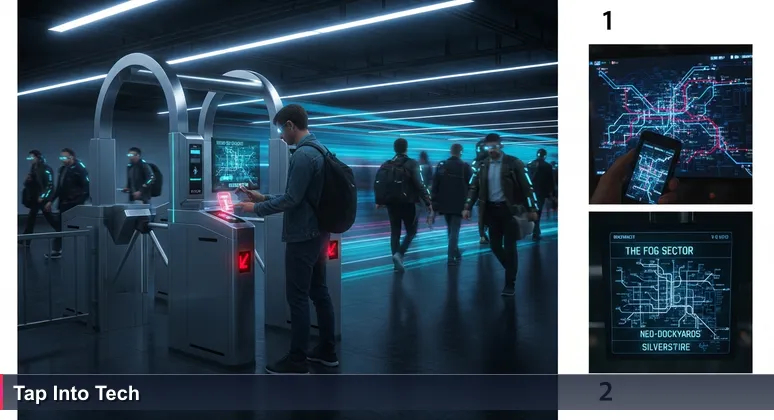
We've all had that moment in the Metro: You're at the turnstile, the city is waiting on the other side of the gate, but you're not sure your card has enough fare, or if you're even heading in the right direction. This is the exact feeling many have when considering a career in Washington, D.C.'s booming tech, AI, and machine learning sectors, where the median tech salary often exceeds $115,000. The pressure to skill up is immense, but the cost of formal education can feel prohibitive.
The city's competitive infrastructure, however, has a public, accessible on-ramp. Your local library and community centers provide the digital "SmarTrip cards" and patient guides you need to move past that intimidating threshold. As nonprofits like Byte Back have closed, the public library system has become the resilient backbone for digital literacy, ensuring residents aren't left behind.
These programs are more than just free classes; they are a low-stakes, human-guided onboarding into an economy where, as a 2026 report noted, "AI is now infrastructure, not a pilot." With initiatives like the DC Public Library's AI Upskilling Cohort, the city is investing in ensuring its workforce remains at the center of this transformation.
For anyone in the DMV, these ten truly free, no-application-required resources are your zero-cost ticket to explore foundational skills, from data science for federal contracting to the prototyping mindset valuable for Northern Virginia's tech startups. The turnstile is open, and the fare is covered.
Table of Contents
- Unlock Free Tech Skills in D.C.
- LinkedIn Learning
- Digital Navigators
- Tech 101 Workshops
- Fab Lab & Digital Commons
- NorthStar Digital Literacy
- UDC Open Houses
- AI Upskilling Workshops
- Go Digital Training
- Techy Tuesdays
- DC Tech Meetups
- Your 30-Day Free Learning Plan
- Frequently Asked Questions
For a definitive roadmap to AI jobs in Washington, DC, check out this article.
LinkedIn Learning
With a free DC Public Library card, you hold a key to one of the most powerful tech education platforms available anywhere. The library provides 24/7, instant access to the entire LinkedIn Learning library, a resource featuring over 16,000 professional courses. This partnership exemplifies how public libraries are critical infrastructure for modern workforce development, offering a direct path to in-demand skills.
Comprehensive Curriculum for a Tech-Driven City
The catalog spans beginner to advanced paths in Python, data science, cloud computing (AWS/Azure), and full web development stacks. For the DMV's specific economy, courses on machine learning fundamentals, data visualization with tools like Tableau, and SQL database management are particularly invaluable. These are the exact skills powering analytics at federal contractors, AI initiatives at Amazon's HQ2, and data-driven decision-making in D.C.'s growing biotech sector.
Zero-Barrier Access and a Practical Start
Access requires only a DCPL card, obtainable on the spot at any branch like the Martin Luther King Jr. Memorial Library downtown with a DC ID. From there, you can learn from anywhere. A practical first project for an aspiring data professional: complete "Python Essential Training" followed by "Understanding Machine Learning" to grasp the core concepts behind the algorithms shaping everything from government services to Northern Virginia's startup ecosystem.
Digital Navigators
Before you can run code, you need to feel comfortable with the device it runs on. The Digital Navigators program at DC Public Library addresses this very first hurdle with patient, one-on-one assistance. These library staff members provide judgment-free help on tasks like troubleshooting a laptop, setting up email, navigating job application websites, or understanding smartphone basics. As Digital Inclusion Coordinator Chelsea Kirkland explains, the core of this work is human connection:
"A lot of the times... it’s about establishing trust and having an honest connection with someone. If you don’t know how to do that, you just say, 'I don’t know how to do that. Let’s investigate together.'"
Walk-In Help for Foundational Confidence
This is pure, accessible walk-in help designed for absolute beginners. You can find scheduled "Tech Time" or "Drop-In Tech Help" sessions at branches across the city, such as Cleveland Park or Southwest. No appointment or registration is required, removing all administrative barriers to getting started.
A Practical First Step into Tech
A perfect use of this service is to bring your device and have a Navigator help you install and set up Python or a code editor like VS Code. What might seem like a daunting, hour-long struggle of searching forums becomes a guided, supportive 30-minute session. This builds the foundational confidence necessary to then effectively use other free resources, like LinkedIn Learning, and represents the essential human guidance that complements D.C.'s digital infrastructure.
Tech 101 Workshops
For true zero-commitment exploration, the Tech 101 workshops are your most accessible entry point. This partnership between the DC Office of the Chief Technology Officer (OCTO) and the Department of Parks and Recreation (DPR) offers essential digital literacy through weekly, drop-in sessions across the city. As highlighted on the official Tech 101 schedule, topics include Smartphone Basics, Internet Safety, Social Media 101, and introductory computer skills - perfect for building the confidence to manage online life.
Designed for Absolute Beginners
These sessions require no registration or application. You simply find a session and show up, making them ideal for overcoming initial hesitation. Locations rotate through neighborhood libraries like Capitol View in Ward 7 and recreation centers, with some libraries listing them as drop-in events on their calendar. For real-time updates, you can even text "LEARN" to 698-66 to receive a list of that week's workshops.
Foundational Skills for a Government Hub
While beginner-focused, the curriculum addresses critical needs in a government-adjacent market. Learning to spot phishing scams in an Internet Safety 101 workshop or confidently setting up a professional Gmail account are foundational competencies expected in administrative and entry-level tech roles at federal agencies and their countless contractors. These workshops provide the digital hygiene and awareness that serve as a prerequisite for more advanced technical training.
Fab Lab & Digital Commons
Where digital concepts become tangible creations, the Martin Luther King Jr. Memorial Library's Fab Lab & Digital Commons stands apart. This dedicated makerspace on the library's second floor offers introductory workshops and open access to tools for 3D printing, laser cutting, vinyl cutting, and digital design software like Adobe Illustrator and Tinkercad. It provides a physical gateway to the prototyping mindset essential in D.C.'s engineering, defense, and biotech sectors.
Hands-On Access to Advanced Tools
Access is designed to be exploratory. During public library hours, you can walk into the Fab Lab for "show-and-tell" sessions or observe ongoing projects. While reserving time on specific machines for complex projects may require a booking, the frequent introductory demos and group workshops are typically walk-in, lowering the barrier to experimenting with advanced fabrication technology.
From Digital Model to Physical Object
A perfect starter project is attending a basic 3D printing workshop to design and print a simple object. This process - from digital 3D modeling to holding a physical result - demystifies the product development cycle and provides concrete, hands-on experience. This kind of creative tech exploration bridges the gap between abstract code and the physical systems and devices that the DMV's many government contractors and tech firms are building every day.
NorthStar Digital Literacy
For residents seeking more than just knowledge - verifiable proof of their digital skills - the NorthStar Digital Literacy program provides the solution. Offered at DC Public Library branches like Mount Pleasant, NorthStar allows you to take proctored, free assessments and earn certificates in areas like Essential Computer Skills, Basic Software (Microsoft Word, Excel), and Using Technology in Daily Life. As highlighted in digital literacy resources for Washingtonians, such certifications are powerful tools for demonstrating competency to employers.
Building a Credentialed Foundation
Earning these certificates provides concrete credentials for your resume. In a competitive job market like D.C.'s, where even entry-level roles at federal agencies and government contractors require proven digital literacy, a NorthStar certificate offers an immediate, trusted validation of your skills. The library facilitates this through scheduled "Free Digital Skills Certification" events where you work with a proctor to complete the tests in a supportive environment.
A Direct Path to Local Opportunities
A practical application is targeting certifications that align with high-demand administrative support roles across the region. For example, passing the "Microsoft Word" and "Information Literacy" certifications can significantly strengthen an application for positions at the myriad federal agencies, consulting firms like Booz Allen Hamilton, or legal offices throughout the District. This program turns foundational learning into a tangible career asset.
UDC Open Houses
When you're ready to explore structured career pathways but not yet ready to commit, the monthly Open House events at the University of the District of Columbia's Workforce Development and Lifelong Learning (WDLL) division offer the perfect, no-pressure next step. These sessions provide comprehensive overviews of in-demand tech career tracks like IT Support, Data Analytics, and Cybersecurity. You can meet instructors, review sample curricula, and receive personalized guidance on which paid or grant-funded training might logically follow your free library exploration.
Walk-In Access for Informed Planning
These are true walk-in events designed for zero-barrier access. You can find upcoming dates - such as April 14 or April 30, 2026 - and locations directly on the UDC Workforce Development site. Attending an open house demystifies the process of enrolling in formal certification programs and helps you build an informed, strategic roadmap for your upskilling journey, especially valuable after the closure of other local training nonprofits.
Aligning Training with DMV Demand
A practical reason to attend is to learn about programs like their IT Support curriculum, which aligns directly with the persistent demand for IT professionals in D.C.’s government, consulting, and corporate sectors. Gaining a clear understanding of the skills, time commitment, and outcomes of such programs allows you to make a data-driven decision about your educational investment, ensuring it connects efficiently to the region's job market.
AI Upskilling Workshops
Reflecting Washington, D.C.'s position at the forefront of both AI policy and practical application, the DC Public Library has launched special AI literacy workshops to demystify this transformative technology. These introductory sessions, such as the "AI Upskilling Intro Workshop," explore core concepts, ethical implications, and practical tools, building the foundational literacy needed in a city where AI integration is accelerating across federal agencies, contractors, and startups.
Context for a National Hub
These workshops are designed to address the reality that, as one 2026 analysis of the D.C. workforce noted, “AI is now infrastructure, not a pilot.” Attending a free session helps you understand the landscape - whether you aim to work for an agency crafting regulations, a contractor like Booz Allen Hamilton implementing solutions, or a Tysons Corner startup building AI products.
From Literacy to Specialized Skills
These library workshops serve as the ideal, no-cost primer before considering a formal, career-focused program. For example, after grasping AI fundamentals here, you might progress to a specialized bootcamp like Nucamp's AI Essentials for Work or Solo AI Tech Entrepreneur program to build hands-on technical skills. This creates a logical pathway from free public resource to targeted, affordable training that connects directly to the DMV's strong hiring demand in GovTech and AI.
Go Digital Training
Knowing a resource exists is one thing; knowing how to wield it effectively is another. Go Digital Training sessions at DC Public Library branches focus on mastering the digital toolkit the library already provides. A typical session might guide you through using LinkedIn Learning with precision, show you how to access real-time online job coaching via Brainfuse JobNow, or introduce you to free academic and trade journals for industry research.
Transforming a Library into a Learning Engine
These are essentially one-hour guided tours of the library's most powerful digital assets. Instead of getting lost in the vastness of 16,000 LinkedIn Learning courses, a librarian can show you how to filter for the most relevant "Python for Data Science" path or find the highest-rated tutorials on cloud security - skills directly applicable to roles at Northern Virginia's data centers or federal cybersecurity firms.
Strategic Skill Discovery for the Local Market
A practical use of this resource is to seek help finding industry reports on the local tech market. Understanding which specific software proficiencies or certifications are trending in the DMV's GovTech or biotech sectors allows you to tailor your free learning to the highest-probability opportunities. This strategic approach turns the library's digital offerings from a generic catalog into a targeted career development platform.
Techy Tuesdays
Building on one-on-one help, Techy Tuesdays and similar drop-in tech clinics offer a communal approach to problem-solving. These recurring sessions, often hosted at neighborhood branches like the Southwest Neighborhood Library, provide a relaxed environment for tackling slightly more advanced digital tasks. The focus shifts from absolute basics to practical topics like using cloud storage (Google Drive, OneDrive), managing digital photos, optimizing website navigation, or leveraging social media for effective job hunting.
Community-Based Skill Building
Unlike a formal class, these clinics often operate as group help desks where participants can learn from each other's questions and solutions. This model fosters a supportive peer network, which is invaluable for maintaining momentum in self-directed learning. The communal aspect reduces the isolation that can come with online courses and provides real-time feedback on common technical hurdles.
Solving Real-World Digital Challenges
The key to benefiting from these sessions is arriving with a specific, actionable goal. For example, you might bring a challenge like “I need to organize my project files before starting an online data analytics course,” or “How do I optimize my LinkedIn profile to attract recruiters from D.C. consulting firms?” The librarian or facilitator can then provide direct, step-by-step assistance, turning a vague anxiety about technology into a concrete, solved problem.
DC Tech Meetups
While not a training class in the traditional sense, the DC Tech Meetups hosted at the Martin Luther King Jr. Memorial Library are a critical, free resource for professional immersion. These events feature live demos, panel discussions with local tech founders and experts, and dedicated networking time - all structured to be informative rather than promotional. As listed on the library's calendar, events like DC Tech Meetup #88 offer a direct window into the community driving innovation in the DMV.
Learning from the Local Ecosystem
Attending a meetup allows you to hear firsthand from a data scientist at Booz Allen Hamilton, a developer from an Arlington AI startup, or a product manager working on federal digital services. Listening to their project challenges, the technologies they debate, and their career journeys provides invaluable, concrete direction for your own learning path. It answers the essential question: "What skills are people actually using here?"
Networking Without Pressure
These library-hosted gatherings remove the high-pressure atmosphere of some professional networking events. The setting encourages genuine conversation, allowing you to ask questions and make connections that can lead to mentorship, project collaborations, or job leads. This exposure is particularly valuable for understanding the distinct cultures and opportunities within D.C.'s overlapping spheres of government, contracting, and commercial tech.
Your 30-Day Free Learning Plan
These ten resources form a complete, zero-cost foundation. To build momentum, combine them into this structured 30-day plan that progresses from access to exploration to connection.
Week 1: Tap In
Get your free DCPL card at any branch. Attend a Digital Navigators drop-in to ensure your computer is ready for online learning. Then, browse the LinkedIn Learning catalog and save three beginner courses, such as "Computer Science Principles," "Excel Essential Training," and "Programming Foundations: Fundamentals."
Week 2: Build Core Skills
Complete your first saved LinkedIn Learning course. Attend a Tech 101 workshop on Internet Safety to establish crucial digital hygiene. Visit the MLK Fab Lab for a hands-on demo to spark creative engagement with technology.
Week 3: Explore & Validate
Attend a UDC Open House to investigate formal career pathways and ask questions. Use a Go Digital Training session to find a more advanced, targeted learning path on LinkedIn Learning, like introductory Python for data analysis. Try one practice NorthStar assessment to gauge your skills.
Week 4: Connect & Plan Your Next Stop
Attend a DC Tech Meetup to listen, learn, and start building your network. Finally, synthesize everything you've learned. Use what you've gained from Digital Navigators or a Techy Tuesday session to draft a concrete 6-month plan: Which free resources will you continue using regularly, and what is the logical paid program or bootcamp you are now prepared to tackle with confidence?
The turnstile is open. With this plan, you have the map and the fare for your first month's journey into Washington, D.C.'s dynamic tech world.
Frequently Asked Questions
Are these tech training programs really free and available without any application process?
Yes, all programs listed are completely free and require no application, with resources like the DC Public Library's LinkedIn Learning accessible 24/7 with just a library card. This makes it easy to start building skills for DC's tech job market where median salaries often exceed $115,000.
How can these free resources help me land a tech job in the Washington, D.C. metro area?
By providing foundational skills through programs like NorthStar Digital Literacy Certification and AI workshops, you can build credentials valued by local employers such as federal agencies and Amazon HQ2. This bridges the gap to high-demand roles in AI and GovTech, supporting career transitions in a competitive market.
What kind of tech skills are covered, and is there support for total beginners?
Skills range from digital literacy and basic coding to advanced AI concepts, with beginner-friendly options like Digital Navigators for one-on-one help. This ensures you can start from scratch and progress to skills needed for DC's growing biotech and startup ecosystems.
Are there specific trainings for AI and machine learning in DC's libraries?
Absolutely, the DC Public Library offers AI literacy workshops and LinkedIn Learning courses on machine learning, tailored to a city where AI is considered critical infrastructure. This prepares you for roles in policy-making or tech startups, aligning with local industry demands.
I'm new to tech; how do I begin with these free programs?
Start by getting a free DC Public Library card and attending a Digital Navigators session for personalized setup. Then, explore beginner courses on LinkedIn Learning or drop-in Tech 101 workshops to build confidence and plan your next steps toward a tech career in the DMV.
This article provides a step-by-step tutorial for AI engineers in D.C.
Explore the defense-tech opportunities in D.C. for 2026 in this guide.
Find the best women in tech resources for 2026 in Washington D.C. to navigate the local scene.
Explore the ranking of top AI bootcamps in Washington, DC based on market fit and affordability.
Companies such as Amazon and Booz Allen are among the top firms hiring AI engineers in DC according to this article.

Irene Holden
Operations Manager
Former Microsoft Education and Learning Futures Group team member, Irene now oversees instructors at Nucamp while writing about everything tech - from careers to coding bootcamps.