









How to Apply for WA Worker Retraining: Step-by-Step Guide (2026)
By Irene Holden
Last Updated: January 10th 2026
Quick Summary
To apply for Washington’s Worker Retraining in 2026, confirm you fit an eligibility bucket (for example receiving UI or a layoff within the last 48 months), pre-screen at StartNextQuarter.org, collect and scan your ID and proof documents (UI history, layoff notice, or DD214), attend a Workforce orientation, meet with a Workforce counselor to sign required forms, request CAT/Training Benefits in ESD eServices if you’re on unemployment, and submit the complete packet at least 20 business days before your program start date. FY26 funding runs July 1, 2025-June 30, 2026 and is limited; Worker Retraining can cover approved tuition (Nucamp is eligible for up to 80% with most students paying about $100/month for five months) but approvals and matching dates must be in place before you begin.
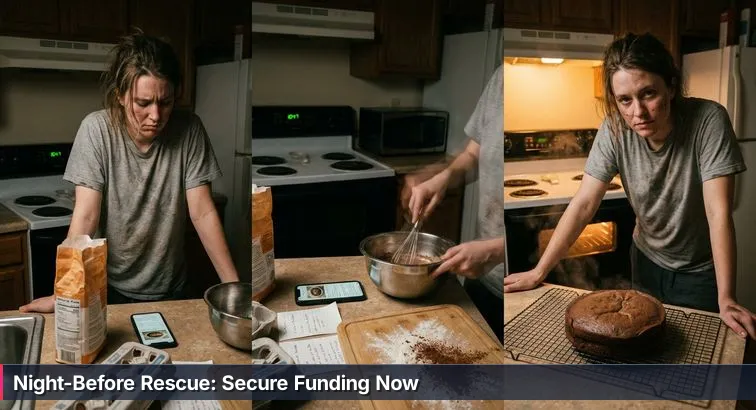
If you’re staring at yet another set of “six easy steps” on a college website and feeling your stomach knot up, you’re not alone. The Worker Retraining process often looks simple on paper, but in real life it feels more like baking a cake at midnight with half the ingredients missing and a kid’s birthday in the morning. The steps are technically there, but the timing, the judgment calls, and the waiting are what make or break it.
What Worker Retraining actually does
Worker Retraining is a Washington State program that helps specific groups of adults pay for job-focused training at community and technical colleges and at approved private career schools. The State Board for Community and Technical Colleges describes it as a way for dislocated workers to move into “in-demand, living-wage jobs,” not just a bandage for a few months of unemployment. According to the state’s Worker Retraining overview, funding can support professional-technical certificates, degrees, and certain short-term programs that line up with real hiring needs.
“Worker Retraining is a pathway to college credit and industry credentials that can stack into associate degrees or apprenticeships.” - Becky Wood, Program Administrator, State Board for Community and Technical Colleges
In plain terms, that means if you use this program well, you’re not just signing up for random classes to fill time while you’re out of work. You’re using state funds to build a credential that employers in Washington actually recognize, whether that ends up being a health-care certificate, a welding credential, or an online tech bootcamp through an approved provider.
Why the “recipe” matters
The hard part is that there isn’t just one recipe. The exact steps and proof you need change depending on how you lost work, whether you’re on unemployment, if you’re a veteran, a displaced homemaker, or someone who had to close a business. On top of that, colleges, the state workforce board, and the Employment Security Department all have their own “ovens” and timers. If you skip a step like an orientation, miss a financial aid form, or start classes before unemployment approves your training, you can end up with delays, denials, or a tuition bill you thought would be covered.
This guide is here to lay out the full sequence so you’re not guessing. You’ll see when to “preheat the oven” with things like StartNextQuarter.org, FAFSA/WASFA (for colleges), and Commissioner-Approved Training requests, how far ahead of your start date to move, and which documents to have ready so you’re not hunting for a missing UI stub or DD214 at the last minute. And if you decide an approved tech option like Nucamp’s online bootcamps fits your reality better than a campus program, we’ll walk through how Worker Retraining can cover up to 80% of tuition there too, while being honest about what’s not guaranteed. The goal isn’t to promise an easy road - it’s to give you a real recipe so you have the strongest shot at having funding lined up on Day 1 instead of scrambling the night before.
Steps Overview
- Before you start: why the Worker Retraining “recipe” matters
- Who Worker Retraining is for and how eligibility works
- Prerequisites and tools: set up your ‘kitchen counter’
- Printable document checklist: gather what colleges and ESD ask for
- Read the process and timeline before you apply
- Confirm likely eligibility with StartNextQuarter.org
- Choose a program and approved provider (including Nucamp)
- Gather, scan, and organize your application documents
- Attend orientation and apply to your college or provider
- Meet with a Workforce counselor, sign forms, and request CAT/TB
- Submit early, track applications, and enroll with supports
- Common mistakes and troubleshooting
- Verification checklist: how to know your funding and benefits are set
- Common Questions
Veterans should review the WRT for recently discharged veterans section to understand required documents.
Who Worker Retraining is for and how eligibility works
When you’re in the middle of a layoff, divorce, business closure, or the end of military service, it can feel like the ground is shifting under your feet. Worker Retraining is meant for exactly those moments, but the catch is that it doesn’t serve “everyone who’s having a hard time.” It serves specific groups of workers the state has decided to prioritize, and each group has its own “recipe” for proof. Getting yourself into the right category early is what turns that messy kitchen counter into a clear line of ingredients your college or training provider can actually use.
The main eligibility “buckets”
Most colleges and Workforce offices look first at whether you’re a Washington resident who fits at least one of these groups: you’re currently receiving unemployment insurance, your UI ran out within the last 48 months, you’ve received a layoff or WARN notice, you’re working reduced hours in a stop-gap job after a layoff, you had to close a business for economic reasons, you’re a displaced homemaker whose household income disappeared, you’re active-duty with separation orders, or you’re a veteran discharged within the last 48 months. Recent guidelines also add “vulnerable workers” whose jobs are clearly unstable or declining. Nucamp, which is an approved private career school under Worker Retraining, uses these same categories when it screens Washington residents for its scholarship.
What proof usually looks like
Each category has its own missing-ingredient risk. For unemployment-based eligibility, schools will typically want to see UI payment history or determination letters; for layoffs, an official notice with your name and date; for veterans, a DD214 or separation orders within that four-year window; for formerly self-employed workers, recent tax returns and any closure paperwork; for displaced homemakers, divorce, separation, or death documents plus something that shows the income loss. Private career schools like Nucamp add a required self-attestation form on top of those documents, so the state has a consistent paper trail no matter which provider you choose.
Why your category choice matters
This might feel like technical hair-splitting, but it affects real things: whether your tuition can be covered at all, how long, and how fast your file can be approved. Your Worker Retraining or Workforce counselor has to match your story to one of these buckets in a way that would make sense to an auditor reading your file a year from now. If there’s a mismatch - say you left a job voluntarily but mark yourself as laid off - it doesn’t mean you’re in trouble, but it can stall your application while they sort out what actually applies. The clearer you are up front, the more they can focus on helping you pick a program that leads somewhere, whether that’s a welding shop, a hospital, or an online tech bootcamp that uses Worker Retraining to cover up to 80% of tuition while you pay $100/month for 5 months out of pocket.
“If you’re in an unexpected break in employment, you’ll never regret spending those hours expanding your education.” - Melanie Masson, Worker Retraining graduate, quoted in a UW Professional & Continuing Education profile
Prerequisites and tools: set up your ‘kitchen counter’
Before you start filling out forms, it helps to clear your mental “kitchen counter.” When your bills are piling up and you’re tired of logging into yet another portal, taking 30-60 minutes to line up the basics can feel unnecessary. But this is the quiet prep that makes the rest of the Worker Retraining process go faster and hurts less. Think of this step as getting all your bowls, measuring cups, and ingredients within reach before you turn the oven on.
Get your basic access set up
You’ll move through fewer roadblocks if you set up your core accounts first. At a minimum, you’ll need a stable way to get online (phone, tablet, or computer), an email you actually check, and logins for unemployment and financial aid. Washington’s financial aid system is heavily tied to FAFSA/WASFA data; the Washington Student Achievement Council notes that programs like Washington College Grant rely on information from these forms to determine eligibility, and colleges often review everything together when they build your funding package, Worker Retraining included. You can see how tightly these pieces fit by looking at the state’s Washington College Grant program manual.
- Set up or recover your personal email and write the password down somewhere safe.
- Create or update your ESD eServices account so you can see your unemployment history and submit CAT/Training Benefits later.
- If you’re heading to a community or technical college, create your FAFSA or WASFA login so you’re not doing it in a panic the night before a deadline.
Collect core identity and residency pieces
Almost every part of this process will ask for the same basic proof: who you are and that you live in Washington. Having those in one place turns a half-day scavenger hunt into a five-minute upload. Colleges, the Employment Security Department, and approved private schools all lean on the same core set of documents, so you usually only have to do this once if you organize it well.
- Government-issued photo ID (preferably a Washington driver’s license or state ID)
- Proof of Washington address (recent utility bill, lease, or official mail)
- Social Security number (card or any tax document that shows it clearly)
Pro tip: as you pull each item, take a clear photo or scan and save it right away. Blurry corner shots are one of the most common reasons offices have to email you back for resubmissions.
Create a simple digital “Worker Retraining” folder
This is where you turn your messy counter into a neat line of ingredients. Having one place - on your computer or in cloud storage - means you can respond to requests from a college, Nucamp, or ESD in minutes instead of starting from scratch each time.
- Create a main folder called “Worker_Retraining_2026.”
- Inside it, add subfolders like “ID_Residency,” “Unemployment,” “Military,” and “School_Applications.”
- When you save a document, use names like “UI_PaymentHistory_2026-01.pdf” or “WA_ID_FrontBack.jpg” so you can tell what’s what at a glance.
If you’re planning on an online program like Nucamp’s bootcamps, this same folder will cover their Worker Retraining scholarship checklist too - same ingredients, just a different kitchen. A little time here pays off later when an advisor says, “Can you upload that today?” and you actually can.
“The Worker Retraining program plays a major role in Washington state’s economic development by providing dislocated and other workers with the opportunity to train for high-demand jobs.” - State Board for Community and Technical Colleges, Worker Retraining Funding Overview
Printable document checklist: gather what colleges and ESD ask for
This is the step where you keep yourself from that “I’m out of eggs” moment halfway through the recipe. With Worker Retraining, the missing ingredients are usually documents: the UI stub you deleted, the DD214 you never downloaded, the utility bill that actually has your current address. Having a printable or copy-and-paste checklist in front of you turns all of that from a panic scramble into a straightforward scavenger hunt.
- Basic for almost everyone
- Washington photo ID (driver’s license or state ID)
- Proof of Washington residency (recent utility bill, lease, or official mail)
- Social Security number (card or tax document that shows it clearly)
- Email address you check regularly
- If you are on unemployment now
- Most recent unemployment benefits statement or UI pay stub
- Screenshot or printout of your ESD payment history (often called the WIA001 screen)
- If your unemployment ended within the last 48 months
- ESD letter or online record showing the end date of benefits
- Payment history confirming that you received UI
- If you received a layoff or WARN notice
- Official layoff or WARN letter from your employer with your name and layoff date
- Any severance or separation paperwork you were given
- If you are a veteran or active-duty separating
- DD214 (Member 4 copy) showing a discharge date within the last 48 months
- Or official separation orders if you’re still active-duty but have a set end date
- If you were self-employed
- Federal tax returns (usually last 1-2 years, including Schedule C if you filed it)
- Business license and any closure paperwork, if applicable
- Any documents showing a significant loss of income tied to economic conditions
- If you are a displaced homemaker
- Divorce decree, legal separation paperwork, or death certificate
- Any document showing loss of household income (like a former partner’s layoff or death benefits letter)
- Education (for some programs)
- High school diploma or GED
- Any prior college or training transcripts
Most of these items show up again and again: your college’s Workforce office needs them, the State Board’s guidelines call them out for Worker Retraining, and the Employment Security Department may ask for them if you apply for Commissioner-Approved Training or Training Benefits. For example, ESD’s own Training Benefits program page explains that they verify your claim history and training details before they’ll excuse you from job search requirements. Having your UI printouts and letters ready makes that verification much smoother.
Once you’ve gathered the papers, the next move is to make them easy to reuse. Take clear, well-lit photos or scans - no fingers over the corner, no cut-off dates - and save them as PDFs or JPGs. Use names like “DD214_YourName.pdf” or “LayoffNotice_Employer_2026-02.jpg” so you know what each file is without opening it. Then drop them into that “Worker_Retraining_2026” folder you set up earlier. If you’re applying through an approved private career school like Nucamp for up to 80% tuition assistance while you pay $100/month for 5 months, this same folder will cover almost everything their Worker Retraining scholarship form asks you to upload.
Warning: the number-one slowdown I see is unclear or partial documentation - like a UI screenshot that doesn’t show your name and dates, or a layoff letter missing the actual layoff date. If something looks incomplete, it’s worth asking your former employer, ESD, or your college’s Workforce office how to get a cleaner version now instead of waiting for them to kick your file back.
“The program provided essential support as a returning student, helping me gain valuable computer skills and the confidence to re-enter the workforce.” - Frances Saenz, Worker Retraining student, Yakima Valley College
Read the process and timeline before you apply
Before you click a single “apply now” button, it’s worth taking ten quiet minutes to understand the calendar you’re stepping into. Worker Retraining runs on state funding years, college quarters, and unemployment rules that don’t bend just because life fell apart. Reading the full process and timeline first is like checking the recipe all the way to the end: it won’t change the ingredients, but it will keep you from finding out at the last second that the cake needs to chill overnight.
Know the funding year and real deadlines
Worker Retraining money is released to colleges and approved training providers on a yearly cycle. For the current funding year, FY26 dollars run from July 1, 2025 through June 30, 2026. That doesn’t mean you can apply any time and be fine, though. Each campus sets its own cutoff dates to make sure there’s enough time to review your documents and actually apply funds to your account. For example, North Seattle College lists a final Worker Retraining funding deadline of January 1, 2026 for its Winter 2026 quarter on its Worker Retraining information page. Miss that kind of internal deadline and even if you qualify on paper, your tuition for that term may not be covered.
Work backward from your target start date
Once you know when you want to start classes or a bootcamp, the safest move is to count backward and set your own earlier “timer.” Colleges typically need about 1-3 weeks after your Worker Retraining appointment and document submission to finalize and post tuition assistance. To give them that time without risking last-minute surprises, most Workforce offices recommend you have your training plan and paperwork in at least 20 business days before the quarter or program begins.
- Look up the academic calendar and funding deadlines for your community or technical college, or check the start dates for your approved private provider (like Nucamp’s online bootcamps).
- Take your intended start date and count back 20 business days (about a month when you include weekends and holidays).
- Use that earlier date as your personal deadline to finish orientation, submit admissions and financial aid (for colleges), complete Worker Retraining forms, and upload documents.
Pro tip: write these dates down in one place. When your brain is already juggling bills, job searches, and family, having a visible “paperwork due by” date takes some of the pressure out of trying to remember everything.
Line up unemployment rules with your training
If you’re receiving unemployment, there’s an extra clock running in the background. Programs like Commissioner-Approved Training (CAT) and Training Benefits (TB) are what allow you to stay in school while being excused from job-search requirements or, in some cases, extend your benefits. You request those through your ESD eServices account, and just like Worker Retraining, they can take time to process. The key is that your program start date, your Worker Retraining education plan, and your CAT/TB requests all need to match. Starting full-time training before CAT or TB is approved can put your benefits at risk. Warning: don’t assume unemployment will “just understand” because you’re in an in-demand program - without the formal request and approval on record, they’re required to treat you like any other job seeker, even if school has already started.
Confirm likely eligibility with StartNextQuarter.org
Confirming your likely eligibility up front is the “do we even have eggs?” moment of this whole process. It’s tempting to skip straight to college applications because you already know you’re out of work or your hours were cut. But a five-minute check with StartNextQuarter.org can tell you which pots of money you’re realistically in line for and which Workforce office should be helping you, so you’re not explaining your story from scratch three different times.
What StartNextQuarter.org actually is
StartNextQuarter.org is a shared online front door used by many of Washington’s community and technical colleges. It’s a short, anonymous survey that asks about things like recent job loss, unemployment insurance, military service, and household income. Based on your answers, it flags whether you’re likely to qualify for programs such as Worker Retraining, Opportunity Grant, or WorkFirst, and then routes your information to the right campus contact if you choose to share it. Schools like Seattle Central specifically tell prospective Worker Retraining students to begin with the brief Start Next Quarter eligibility survey before they schedule funding appointments, because it speeds up the hand-off on their side.
How to walk through the survey
You don’t need tax returns or exact dollar amounts in front of you for this part; honest yes/no answers and rough dates are enough. Plan on about 15-30 minutes, including reading the follow-up instructions.
- Go to the site and enter your ZIP code or select your region so the tool can match you with nearby colleges.
- Answer the questions about your work history, unemployment benefits, military status, and household situation as accurately as you can.
- When prompted, choose the college you’re most likely to attend so your results go to the right Workforce office.
- At the end, review the list of programs you may be eligible for and decide whether to enter your contact information so someone from that college can follow up.
Nothing you enter here is a formal application for Worker Retraining yet; think of it as a quick pre-screen that lets the college know, “Here’s roughly who I am and what kind of help I might qualify for.”
Use the results to plan your next move
The last screen is where this tool really earns its keep. Instead of you trying to decode acronyms alone, it will spell out which buckets you likely fall into - for example, Worker Retraining plus maybe another support like Opportunity Grant - and often give you direct instructions for the next step, such as signing up for a funding orientation or calling a specific Workforce number. It’s worth taking a screenshot of that page and saving it in your Worker Retraining folder so you can show a counselor exactly what the system flagged. The main pitfalls to avoid here are picking the wrong college or region (which slows down outreach) and closing the browser without writing anything down. If you later decide an approved private provider like Nucamp is a better fit for your schedule, you can still use what you learned from Start Next Quarter when you talk with a Workforce counselor or fill out Nucamp’s own eligibility form; the underlying categories and proof are the same even if the kitchen changes.
Choose a program and approved provider (including Nucamp)
Once you’ve confirmed you probably qualify, the next big decision is what you’re actually training for and where you’ll do it. This is the point where the recipe stops being generic and becomes yours. Worker Retraining doesn’t pay for random one-off classes; it backs specific career pathways that the state believes can lead you back into stable, in-demand work. Choosing the right program and provider up front saves you from finding out later that your dream class isn’t approved, or that it doesn’t fit your life with kids, a part-time job, or health stuff in the mix.
Focus on in-demand, career-focused programs
The state’s Worker Retraining guidelines are built around professional-technical programs: certificates, diplomas, and degrees that point directly to a job title. Community and technical colleges use this funding for things like nursing assistant, medical assistant, welding, automotive, business technology, IT support, and more. Schools such as Clover Park Technical College describe Worker Retraining as a way to help students “train for high-demand careers” across health care, trades, and technology fields, all tied to real labor market data on what local employers are hiring for; you can see examples of those pathways on Clover Park’s Worker Retraining page.
Behind the scenes, your Workforce counselor is usually checking your choice against a statewide demand/decline list. If your program is clearly “in-demand,” it’s easier for them to justify Worker Retraining support and, if you’re on unemployment, it can also help with Commissioner-Approved Training decisions. If you’re not sure whether a program counts as in-demand, that’s a perfect question to bring to orientation or your first advising appointment.
Comparing program and provider types
You don’t have to know every detail yet, but it helps to understand the main shapes these options come in. Here’s a simplified side-by-side view of how a community or technical college program, Nucamp, and a typical private career school might differ when you’re thinking about Worker Retraining.
| Option | Typical Programs | Format & Schedule | Credential & WRT Fit |
|---|---|---|---|
| Community / Technical College | Healthcare, trades, IT support, business technology | On-campus or hybrid; mostly daytime with some evening options | College credit certificates/degrees; strong fit for stacking into more schooling |
| Nucamp (tech bootcamps) | Web development, back-end with SQL and Python, cybersecurity | 100% online, part-time; live weekly workshops plus self-paced work | Non-credit bootcamps; focused on job skills and portfolios, eligible for up to 80% WRT tuition support |
| Other Private Career Schools | Medical assistant, dental assistant, CDL, cosmetology, etc. | Often full-time, short-term; usually in-person | Certificates or licenses; WRT-eligible only if the school is state-approved |
“Washington’s approach goes beyond ‘train and pray’ by tying training investments to sectors with demonstrable demand, helping workers move into better jobs rather than back into the same instability.” - Beyond “Train and Pray” Case Study, New America
Where Nucamp fits if you’re leaning toward tech
If your gut is pulling you toward tech but the idea of going back to campus full-time feels impossible, Nucamp sits in that middle ground on purpose. It’s an officially approved Private Career School for Washington’s Worker Retraining program, offering up to 80% tuition assistance for eligible Washington residents. Under its Worker Retraining scholarship, most students who qualify pay $100/month for 5 months (a total of $500 out-of-pocket), and state Worker Retraining dollars cover the remaining tuition, as long as funds are available.
The three main Nucamp tracks that line up with Worker Retraining are: Web Development Fundamentals plus Full Stack & Mobile Development with a job hunting module, Back End with SQL and Python plus job hunting, and Cybersecurity Fundamentals with job hunting support. All are designed for career changers, run part-time and fully online, and include weekly live workshops with instructors and structured career services like resume and portfolio help. Veterans can use Worker Retraining to fund these bootcamps if they were discharged within the last 48 months, but it’s important to know that Nucamp itself is not GI Bill-eligible, so Worker Retraining is the route, not VA education benefits.
Whichever direction you’re leaning - hospital, shop floor, or security operations center - the key is to bring specific options to your Workforce appointment rather than a vague “something in computers” or “maybe healthcare.” Ask directly whether your short list is considered in-demand, whether the provider is approved for Worker Retraining, and how the program fits your life: Can you realistically make the lab times? Will a part-time, online format give you enough hours for unemployment training approvals? Getting those answers now helps you pick a recipe you can actually finish, not just one that looks good on the box.
Gather, scan, and organize your application documents
This is the part of the recipe where most people quietly stall out. You’ve talked to someone helpful, you’re pretty sure you qualify, and then the emails start coming: “Please upload your layoff notice,” “We still need your UI payment history,” “This copy is cut off.” It can feel endless. The goal in this step is to get ahead of that by gathering, scanning, and organizing your documents once, in a way that colleges, the Employment Security Department, and approved providers like Nucamp can all actually use.
Step 1: Make a real-world document plan
Start by combining what you learned in the eligibility step with the checklist you built earlier. For each program or provider you’re applying to (community college, Nucamp, another private school), write down exactly which documents they’ve mentioned. For example, Bellevue College’s Workforce Education office has an intake form that must be submitted with your signature and supporting documents before they’ll review your case, and they’re clear that unsigned forms will not be processed; you can see how explicit they are on their Workforce Education application page. Use that same mindset for every school: assume they mean it when they list a document.
- List every document you know you’ll need (ID, proof of address, UI history, layoff letter, DD214, tax returns, etc.).
- Mark which ones you already have and which you need to request from ESD, a former employer, the VA, or the courts.
- Set small, specific tasks: “Call HR for layoff letter by Thursday,” “Download UI payment history tonight,” instead of one giant “do paperwork” blob.
Step 2: Scan or photograph documents clearly
Most delays at this stage come from how documents are captured, not whether you have them. Agencies need to see your full name, dates, and other key details in one clear view. A partial screenshot or shadowy phone photo can’t be used for an audit, so they have to ask you to resend it.
- Use a scanner if you have one; otherwise, use your phone’s “scan” mode or a free scanning app that flattens and brightens the page.
- Lay documents on a flat surface with good light; make sure all four corners are visible and nothing is covered by fingers or sticky notes.
- Save each page as a PDF or high-quality JPG. If a document has multiple pages (like tax returns), combine them into a single PDF whenever possible.
- Double-check legibility: zoom in to confirm names, dates, and dollar amounts are readable before you move on.
Warning: don’t crop out “unimportant” parts of the page. Those margins and headers are often what prove a document is official.
Step 3: Name and organize files so you can grab them fast
Once your scans look good, your next job is to make future-you’s life easier. Clear file names and a simple folder structure mean that when a counselor or Nucamp advisor asks for “that UI history page,” you can upload it in seconds instead of digging through downloads.
- Stick with a simple naming pattern: DocumentType_Name_Date. For example: “UI_PaymentHistory_JSmith_2026-01.pdf” or “DD214_JSmith.pdf.”
- Drop each file into your “Worker_Retraining_2026” folder, using subfolders like “ID_Residency,” “Unemployment,” “Military,” and “Education.”
- Keep a short text file in that folder listing what’s inside and where the originals are stored at home.
If you’re applying for Nucamp’s Worker Retraining scholarship, the same files will usually cover their upload requirements too. Having everything in one place turns their eight-step online process into a straightforward upload instead of yet another scavenger hunt.
Step 4: Back up and protect your information
These files contain a lot of sensitive information, so it’s worth taking a moment to protect them while still keeping them accessible for applications.
- Make one backup copy of your Worker Retraining folder on a trusted cloud service or encrypted USB drive.
- Avoid emailing documents to yourself unless you have to; upload through secure college portals or application forms whenever possible.
- Never share your full folder with anyone - only upload or send the specific files a college, ESD, or training provider requests.
“You can expect to receive a response within three business days of submitting your form. If your form does not have your signature, it will not be reviewed.” - Bellevue College Workforce Education, Application Instructions
Attend orientation and apply to your college or provider
By the time you reach orientation, you may already feel like you’ve told your story ten times. Sitting through another session can sound optional, or like a hoop someone invented just to slow you down. In reality, that orientation plus your actual school or bootcamp application is where all the separate ingredients you’ve gathered finally start to become one recipe: your program choice, your Worker Retraining eligibility, and (if you’re on unemployment) your ESD rules all get put on the same page.
Start with the Workforce funding orientation
Most community and technical colleges treat a Workforce or Worker Retraining information session as a required first step, even if the website doesn’t shout it. Schools like Shoreline Community College run weekly sessions through their Workforce office to explain which programs qualify, how different funding sources fit together, and what documents they’ll need from you; details are laid out on Shoreline’s Worker Retraining page. Expect roughly 30-90 minutes where they cover:
- Which programs are eligible for Worker Retraining and which are considered “in-demand”
- How Worker Retraining interacts with financial aid, Washington College Grant, and other supports
- What Commissioner-Approved Training and Training Benefits mean in plain language if you’re on unemployment
- The exact campus forms, signatures, and deadlines you’ll need to hit
Sign-up usually happens right after your Start Next Quarter results or directly through the college’s Workforce webpage or phone line. Bring your document folder (on your phone or a USB drive is fine) and something to take notes with; if you’re exhausted, having names, dates, and “do this next” written down will help later.
Apply to the college and complete financial aid
For community and technical colleges, Worker Retraining usually sits on top of a regular admission and financial aid file. That means they often can’t move your Worker Retraining request forward until you’re in their system as a student and you’ve at least attempted FAFSA or WASFA.
- Submit the standard college admission application so you get a student ID and portal login.
- Complete FAFSA if you’re a U.S. citizen or eligible non-citizen, or WASFA if you’re undocumented but a Washington resident.
- List the correct college on your FAFSA/WASFA so your information actually reaches their Financial Aid office.
- Watch for a new college email address; many schools send Worker Retraining and funding updates there instead of your personal inbox.
This doesn’t mean you’re taking on loans you don’t want; it means the college can see the full picture and use Worker Retraining to close gaps. As North Seattle College puts it in their funding materials, Worker Retraining can help “decrease the funding gap” by covering things like textbooks or transportation that traditional aid might miss.
“Worker Retraining funds can help decrease the funding gap by covering tuition, fees, books, and even bus passes for eligible students in professional-technical programs.” - North Seattle College, Workforce Education & Worker Retraining
If you’re applying to Nucamp instead of (or in addition to) a campus
For approved private career schools, the pattern is similar but the tools are different. Nucamp, for example, doesn’t use FAFSA/WASFA because it isn’t a federal financial aid school. Instead, you go straight through its Washington Worker Retraining scholarship application, where you’ll confirm you’re a Washington resident, indicate which eligibility category fits you (unemployment, layoff, veteran, displaced homemaker, and so on), choose a bootcamp like web development, back-end Python/SQL, or cybersecurity, and upload the same documents you’ve been gathering for Worker Retraining anyway.
From there, Nucamp’s team reviews your information against the state’s Worker Retraining rules for private career schools and, if you’re approved and funds are available, they’ll send you a discount code you use when you enroll. The end result is similar to what happens at a college: your out-of-pocket cost is reduced, the state covers an approved share of tuition through Worker Retraining, and you move into a structured program that’s designed for working adults, with live weekly workshops, small cohorts, and built-in job search support. The path is different, but the core idea is the same: you can’t get to the funding until you’ve officially picked a kitchen and told them you’re coming.
Meet with a Workforce counselor, sign forms, and request CAT/TB
By the time you get to a Workforce counselor, you may be running on fumes and just wanting someone to tell you “yes” or “no.” This meeting is more than a gatekeeper, though; it’s where someone who knows the system helps line up your story, your program choice, and the funding rules so they all match. The paperwork and CAT/Training Benefits requests that follow can feel fussy, but they are the official record that lets your college, an approved provider like Nucamp, and the Employment Security Department actually pay for school and keep your unemployment on track.
Meet with a Workforce counselor and map your plan
Think of the counselor as your recipe coach: they don’t do the work for you, but they make sure you’re not leaving out key steps. At this intake appointment, they’ll usually confirm which Worker Retraining category you fit, review the documents you’ve organized, and talk through whether your chosen program is both eligible and realistic for your life. Schools such as Lake Washington Institute of Technology describe their Worker Retraining appointments as the place where the coordinator verifies eligibility, helps you choose or confirm a professional-technical program, and builds an education plan with start and end dates, required courses, and an estimate of what funding can cover; you can see this laid out on LWTech’s Worker Retraining page. Go in with your document folder ready, a short list of programs you’re considering, and any constraints you have (childcare, health, work hours) so they can help you pick a plan that won’t collapse halfway through.
Sign the Worker Retraining forms so funding is real, not hypothetical
After the conversation comes the part that makes it official: the forms. Based on state Worker Retraining guidelines, colleges and private career schools will have you sign a student information and eligibility attestation (confirming which category you qualify under), any needed self-attestation forms (for things like displaced homemaker or vulnerable worker status), and an acknowledgment of your education or training plan. These aren’t just busywork; they’re what allow your school to document why Worker Retraining dollars were used for you if the state audits them later. Pro tip: slow down and double-check every signature and date. Unsigned, undated, or partially completed forms are one of the most common reasons files sit in limbo. If you’re going through Nucamp’s Washington Worker Retraining scholarship instead of a campus, many of these same attestations are built into its online application, but the same rule applies: nothing moves until your digital signatures are in place and legible copies of your documents are attached.
Request CAT and Training Benefits if you’re on unemployment
If you’re getting unemployment, there’s one more critical piece: asking ESD for formal permission to be in training. Commissioner-Approved Training (CAT) is what lets you attend an approved program without having to do the standard job search each week, and Training Benefits (TB) is a separate decision that may extend your benefits while you finish that program. You request both through your eServices account, and ESD’s own Training Benefits guidance is clear that these are not automatic just because your program is in-demand. To keep things aligned: work with your counselor or provider to write down your exact program name, provider, start and end dates, and realistic weekly hours (including both class time and homework); submit your CAT/TB requests in eServices as early as you can, ideally several weeks before classes start; and double-check that the dates on your CAT/TB forms match what’s on your school schedule and Worker Retraining plan. Warning: starting full-time or intensive training before CAT/TB are approved can put your unemployment at risk, because until ESD says otherwise on paper, they have to treat you as if you’re available for work and actively job hunting.
Submit early, track applications, and enroll with supports
Once your forms are signed and your plan is on paper, the work shifts from making decisions to watching the clock. This is the “put it in the oven and set the timer” phase: if you submit everything early and keep an eye on your portals, you give your college or training provider room to do their part. If you wait until the week before classes, you’re betting your rent money on a system that moves in weeks, not days.
Submit the full packet at least 20 business days early
A good rule of thumb many Workforce offices use is to have your Worker Retraining paperwork in at least 20 business days before your quarter or program starts. That buffer gives time for intake, review, follow-up questions, and actually applying funds to your student account. The State Board for Community and Technical Colleges points out that Worker Retraining funds are allocated each year to help eligible students in professional-technical programs get back to work, but those dollars are limited and processed on a first-come basis; once a school’s allocation is committed, they can’t simply create more money for late files.
- Double-check that you’ve submitted all required pieces: college admission, FAFSA/WASFA (for colleges), Worker Retraining forms, documents, and (if needed) CAT/TB requests.
- Note the date you submitted each item and any confirmation numbers in a simple tracker file.
- If you’re using an approved provider like Nucamp, make sure their Worker Retraining scholarship application and uploads are also in at least a few weeks before your chosen bootcamp start date.
“Funding is provided to Washington’s community and technical colleges each year to serve eligible students in professional-technical programs and support their retraining.” - State Board for Community and Technical Colleges, Worker Retraining Funding Overview
Watch your portals and email like they matter (because they do)
After you hit submit, the biggest danger is silence. In this system, “no news” usually means something’s waiting on your side: a missing page, an unsigned form, or a clarification about your unemployment dates. Colleges like Seattle Colleges use their student portals and email to flag holds, missing documents, and funding decisions for Worker Retraining students, as outlined on their Worker Retraining information page. To stay ahead of that:
- Check your college student portal at least once a week for new messages, to-do items, or account balance changes.
- Scan both your personal email and your new college email for messages from Financial Aid, Workforce/Worker Retraining, and (if applicable) your private provider.
- Log into ESD eServices weekly to see if your CAT or Training Benefits requests have been approved, denied, or flagged for more information.
- If you haven’t heard anything within 10 business days of submitting a key form, it’s reasonable to send a short, polite email asking if anything is still needed.
Enroll in classes and line up your supports
When approvals start coming through, you’re not done yet - you still need to register correctly and make sure the money actually shows up where it’s supposed to. For community and technical colleges, that usually means using your student portal to enroll in the exact classes listed on your education plan, then checking your account to confirm that tuition and eligible fees have been covered by financial aid and Worker Retraining. If there’s a remaining balance, ask right away about due dates and payment plans; don’t wait for a surprise past-due notice. For Nucamp, once your Worker Retraining scholarship is approved, you’ll get a coupon code that brings your cost down to $100/month for 5 months (a total of $500) while Worker Retraining covers the rest of the approved tuition. Enter that code when you enroll in your chosen bootcamp, verify the discounted amount before you pay, and note your start date and weekly live workshop time.
The last piece is lining up the small but crucial supports that keep you in class once the first week’s adrenaline wears off: childcare, a quiet spot and time for online work, bus routes, backup internet, even pre-cooked meals if that’s realistic. It can feel strange to be planning your own support system when so much else is out of your control, but this is the part you own. When your kitchen timer (the quarter start date) finally dings, you’ll know you didn’t just toss everything in at the last minute - you gave yourself and the system enough time to do this right.
Common mistakes and troubleshooting
By this point, if something has already gone sideways, it’s easy to blame yourself. Missed deadline, confusing email, portal error - it all lands on your shoulders when you’re already stressed about money. The truth is, Worker Retraining and unemployment are built from overlapping systems, and even very organized people hit snags. This section is about naming the most common “gotchas” and giving you concrete ways to unstick things without shame or panic.
Paperwork and timing mistakes that slow everything down
A lot of delays come from small, fixable issues rather than big failures. The ones I see most often look like this:
- Starting too late: turning in Worker Retraining forms a week or two before classes, when schools really need about 20 business days to review and post funding.
- Missing required steps: skipping the Workforce orientation, not submitting the general college admission application, or ignoring requests to complete FAFSA/WASFA (for colleges) because you assume you “won’t get aid anyway.”
- Unclear documents: uploading screenshots that cut off your name or dates, dark phone photos of a DD214, or a layoff letter without the actual layoff date.
- Program mismatch: choosing a class that isn’t part of an approved professional-technical program, so the school can’t tie Worker Retraining funds to it cleanly.
Technical colleges like Renton Technical College are blunt that Worker Retraining is for specific, eligible students in approved programs, and that applications are only reviewed when all required documents are in; their Worker Retraining page lays out that funding is limited and not guaranteed, even if you qualify on paper. That’s not to scare you - it’s to underline why completeness and timing matter so much.
When unemployment rules and training don’t line up
Another big knot shows up where ESD and school rules meet. Common pitfalls there include:
- Assuming CAT/TB is automatic: starting full-time training on Worker Retraining and thinking unemployment will “just understand” you’re in school, without submitting Commissioner-Approved Training (CAT) or Training Benefits (TB) requests.
- Mismatched dates: your CAT form saying one start date, your school schedule listing another, and your Worker Retraining education plan showing a third.
- Changing programs midstream: switching programs or providers after CAT is approved, but not telling ESD, so their system thinks you’re in one thing while you’re actually in another.
If you realize any of this might be happening, don’t wait - loop your Workforce counselor or training provider in and ask directly, “Do my school records and my CAT/TB requests all match?” Fixing those details early is a lot easier than trying to untangle an overpayment notice later.
How to troubleshoot when you feel stuck
When things are stalled or you get a confusing message, here’s a simple way to work the problem instead of spinning on it:
- Write down exactly what’s wrong. “Portal says I owe full tuition,” “No response to Worker Retraining form after 3 weeks,” or “CAT still pending but class starts Monday.”
- Check your own trail first. Look at your tracker and confirm what you submitted, when, and to whom. Make sure every required form is signed and every key document is actually attached and readable.
- Contact the right office with specifics. For tuition and class registration, start with the college Workforce/Worker Retraining office. For unemployment issues, start with ESD via eServices. For an approved provider like Nucamp, reach out to their support if your Worker Retraining coupon code or start date looks off.
- Bring solutions into the conversation. Instead of just “it’s not working,” try “Here’s what I’ve already submitted, here’s the deadline I’m worried about, and here’s what I’m hoping we can do.”
None of this is about being a perfect applicant; it’s about catching the small cracks before they become big ones. If you remember nothing else, remember this: silence is usually a sign that something small is missing. Asking early, with your documents and dates in front of you, is not being a bother - it’s how this system is meant to work.
Verification checklist: how to know your funding and benefits are set
Right before classes or your bootcamp start, it’s completely normal to wonder, “Did this actually go through, or am I about to get a surprise bill?” This is where you stop trusting vague impressions and look for hard evidence. Think of it as poking the cake with a toothpick: a quick, specific check so you’re not guessing. The goal here is to make sure your school or provider, the Worker Retraining program, and (if it applies) unemployment are all saying the same thing on paper before you cross that start line.
Checklist with your college or training provider
Your first confirmation needs to come from the place where you’ll be studying. Whether that’s a community or technical college or an approved private career school like Nucamp, you’re looking for clear signs that your spot is reserved and your costs are understood.
- You have an official email or letter that explicitly says you’ve been approved for Worker Retraining or Workforce funding (not just “you may be eligible”).
- You can log into your student or learner portal and see that you’re registered in the correct program or bootcamp, with a clear start date and schedule.
- Your online account shows tuition and eligible fees covered by aid and Worker Retraining, or it shows a remaining balance that matches what staff told you to expect.
- If you’re going through Nucamp, you’ve received your Worker Retraining scholarship email, used the code at checkout, and the final amount you’re paying matches what was described on Nucamp’s Washington Worker Retraining scholarship page.
- You know how and when you’ll get access to your learning tools: college learning portal logins, or Nucamp’s online classroom and weekly workshop link.
Checklist with Employment Security (if you’re on unemployment)
If you’re receiving unemployment benefits, you also need to see confirmation from ESD that your training and benefits are lined up. This is separate from school paperwork; it lives in your eServices account and mailed notices.
- In eServices, your Commissioner-Approved Training (CAT) request shows as approved for the exact program and dates you’re starting.
- If you applied for Training Benefits, the status shows as approved or in process, with no new messages telling you to keep doing job searches that conflict with your training plan.
- Your recent unemployment correspondence doesn’t show any new “issues” related to availability for work or school attendance.
- Your CAT/TB approval dates match your class or bootcamp start and end dates on your education plan.
Checklist with your own plan and supports
Finally, there’s the part most checklists ignore: your life outside the funding. Worker Retraining can open the door, but only you can make sure you can realistically walk through it.
- You have a copy of your education or training plan (from your college, Workforce counselor, or provider) that lists your program name, expected completion date, and major milestones.
- You’ve arranged the basics that usually knock people off track: childcare coverage, transportation, a way to get online reliably, and some protected time each week for homework or practice.
- You’ve written down the names and contact info for your Worker Retraining/Workforce counselor, a financial aid or business office contact (for colleges), and a student support contact at your provider.
- You know when your first day and first payment (if any) are, and you’ve set reminders so they don’t sneak up on you.
When you can walk through those three checklists and answer “yes” to most of the bullets that apply to you, that’s your sign that things are genuinely set - not perfect, but solid enough that the next move is to show up on Day 1 and start learning, instead of bracing for the next surprise envelope in the mail.
Common Questions
Will Worker Retraining cover my tuition for a 2026 program and how quickly will it be approved?
If you meet eligibility and your program is an approved professional-technical pathway, Worker Retraining can cover a large share of tuition (Nucamp students may get up to 80% covered). Submit your complete packet at least 20 business days before your start date - funds for FY26 run July 1, 2025-June 30, 2026 and schools often process on a first-come basis.
I stopped receiving unemployment two years ago - am I still eligible for Worker Retraining?
Possibly - most colleges accept unemployment that ended within the last 48 months as an eligibility bucket, but you’ll need ESD documentation (like an end-date letter or payment history). Use StartNextQuarter.org for a quick pre-screen to see which Workforce office should help you.
What documents will cause the fewest delays when I apply?
Have clear scans of a Washington photo ID, proof of Washington residency, your Social Security number, and the category-specific items (UI payment history or layoff/WARN notice, DD214 for veterans, tax returns for self-employed). Low-quality or cropped photos are the most common reason files get kicked back, so combine multi-page files into single PDFs and name them clearly.
What should I do if my CAT or Training Benefits are still pending when classes start?
Avoid starting full-time training before CAT/TB approval because that can risk your unemployment benefits; request CAT/TB in eServices several weeks before your listed start date and confirm dates match your education plan. If approval is delayed, ask your Workforce counselor about a later cohort, part-time enrollment, or a short deferment while you wait.
I want to use Worker Retraining for a Nucamp bootcamp - how does that work and what if funding isn’t available?
Nucamp is an approved private career school and eligible Washington residents can receive up to 80% tuition assistance; typical out-of-pocket under Nucamp’s WRT scholarship is about $100/month for 5 months (total $500). Because Worker Retraining funds are limited, submit your application early and have a backup plan - ask about payment plans, a later cohort, or a college program that could also accept WRT if funds run out.
If remote study is essential, check the best flexible online bootcamps approved for Worker Retraining in WA.
If tech feels lighter in your backpack, compare the top tech bootcamps approved for Washington Worker Retraining in 2026, including Nucamp options.
This comprehensive resource on Training Benefits and unemployment while training covers timing and application tips.
Want to compare employers’ hiring signals? See the CareerBridge and Worker Retraining program comparison we assembled.
Our post offers a comprehensive ranking of in-demand tech careers to help you choose a realistic training route.

Irene Holden
Operations Manager
Former Microsoft Education and Learning Futures Group team member, Irene now oversees instructors at Nucamp while writing about everything tech - from careers to coding bootcamps.