









Building AI-Powered Apps in 2026: Integrating OpenAI and Claude APIs with React and Node
By Irene Holden
Last Updated: January 18th 2026
Quick Summary
Yes - you can build production-ready AI apps in 2026 by wiring OpenAI and Claude into a React frontend and Node backend, but the heavy lifting is orchestration: keep API keys and model routing in Node, stream tokens to the UI, add fallbacks, and measure cost/latency. Use Node.js 18+, target a first token within 500-1000 ms, protect calls with a ~20s timeout, prefer cheaper models (gpt-4o-mini / Claude Sonnet) for high-volume traffic and reserve premium models for complex work, and follow the 30% rule to let AI handle low-judgment tasks while humans retain control.
From following recipes to running the kitchen
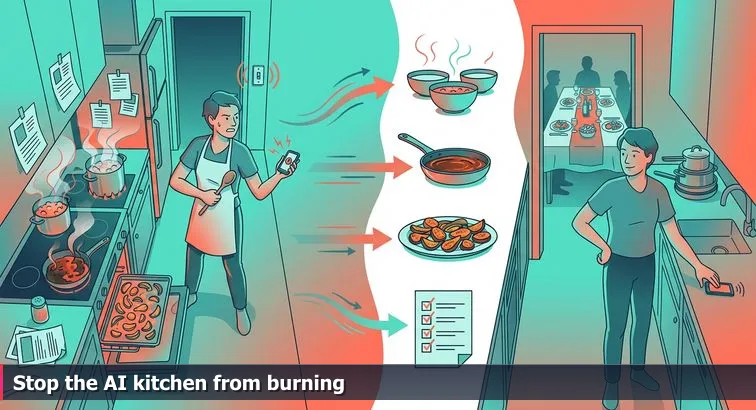
When you copy a “build a chatbot in 10 minutes” tutorial, it’s like throwing every pan on the stove at once: something simmers, something burns, and nothing hits the table on time. The missing ingredient is orchestration - deciding what runs where, in what order, with which limits. In an AI app, that means choosing which model to call, how much context to send, how to stream results back, and where to hide secrets so your keys don’t leak into the dining room (the browser).
This is why the split between a calm dining room and a messy kitchen matters: your React frontend is where everything looks simple and responsive, while your Node.js backend is where you juggle providers like OpenAI, Claude, or Gemini, enforce rate limits, and track your “grocery bill” (API spend). Modern guides on AI APIs, like Builder.io’s overview of AI APIs in production apps, all converge on the same point: the real work is in the backend glue code that coordinates models, data sources, and user sessions, not the one-line call to a chat endpoint.
The AI elephant in the room: vibe coding isn’t a shortcut to architecture
Today, you really can describe an app to an AI assistant and get back working Express routes and React components. Karpathy’s “vibe coding” idea has turned into an entire practice, with engineers using tools like Claude Code or Cursor as pair-programmers and following guides such as a technical guide to vibe coding for professional teams. That’s powerful - but it doesn’t decide whether you should stream responses over SSE or WebSockets, or how to fall back from Claude to GPT if one provider times out. Models will happily generate code for any architecture you ask for; they just won’t tell you if the architecture itself is a bad idea.
Leaders who’ve been shipping real products with AI are blunt about this. As Coherent Solutions’ CTO Max Belov put it when reflecting on the last couple of years of deployments,
“AI stopped being a novelty; it became a tool people expect to deliver real results, not promises.” - Max Belov, CTO, Coherent SolutionsThat shift - from novelty to expectation - is exactly why understanding orchestration, error handling, context limits, and cost trade-offs matters more than ever. The teams that struggle are usually the ones that treat the AI model as magic and ignore basics like timeouts, logging, and data flow.
Why full stack still matters in an AI-first world
This is where classic full stack skills come back into focus. A solid grasp of HTTP, REST, JSON, and React state isn’t glamorous, but it’s what lets you turn raw AI capability into a stable product: you know how to design an API contract between frontend and backend, how to stream tokens without freezing the UI, and where to plug in a vector database for RAG instead of stuffing your entire knowledge base into a single prompt. Even in recent analyses of the best web app tech stacks, JavaScript-heavy stacks like MERN and PERN are still highlighted precisely because they make it easier to integrate AI services consistently across client and server.
For beginners and career-switchers, structured programs that teach this “kitchen layout” end to end are a practical way to build the foundation AI tools now assume you have. Nucamp’s Full Stack Web and Mobile Development Bootcamp, for example, spends 22 weeks on a JavaScript stack - React, React Native, Node, and MongoDB - for about $2,604 in early-bird tuition, with weekly live workshops capped at 15 students. That kind of training doesn’t compete with AI; it makes you the person who knows how to orchestrate AI in a real system, instead of someone who can only paste prompts into a playground and hope for the best.
Steps Overview
- Why orchestration matters and why full stack still matters
- Prerequisites and tools
- Design the AI experience and constraints
- Set up the full stack project
- Securely configure OpenAI and Claude in Node
- Add provider-aware routing and robust error handling
- Implement streaming responses in Express
- Build the React chat UI with streaming
- Upgrade prompts with context and RAG hooks
- Monitor cost, latency, and quality
- Verify your app and your skills
- Troubleshooting and common pitfalls
- Common Questions
When you’re ready to ship, follow the deploying full stack apps with CI/CD and Docker section to anchor your projects in the cloud.
Prerequisites and tools
Before you start wiring AI into a full stack app, you need your mise en place: the basic JavaScript skills, tools, and accounts laid out on the counter so you’re not scrambling once the oven (your Node server) is hot. Even with powerful AI pair programmers, you still have to understand what it’s generating, how to run it, and how the pieces of React and Node fit together.
Technical foundations you should already have
For this project, you don’t need to be a senior engineer, but you should be comfortable with a few core ideas: writing functions in JavaScript, using async/await, building simple React components, and running Node.js scripts from the terminal. Articles outlining the top skills for full stack developers consistently highlight JavaScript, React, and Node as foundational, because they let you work end-to-end: from chat UI to AI API call and back.
- JavaScript basics: variables, objects, arrays, functions, promises, async/await
- React basics: components, props, state, and one hook like
useStateoruseEffect - Node.js basics: running
nodeandnpmcommands, understanding what a server file does - HTTP and JSON: knowing that your frontend sends JSON to the backend and gets JSON back
“AI didn’t lower the bar; it removed it.” - UX designer reflecting on building 15+ working prototypes with AI tools, UX Collective
Tools to install before you code
On the tooling side, treat this like laying out knives, cutting boards, and pans before the rush. You’ll want Node.js 18+ with npm, a modern browser such as Chrome or Firefox, and a code editor like VS Code. Git is optional but strongly recommended so you can version your experiments and roll back when an AI-generated change goes sideways.
- Node.js 18+ and npm for running the Express backend and installing dependencies
- A code editor (VS Code, WebStorm, etc.) with basic Git integration
- A modern browser to run your React app and inspect network calls
- Git and GitHub (or similar) to save checkpoints as you iterate with AI help
If you don’t yet feel solid on these basics, a structured path like Nucamp’s Full Stack Web and Mobile Development Bootcamp can help you get there: over 22 weeks, you’ll work 10-20 hours per week on HTML/CSS, JavaScript, React, React Native, Node, and MongoDB, with weekly live workshops capped at 15 students so you can actually ask questions instead of silently struggling.
AI accounts and a cost-aware mindset
For the AI layer, you’ll need at least two accounts: one with OpenAI for models like GPT-4o and one with Anthropic for Claude models such as Sonnet or Opus. Each provider uses its own pricing and limits, and recent LLM pricing comparisons across OpenAI, Gemini, and Claude show why it matters: lightweight “mini” or “flash” models can be dramatically cheaper per request, which becomes important once you leave the toy stage and real users start sending lots of messages.
- OpenAI API key (for GPT-4o, GPT-4o mini, or similar chat models)
- Anthropic API key (for Claude 3.5 Sonnet, Claude 4.5 Opus, etc.)
- Basic familiarity with each provider’s dashboard to see usage and set budget alerts
As you go through this guide, think of these prerequisites and tools as the base of your stack, not optional extras. AI can help you write code faster, but it can’t replace knowing how to install dependencies, run a dev server, or understand why one model choice doubles your “grocery bill” while another keeps your costs under control.
Design the AI experience and constraints
Before you touch code or ask an AI assistant to “build me a chatbot,” pause and design the experience: who you’re serving, what they’re actually trying to get done, and what limits you’re operating under. This is the blueprint for your kitchen: which dishes you’ll serve, how fast they need to come out, and how high you’ll let the gas bill go. Without this step, you end up with a model that can talk, but not a product that fits into anyone’s real workflow.
Start from the user and their workflow
Begin by writing down a concrete use case in a few sentences. Is this a documentation helper for junior devs at your company, a customer-support assistant for a small ecommerce shop, or a study buddy for bootcamp students? Each of those implies different tone, context, and failure modes. Teams that have successfully embedded AI into products consistently stress this shift from “toy demos” to workflow-aware tools; one industry review described the change as moving “from experiments to embedded intelligence” as organizations integrated copilots into day-to-day planning, refactoring, and coordination tasks rather than isolated chat windows, as outlined in Coherent Solutions’ 2025-2026 AI lessons.
- Write a one-sentence description: “A chat helper that answers questions about our docs for new developers.”
- List 3-5 example questions users will actually ask.
- Decide how formal or casual the tone should be and how long answers should be by default.
“The key is to solve real user problems in the flow of work, not build another generic chatbot.” - Anton Cheplyukov, AI Practice Lead, Coherent Solutions
Apply the 30% rule to what AI should handle
Next, decide which parts of the work you want AI to own and which parts stay firmly human. A practical framing that many teams use is the 30% rule: start by offloading about 30% of repetitive, low-judgment tasks and keep humans responsible for decisions, edge cases, and accountability. As the team at AI Essentials explains in their guide to smart automation, the most successful projects “start by targeting the 30% of tasks that are repetitive, low-risk, and clearly defined,” rather than chasing full autonomy from day one, as summarized in their article on the 30% rule in AI projects.
- Let AI handle: rewriting answers in friendlier language, summarizing long text, suggesting next steps.
- Keep humans in charge of: final approvals, policy-sensitive decisions, and product scope changes.
- Design explicit “escalation paths” where the bot says “I’m not sure; here’s how to contact a human.”
Make constraints explicit: latency, budget, and risk
Once you know the experience and the division of labor, set your constraints. This is where you decide how hot the ovens can run and how big your grocery bill can get. Write these down before you pick models or start wiring up streaming; they’ll drive your choices of which provider to use when, how long you keep chat history, and whether you need RAG from day one or can add it later.
| Constraint | Why it matters | What to decide now |
|---|---|---|
| Latency | Slow replies feel broken; fast, streaming replies feel “alive.” | Target a first token within 500-1000 ms and a max total time per reply. |
| Budget | API costs scale with tokens and users, not just time spent coding. | Pick a monthly dollar cap and favor cheaper “mini/flash” models by default. |
| Accuracy | Hallucinations can be annoying, or catastrophic, depending on your domain. | Define what counts as unacceptable error and when to fall back to “I don’t know.” |
| Privacy | User data may be sensitive or regulated. | Decide what must stay in your database vs. what can be sent to third-party APIs. |
Turn this design into a lightweight spec
Finally, condense everything into a one-page spec you can hand to an AI coding assistant or a human teammate. It should include: target user, top tasks, what AI is allowed to do, acceptable latency, rough budget, and how tolerant you are of wrong answers. This doesn’t have to be a formal design doc; it’s your recipe card. The point is that when you later ask an AI tool to scaffold your Express routes or React components, it’s cooking from your recipe, not improvising a five-course meal you can’t afford or maintain.
Set up the full stack project
Create the project skeleton
Think of this step as drawing the floor plan for your restaurant before you bring in any ingredients: one room for the kitchen (Node/Express) and one for the dining room (React). In practice, that means a single root folder with two subfolders, one for the backend and one for the frontend, so you can develop and deploy them independently without tangling concerns.
- From your terminal, create the base folders:
mkdir ai-chat-app cd ai-chat-app mkdir server mkdir client - Your target structure:
ai-chat-app/
  server/   # Node + Express backend
  client/   # React frontend
Initialize the Node/Express backend
Next, set up the kitchen: a small Express server that will own your API keys, talk to OpenAI and Claude, and stream responses back to the UI. Under the server/ folder, initialize a basic Node project, install dependencies, and add a dev script so you can restart automatically while you iterate.
- Inside
server/, create the Node project and install dependencies:cd server npm init -y npm install express cors dotenv openai @anthropic-ai/sdk npm install --save-dev nodemon - Add a dev script to
server/package.json:"scripts": { "dev": "nodemon index.js" } - Create
server/index.js:import express from 'express'; import cors from 'cors'; import dotenv from 'dotenv'; import OpenAI from 'openai'; import Anthropic from '@anthropic-ai/sdk'; dotenv.config(); const app = express(); app.use(cors()); app.use(express.json()); const openai = new OpenAI({ apiKey: process.env.OPENAI_API_KEY }); const anthropic = new Anthropic({ apiKey: process.env.CLAUDE_API_KEY }); app.get('/health', (req, res) => { res.json({ status: 'ok' }); }); const PORT = process.env.PORT || 4000; app.listen(PORT, () => { console.log(Server listening on http://localhost:${PORT}); });
Warning: if your Node version doesn’t support ES modules by default, either add "type": "module" to server/package.json or switch the imports to require(). As the Node.js runtime docs emphasize, Node lets you use JavaScript for both client and server, but it still has clear rules about module formats you need to respect.
“Node.js lets developers use JavaScript to write command line tools and for server-side scripting.” - Node.js article, Wikipedia
Boot up the React frontend
With the kitchen warming up, you can scaffold the dining room. In the root ai-chat-app/ folder, use Create React App to spin up a React project inside client/. TypeScript is optional but a good habit if you plan to grow this codebase over time.
- From
ai-chat-app/, create the React app:cd .. npx create-react-app client --template typescript # or, without TypeScript: # npx create-react-app client - In
client/package.json, add a proxy so the React dev server forwards API calls to Express:"proxy": "http://localhost:4000" - Start both servers:
# Terminal 1
cd server
npm run dev

# Terminal 2
cd client
npm start
At this point, you should be able to visit http://localhost:3000 for the React app and http://localhost:4000/health for a simple JSON health check. Pro tip: if the browser can’t reach your backend, open the Network tab and confirm that requests are going to relative URLs (like /health), not hard-coded hosts; this is a common source of pain highlighted in tutorials on building full stack AI apps with React and Node, such as those shared on dev and media platforms.
Why this split matters for AI orchestration
This two-folder layout might feel like boilerplate, but it’s the foundation for everything that follows: secure API keys, multi-provider routing, streaming, and eventually RAG. Keeping React and Node separate lets the backend act as a controlled gateway to AI services while the frontend focuses on rendering state and handling user input. Guides on integrating AI services into full stack apps, like a popular piece on integrating OpenAI with Node and Express, all assume this pattern for a reason: it’s much easier to reason about, test, and deploy a system where the messy orchestration lives in one clear “kitchen” folder and the polished UI lives in another.
Securely configure OpenAI and Claude in Node
Keep your API keys in the kitchen, not the dining room
This is the moment you lock the pantry door. OpenAI and Claude keys are effectively the master keys to your AI “staff”: anyone who gets them can run up your bill or impersonate your app. That’s why every serious guide to AI APIs stresses that all provider calls must originate from the backend, never directly from React. One summary of best practices puts it plainly: “API calls should always be handled on the backend to protect API keys.” - AI APIs in 2025, Builder.io. Your Node server is the closed kitchen where those keys live; the browser just sends orders and gets back dishes.
Step 1: Add environment variables and dotenv
In the server/ folder, create a .env file to hold secrets, and make sure Git never sees it. Then load those values with dotenv before you configure any clients. Pro tip: treat this as non-negotiable infrastructure, the same way you’d never leave a gas burner on between shifts.
- Create
server/.env:OPENAI_API_KEY=sk-... CLAUDE_API_KEY=sk-ant-... PORT=4000 - Add it to
server/.gitignore:echo ".env" >> .gitignore - Ensure
dotenvis imported and initialized at the very top ofindex.js:import dotenv from 'dotenv'; dotenv.config();
Step 2: Wire the OpenAI and Claude SDK clients
With the keys loaded, you can safely initialize SDK clients for both providers in Node. This is where you set yourself up to swap models later without touching the frontend. A practical walkthrough on integrating OpenAI with Node and Express follows the same pattern: configure the client once with an environment variable, then reuse it across routes.
- In
server/index.js, afterdotenv.config(), initialize both clients:import OpenAI from 'openai'; import Anthropic from '@anthropic-ai/sdk'; const openai = new OpenAI({ apiKey: process.env.OPENAI_API_KEY }); const anthropic = new Anthropic({ apiKey: process.env.CLAUDE_API_KEY }); - Optionally, throw if a key is missing so you fail fast during development:
if (!process.env.OPENAI_API_KEY || !process.env.CLAUDE_API_KEY) {
  throw new Error('Missing OpenAI or Claude API key in .env');
}
Step 3: Implement a basic non-streaming /api/chat endpoint
Before you get fancy with streaming, build a simple /api/chat route that accepts messages and a provider flag, calls the right model, and returns one complete answer. Think of this as serving a full plate at once; you’ll slice it into streaming “bites” later. Start with cheaper defaults like gpt-4o-mini and Claude Sonnet so you don’t accidentally burn your budget while testing.
- Add this route near the bottom of
server/index.js, beforeapp.listen:app.post('/api/chat', async (req, res) => { const { messages, provider = 'openai' } = req.body; if (!Array.isArray(messages)) { return res.status(400).json({ error: 'messages must be an array' }); } try { let replyText = ''; if (provider === 'openai') { const completion = await openai.chat.completions.create({ model: 'gpt-4o-mini', messages, temperature: 0.7, }); replyText = completion.choices[0]?.message?.content || ''; } else if (provider === 'claude') { const completion = await anthropic.messages.create({ model: 'claude-3-5-sonnet-20240620', max_tokens: 512, temperature: 0.7, messages, }); replyText = completion.content[0]?.text || ''; } else { return res.status(400).json({ error: 'Unknown provider' }); } res.json({ reply: replyText }); } catch (err) { console.error('Chat error:', err); res.status(500).json({ error: 'AI provider error' }); } }); - Test with a tool like curl or your React app to make sure you get a JSON
{ reply: "..." }back for both providers.
Why this backend-first setup pays off later
Getting your secrets into .env, centralizing SDK clients, and returning a clean JSON shape might feel like mundane plumbing, but it’s exactly the plumbing you need for advanced features: streaming, model fallbacks, and even tool-calling agents from platforms like Claude’s advanced tool use API, which Anthropic describes in detail in its engineering guide to tool use. When you eventually add metrics, RAG, or multi-tenant auth, this single Node layer is where you’ll enforce all of it - drawing directly on the backend skills (Node, Express, authentication, security) that full stack programs like Nucamp explicitly teach to prepare you for AI-era workloads.
Add provider-aware routing and robust error handling
Teach your router to pick the right sous-chef
Right now your backend can talk to both OpenAI and Claude, but it treats them the same way every time. Provider-aware routing means your Express route looks at each request and decides which model to call (and eventually whether to fall back to another) based on fields like provider, tier, or even the user’s plan. This is where you encode trade-offs around cost, latency, and quality instead of hard-coding one model everywhere.
Start by centralizing your provider configuration in one place so you don’t sprinkle model names through your code:
const PROVIDERS = {
  openai: {
    cheap: 'gpt-4o-mini',
    premium: 'gpt-4o',
  },
  claude: {
    cheap: 'claude-3-5-sonnet-20240620',
    premium: 'claude-4-5-opus-latest',
  },
};

app.post('/api/chat', async (req, res) => {
  const {
    messages,
    provider = 'openai',
    tier = 'cheap',
  } = req.body;

  if (!Array.isArray(messages)) {
    return res.status(400).json({ error: 'messages must be an array' });
  }

  const model = PROVIDERS[provider]?.[tier];
  if (!model) {
    return res.status(400).json({ error: 'Unknown provider or tier' });
  }

  // ...call the chosen provider with this model...
});
This pattern mirrors what engineering leaders describe in reports like Cortex’s guide to AI tools for developers: your AI layer is part of your production stack, so routing and model selection need to be explicit decisions, not scattered magic strings.
Add a timeout wrapper so requests don’t hang forever
AI APIs can be slow or occasionally stall, and if you don’t guard against that your Node “kitchen” will keep a burner on indefinitely while the dining room waits. A simple timeout wrapper around each provider call lets you fail fast and show a clear message instead of spinning forever.
function withTimeout(promise, ms) {
  let timeoutId;
  const timeout = new Promise((_, reject) => {
    timeoutId = setTimeout(
      () => reject(new Error(Request timed out after ${ms}ms)),
      ms
    );
  });

  return Promise.race([promise, timeout]).finally(() => {
    clearTimeout(timeoutId);
  });
}

const TIMEOUT_MS = 20_000;

// inside /api/chat:
try {
  const start = Date.now();
  let replyText = '';
  let success = false;

  if (provider === 'openai') {
    const completion = await withTimeout(
      openai.chat.completions.create({
        model,
        messages,
        temperature: 0.7,
      }),
      TIMEOUT_MS
    );
    replyText = completion.choices[0]?.message?.content || '';
    success = true;
  } else if (provider === 'claude') {
    const completion = await withTimeout(
      anthropic.messages.create({
        model,
        max_tokens: 512,
        temperature: 0.7,
        messages,
      }),
      TIMEOUT_MS
    );
    replyText = completion.content[0]?.text || '';
    success = true;
  }

  const durationMs = Date.now() - start;
  console.log(JSON.stringify({ provider, model, durationMs, success }));

  return res.json({ reply: replyText });
} catch (err) {
  // error handling in next section
}
Pro tip: log provider, model, and durationMs on every call. This gives you the raw data you’ll later use to compute p95 latency and spot when one model starts misbehaving or getting slower over time.
Normalize errors before they reach the frontend
Left unchecked, provider errors become a mess of different HTTP codes and cryptic messages leaking into your React app. Instead, catch everything in one place, map it to a small set of user-facing errors (like “timeout” vs “provider error”), and include a friendly hint. This is the pattern you see in serious AI workflows, like the ones described in analyses of AI-powered development workflows, where teams wrap model calls with standardized logging and error translation so the rest of the system stays predictable.
} catch (err) {
  console.error('Chat error:', err);

  const message = err?.message || '';
  const isTimeout = message.includes('timed out');
  const status = isTimeout ? 504 : 502;

  return res.status(status).json({
    error: isTimeout ? 'Upstream timeout' : 'AI provider error',
    code: isTimeout ? 'AI_TIMEOUT' : 'AI_PROVIDER_FAILURE',
    hint: 'Please try again in a moment or switch providers.',
  });
}
Warning: never send raw stack traces or full provider responses back to the client; they can leak internal details, invite prompt injection tricks, and confuse users. By normalizing errors at the Node layer, you keep the React “dining room” calm and focused on UX while the kitchen quietly handles smoke, retries, and logs behind the scenes.
Implement streaming responses in Express
Up to now, your backend has been cooking one dish at a time and only sending it out when it’s fully plated. Streaming lets you do what good restaurants do in a rush: get something on the table fast, then keep sending bites. In HTTP terms, that means keeping the connection open and sending chunks as the model generates tokens, instead of waiting for the full completion. Google’s Gemini team calls this out explicitly in their docs, noting that streaming “enables your application to start receiving tokens as soon as they are generated, reducing latency and improving user experience.” - Gemini API documentation, Google AI for Developers
Set up an SSE-style endpoint in Express
On the Node side, the simplest pattern is Server-Sent Events (SSE): you set a few specific headers, then use res.write to push lines of text to the client. Each line starts with data: and ends with a blank line. Your React app will parse those chunks and assemble the final answer.
- Define the route and validate input:
app.post('/api/chat-stream', async (req, res) => { const { messages, provider = 'openai' } = req.body; if (!Array.isArray(messages)) { res.writeHead(400, { 'Content-Type': 'application/json' }); return res.end(JSON.stringify({ error: 'messages must be an array' })); } // ... }); - Set SSE headers and add a helper to send chunks:
res.setHeader('Content-Type', 'text/event-stream; charset=utf-8');
res.setHeader('Cache-Control', 'no-cache, no-transform');
res.setHeader('Connection', 'keep-alive');

const sendChunk = (data) => {
  res.write(data: ${JSON.stringify(data)}\n\n);
};
Warning: once you start writing to the response with SSE, you can’t switch back to normal JSON for that request. Make sure all early errors (like invalid body shape) are handled before setting streaming headers or writing any chunks.
Stream tokens from OpenAI
OpenAI’s Node SDK supports streaming by passing stream: true and then iterating over the returned async iterator. Each chunk includes a small “delta” of new content in choices[0].delta.content. Your job is to grab that delta and push it down the wire as soon as it arrives.
- Inside the
/api/chat-streamroute, after setting headers:try { if (provider === 'openai') { const stream = await openai.chat.completions.create({ model: 'gpt-4o-mini', messages, stream: true, }); for await (const part of stream) { const delta = part.choices[0]?.delta?.content || ''; if (delta) { sendChunk({ delta }); } } } // Claude branch will go here next... } catch (err) { console.error('Stream error:', err); sendChunk({ error: 'Streaming failed' }); } finally { res.write('event: end\n\n'); res.end(); }
Pro tip: avoid logging every token in production; streaming responses from a busy app can generate huge log volumes. Instead, log a single line per request with provider, model, and total duration once the stream ends.
Stream from Claude and close the connection cleanly
Anthropic’s SDK exposes a similar streaming pattern via messages.stream. The SDK emits different event types; for text streaming you care about content_block_delta, which contains a delta.text field. You handle it almost exactly like the OpenAI case, which keeps your “kitchen” logic consistent even though you’re working with two different vendors.
- Add the Claude streaming branch:
if (provider === 'claude') { const stream = await anthropic.messages.stream({ model: 'claude-3-5-sonnet-20240620', max_tokens: 512, messages, }); for await (const event of stream) { if (event.type === 'content_block_delta') { const delta = event.delta?.text || ''; if (delta) { sendChunk({ delta }); } } } } - Ensure you always end the response:
} catch (err) {
  console.error('Stream error:', err);
  sendChunk({ error: 'Streaming failed' });
} finally {
  res.write('event: end\n\n');
  res.end();
}
With this in place, your Express “kitchen” can start sending back the first tokens in a few hundred milliseconds, rather than making your React “dining room” wait for a full plate. That’s the same pattern you’ll see in modern AI platform docs, like Firebase’s guidance on streaming generated text responses with the Gemini API: keep the connection open, push small chunks, and let the frontend turn them into a smooth, real-time experience.
Build the React chat UI with streaming
Now that the kitchen (Express) can stream token-sized chunks, it’s time to make the dining room feel effortless. Your React chat UI’s job is to collect user messages, send them plus a provider choice to /api/chat-stream, and then render tokens as they arrive so the answer feels like it’s being typed in real time. AI tools can scaffold the JSX for you, but understanding how to wire state to a streaming response is what turns a copy-paste component into a reliable, debuggable interface.
Define chat state, layout, and provider selection
Start by creating a Chat.tsx component that keeps track of messages, the current input, which provider you’ve selected, and whether a stream is in progress. You’ll also hold an AbortController ref so the user can hit a “Stop” button mid-stream.
import React, { useState, useRef } from 'react';

type Message = {
  role: 'user' | 'assistant' | 'system';
  content: string;
  provider?: 'openai' | 'claude';
};

const Chat: React.FC = () => {
  const [messages, setMessages] = useState<Message[]>([
    { role: 'system', content: 'You are a helpful assistant.' },
  ]);
  const [input, setInput] = useState('');
  const [provider, setProvider] = useState<'openai' | 'claude'>('openai');
  const [isStreaming, setIsStreaming] = useState(false);
  const [error, setError] = useState<string | null>(null);

  const abortRef = useRef<AbortController | null>(null);

  // handleSend and handleStop will go here...

  return (
    <div>
      <header>
        <h1>AI Chat (OpenAI + Claude)</h1>
        <select
          value={provider}
          onChange={(e) => setProvider(e.target.value as 'openai' | 'claude')}
        >
          <option value="openai">OpenAI (gpt-4o-mini)</option>
          <option value="claude">Claude (Sonnet)</option>
        </select>
      </header>

      <div className="messages">
        {messages
          .filter((m) => m.role !== 'system')
          .map((msg, idx) => (
            <div key={idx} className={message ${msg.role}}>
              <strong>{msg.role === 'user' ? 'You' : 'AI'}:</strong> {msg.content}
            </div>
          ))}
      </div>

      {error && <div className="error">Error: {error}</div>}

      {/* input row will go here */}
    </div>
  );
};

export default Chat;
Notice how the provider lives in React state and is attached to each assistant message; this will make it easier later to see which answers came from which model. Tutorials like the full-stack OpenAI completion app with React and Node use a similar pattern: React owns the chat history and “which model” choices, while the backend focuses purely on orchestration.
Stream chunks from fetch into React state
The core of the streaming UI is the handleSend function. It appends the user’s message and a blank assistant placeholder to messages, sends everything to /api/chat-stream, then reads from response.body using a ReadableStream. Each chunk may contain multiple data: lines; you parse them, pull out payload.delta, and append it to the last assistant message.
const handleSend = async () => {
  if (!input.trim() || isStreaming) return;

  const newMessages = [
    ...messages,
    { role: 'user', content: input },
    { role: 'assistant', content: '', provider },
  ];

  setMessages(newMessages);
  setInput('');
  setError(null);
  setIsStreaming(true);

  const controller = new AbortController();
  abortRef.current = controller;

  try {
    const res = await fetch('/api/chat-stream', {
      method: 'POST',
      headers: { 'Content-Type': 'application/json' },
      body: JSON.stringify({
        provider,
        messages: newMessages.map(({ role, content }) => ({ role, content })),
      }),
      signal: controller.signal,
    });

    if (!res.ok || !res.body) {
      throw new Error('Network or streaming error');
    }

    const reader = res.body.getReader();
    const decoder = new TextDecoder('utf-8');
    let assistantText = '';

    while (true) {
      const { done, value } = await reader.read();
      if (done) break;

      const chunk = decoder.decode(value, { stream: true });
      const lines = chunk.split('\n').filter(Boolean);

      for (const line of lines) {
        if (!line.startsWith('data: ')) continue;

        const payload = JSON.parse(line.replace('data: ', ''));
        if (payload.delta) {
          assistantText += payload.delta;
          setMessages((prev) => {
            const updated = [...prev];
            const lastIndex = updated.length - 1;
            if (updated[lastIndex]?.role === 'assistant') {
              updated[lastIndex] = {
                ...updated[lastIndex],
                content: assistantText,
              };
            }
            return updated;
          });
        } else if (payload.error) {
          setError(payload.error);
        }
      }
    }
  } catch (err: any) {
    if (err.name !== 'AbortError') {
      console.error('Stream error:', err);
      setError(err.message || 'Unknown error');
    }
  } finally {
    setIsStreaming(false);
    abortRef.current = null;
  }
};
Pair this with a simple input row that disables the textarea while streaming and exposes a “Stop” button wired to abortRef.current?.abort(). This gives users control without complicating your backend logic, and it mirrors patterns real teams use when building AI chat UIs that need to feel responsive under load.
Keep AI as a helper, not the architect, of your UI
AI coding assistants are excellent at generating the boilerplate for this component, but they don’t know your constraints or UX goals. One experienced developer who used Claude to build multiple applications in a matter of hours put it this way:
“I’m completely astonished in a way I’ve never experienced before.” - Jim, independent developer, describing rapid app prototyping with Claude (via Axios)
The trick is to treat that astonishment as a productivity boost, not a reason to skip understanding. When you know how streaming, state updates, and provider selection work in React, you can confidently accept or tweak what an AI suggests, instead of hoping the generated code just “works.” That combination - solid full stack fundamentals plus AI as a fast sous-chef - is what lets you serve a smooth, low-latency chat experience from your calm dining room without losing control of the kitchen.
Upgrade prompts with context and RAG hooks
Once your chat is streaming, the next big upgrade is teaching your AI to cook from your recipes instead of guessing from memory. That means two things: a stable system prompt that defines how it should behave, and a lightweight hook where you can inject real data via RAG (Retrieval-Augmented Generation) later. Think of the system prompt as the house rules for your kitchen, and RAG as the pantry and recipe binder you’ll eventually wire in, one shelf at a time.
Stabilize behavior with a strong system prompt
Start by defining a reusable base prompt on the backend instead of sprinkling instructions all over your React components. This gives your assistant a consistent personality and guardrails, and it mirrors what Anthropic recommends with a dedicated CLAUDE.md file for agents, as explained in their community guide on creating the perfect CLAUDE.md for Claude Code. In server/index.js:
const BASE_SYSTEM_PROMPT =
You are a concise, friendly assistant embedded in a web app.

Rules:
- Keep answers short unless the user asks for detail.
- If you're unsure, say "I'm not sure" rather than guessing.
- If you mention code, default to JavaScript/TypeScript examples.
;
const apiMessages = [
{ role: 'system', content: BASE_SYSTEM_PROMPT },
...messages.filter((m) => m.role !== 'system'),
];Use apiMessages for both OpenAI and Claude calls. Centralizing this prompt means that when you later tighten or relax the rules (for example, making the bot more cautious about unknown answers), you do it in one place and can correlate behavior changes with prompt changes in your logs.
Add a RAG-ready retrieveContext hook
Full RAG involves embeddings and a vector database, but you don’t have to build that all at once. Instead, add a simple retrieveContext function now that returns static snippets; later, you’ll swap its internals to query a real vector store like Milvus or pgvector. The Milvus team’s quick reference on how APIs interact with AI data platforms describes this pattern: your app calls a retrieval API, gets back the top-K chunks, and injects them into the prompt before calling the LLM.
// server/rag.js
export async function retrieveContext(userQuery) {
  // TODO: call your vector DB; static for now
  return [
    {
      title: 'FAQ',
      content: 'This is where relevant documentation snippets will appear.',
    },
  ];
}
// in index.js, before calling the model
const userLastMessage = messages.slice().reverse()
.find((m) => m.role === 'user');
let contextDocs = [];
if (userLastMessage) {
contextDocs = await retrieveContext(userLastMessage.content);
}
const contextText = contextDocs
.map((doc) => Title: ${doc.title}\n${doc.content})
.join('\n\n');
const systemPromptWithContext =
${BASE_SYSTEM_PROMPT}
You also have access to the following context. Prefer this information
over your own knowledge if relevant.
---
${contextText || 'No additional context.'}
---
;
const apiMessages = [
{ role: 'system', content: systemPromptWithContext },
...messages.filter((m) => m.role !== 'system'),
];By keeping the RAG hook behind a small function, you make it easy to evolve from “hard-coded docs” to “real semantic search” without touching the rest of your orchestration logic or your React UI.
Keep context lean and testable
The temptation with powerful models is to shove everything into the prompt: full chat history, entire documentation sets, long policy texts. That’s like piling every ingredient in your fridge into every dish: it’s expensive, slow, and usually worse. A better pattern is to keep prompts short, limit history to the last few turns, and let RAG supply only the most relevant snippets. As one practical guide to building gen AI apps notes, “Combining retrieval with generation dramatically improves factual accuracy in production applications.” - Build Gen AI-Powered Apps, Full-Stack Techies. Treat your system prompt and RAG hook as first-class parts of your architecture: log when they change, measure how they affect hallucinations and latency, and adjust them intentionally instead of relying on guesswork or whatever an AI assistant happened to generate last week.
Monitor cost, latency, and quality
At this point your chatbot talks, streams, and even uses some context. What separates this from a portfolio demo is whether you actually know what it’s costing, how fast it feels for real users, and how often it gives good answers. This is the “grocery bill and timers” part of running the kitchen: you track how long each dish takes, how much each ingredient costs, and which recipes people actually like, instead of just hoping it all works out.
Log the core metrics in your backend
Start by logging a few key numbers on every request: provider, model, durationMs, and a success flag. With that minimal data, you can later compute p95/p99 latency (how slow the slowest 5% and 1% of requests are), spot timeouts, and approximate cost per 1,000 requests based on each model’s pricing. This is the kind of instrumentation teams rely on when they compare AI tools; in an overview of the best AI coding assistants, for example, Shakudo notes that organizations care deeply about reliability and performance characteristics, not just how “smart” a model feels in one-off tests.
function logCall({ provider, model, durationMs, success }) {
  console.log(
    JSON.stringify({
      ts: new Date().toISOString(),
      provider,
      model,
      durationMs,
      success,
    })
  );
}

// Around your provider call:
const start = Date.now();
let success = false;
try {
  // ... call OpenAI or Claude ...
  success = true;
  res.json({ reply });
} catch (err) {
  res.status(502).json({ error: 'AI provider error' });
} finally {
  const durationMs = Date.now() - start;
  logCall({ provider, model, durationMs, success });
}- Later, export logs to a dashboard (Logtail, Datadog, or a simple CSV) to compute p95/p99 latency.
- Use provider pricing docs plus your token counts to estimate dollars per 1,000 chats.
- Watch for spikes in failure rate after you change prompts or models.
Use model tiers to control cost vs. quality
Next, bake cost controls into your routing. Instead of hard-coding one model, introduce a simple tier concept (like 'cheap' vs 'premium') and let the client request which one to use. Under the hood, map those tiers to specific models: fast, inexpensive ones like GPT-4o mini or Claude Sonnet for most queries, and heavier models like full GPT-4o or Claude Opus only when needed (for example, long analyses or paying users).
| Tier | Typical model choice | When to use | Trade-off |
|---|---|---|---|
| cheap | gpt-4o-mini / Claude 3.5 Sonnet | Everyday chat, quick Q&A, high-volume traffic | Lower cost, slightly weaker on edge-case reasoning |
| premium | GPT-4o / Claude 4.5 Opus | Complex analysis, long context, paying customers | Higher quality, higher latency and cost per request |
// in your route:
const { provider = 'openai', tier = 'cheap' } = req.body;
const PROVIDERS = {
  openai: { cheap: 'gpt-4o-mini', premium: 'gpt-4o' },
  claude: { cheap: 'claude-3-5-sonnet-20240620', premium: 'claude-4-5-opus-latest' },
};

const model = PROVIDERS[provider]?.[tier] || PROVIDERS.openai.cheap;
Collect feedback and reuse good answers
Finally, you need some signal on quality. Start simple: under each assistant message in your React UI, add 👍/👎 buttons wired to a small /api/feedback endpoint that logs which answer the user liked or disliked. Over time, this gives you a dataset you can use to compare models, prompts, or RAG configurations. As your app matures, you can also use “LLM-as-a-judge,” where a separate model scores answers against a rubric, to scale evaluation without manually reading thousands of chats.
// React
<button onClick={() => sendFeedback(msgId, 'up')}>👍</button>
<button onClick={() => sendFeedback(msgId, 'down')}>👎</button>

// Node
app.post('/api/feedback', (req, res) => {
  const { messageId, rating } = req.body;
  console.log(JSON.stringify({ messageId, rating, ts: new Date().toISOString() }));
  res.json({ ok: true });
});
As a bonus, treat frequently repeated questions like leftovers: cache high-quality answers in your own database and serve them directly for identical or very similar queries, instead of paying the API again every time. Between logging, tiered models, and feedback, you move from “vibe coding” an AI demo to running a measured, efficient system you can actually operate and improve over time.
Verify your app and your skills
Run through a functional checklist
Before you declare victory, you want to confirm the whole kitchen-and-dining-room flow works the way you think it does. Walk through the app like a user, not like a developer: click buttons, switch providers, and intentionally trigger errors. This catches wiring issues that won’t show up in unit tests, like a broken proxy or a streaming connection that never closes.
- Start both servers and confirm they’re reachable:
npm run devinserver/andnpm startinclient/.- Visit http://localhost:3000 for the React UI and http://localhost:4000/health for the backend.
- Send a message from the UI and verify:
- You see a user bubble and an assistant bubble.
- The assistant reply appears token by token, not all at once.
- Switch the provider dropdown between OpenAI and Claude and check that responses feel different in style or detail.
- Break an API key on purpose and confirm the UI shows a clear error instead of hanging or crashing.
Confirm your architecture and trade-offs make sense
The next test is for your understanding, not just the code. If you used AI to scaffold pieces of this project, this is where you prove to yourself you still own the architecture. Being able to explain why things are wired a certain way is what hiring managers and clients care about.
- Explain to a friend (or rubber duck) why API keys must live in Node and never in React, and how environment variables and
dotenvenforce that. - Describe the difference between non-streaming and streaming endpoints, including:
- Why the streaming route uses
text/event-streamandres.write. - How the React component reads from
response.body.getReader()and updates state.
- Why the streaming route uses
- Point to the exact spot where a future vector database would plug in (your
retrieveContexthook) and what it would return. - Show how you switch between “cheap” and “premium” models and what that means for latency and cost.
In Stack Overflow’s recent developer survey, the team noted that many developers are “willing but reluctant to use AI” because of uncertainty about how it fits into real workflows, not just coding puzzles, as discussed in their analysis of AI use among professional developers. Being able to articulate these architectural trade-offs is exactly how you get past that uncertainty.
Reflect on your skills beyond this single project
Finally, step back and look at what you can now do, not just what this app does. You’ve touched React, Node, API security, streaming, prompt design, and the basics of RAG and observability. That’s a meaningful slice of the full stack skills employers and clients expect when they hear “I build AI-powered web apps.”
- List the end-to-end flow in your own words: from user typing in React, to Express receiving JSON, to the provider call, to streamed tokens, to UI updates.
- Write down two things you’d improve next (for example, adding auth, plugging in a real vector DB, or building a small analytics dashboard for your logs).
- Identify one concept that still feels fuzzy (like SSE vs WebSockets or token-based pricing) and schedule time to deepen that skill with docs, courses, or a structured bootcamp.
If you can do all of that without constantly re-reading this guide, you’ve moved beyond copy-paste territory. You’re orchestrating a small but real AI system, with a clear sense of how cost, latency, and quality interact - and that combination of hands-on practice plus architectural understanding is what turns a flashy demo into a stepping stone for your career.
Troubleshooting and common pitfalls
When things break: start with the boring checks
Most “AI bugs” in a full stack app turn out not to be model problems at all, but plain old wiring issues: wrong URLs, missing middleware, or environment variables that aren’t loaded. Before you blame GPT or Claude, assume it’s the plumbing. Even roundups of AI tools for web developers, like Solid App Maker’s guide to AI tools every web and mobile developer should use, emphasize that reliable integration and monitoring matter more than which model you picked. Treat this section as your kitchen checklist for when smoke starts rising: verify the gas, the pans, and the timers before you swap out the chef.
Wiring and network gotchas (CORS, bodies, and URLs)
If every request returns 400/500 errors or you see “Unexpected token < in JSON” in the console, check three basics. First, make sure express.json() is registered before your routes so req.body isn’t undefined: app.use(express.json());. Second, confirm CORS is enabled correctly during development: app.use(cors()); is usually enough for localhost, but if you deploy, you’ll want to restrict origins. Third, verify your React app is calling relative paths (like /api/chat) and that "proxy": "http://localhost:4000" is set in client/package.json; hard-coding http://localhost:4000 in fetch calls often breaks when you move to production. A quick sanity test is to hit your endpoints with curl or a REST client first - if those fail, React won’t save you.
Streaming-specific problems (hung responses and missing chunks)
Streaming adds its own class of failures: the UI never shows tokens, responses only appear at the end, or the browser keeps “loading” forever. Common culprits are missing res.end() in your finally block, incorrect Content-Type (it must be text/event-stream for SSE), or lines that don’t actually start with data: , so your client parser silently skips them. Double-check that every chunk you write looks like data: {"delta":"..."}\n\n, and that you’re guarding against response.body being null on the frontend. For long streams, it’s also worth listening for client disconnects with req.on('close', ...) so you can stop work early instead of generating tokens no one will see.
Security, context, and cost pitfalls
On the security side, the biggest trap is accidentally exposing API keys in the frontend: a stray process.env reference in React or a misconfigured build can ship secrets straight to the browser. Keep all provider keys in the Node “kitchen” (.env + dotenv) and only expose your own routes to the “dining room.” On the context front, many teams run into “context pollution” by stuffing entire histories and RAG results into every prompt, which inflates token counts, increases latency, and can actually confuse the model. Start with a short window of recent messages and a handful of high-quality retrieved snippets. Finally, watch for runaway bills: as pricing analyses like IntuitionLabs’ LLM API pricing comparison across OpenAI, Gemini, and Claude show, switching from a mini model to a flagship one can increase per-request cost by an order of magnitude. Default to a “cheap” tier model, set usage alerts in each provider’s dashboard, and only route to premium models for the small fraction of queries that truly need them.
Common Questions
Can I integrate OpenAI and Claude into a React + Node app and make it production-ready?
Yes - but treat your Node/Express backend as the orchestration layer that holds API keys, routes calls, and enforces timeouts; keep the React frontend for UI only. Aim for Node.js 18+, design for a first-token latency of ~500-1000 ms, and centralize model selection and logging so you can operate the system reliably.
What accounts and local setup do I need before I start wiring APIs?
You’ll need OpenAI and Anthropic API keys, Node.js 18+ with npm, a code editor (VS Code), and basic Git for versioning; be comfortable with async/await, simple React components, and running an Express server. Having both provider dashboards available lets you set budget alerts and inspect usage early.
How do I control costs and choose which model to call?
Use tiered routing (e.g., 'cheap' -> gpt-4o-mini / Claude Sonnet, 'premium' -> GPT-4o / Claude Opus) and default to cheaper models for high volume; switching from a mini model to a flagship one can raise per-request cost by an order of magnitude. Also set monthly caps and provider alerts and log token counts so you can estimate dollars per 1,000 chats.
My streaming UI shows nothing or hangs - what are the quick troubleshooting steps?
Check the boring plumbing first: confirm express.json() is registered, SSE headers are set to 'text/event-stream', every chunk is written as 'data: {...}\n\n', and you call res.end() when done. Also verify response.body isn’t null on the client, and consider a server-side timeout (20,000 ms is a practical default) to fail fast.
What’s the simplest way to handle provider failures or slow responses?
Wrap provider calls with a timeout wrapper (e.g., 20s), normalize errors to a small set of user-facing codes, and implement provider-aware routing so you can fall back from one vendor to another when needed. Log provider, model, durationMs and success so you can compute p95/p99 latency and spot problematic models quickly.
If you want to learn how to choose between Redux Toolkit, Context API, and Zustand, this article breaks the decision process into clear steps.
Bookmark the best entry-level React developer positions to target projects and interview prep.
Use the comprehensive roadmap for aspiring full stack devs to plan front-end, back-end, and DevOps milestones.
Consult the guide to Server Actions and ISR for practical full-stack data patterns and revalidation tips.
If you’re deciding on a stack, the comprehensive comparison: Node vs Python vs Go section explains trade-offs for concurrency and throughput.

Irene Holden
Operations Manager
Former Microsoft Education and Learning Futures Group team member, Irene now oversees instructors at Nucamp while writing about everything tech - from careers to coding bootcamps.